
[This article was first published on jamovi, and kindly contributed to R-bloggers]. (You can report issue about the content on this page here)
Want to share your content on R-bloggers? click here if you have a blog, or here if you don't.
We are excited to introduce SummaryTables, a new module available in the jamovi library designed to provide an easy, flexible, and elegant way to create publication-ready analytical and summary tables.
Powered by the gtsummary package in R, this module bridges the gap between running your analyses and publishing them. Instead of piecing together multiple separate outputs into a final manuscript table, SummaryTables generates beautifully formatted, publication-ready tables directly within jamovi. By making complex analyses simple and accessible, it saves you valuable time and reduces the risk of transcription errors. It summarizes data sets, regression models, and more, using sensible defaults while offering highly customizable capabilities.
Key Features
Here is an overview of the analyses included in the module:
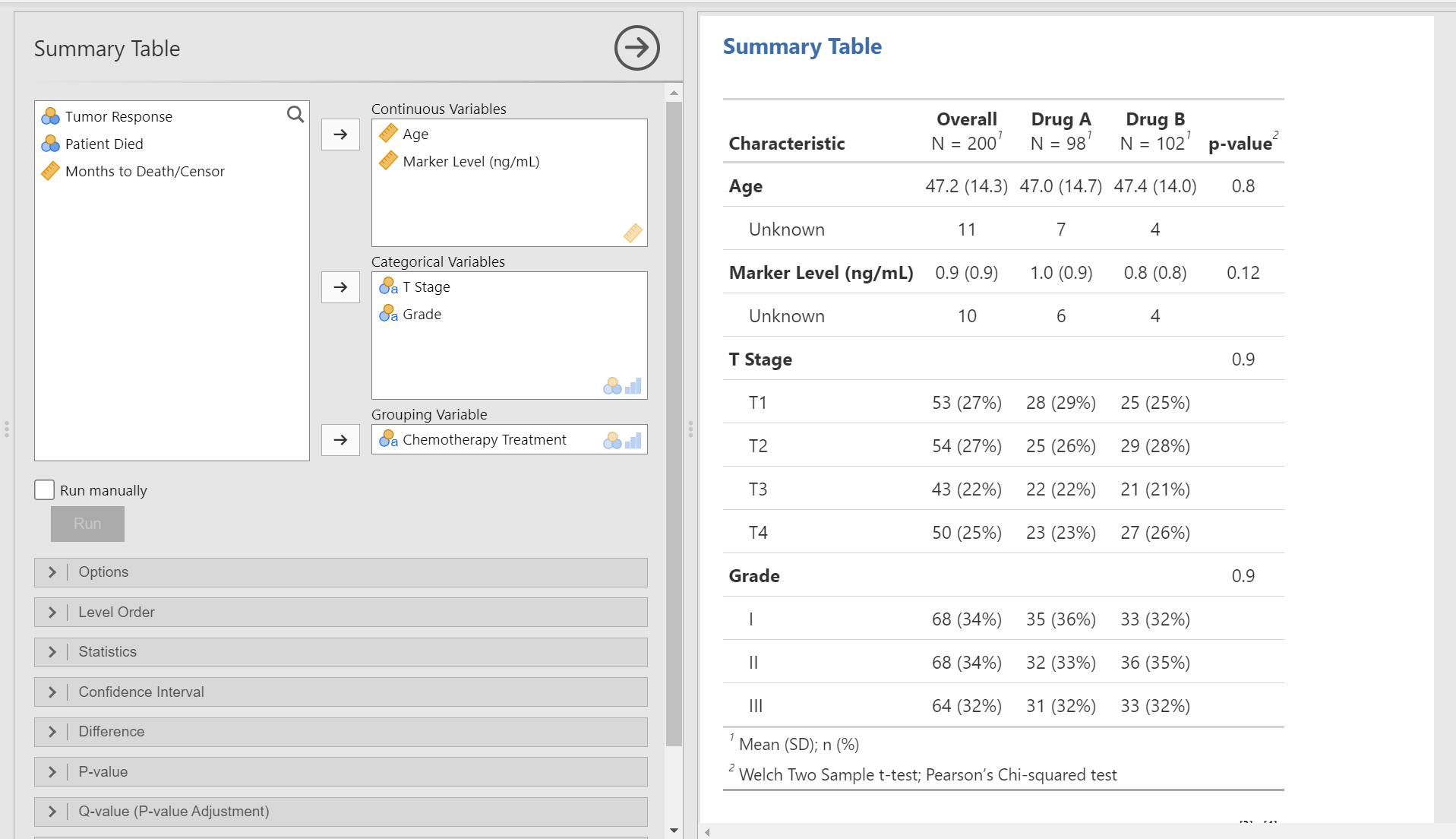
1. Summary Table
Create classic “Table 1” summaries with group comparisons, automatic statistical testing, effect sizes, and p-value adjustments.

2. Continuous Table
Summarize a single continuous variable across multiple categorical variables with automatic statistical testing and p-value adjustments.
3. Cross Table
Summarize the association between two categorical variables using cross-tabulations with automatic statistical testing.
4. Likert Table
Summarize Likert scale items.
5. Survival Table
Create Kaplan-Meier survival tables showing survival probabilities and median survival times.
6. Multivariable Regression
Fit multivariable linear, logistic, or Cox regression models.
7. Univariable Regression
Run separate univariable linear, logistic, or Cox regression models for each predictor, seamlessly combined into a single, clean table.
Additional Features
Save to Word
Bypass the formatting headaches that come with copying and pasting jamovi tables into Word. Save your results directly to a natively formatted Word (.docx) document, preserving the same styling done in jamovi and ensuring a perfect layout for your manuscript.
Journal Formatting & Translations
Choose from 16 supported languages and apply pre-built formatting themes tailored for major journals (JAMA, The Lancet, NEJM, QJE).
Help and Documentation
For documentation, tutorials, and support, please visit: nouredindarwish.github.io/SummaryTables.
0 Comments
Log in to join the conversation.No comments yet. Be the first to share your thoughts.