
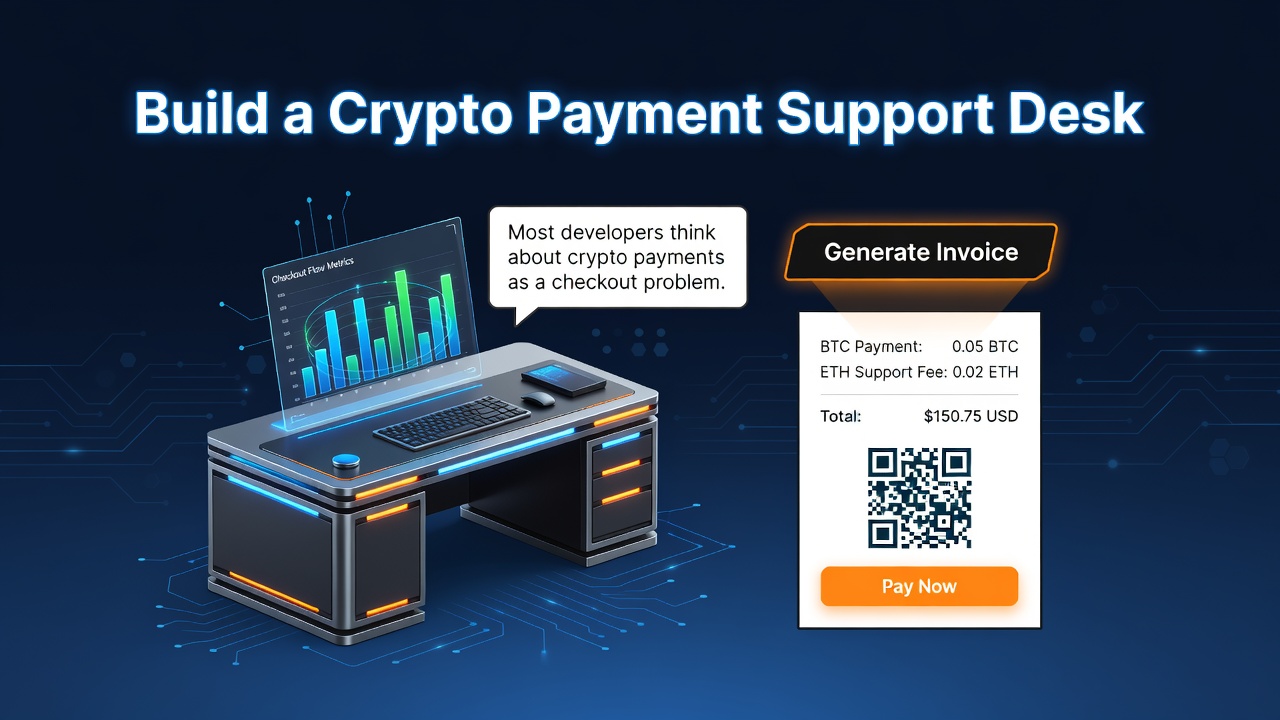
Most developers think about crypto payments as a checkout problem.
Generate an invoice.
Show a payment page.
Wait for a webhook.
Mark the order as paid.
That is the clean version.
Real merchants do not live in the clean version.
They live in support tickets.
A customer says they paid, but the order is still pending.
A payment arrives after the invoice expires.
Someone sends the right amount on the wrong network.
A webhook fails.
A customer underpays.
A support agent cannot tell whether the issue is customer error, blockchain delay, invoice expiry, fulfillment failure, or an internal system bug.
This is where developers can build a real product.
A Crypto Payment Support Desk is a support and operations layer for merchants that accept crypto payments. It helps support teams search payments, inspect payment timelines, classify issues, explain statuses to customers, escalate real problems, and reduce the amount of manual investigation required for every crypto payment ticket.
In this article, I will use OxaPay as the example payment infrastructure because its documentation exposes the primitives needed to build this kind of product: invoice generation, payment status callbacks, HMAC-signed webhooks, payment information lookup, payment history, static addresses, SDKs, plugins, and automation integrations.
This is not a generic “add crypto payments to your app” article.
It is a blueprint for developers who want to build a support-facing product that merchants may actually pay for.
The business idea
The idea is simple:
Build a support desk that sits between a merchant's payment system, order system, and support team.
The merchant already accepts crypto payments.
The problem is that their support team cannot quickly answer payment-related questions.
Your product gives them one place to investigate cases like:
- “The customer says they paid, but the order is unpaid.”
- “The invoice expired, but a transaction later appeared.”
- “The payment is underpaid.”
- “The webhook was received, but fulfillment did not happen.”
- “The support team needs a safe customer-facing status explanation.”
- “Finance wants to know which payment issues are still unresolved.”
The product is not a payment gateway.
It is not a wallet.
It is not an exchange.
It is a payment support operations tool.
That distinction matters because merchants do not pay only for APIs. They pay for reduced confusion, fewer unresolved tickets, faster support handling, cleaner internal workflows, and better visibility into payment incidents.
Why this can be a real developer business
Support tooling becomes valuable when three things happen:
- A workflow repeats often.
- Manual investigation is slow.
- Mistakes cost money, time, reputation, or customer trust.
Crypto payments create exactly that situation for many merchants.
A card payment support agent usually has a payment processor dashboard, a dispute dashboard, a refund panel, and clear payment states.
A crypto payment support agent may need to check:
- the merchant order system,
- the invoice status,
- the payment amount,
- the selected coin,
- the selected network,
- the invoice expiration time,
- the payment status,
- webhook delivery,
- fulfillment status,
- internal notes,
- and sometimes payout or refund state.
Without a support desk, this becomes a Slack thread, a spreadsheet, a manual API check, or a developer interruption.
That is a product opportunity.
You are not selling “crypto payment integration.”
You are selling:
A way for merchants to handle crypto payment support without asking developers to debug every payment issue.
Who would use this service?
This product is most useful for merchants that already have enough payment volume to feel operational pain.
Good targets include:
- digital product stores,
- SaaS apps,
- hosting providers,
- VPN and proxy resellers,
- online course platforms,
- software license sellers,
- Telegram or Discord paid communities,
- agencies managing merchant clients,
- marketplaces,
- donation platforms,
- affiliate platforms,
- and any business with international crypto-paying customers.
The first buyer is usually not the CEO.
It may be:
- a founder who still handles support manually,
- a developer tired of payment debugging,
- a support manager,
- an operations manager,
- or a finance/admin person who needs cleaner payment records.
The more support tickets a merchant receives, the easier this product is to justify.
The core merchant pain
The pain is not simply “we need to know if a payment was paid.”
The real pain is context.
A support agent needs to answer a customer quickly and safely.
That means the agent needs to know:
- which order the payment belongs to,
- whether the invoice is still active,
- whether OxaPay has detected payment activity,
- whether the customer paid fully,
- whether the payment became
paid,underpaid,expired, or another status, - whether the webhook was received,
- whether the merchant system processed the webhook,
- whether fulfillment happened,
- whether the case needs finance or developer review,
- and what message can be sent back to the customer.
A Crypto Payment Support Desk turns this into a structured workflow.
What you are building
At MVP level, you are building a web app with four main areas.
1. Payment search
Support agents can search by:
- order ID,
- invoice ID,
- OxaPay
track_id, - customer email,
- amount,
- coin,
- network,
- date range,
- status,
- or internal case ID.
2. Payment timeline
Each payment has a readable event timeline:
Invoice created
Customer selected currency
Payment activity detected
Webhook received
Payment status changed
Merchant order updated
Fulfillment attempted
Fulfillment completed or failed
Support case created
Support case resolved
Enter fullscreen mode Exit fullscreen mode
3. Issue classification
The tool automatically classifies common cases:
- paid but not fulfilled,
- expired invoice,
- underpaid invoice,
- webhook not received,
- webhook received but not processed,
- duplicate callback,
- unknown payment reference,
- static address deposit needs review,
- fulfillment failed,
- possible customer mistake,
- manual review required.
4. Support response assistant
The tool provides safe support templates.
For example:
We found your payment attempt, but the invoice has not reached the final paid status yet. We are monitoring the payment status and will update your order once it is confirmed.
Or:
Your invoice expired before full payment was received. Our support team is reviewing the case and will contact you with the next step.
This matters because support agents should not improvise payment explanations for every crypto issue.
Why OxaPay is useful for this kind of product
A support desk needs payment visibility. OxaPay exposes several useful primitives for that.
Generate Invoice
OxaPay's invoice endpoint lets a merchant create a new invoice and receive a payment URL. The request can include order-related metadata such as order_id, plus a callback_url for payment updates.
That means your app can link a merchant order to an OxaPay payment session from the beginning.
Payment Status Table
OxaPay documents payment statuses such as new, waiting, paying, paid, manual_accept, underpaid, refunding, refunded, and expired.
A support desk can map these technical statuses into agent-friendly explanations.
Webhook
OxaPay webhooks send payment status updates to the merchant's configured callback URL. The Python SDK documentation also notes HMAC validation using SHA-512 over the raw request body.
For a support desk, webhooks become the event stream.
Payment Information
OxaPay's Payment Information endpoint retrieves details for a specific payment using its track_id.
This is useful when a support agent opens a case and needs the latest payment state.
Payment History
OxaPay's Payment History endpoint returns payment records associated with the merchant API key and supports filtering, time ranges, status filters, and pagination.
This is useful for backfill jobs, reporting, and detecting missed webhook events.
Static Address
OxaPay can generate a static address linked to a track_id, and callbacks can be configured for payments made to that address.
Static addresses are useful for deposits, top-ups, recurring deposit flows, and customer-specific wallet addresses, but they create additional support needs because payments may not map to a one-time invoice in the same way.
SDKs and automation integrations
OxaPay provides SDKs for PHP, Python, and Laravel. Its Make integration exposes modules such as invoice generation, payment information, payment search, static address generation, payout generation, and webhook watchers.
This gives developers multiple build paths:
- full custom SaaS,
- agency tool,
- internal support dashboard,
- low-code support workflow,
- or hybrid productized service.
The main architecture
A practical Crypto Payment Support Desk needs to combine webhook data, order data, payment history, and support case data.
Customer checkout
      ↓
Merchant app creates OxaPay invoice
      ↓
OxaPay payment session
      ↓
Customer pays or abandons invoice
      ↓
OxaPay webhook callback
      ↓
Webhook ingestion service
      ↓
Payment event store
      ↓
Reconciliation and classification engine
      ↓
Support desk dashboard
      ↓
Agent response, escalation, or resolution
Enter fullscreen mode Exit fullscreen mode
A production system should not depend only on webhooks.
It should also run scheduled sync jobs using Payment History or Payment Information, because support tools need recovery paths when callbacks are missed, delayed, rejected, or not processed by the merchant system.
The key design principle: support needs timelines, not just statuses
A payment status alone is not enough.
A support agent does not only need to know:
status = paid
Enter fullscreen mode Exit fullscreen mode
They need to know:
Invoice created at 10:01
Customer selected USDT/TRC20 at 10:03
Payment detected at 10:07
Webhook received at 10:08
Merchant fulfillment failed at 10:08
Support case opened at 10:14
Enter fullscreen mode Exit fullscreen mode
This timeline tells the real story.
The payment may be fine.
The fulfillment may be broken.
Or the customer may have paid late.
Or the webhook may have been rejected.
A support desk should show the whole operational history.
Data model
Here is a practical starting schema.
You can adapt it for PostgreSQL, MySQL, SQLite, or your SaaS framework of choice.
CREATE TABLE merchants (
  id UUID PRIMARY KEY,
  name TEXT NOT NULL,
  oxapay_merchant_key_encrypted TEXT NOT NULL,
  webhook_secret_hint TEXT,
  created_at TIMESTAMP NOT NULL DEFAULT now()
);

CREATE TABLE customers (
  id UUID PRIMARY KEY,
  merchant_id UUID NOT NULL REFERENCES merchants(id),
  external_customer_id TEXT,
  email TEXT,
  telegram_id TEXT,
  created_at TIMESTAMP NOT NULL DEFAULT now()
);

CREATE TABLE merchant_orders (
  id UUID PRIMARY KEY,
  merchant_id UUID NOT NULL REFERENCES merchants(id),
  customer_id UUID REFERENCES customers(id),
  external_order_id TEXT NOT NULL,
  amount NUMERIC(20, 8) NOT NULL,
  currency TEXT NOT NULL,
  status TEXT NOT NULL DEFAULT 'pending',
  fulfillment_status TEXT NOT NULL DEFAULT 'not_started',
  created_at TIMESTAMP NOT NULL DEFAULT now(),
  UNIQUE (merchant_id, external_order_id)
);

CREATE TABLE payment_sessions (
  id UUID PRIMARY KEY,
  merchant_id UUID NOT NULL REFERENCES merchants(id),
  order_id UUID REFERENCES merchant_orders(id),
  oxapay_track_id TEXT UNIQUE,
  payment_type TEXT NOT NULL, -- invoice, white_label, static_address
  payment_url TEXT,
  expected_amount NUMERIC(20, 8),
  expected_currency TEXT,
  selected_coin TEXT,
  selected_network TEXT,
  oxapay_status TEXT,
  internal_status TEXT NOT NULL DEFAULT 'created',
  expires_at TIMESTAMP,
  created_at TIMESTAMP NOT NULL DEFAULT now(),
  updated_at TIMESTAMP NOT NULL DEFAULT now()
);

CREATE TABLE payment_events (
  id UUID PRIMARY KEY,
  merchant_id UUID NOT NULL REFERENCES merchants(id),
  payment_session_id UUID REFERENCES payment_sessions(id),
  oxapay_track_id TEXT,
  event_type TEXT NOT NULL,
  oxapay_status TEXT,
  payload_hash TEXT NOT NULL,
  raw_payload JSONB NOT NULL,
  received_at TIMESTAMP NOT NULL DEFAULT now(),
  UNIQUE (merchant_id, payload_hash)
);

CREATE TABLE support_cases (
  id UUID PRIMARY KEY,
  merchant_id UUID NOT NULL REFERENCES merchants(id),
  payment_session_id UUID REFERENCES payment_sessions(id),
  order_id UUID REFERENCES merchant_orders(id),
  customer_id UUID REFERENCES customers(id),
  case_type TEXT NOT NULL,
  priority TEXT NOT NULL DEFAULT 'normal',
  status TEXT NOT NULL DEFAULT 'open',
  assigned_to TEXT,
  summary TEXT,
  resolution TEXT,
  created_at TIMESTAMP NOT NULL DEFAULT now(),
  resolved_at TIMESTAMP
);

CREATE TABLE support_case_notes (
  id UUID PRIMARY KEY,
  case_id UUID NOT NULL REFERENCES support_cases(id),
  author_type TEXT NOT NULL, -- system, agent, developer, finance
  note TEXT NOT NULL,
  created_at TIMESTAMP NOT NULL DEFAULT now()
);

CREATE TABLE webhook_delivery_logs (
  id UUID PRIMARY KEY,
  merchant_id UUID NOT NULL REFERENCES merchants(id),
  oxapay_track_id TEXT,
  received BOOLEAN NOT NULL DEFAULT false,
  verified BOOLEAN NOT NULL DEFAULT false,
  processed BOOLEAN NOT NULL DEFAULT false,
  error_message TEXT,
  received_at TIMESTAMP NOT NULL DEFAULT now()
);
Enter fullscreen mode Exit fullscreen mode
This schema is intentionally support-oriented.
It does not only store payments.
It stores the evidence support agents need to reason about payment cases.
Internal status mapping
Do not expose raw gateway statuses directly to non-technical support agents.
Create an internal status layer.
Example:
type InternalPaymentStatus =
  | 'created'
  | 'awaiting_customer_action'
  | 'payment_detected'
  | 'fully_paid'
  | 'partially_paid'
  | 'expired_without_payment'
  | 'refund_in_progress'
  | 'refunded'
  | 'manual_review_required'
  | 'unknown';

function mapOxaPayStatus(status: string): InternalPaymentStatus {
  switch (status) {
    case 'new':
      return 'created';
    case 'waiting':
      return 'awaiting_customer_action';
    case 'paying':
      return 'payment_detected';
    case 'paid':
    case 'manual_accept':
      return 'fully_paid';
    case 'underpaid':
      return 'partially_paid';
    case 'expired':
      return 'expired_without_payment';
    case 'refunding':
      return 'refund_in_progress';
    case 'refunded':
      return 'refunded';
    default:
      return 'unknown';
  }
}
Enter fullscreen mode Exit fullscreen mode
Why do this?
Because support agents need operational meaning, not raw API vocabulary.
For example, paying may mean “payment activity has been detected, but do not fulfill yet.”
paid means the merchant system can move toward fulfillment.
underpaid means support should review whether the customer needs to complete payment, receive instructions, or be escalated according to the merchant's policy.
Issue taxonomy
A good support desk should create issue categories automatically.
Here is a practical taxonomy.
1. Paid but not fulfilled
Payment reached final paid status, but the merchant order was not delivered or activated.
Likely causes:
- fulfillment service failed,
- webhook was processed but downstream job failed,
- order mapping failed,
- product inventory logic failed,
- manual review flag blocked delivery.
Agent action:
- confirm payment,
- retry fulfillment,
- escalate to operations if retry fails.
2. Payment detected but not final
Payment activity exists, but the status is not final.
Likely causes:
- still awaiting confirmation,
- underpayment risk,
- customer payment in progress,
- network delay.
Agent action:
- do not manually fulfill unless policy allows,
- send a waiting message,
- monitor status.
3. Underpaid invoice
The customer paid less than required.
Likely causes:
- network fee misunderstanding,
- wrong amount entered,
- exchange withdrawal fee deducted,
- customer sent partial funds.
Agent action:
- explain underpayment,
- ask customer to complete payment if the system supports it,
- escalate based on merchant policy.
4. Expired invoice
The invoice expired before payment completion.
Likely causes:
- customer abandoned payment,
- payment sent too late,
- network delay,
- user copied payment details but paid after expiry.
Agent action:
- check Payment Information,
- check Payment History if needed,
- issue new invoice if policy allows,
- escalate late-payment cases.
5. Webhook received but not processed
The support desk has a verified webhook, but the merchant app did not update the order.
Likely causes:
- merchant app returned error,
- database error,
- fulfillment job failed,
- idempotency bug,
- queue failure.
Agent action:
- retry internal processing,
- escalate to developer,
- notify merchant operations.
6. No webhook but payment exists
Payment exists when queried, but no webhook event exists in your local event store.
Likely causes:
- callback URL misconfigured,
- endpoint downtime,
- webhook rejected,
- network or TLS issue,
- missed delivery.
Agent action:
- create event from verified Payment Information lookup,
- run backfill,
- flag callback health issue.
7. Static address payment needs matching
A payment arrived to a static address, but the business action is unclear.
Likely causes:
- customer used a deposit address outside the intended flow,
- missing memo/order reference,
- top-up not mapped to the right account,
- amount does not match expected deposit.
Agent action:
- match by track ID, customer, amount, and time,
- escalate unresolved deposits,
- avoid automatic fulfillment if confidence is low.
8. Customer used wrong instructions
The customer claims payment but the available data does not match the invoice.
Likely causes:
- wrong network,
- wrong coin,
- wrong amount,
- old invoice URL,
- payment sent outside the expected flow.
Agent action:
- ask for transaction details,
- check merchant policy,
- escalate carefully.
This taxonomy is one of the most valuable parts of the product.
The more cases you classify automatically, the less support time the merchant wastes.
Creating an invoice with support metadata
Your support desk becomes more useful if it is involved when the payment session is created.
Here is a simplified Node.js example.
import express from 'express';
import crypto from 'crypto';

const app = express();

const OXAPAY_BASE_URL = 'https://api.oxapay.com/v1';
const MERCHANT_API_KEY = process.env.OXAPAY_MERCHANT_API_KEY;
const PUBLIC_BASE_URL = process.env.PUBLIC_BASE_URL;

app.use(express.json());

app.post('/api/orders/:orderId/pay', async (req, res) => {
  const { orderId } = req.params;

  // Load the order from your merchant database.
  const order = await db.orders.findById(orderId);

  if (!order) {
    return res.status(404).json({ error: 'Order not found' });
  }

  const response = await fetch(`${OXAPAY_BASE_URL}/payment/invoice`, {
    method: 'POST',
    headers: {
      'Content-Type': 'application/json',
      'merchant_api_key': MERCHANT_API_KEY,
    },
    body: JSON.stringify({
      amount: order.amount,
      currency: order.currency || 'USD',
      order_id: order.externalOrderId,
      callback_url: `${PUBLIC_BASE_URL}/webhooks/oxapay/payment`,
      return_url: `${PUBLIC_BASE_URL}/orders/${order.id}/payment-status`,
      description: `Payment for order ${order.externalOrderId}`,
    }),
  });

  const data = await response.json();

  if (!response.ok) {
    return res.status(502).json({ error: 'Could not create payment invoice', details: data });
  }

  await db.paymentSessions.insert({
    orderId: order.id,
    oxapayTrackId: data?.data?.track_id,
    paymentUrl: data?.data?.payment_url,
    expectedAmount: order.amount,
    expectedCurrency: order.currency || 'USD',
    internalStatus: 'created',
    rawResponse: data,
  });

  res.json({
    paymentUrl: data?.data?.payment_url,
    trackId: data?.data?.track_id,
  });
});
Enter fullscreen mode Exit fullscreen mode
In production, adjust field names to the exact response object returned by the API version you use.
The principle is what matters:
- store the OxaPay
track_id, - connect it to the merchant order,
- store the expected amount,
- store the customer context,
- and configure a webhook URL that your support desk can observe.
Webhook receiver with HMAC validation
Webhook security is not optional.
OxaPay's SDK documentation describes HMAC validation using SHA-512 over the raw request body. That means you should verify the signature before trusting the payload.
In Express, use a raw body parser for the webhook route.
import express from 'express';
import crypto from 'crypto';

const app = express();
const MERCHANT_API_KEY = process.env.OXAPAY_MERCHANT_API_KEY;

app.post(
  '/webhooks/oxapay/payment',
  express.raw({ type: 'application/json' }),
  async (req, res) => {
    const receivedHmac = req.header('HMAC');
    const rawBody = req.body;

    const calculatedHmac = crypto
      .createHmac('sha512', MERCHANT_API_KEY)
      .update(rawBody)
      .digest('hex');

    const valid = safeCompare(receivedHmac, calculatedHmac);

    if (!valid) {
      await db.webhookDeliveryLogs.insert({
        received: true,
        verified: false,
        errorMessage: 'Invalid HMAC signature',
      });

      return res.status(401).send('invalid signature');
    }

    const payload = JSON.parse(rawBody.toString('utf8'));
    const payloadHash = crypto.createHash('sha256').update(rawBody).digest('hex');

    try {
      await ingestPaymentWebhook(payload, payloadHash);
      res.status(200).send('ok');
    } catch (error) {
      await db.webhookDeliveryLogs.insert({
        received: true,
        verified: true,
        processed: false,
        oxapayTrackId: payload.track_id || payload.trackId,
        errorMessage: error.message,
      });

      // Return 500 only if you intentionally want the provider to retry.
      return res.status(500).send('processing error');
    }
  }
);

function safeCompare(a, b) {
  if (!a || !b) return false;

  const aBuffer = Buffer.from(a, 'hex');
  const bBuffer = Buffer.from(b, 'hex');

  if (aBuffer.length !== bBuffer.length) return false;

  return crypto.timingSafeEqual(aBuffer, bBuffer);
}
Enter fullscreen mode Exit fullscreen mode
The exact header casing and payload field names should be verified against the current OxaPay documentation and your integration tests.
The important practices are stable:
- verify HMAC,
- use the raw body,
- deduplicate events,
- record failed processing,
- and return the correct HTTP response based on whether you want a retry.
Webhook ingestion logic
A support desk should treat webhook events as immutable evidence.
Do not overwrite history.
Append events.
Then update the current payment state.
async function ingestPaymentWebhook(payload, payloadHash) {
  const trackId = String(payload.track_id || payload.trackId || payload.id || '');

  if (!trackId) {
    throw new Error('Webhook payload missing track_id');
  }

  const existing = await db.paymentEvents.findByPayloadHash(payloadHash);

  if (existing) {
    return; // idempotent duplicate delivery
  }

  const session = await db.paymentSessions.findByTrackId(trackId);

  await db.paymentEvents.insert({
    paymentSessionId: session?.id || null,
    oxapayTrackId: trackId,
    eventType: 'oxapay.payment.webhook',
    oxapayStatus: payload.status,
    payloadHash,
    rawPayload: payload,
  });

  if (!session) {
    await createSupportCase({
      caseType: 'unknown_payment_reference',
      priority: 'high',
      summary: `Webhook received for unknown track_id ${trackId}`,
      rawPayload: payload,
    });

    return;
  }

  const internalStatus = mapOxaPayStatus(payload.status);

  await db.paymentSessions.update(session.id, {
    oxapayStatus: payload.status,
    internalStatus,
    updatedAt: new Date(),
  });

  await classifyPaymentCase(session.id);
}
Enter fullscreen mode Exit fullscreen mode
The support desk should never assume a single webhook is the whole truth.
It is an event.
Your system still needs lookup, backfill, and reconciliation.
Payment information lookup
Support agents need a “refresh from provider” button.
When a ticket is opened, the agent should be able to query the latest payment information by track_id.
async function refreshPaymentInformation(trackId) {
  const response = await fetch(`${OXAPAY_BASE_URL}/payment/${trackId}`, {
    method: 'GET',
    headers: {
      'Content-Type': 'application/json',
      'merchant_api_key': MERCHANT_API_KEY,
    },
  });

  const data = await response.json();

  if (!response.ok) {
    throw new Error(`Payment information lookup failed: ${JSON.stringify(data)}`);
  }

  await db.paymentProviderSnapshots.insert({
    trackId,
    provider: 'oxapay',
    rawResponse: data,
    fetchedAt: new Date(),
  });

  const providerPayment = data?.data || data;

  await db.paymentSessions.updateByTrackId(trackId, {
    oxapayStatus: providerPayment.status,
    internalStatus: mapOxaPayStatus(providerPayment.status),
    selectedCoin: providerPayment.coin,
    selectedNetwork: providerPayment.network,
    updatedAt: new Date(),
  });

  return providerPayment;
}
Enter fullscreen mode Exit fullscreen mode
This is especially useful when:
- the merchant missed a webhook,
- the agent wants the latest state,
- a customer claims the payment changed,
- or a case has been open for too long.
Payment history backfill
The support desk should run a scheduled sync job.
OxaPay's Payment History endpoint supports filters such as time range, payment status, payment type, amount, and pagination.
That makes it useful for backfilling records.
async function backfillRecentPayments({ from, to, page = 1 }) {
  const params = new URLSearchParams({
    from: from.toISOString(),
    to: to.toISOString(),
    page: String(page),
    size: '100',
  });

  const response = await fetch(`${OXAPAY_BASE_URL}/payment?${params}`, {
    method: 'GET',
    headers: {
      'Content-Type': 'application/json',
      'merchant_api_key': MERCHANT_API_KEY,
    },
  });

  const data = await response.json();

  if (!response.ok) {
    throw new Error(`Payment history backfill failed: ${JSON.stringify(data)}`);
  }

  const payments = data?.data?.items || data?.data || [];

  for (const payment of payments) {
    await upsertPaymentFromProviderHistory(payment);
  }

  return payments.length;
}
Enter fullscreen mode Exit fullscreen mode
Do not rely only on the exact query parameter names in this sample. Confirm the current API schema in the OxaPay docs and adapt the code accordingly.
The pattern is the important part:
- fetch recent payment history,
- compare provider state with local state,
- create missing sessions,
- flag mismatches,
- and open support cases when needed.
Classification engine
The classification engine is the heart of the product.
It turns raw payment data into support work.
async function classifyPaymentCase(paymentSessionId) {
const session = await db.paymentSessions.findById(paymentSessionId);
const order = session.orderId
? await db.orders.findById(session.orderId)
: null;
if (!order) {
return createOrUpdateCase({
paymentSessionId,
caseType: 'payment_without_order_match',
priority: 'high',
summary: 'Payment session has no matching merchant order.',
});
}
if (session.internalStatus === 'fully_paid' && order.fulfillmentStatus !== 'completed') {
return createOrUpdateCase({
paymentSessionId,
orderId: order.id,
caseType: 'paid_not_fulfilled',
priority: 'high',
summary: 'Payment is fully paid, but fulfillment has not completed.',
});
}
if (session.internalStatus === 'partially_paid') {
return createOrUpdateCase({
paymentSessionId,
orderId: order.id,
caseType: 'underpaid_invoice',
priority: 'normal',
summary: 'Invoice is underpaid and needs merchant policy review.',
});
}
if (session.internalStatus === 'expired_without_payment' && order.status === 'pending') {
return createOrUpdateCase({
paymentSessionId,
orderId: order.id,
caseType: 'expired_invoice',
priority: 'low',
summary: '
Read the original source
#Tooling

0 Comments
Log in to join the conversation.No comments yet. Be the first to share your thoughts.