
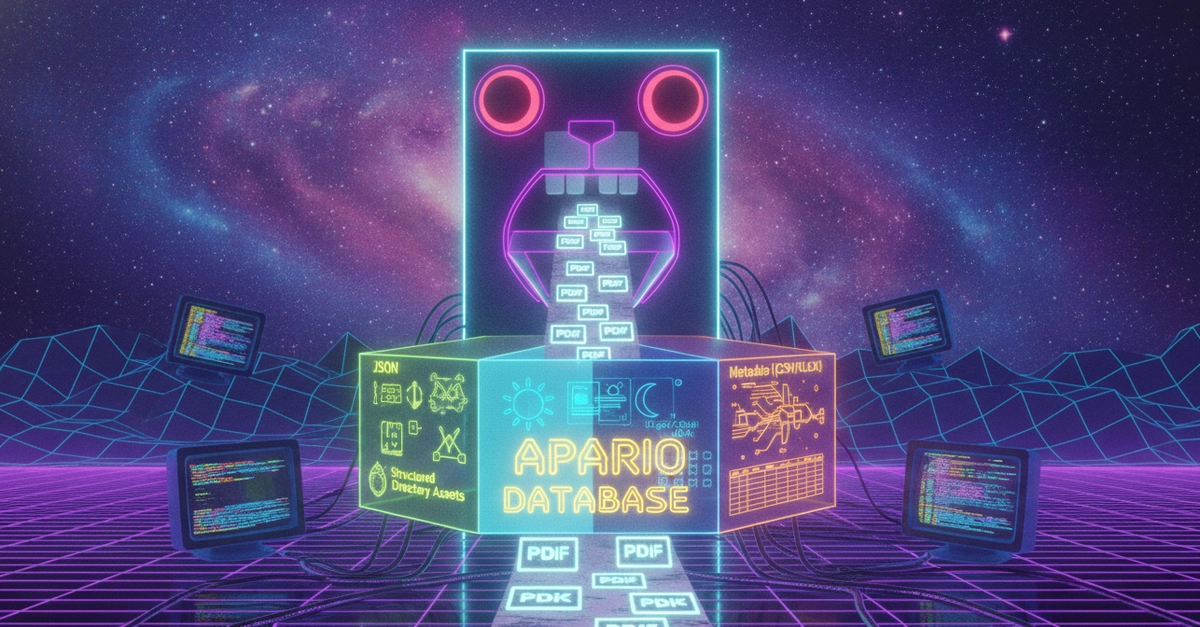
In 2017 the National Archives and Records Administration (NARA) released the JFK files in an unsearchable manner 🔍. I tried doing manual research 🕵🏻. I relied on their provided CSV file of metadata to look for relevant documents to discover something - but I was looking for a needle in the haystack. I didn't know where to begin - but at the very least, I wanted to be able to search the contents therein. At least the National Archives allowed me to bulk download the PDFs. From that, I was able to birth the Apario Writer.
In 2020, I began with rails new phoenixvault 🐦🔥 and I proceeded on a Zoom call with DJ Nicke - a former animator at Disney - to watch me build the proof of concept of the crowd sourcing declass utility that I envisioned. You see, when I was 7 years old, I had a dream after watching a space focused science program on TV that involved me sitting at the home computer, but interacting with an advanced interface that would help me uncover the mysteries of the day and time of the era. In Stargate SG-1, this concept was explored with the Tolan where Nareem was shocked to discover what Teal'c found in the records buried within a full text interface. Connecting it back to the JFK files released by NARA, they were unsearchable. Agenda on why aside, what could I do about it? This proof of concept grew into a SaaS platform that cost me $7,000 per month to operate over 12 bare meta servers in a private cloud using ESXi. This interface worked, but it was going to be replaced by a cost saving solution architected from the ground up in Go to reduce the dependency graph of the SaaS solution down to a single binary.
In order to do this, I needed to create a pipeline. Looking at the SaaS model, I had a series of sidekiq jobs that compiled the assets. In order to improve the performance of that process, running off from Ruby code, I needed to build a new binary from the ground up using Go. I took the course on YouTube from Matt Holiday called Programming In Go and watched the episodes on repeat several times until the concepts were burned into my per-character programming go-to of choice. I was reminded of the machine detail in circuit design and lower level embedded systems design with the way that Matt explained the concepts behind Go - and they clicked for me. I took that teaching and I applied it to the $7K/mo SaaS model that was complex to manage and costly for a topic that not enough people wanted to continue to subsidize.
But lets take a step back and look at the broader picture first, because Microsoft released on GitHub a Typescript JFK files search engine and it was designed to work with their Cloud Services provided on the Azure cloud. Before I built the proof of concept, I spoke with Microsoft Sales representatives and was quoted tens of thousands per month in order to serve the 666K pages of NARA released JFK files in their full format. The problem was, the interface they built was sloppy and a sales pitch for somebody like me who wanted to dig into the JFK topic using technology - but needed a lunch pad. What Microsoft did was above board and inspirational - even if it was rooted in profit based motives. It actually demonstrated how to use Azure services natively in a manner that if an organization is comfortable with an eight digit annual budget, then c'est le vie! However, I was able to get $7K/mo, but I wasn't working to get eight digits for just the JFK files. So, I built something bigger and better and bolder in a way that has never been done before.
I took concepts that I learned over decades of professional experience at Cisco Systems and Oracle that brought me into WB Games that were translated into the single binary that became the reader that ingests the output of the writer that can also be used with the search index algorithm of 13 unique index types including Gematria. That three binary pipeline needed somewhere to begin. That was the writer. Even though the reader displays the PhoenixVault logo and is the front-end to the concept that I built in 2020.
The Writer
This component compiles the Apario Database that the reader consumes and displays an interactive web application that is self contained with Go powered SSL capabilities. To compile this database, you'll need a Collection of Records in the form of PDF files that you want to gether into a single collection of data that will have each component part of it.
mkdir -p ~/work/projectapario
cd ~/work/projectapario
git clone [email protected]:ProjectApario/writer.git
cd writer
Enter fullscreen mode Exit fullscreen mode
The writer component is 3344 lines of code across 15 .go files. The install.sh script loads the dependencies onto your system so you can compile your own Apario Database.
chmod +x install.sh && sudo ./install.sh
Enter fullscreen mode Exit fullscreen mode
I use the config.yml strategy with the writer. For example, if I am working on teslafiles.info then I'd have a writer.yml file that I'd use for my config file. To begin, lets ensure that some directories exist:
mkdir -p "~/apario/teslafiles.info/{logs,config,workspace,data,import,app,search,ssl}"
Enter fullscreen mode Exit fullscreen mode
This will create:
~/apario
~/apario/teslafiles.info
~/apario/teslafiles.info/logs
~/apario/teslafiles.info/config
~/apario/teslafiles.info/workspace
~/apario/teslafiles.info/data
~/apario/teslafiles.info/import
~/apario/teslafiles.info/search
~/apario/teslafiles.info/app
~/apario/teslafiles.info/ssl
Enter fullscreen mode Exit fullscreen mode
| Directory | Purpose |
|---|---|
~/apario/<collection-domain>/logs |
Contains log files |
~/apario/<collection-domain>/config |
Contains `[reader\ |
{% raw %}~/apario/<collection-domain>/workspace
|
Binary will use this as a temporary workspace |
~/apario/<collection-domain>/data |
When importing data into the Apario Database, you place the originals here. |
~/apario/<collection-domain>/import |
When you're importing data, your structured data goes in here such as your .csv or .xlsx files. |
~/apario/<collection-domain>/app |
The database(s) live inside of here. |
~/apario/<collection-domain>/search |
The index files for the Apario Database gematria included binary data. |
~/apario/<collection-domain>/ssl |
The TLS |
The writer.yml file in ~/apario/teslafiles.info/config for teslafiles.info:
---
log: ~/apario/teslafiles.info/logs/writer.log
database-directory: ~/apario/teslafiles.info/app
no-clam: true
language: eng
Enter fullscreen mode Exit fullscreen mode
When using a .csv file, you'd add:
import-csv: ~/apario/teslafiles.info/import/teslafiles.csv
csv-column-url: URL
csv-column-path: PATH
csv-column-record-number: ID
csv-column-title: TITLE
Enter fullscreen mode Exit fullscreen mode
Your .csv file would have:
ID,TITLE,URL,PATH
1,Document One,https://example.com/document1.pdf,~/apario/teslafiles.info/data/document1.pdf
2,Document Two,https://example.com/document2.pdf,~/apario/teslafiles.info/data/document2.pdf
3,Document Three,https://example.com/document3.pdf,~/apario/teslafiles.info/data/document3.pdf
Enter fullscreen mode Exit fullscreen mode
Then running the writer is a matter of:
go build -o writer .
chmod +x writer
./writer -config ~/apario/teslafiles.info/config/writer.yml
Enter fullscreen mode Exit fullscreen mode
Then, the application will begin streaming detailed logging information into the logs: directory choice from the writer.yml setting destination and minimal information to the STDOUT of the ./writer ... invocation.
How The Writer Was Built From A Blank Text File
Now, let's dig into the Go code shall we, and understand how I ingested 666K pages of unsearchable PDFs and built a full text search engine to provide advanced search capabilities that could parse (president kennedy or the president) not (blank page or intentionally left blank) and (top secret or ts/sci or ts//sci) not cover page and get legitimate results. I built that, twice. First in Ruby on Rails, in front of DJ Nicke, and second behind closed doors during holiday breaks when I had the chance to get some uninterrupted programming flow back into swing.
Dependencies
// Binary Dependencies
sl_required_binaries = []string{
    "pdfcpu",
    "gs",
    "pdftotext",
    "convert",
    "pdftoppm",
    "tesseract",
    "clamscan", // optional with `-no-clam` flag
}
Enter fullscreen mode Exit fullscreen mode
The pipeline shells out to a mix of copyleft projects. GPL-3.0 was picked because it's compatible with almost everything the project shells out to (Apache-2.0 tools, dual-licensed Poppler, AGPL-3.0 Ghostscript) — the one exception, ClamAV's GPL-2.0-only, doesn't matter since it's just called as a subprocess, not linked in.
To begin, we'll work with the main.go file first:
Before I get to the main() func, there is a directory of assets that contains a JSON file of cryptonyms commonly used throughout the JFK files. This data is particular to the data set itself, but I embed the JSON file itself into the Go program at the package main level below the import () block.
//go:embed bundled/*
var fs_references embed.FS
Enter fullscreen mode Exit fullscreen mode
When we get to building the main() func, its 280 lines long, so we're going to break it down into segments about what its doing. You can follow along in the main.go file on GitHub. I want to focus on the logging component, because how I built the pipeline, the logging matters. It's not one log for the entire pipeline. There is an info log, an error log and a debug log. Some log messages are meant for watching the progress of the compilation. Others are meant for intervention in the event that there is a corrupted PDF file.
log_files = make(map[string]*os.File)

// Initialize log files with truncation
debugFile, err := os.OpenFile(filepath.Join(logDir, "debug.log"), os.O_CREATE|os.O_WRONLY|os.O_TRUNC, 0644)
if err != nil {
    log.Fatalf("failed to open debug log: %v", err)
}

log_files[cDebugLog] = debugFile

infoFile, err := os.OpenFile(filepath.Join(logDir, "info.log"), os.O_CREATE|os.O_WRONLY|os.O_TRUNC, 0644)
if err != nil {
    closeLogFiles()
    log.Fatalf("failed to open info log: %v", err)
}

log_files[cInfoLog] = infoFile

errorFile, err := os.OpenFile(filepath.Join(logDir, "error.log"), os.O_CREATE|os.O_WRONLY|os.O_TRUNC, 0644)
if err != nil {
    closeLogFiles()
    log.Fatalf("failed to open error log: %v", err)
}

log_files[cErrorLog] = errorFile

// Initialize loggers
log_debug = NewCustomLogger(debugFile, "DEBUG: ", log.Ldate|log.Ltime|log.Llongfile, 10)

log_info = NewCustomLogger(infoFile, "INFO: ", log.Ldate|log.Ltime|log.Lshortfile, 10)

log_error = NewCustomLogger(errorFile, "ERROR: ", log.Ldate|log.Ltime|log.Lshortfile, 10)
Enter fullscreen mode Exit fullscreen mode
Next, I need to handle various interrupt signals and run receive_watchdog_signal in the event that they are received. This means Ctrl+C invokes this method.
// interrupt Ctrl+C and other SIGINT/SIGTERM/SIGKILL related signals to the application to quit gracefully
watchdog := make(chan os.Signal, 1)
signal.Notify(watchdog, os.Kill, syscall.SIGTERM, os.Interrupt)
go receive_watchdog_signal(watchdog, logFile, cancel)
Enter fullscreen mode Exit fullscreen mode
Let's look into what this function is doing - because in order to understand why I am using a watchdog, looking into what this function does shows you the tear-down and cleanup process when Ctrl+C is invoked on the writer while its processing.
func receive_watchdog_signal(watchdog chan os.Signal, logFile *os.File, cancel context.CancelFunc) {
    <-watchdog
    log.SetOutput(os.Stdout)
    err := logFile.Close()
    if err != nil {
        log_error.Printf("failed to close the logFile due to error: %v", err)
    }
    defer cancel()

    ch_ImportedRow.Close()       // step 01
    ch_ExtractText.Close()       // step 02
    ch_ExtractPages.Close()      // step 03
    ch_GeneratePng.Close()       // step 04
    ch_GenerateLight.Close()     // step 05
    ch_GenerateDark.Close()      // step 06
    ch_ConvertToJpg.Close()      // step 07
    ch_PerformOcr.Close()        // step 08
    ch_AnalyzeText.Close()       // step 09
    ch_AnalyzeCryptonyms.Close() // step 10
    ch_CompletedPage.Close()     // step 11
    ch_CompiledDocument.Close()  // step 12

    fmt.Printf("Completed running in %d", time.Since(startedAt))

    // excluded pid termination lines L333-L351
}
Enter fullscreen mode Exit fullscreen mode
The binary is designed to support being compiled and executed in a universal format that supports macOS, Linux and Windows natively allowing you compile an Apario Database directory on any system that has the downstream dependencies defined. Getting everything working on Windows is extremely hard and I have not successfully tested it without using WSL2. In that case, the binary is compiled for Linux and not Windows, and is not an .exe - but Go allows you to compile this program into an .exe and run it - even if its not recommended 🤣.
What I hope you noticed was the 12 step process here 👀:
ch_ImportedRow.Close()       // step 01
ch_ExtractText.Close()       // step 02
ch_ExtractPages.Close()      // step 03
ch_GeneratePng.Close()       // step 04
ch_GenerateLight.Close()     // step 05
ch_GenerateDark.Close()      // step 06
ch_ConvertToJpg.Close()      // step 07
ch_PerformOcr.Close()        // step 08
ch_AnalyzeText.Close()       // step 09
ch_AnalyzeCryptonyms.Close() // step 10
ch_CompletedPage.Close()     // step 11
ch_CompiledDocument.Close()  // step 12
Enter fullscreen mode Exit fullscreen mode
This exposes the actual pipeline of what the writer actually does.
FIRST: You begin with a CSV file or an XLSX file that contains the following type of data:
This assumes that you have ./ingest as a directory in the same location as the writer binary in this example - but you get what I am doing here. That PATH is local to the machine running the writer. The URL is the original source that should end in .gov or .mil if its going to be authentic OSINT that the PhoenixVault was originally built to serve. However, it's actually not required. You can use URLs like https://mywebsite.com/assets/example.pdf and the interface will use whatever link you provided in the column. This is so your users can see the original document in its original location - perhaps to verify authenticity - perhaps to compare results. The RECORDNO column is a unique-required string field. Some OSINT releases provide reference identifiers, and this <string> field is designed for that value.
What writer does, is take this .csv or .xlsx (sheet 1 only) result and use these 4 columns in the CLI flags when the writer runs. Depending on which technology you're using, the flags change. Let's see what usage would look like based on these two type of ingestion file types. First lets get the source code of the writer on our machine.
mkdir -p ~/workspace/projectapario
cd ~/workspace/projectapario
git clone [email protected]:ProjectApario/writer.git
cd writer
mkdir -p bin
go build -o bin/writer .
chmod +x bin/writer
sudo mv bin/writer /usr/local/bin/writer
which writer
mkdir -p ingest # place PDFs in this folder
touch ingest.csv # populate with your documents metadata
Enter fullscreen mode Exit fullscreen mode
Now, lets run it with a CSV file called ingest.csv and a directory of PDFs called ingest exists next to bin. These are the registered flag definitions:
// Import .csv collections
flag_s_import_csv               = config.NewString("import-csv", "", "relative path to an excel spreadsheet where output is a comma separated table of urls and metadata properties. use additional args to associate columns to key data points.")
flag_s_csv_column_url           = config.NewString("csv-column-url", "", "value of row 1 whose column correlates to URLs to download PDF files from")
flag_s_csv_column_path          = config.NewString("csv-column-path", "", "value of row 1 whose column correlates to absolute paths of PDF files")
flag_s_csv_column_record_number = config.NewString("csv-column-record-number", "", "value of row 1 whose column correlates to a unique record identifier or number")
flag_s_csv_column_title         = config.NewString("csv-column-title", "", "value of row 1 whose column correlates to the title of the document")
flag_s_pdf_metadata_json        = config.NewString("metadata-json", "", "json key value map[string]string")
Enter fullscreen mode Exit fullscreen mode
Using it is as simple as:
writer \ # CSV flags 👇🏻
       -import-csv ./ingest.csv \
       -csv-column-url URL \
       -csv-column-path PATH \
       -csv-column-record-number RECORDNO \
       -csv-column-title TITLE \
       -metadata-json "{\"collection\": \"JFK Files\"}"
Enter fullscreen mode Exit fullscreen mode
It looks identical for XLSX with the slight change.
writer \ # XLSX flags 👇🏻
       -import-csv ./ingest.xlsx \
       -xlsx-column-url URL \
       -xlsx-column-path PATH \
       -xlsx-column-record-number RECORDNO \
       -xlsx-column-title TITLE \
       -metadata-json "{\"collection\": \"JFK Files\"}"
Enter fullscreen mode Exit fullscreen mode
Each row in the CSV is gathered into a struct {} and then passed into the ch_ImportedRow channel for processing. What we're doing, is going from a row in the CSV to a compiled JSON record object for the entire processed document and store that file in a structured directory that the reader ingests by determinatively looking into a path as a structured Apario Database that is a directory of files.
// start a bunch of receiver functions to handle when data is ready to be processed
// each of these functions are like black boxes that ONE PAGE from a document is ingested into until it reaches the end
Enter fullscreen mode Exit fullscreen mode
At this point, we need to go back to the main.go file and look at how each of these channels are established.
As each row from the CSV or XSLX is passed into the writer itself, the actual setup of this channel is found in data.go of the project, but in main() I spawned goroutines for each of the pipeline steps. Traditionally, goroutines are for smaller tasks and such, but they can also be used for longer running tasks too.
The ch_ImportedRow Channel
go receiveImportedRow(ctx, ch_ImportedRow.Chan()) // step 01 - runs validate_result_data_record before sending into ch_ExtractText
Enter fullscreen mode Exit fullscreen mode
The actual receiver function uses a for { select {} } pattern in Go to listen on the context.Context's .Done() channel and the incoming <-ch that is an interface{} data type (anything).
func receiveImportedRow(ctx context.Context, ch <-chan interface{}) {
    var err error
    for {
        select {
        case <-ctx.Done():
            return
        case ird, ok := <-ch:
            if ok {
                rd, valid := ird.(ResultData)
                if !valid {
                    log_error.Printf("not valid typecasting for ird to rd.(ResultData)")
                    return
                } // endif
                rd, err = validate_result_data_record(ctx, rd)
                if err != nil {
                    log_error.Tracef("received error on validate_result_data_record for rd.URL %v ; err = %v", rd.URL, err)
                } else {
                    log_info.Printf("validated the downloaded PDF %v from URL %v, sending rd into ch_ExtractText", filepath.Base(rd.PDFPath), rd.URL)
                    if ch_ExtractText.CanWrite() {
                        err := ch_ExtractText.Write(rd)
                        if err != nil {
                            log_error.Tracef("failed to write to ch_ExtractText channel due to error: %v", err)
                            return
                        } // end if
                    } // end if
                } // end if-else
            } // end if ok
        } // end select
    } // end for
} // end func
Enter fullscreen mode Exit fullscreen mode
This pattern is used throughout each of the steps. The resource intensive task in this case is called in the middle of this receiver function.
rd, err = validate_result_data_record(ctx, rd)
Enter fullscreen mode Exit fullscreen mode
When we look into this function, located inside of the pipeline.go file, we can see:
func validate_result_data_record(ctx context.Context, record ResultData) (ResultData, error) {
    log_info.Printf("started validate_result_data_record(%v) = %v", record.Identifier, record.PDFPath)
    // analyze, repair on error, then re-analyze if necessary
    pdf_info, analyze_err := analyze_then_repair_pdf(record.PDFPath)
    if analyze_err != nil {
        return record, log_error.TraceReturn(analyze_err)
    }
    // fix total pages
    if pdf_info.Infos != nil && pdf_info.Infos[0].Pages == 0 && pdf_info.Infos[0].Pages != pdf_info.Infos[0].PageCount {
        pdf_info.Infos[0].Pages = pdf_info.Infos[0].PageCount
    }
    // validate total pages
    if pdf_info.Infos[0].Pages == 0 {
        return record, log_error.TraceReturnf("failed to set pdf_info.Pages to pdf_info.PageCount\npdf_info = %+v", pdf_info)
    }
    // validate pdf
    validate_err := validate_pdf(record.PDFPath)
    if validate_err != nil {
        return record, log_error.TraceReturn(validate_err)
    }
    // optimize pdf
    optimize_err := optimize_pdf(record.PDFPath)
    if optimize_err != nil {
        return record, log_error.TraceReturn(optimize_err)
    }
    return record, nil
}
Enter fullscreen mode Exit fullscreen mode
Here we're running analyze_then_repair_pdf then using the metadata from the result of the call to populate some structured data. Then we call the validate_pdf to confirm, then optimize_pdf. When we have a problem, we're using the verbose.TraceReturn directly as the log_error handler that is a verbose logger with secrets protection and stack trace analysis capabilities. These can spawn child processes and take several seconds to complete depending on the size of the PDF file being analyzed. If it's gigabytes in size, like this writer has processed successfully, then it'll take a few minutes to complete. That's normal. In the info_log you'll see the begin and end time per document and you'll see some documents take several minutes to complete. This means that the pipeline built within the writer is capable of managing many system resources on a bare metal machine, utilize 100% of its capabilities while safely managing resources across the system that include spawned projects where some are single threaded, and some are multi-threaded. When a multi-threaded tesseract process is spawning, the writer has semaphores in place to ensure that its not going to use too many system resources and that tesseract is contained within a lane of processing compute power proportional to the impact that the pipeline has on the greater runtime.
The ch_ExtractText Channel
This is step 2 of the pipeline where we have to use a third party binary in order to extract the text out of the PDF. I didn't want to reinvent the wheel - I wanted to ingest 666K pages of JFK files as fast as possible, and if the tool works and its license is compatible, let's go!
go receiveOnExtractTextCh(ctx, ch_ExtractText.Chan()) // step 02 - runs extractPlainTextFromPdf before sending into ch_ExtractPages
Enter fullscreen mode Exit fullscreen mode
func receiveOnExtractTextCh(ctx context.Context, ch <-chan interface{}) {
    for {
        select {
        case <-ctx.Done():
            return
        case ird, ok := <-ch:
            if ok {
                rd, ok := ird.(ResultData)
                if !ok {
                    log_error.Tracef("failed to assert the ird from ch_ExtractText as type ResultData")
                    return
                }
                log_info.Printf("received rd from ch_ExtractText for URL %v, running extractPlainTextFromPdf(%v)", rd.URL, rd.Identifier)
                go extractPlainTextFromPdf(ctx, rd)
            } else {
                log_debug.Println("ch_ExtractText is closed but received some data")
                return
            }
        }
    }
}
Enter fullscreen mode Exit fullscreen mode
Here you can see that the bulk of the processing takes place in the go extractPlainTextFromPdf(ctx, rd) spawning of another goroutine; in this case, we aren't going to wait for it in this particular loop of receiveOnExtractTextCh's for { select {} } lifecycle until the context.Context is canceled. That context is then passed into the extractPlainTextFromPdf, where an external tool is invoked.
func extractPlainTextFromPdf(ctx context.Context, record ResultData) {
    defer func() {
        log_info.Printf("finished extracting the text from the PDF %v, now sending rd into ch_ExtractPages", filepath.Base(record.PDFPath))
        if ch_ExtractPages.CanWrite() {
            err := ch_ExtractPages.Write(record)
            if err != nil {
                log_error.Tracef("failed to write record %v into the ch_ExtractPages due to error %v", record, err)
            }
        }
    }()
    log_info.Printf("started extractPlainTextFromPdf(%v) = %v", record.Identifier, record.PDFPath)
    if ok, err := fileHasData(record.ExtractedTextPath); !ok || err != nil {
        /*
            pdftotext REPLACE_WITH_FILE_PATH REPLACE_WITH_TEXT_OUTPUT_FILE_PATH
        */
        cmd_extract_text_pdf := exec.Command(m_required_binaries["pdftotext"], record.PDFPath, record.ExtractedTextPath)
        var cmd4_extract_text_pdf_stdout bytes.Buffer
        var cmd4_extract_text_pdf_stderr bytes.Buffer
        cmd_extract_text_pdf.Stdout = &cmd4_extract_text_pdf_stdout
        cmd_extract_text_pdf.Stderr = &cmd4_extract_text_pdf_stderr
        sem_pdftotext.Acquire()
        cmd_extract_text_pdf_err := cmd_extract_text_pdf.Run()
        sem_pdftotext.Release()
        if cmd_extract_text_pdf_err != nil {
            log_error.Tracef("Failed to execute command `pdftotext %v %v` due to error: %s\n", record.PDFPath, record.ExtractedTextPath, cmd_extract_text_pdf_err)
            return
        }
    }
}
Enter fullscreen mode Exit fullscreen mode
This uses the semaphore package in order to .Acquire() and .Release() on an invocation of .Run() from an exec.Command on the required m_required_binaries["pdftotext"] pdftotext binary invocation. We're going to use a bytes.Buffer to collect on STDOUT and STDERR from the child process and we're using a semaphore to control how many times this particular function is allowed to be called system wide while writer compiles.
The ch_ExtractPages Channel
go receiveOnExtractPagesCh(ctx, ch_ExtractPages.Chan()) // step 03 - runs extractPagesFromPdf before sending PendingPage into ch_GeneratePng
Enter fullscreen mode Exit fullscreen mode
func receiveOnExtractPagesCh(ctx context.Context, ch <-chan interface{}) {
    for {
        select {
        case <-ctx.Done():
            return
        case ird, ok := <-ch:
            if ok {
                rd, ok := ird.(ResultData)
                if !ok {
                    log_error.Tracef("ch_ExtractPages receive an ird but cannot cast it as a .(ResultData) type")
                    return
                }
                log_info.Printf("received on ch_ExtractPages URL %v, running extractPagesFromPdf(%v)", rd.URL, rd.Identifier)
                go extractPagesFromPdf(ctx, rd)
            } else {
                log_debug.Trace("ch_ExtractPages is closed but received some data")
                return
            }
        }
    }
}
Enter fullscreen mode Exit fullscreen mode
This function is quite large. Let's look at it and then talk about it.
func extractPagesFromPdf(ctx context.Context, record ResultData) {
   log_info.Printf("started extractPagesFromPdf(%v) = %v", record.Identifier, record.PDFPath)
   /*
      pdfcpu extract -mode page REPLACE_WITH_FILE_PATH REPLACE_WITH_OUTPUT_DIRECTORY
   */
   pagesDir := filepath.Join(record.DataDir, "pages")
   sm_page_directories.Store(record.Identifier, pagesDir)
   _, pagesDirExistsErr := os.Stat(pagesDir)
   performPagesExtract := false
   if os.IsNotExist(pagesDirExistsErr) {
      performPagesExtract = true
   } else {
      ok, err := DirHasPDFs(pagesDir)
      if err == nil && ok {
         performPagesExtract = true
      }
   }
RETRY:
   if performPagesExtract {
      pagesDirErr := os.MkdirAll(pagesDir, 0755)
      if pagesDirErr != nil {
         log_error.Tracef("failed to create directory %v due to error %v", pagesDir, pagesDirErr)
         return
      }
      cmd_extract_pages_in_pdf := exec.Command(m_required_binaries["pdfcpu"], "extract", "-mode", "page", record.PDFPath, pagesDir)
      var cmd_extract_pages_in_pdf_stdout bytes.Buffer
      var cmd_extract_pages_in_pdf_stderr bytes.Buffer
      cmd_extract_pages_in_pdf.Stdout = &cmd_extract_pages_in_pdf_stdout
      cmd_extract_pages_in_pdf.Stderr = &cmd_extract_pages_in_pdf_stderr
      sem_pdfcpu.Acquire()
      cmd_extract_pages_in_pdf_err := cmd_extract_pages_in_pdf.Run()
      sem_pdfcpu.Release()
      if cmd_extract_pages_in_pdf_err != nil {
         log_error.Tracef("Failed to execute command `pdfcpu extract -mode page %v %v` due to error: %s\n", record.PDFPath, pagesDir, cmd_extract_pages_in_pdf_err)
         return
      }
   } else {
      log_info.Printf("not performing `pdfcpu extrace -mode page %v %v` because the directory %v already has PDFs inside it", record.PDFPath, pagesDir, pagesDir)
      check := len(pagesDir) == len(pagesDir)

      if check {
         goto RETRY
      }
   }

   pagesDirWalkErr := filepath.Walk(pagesDir, func(path string, info os.FileInfo, err error) error {
      if err != nil {
         log_error.Tracef("Error accessing a path %q: %v\n", path, err)
         return err
      }

      if !info.IsDir() && strings.HasSuffix(info.Name(), ".pdf") {
         nameParts := strings.Split(info.Name(), "_page_")
         if len(nameParts) < 2 {
            return fmt.Errorf("incorrect filename provided as %v", info.Name())
         }
         pgNoStr := strings.ReplaceAll(nameParts[1], ".pdf", "")
         pgNo, pgNoErr := strconv.Atoi(pgNoStr)
         if pgNoErr != nil {
            return fmt.Errorf("failed to extract the pgNo from the PDF filename %v", info.Name())
         }
         identifier := NewIdentifier(9)
         pp := PendingPage{
            Identifier:       identifier,
            RecordIdentifier: record.Identifier,
            PageNumber:       pgNo,
            PagesDir:         pagesDir,
            PDFPath:          path,
            OCRTextPath:      filepath.Join(pagesDir, fmt.
0 Comments
Log in to join the conversation.No comments yet. Be the first to share your thoughts.