
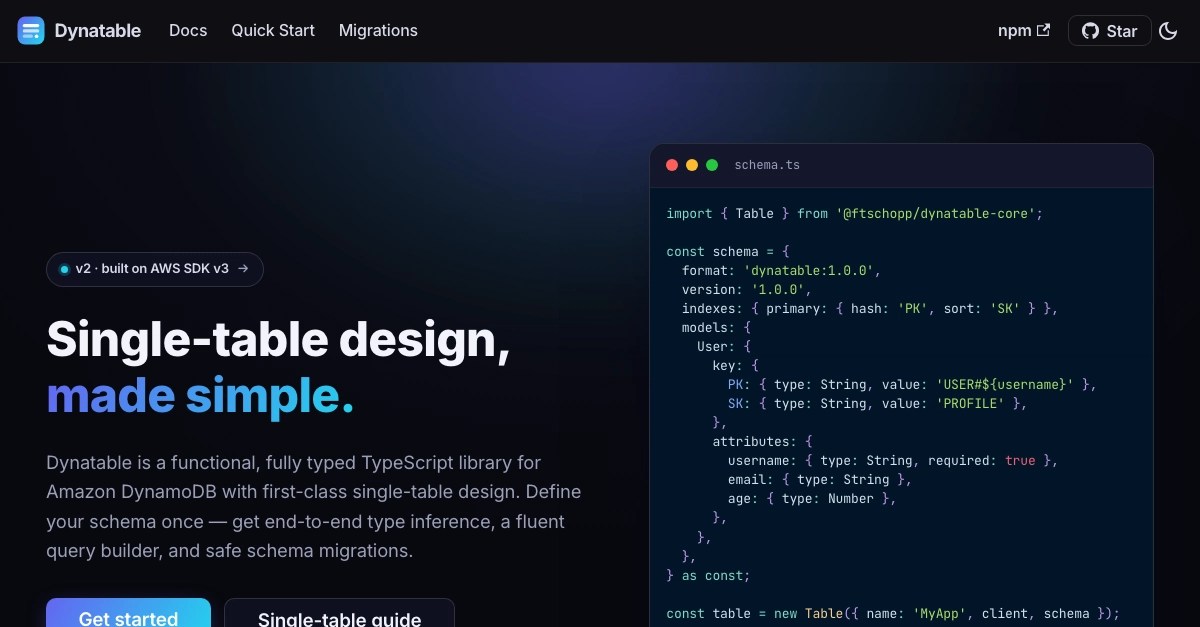
DynamoDB scales to basically infinity and costs pennies to start. But if you've built on it with TypeScript, you know the day-to-day is rough:
- You build partition/sort key strings by hand (
USER#${username}) and typo them. - You marshal and unmarshal every attribute (
{ S: ... },{ N: ... }). - You get zero type safety — the SDK returns
Record<string, AttributeValue> | undefinedand wishes you luck. - Single-table design — the thing you're supposed to do — is all in your head.
I got tired of it, so I built Dynatable: a type-safe, functional TypeScript library for Amazon DynamoDB, with first-class single-table design and safe schema migrations. It's built on the AWS SDK v3.
The problem, in code
Here's a simple "get one user" with the raw SDK:
import { DynamoDBClient, GetItemCommand } from '@aws-sdk/client-dynamodb';

const res = await client.send(
  new GetItemCommand({
    TableName: 'MyApp',
    Key: {
      PK: { S: `USER#${username}` },
      SK: { S: 'PROFILE' },
    },
  }),
);

// unmarshall by hand — no types, easy to typo keys
const age = res.Item?.age?.N ? Number(res.Item.age.N) : undefined;
Enter fullscreen mode Exit fullscreen mode
Keys built by hand. Attributes unwrapped by hand. age is any-ish. Multiply that across every access pattern in your app.
The same thing, with Dynatable
import { table } from './db';

const user = await table.entities.User
  .get({ username })
  .execute();

// user: User | undefined — fully typed, keys built for you
const age = user?.age;
Enter fullscreen mode Exit fullscreen mode
Keys are generated from your schema. The result is typed. Done.
Define your schema once
Everything flows from a single schema definition. Types are inferred from it — no code generation step:
import { Table } from '@ftschopp/dynatable-core';
import { DynamoDBClient } from '@aws-sdk/client-dynamodb';

const schema = {
  format: 'dynatable:1.0.0',
  version: '1.0.0',
  indexes: {
    primary: { hash: 'PK', sort: 'SK' },
    gsi1: { hash: 'GSI1PK', sort: 'GSI1SK' },
  },
  models: {
    User: {
      key: {
        PK: { type: String, value: 'USER#${username}' },
        SK: { type: String, value: 'PROFILE' },
      },
      attributes: {
        username: { type: String, required: true },
        email: { type: String },
        age: { type: Number },
        followerCount: { type: Number, default: 0 },
      },
    },
  },
  params: { timestamps: true }, // auto createdAt / updatedAt
} as const;

const table = new Table({
  name: 'MyApp',
  client: new DynamoDBClient({ region: 'us-east-1' }),
  schema,
});
Enter fullscreen mode Exit fullscreen mode
Fully typed CRUD
// Create (with a conditional write)
await table.entities.User
  .put({ username: 'alice', email: '[email protected]', age: 30 })
  .ifNotExists()
  .execute();

// Read
const user = await table.entities.User.get({ username: 'alice' }).execute();

// Update — set, add, and return the new item
await table.entities.User
  .update({ username: 'alice' })
  .set('email', '[email protected]')
  .add('followerCount', 1)
  .returning('ALL_NEW')
  .execute();

// Delete
await table.entities.User.delete({ username: 'alice' }).execute();
Enter fullscreen mode Exit fullscreen mode
The query builder is immutable and chainable, so you can compose queries safely:
// Scan with a typed filter — no raw expression strings
const adults = await table.entities.User
  .scan()
  .filter((a, op) => op.gt(a.age, 18))
  .execute();

const base = table.entities.Post
  .query()
  .where((attr, op) => op.eq(attr.username, 'alice'));

// derive variations without mutating the original
const recent = await base.limit(10).scanIndexForward(false).execute();
const all = await base.execute();
Enter fullscreen mode Exit fullscreen mode
You also get transactions (TransactWrite), batch operations (BatchGet / BatchWrite), ULID/UUID generation, and runtime Zod validation on put():
await table.entities.User.put({
  username: 'alice',
  age: '30', // ❌ throws ZodError: Expected number, got string
}).execute();
Enter fullscreen mode Exit fullscreen mode
Single-table design, first-class
Model many entities in one table the DynamoDB way — composite keys, GSIs, one-to-many and many-to-many — without hand-writing key strings. That's the whole point of the library, not an afterthought.
The part nobody talks about: migrations
DynamoDB is schemaless, but your data still has a shape. When you need to add a field, reshape a key, or backfill data across environments, you want that to be as safe as a code change.
@ftschopp/dynatable-migrations gives you versioned, reversible migrations with a full CLI:
# scaffold migrations in your project
npx dynatable-migrate init

# create a versioned migration (semver bump)
npx dynatable-migrate create add_user_email --type minor

# preview changes — nothing is written
npx dynatable-migrate up --dry-run

# apply: distributed lock + history stored in your table
npx dynatable-migrate up

# roll back if you need to
npx dynatable-migrate down --steps 1
Enter fullscreen mode Exit fullscreen mode
A migration is just an up/down pair:
import { Migration } from '@ftschopp/dynatable-migrations';

export const migration: Migration = {
  version: '0.2.0',
  name: 'add_user_email',
  description: 'Backfill email on existing users',
  async up({ client, tableName, dynamodb }) {
    // scan + update items here
  },
  async down({ client, tableName, dynamodb }) {
    // reverse it
  },
};
Enter fullscreen mode Exit fullscreen mode
Migration history lives inside your existing table (single-table style) — no extra tracking table, plus dry-run mode and distributed locking so two deploys never race.
Why Dynatable
- 🛡️ End-to-end type safety — inferred from your schema, no codegen
- 📊 Single-table design built in — GSIs, composite keys, relationships
- 🔍 Fluent, immutable query builder — no raw expression strings
- 🔄 Safe schema migrations — up/down, dry-run, locking, CLI
- ✅ Runtime validation with Zod on writes
- 🧱 No decorators, no classes — plain, immutable TypeScript objects
- 🚀 Built on AWS SDK v3 — transactions, batch, conditional writes
Get started
npm install @ftschopp/dynatable-core
# migrations (optional)
npm install -D @ftschopp/dynatable-migrations
Enter fullscreen mode Exit fullscreen mode
- 📚 Docs: https://ftschopp.github.io/dynatable/
- 📦 npm: https://www.npmjs.com/package/@ftschopp/dynatable-core
- 💻 GitHub: https://github.com/ftschopp/dynatable
If you've ever hand-written a USER#${id} key at 2am, give it a try — and if it saves you some pain, a ⭐ on GitHub genuinely helps.
What would you want a DynamoDB library to handle for you? Let me know in the comments.
0 Comments
Log in to join the conversation.No comments yet. Be the first to share your thoughts.