
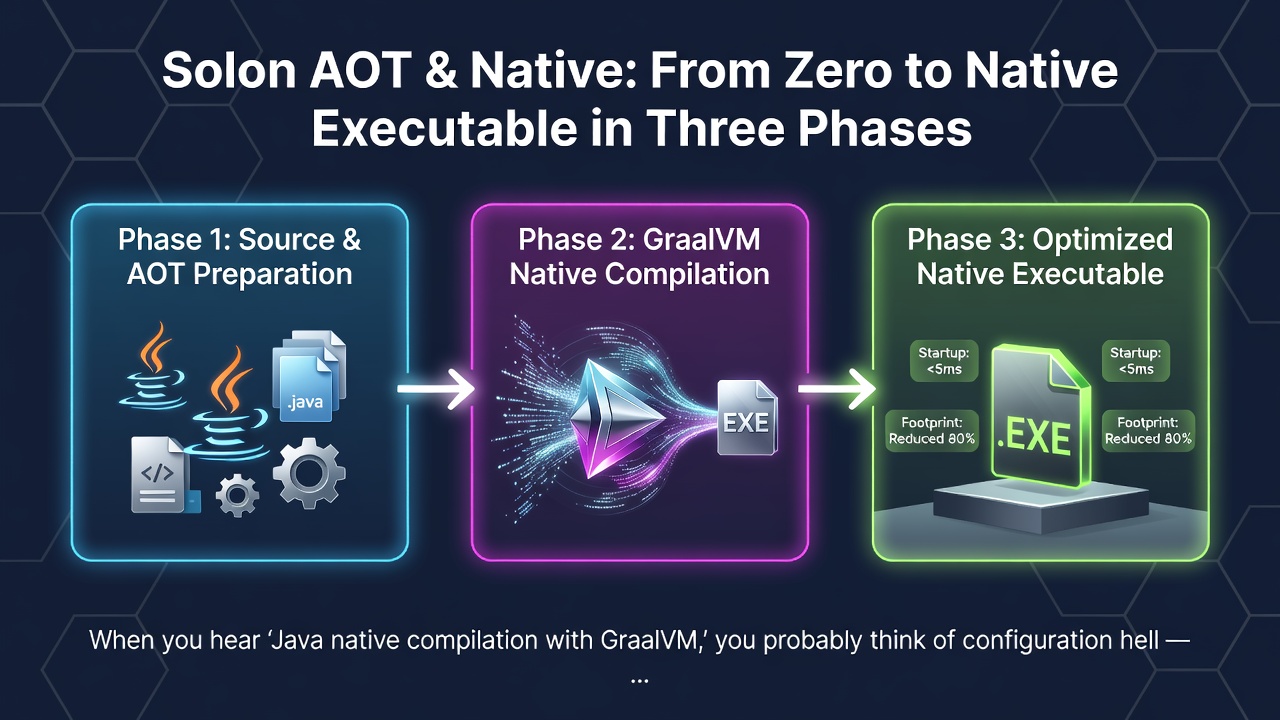
When you hear "Java native compilation with GraalVM," you probably think of configuration hell — endless JSON metadata files, trial-and-error reflection registrations, and build scripts that take more effort than the application itself.
Solon takes a different path. Its AOT pipeline compiles in three phases, where each phase feeds into the next. The framework's "restraint" philosophy — minimal dynamic proxies, explicit configuration over magic — makes native compilation more straightforward than you'd expect.
Let me walk through how it works, what you get, and where you might need to reach for the manual override.
The Three-Phase Pipeline
Solon Native compilation is three distinct stages, each independently runnable:
| Phase | What it does | Maven command | JDK |
|---|---|---|---|
| 1 | Standard Java compilation | mvn clean -DskipTests=true package |
jdk8+ |
| 2 | Solon AOT processing | mvn clean -DskipTests=true -P aot package |
jdk8+ (any JDK) |
| 3 | GraalVM native-image | mvn clean -DskipTests=true -P native native:compile |
graalvm jdk17+ |
Phase 2 is where Solon does the heavy lifting.
Phase 2 Deep Dive: Solon AOT
The Solon AOT processor (SolonAotProcessor from the solon-aot module) runs automatically after mvn package when you use the -P aot profile. What does it do?
It bootstraps your application at compile time, runs through the natural startup flow, and captures everything the framework needs to work without runtime reflection:
-
Proxy class pre-compilation — Dynamic AOP proxies that would normally be generated via ASM bytecode at runtime are compiled to real
.classfiles at build time - Class index generation — If your project has many classes, this index accelerates startup by avoiding classpath scanning
- GraalVM metadata generation — Reflection, resource, and serialization metadata are written in GraalVM's native configuration format automatically
The key detail: since v3.7.2, you can run -P aot with any JDK (not just GraalVM). The -P aot profile strips out the GraalVM build tools dependency, making AOT processing a lightweight optimization pass available to everyone — even if you're still on JDK 8.
When you're ready for the full native binary, -P native includes the GraalVM native-maven-plugin, which requires a GraalVM JDK.
What You Gain
Building a native executable with Solon gives you:
- Startup in milliseconds — No JVM warmup, no class loading tax
- Memory between JVM and Go — GraalVM native images strip out everything unused
-
Standalone binary — No JRE required, no
java -jar. Just./myapp
These benefits are especially meaningful for serverless functions, containerized microservices, and CLI tools.
The Realities: What Doesn't Work in Native
GraalVM native images impose constraints that every framework must handle. Here's what Solon's AOT pipeline automatically manages:
| Constraint | How Solon handles it |
|---|---|
| All reflection must be pre-registered | Solon AOT bootstraps the app, captures reflection usage, and generates the config |
| All resource files must be pre-registered | Same — auto-collected during the AOT bootstrap phase |
| No runtime classpath scanning | Use ResourceUtil.scanResources() instead — it reads from the pre-registered resource index |
| No dynamic compilation | Use expression engines (SnEL) or script tools instead of compiling code on the fly |
| No ASM bytecode generation | Solon AOT pre-compiles proxy classes during Phase 2 |
Manual Override: RuntimeNativeRegistrar
No automatic system is perfect. Third-party libraries that use reflection or load resources outside of Solon's managed scope need manual registration.
Solon provides the RuntimeNativeRegistrar interface — a single @Component bean that gives you full control over what gets registered:
@Component
public class NativeRegistrar implements RuntimeNativeRegistrar {
    @Override
    public void register(AppContext ctx, RuntimeNativeMetadata metadata) {
        // Register resource files that aren't auto-detected
        metadata.registerResourceInclude("com/mysql/jdbc/LocalizedErrorMessages.properties");

        // Register classes for serialization
        metadata.registerSerialization(JsonResult.class);

        // Register reflection access with specific member categories
        metadata.registerReflection(BufferedImage.class,
            MemberCategory.INVOKE_DECLARED_CONSTRUCTORS,
            MemberCategory.INVOKE_DECLARED_METHODS);
    }
}
Enter fullscreen mode Exit fullscreen mode
Third-party libraries typically fall into four categories:
- A: Not supported — frameworks with dynamic compilation or bytecode manipulation (e.g., CGLIB proxies). These won't work.
- B: Supported with significant config — like mysql-connector-java 5.x. Plan for extra registration work.
- C: Supported with minor config — like mysql-connector-java 8.x. One or two resource registrations.
- D: Fully supported — libraries that ship their own native-image metadata.
The Solon team maintains a working example with nginxWebUI — a real-world project that took about half a day to fully adapt.
Utility Tools for Native-Aware Code
When writing code that might run both on JVM and native, three utility classes help:
// Check the runtime environment
if (NativeDetector.inNativeImage()) {
    // Use ResourceUtil instead of ClassLoader.getResources()
}

// Native-compatible resource scanning
ResourceUtil scanUtil = ...;

// Native-compatible reflection
ReflectUtil.getMethods(myClass);
Enter fullscreen mode Exit fullscreen mode
These tools are transparent — they delegate to standard Java reflection on JVM, and use registered metadata in native images.
Quick Start: Getting a Native Binary
If you want to try this yourself, the steps are minimal:
-
Add the dependency —
solon-aot(org.noear, managed version) -
Install GraalVM — JDK 17, 21, or 25; run
gu install native-image -
Single-module project:
mvn clean -P native native:compile -DskipTests -
Multi-module project:
mvn installall modules first, then run the main module with-P native native:compile
That's it. The generated binary lives in target/ — no JRE, just run it.
The Honest Trade-offs
Solon's AOT pipeline is pragmatic, not magical. Three things to keep in mind:
- First compilation is slow — GraalVM native-image has to analyze the entire closed world. Expect minutes, not seconds.
- Not every library works — If a dependency uses dynamic class loading or bytecode generation, you'll need to either replace it or skip native compilation.
-
-P aotdoes nothing for small apps — On a minimal project with ~10 classes, the startup improvement is negligible (the docs note this with the native-example project on a 2020 MacBook Pro).
Solon's three-phase approach to native compilation is honest about constraints while automating as much as possible. The -P aot profile — usable on any JDK — lets you get the metadata generation benefits without committing to a full native binary.
If you've been avoiding GraalVM because of configuration overhead, Solon's pipeline removes most of the friction. The escape hatch is there when you need it, but you won't need it often.
Solon AOT & Native docs: https://solon.noear.org/article/learn-solon-native
solon-aot Maven: org.noear:solon-aot
Example project: https://gitee.com/noear/solon-native-example
0 Comments
Log in to join the conversation.No comments yet. Be the first to share your thoughts.