
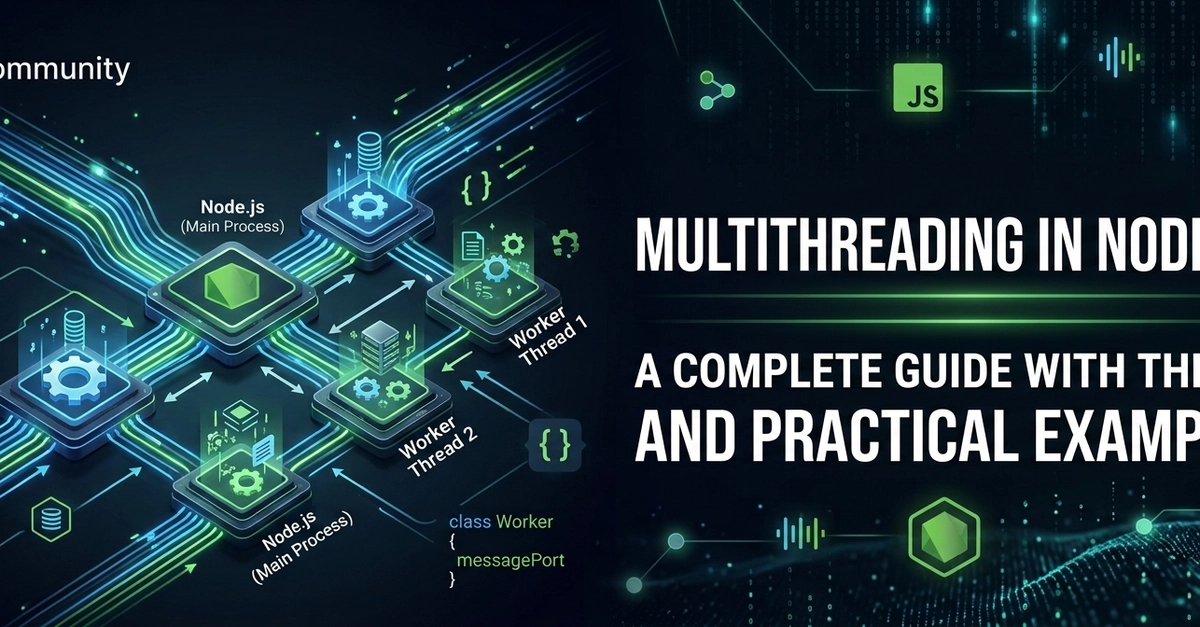

When developers first learn Node.js, they often hear the phrase:
"Node.js is single-threaded."
While this statement is technically true, it is also incomplete.
Modern Node.js is capable of utilizing multiple threads, background workers, thread pools, and even multiple CPU cores. Understanding how these components work is essential for building high-performance applications.
This article explains the theory behind multithreading in Node.js, how it differs from traditional multithreading, and when to use Worker Threads, the Event Loop, the libuv Thread Pool, and the Cluster module.
What is a Thread?
A thread is the smallest unit of execution inside a process.
Imagine a restaurant.
- The restaurant is the process.
- Each chef is a thread.
- Every chef can prepare food independently.
One chef means one task at a time.
Four chefs mean four tasks can run simultaneously.
Many programming languages create multiple threads that execute code in parallel.
Examples:
- Java
- C#
- C++
- Go
Node.js approaches concurrency differently.
Is Node.js Single-Threaded?
Yes—and no.
JavaScript Execution
JavaScript itself runs on a single main thread.
Only one JavaScript function executes at a time.
console.log("Task A");
console.log("Task B");
console.log("Task C");
Enter fullscreen mode Exit fullscreen mode
Output
Task A
Task B
Task C
Enter fullscreen mode Exit fullscreen mode
Everything executes sequentially.
However...
Node.js internally uses multiple threads for many operations.
Examples include:
- File System
- DNS
- Compression
- Cryptography
- Worker Threads
So while JavaScript execution is single-threaded, Node.js as a runtime is definitely not.
Why Was Node.js Designed This Way?
Traditional servers often assign:
1 Request
      ↓
1 Thread
Enter fullscreen mode Exit fullscreen mode
If 5,000 users connect simultaneously...
5000 Requests
↓

5000 Threads
Enter fullscreen mode Exit fullscreen mode
Creating thousands of threads consumes huge amounts of:
- Memory
- CPU
- Context switching
Node.js instead uses:
5000 Requests
↓

One Event Loop
↓

Non-blocking I/O
Enter fullscreen mode Exit fullscreen mode
This dramatically reduces memory usage.
Process vs Thread
| Process | Thread |
|---|---|
| Independent program | Part of a process |
| Own memory | Shares process memory |
| Heavy | Lightweight |
| Expensive to create | Cheap to create |
| Communication is slower | Communication is faster |
Example
Google Chrome

Process
 ├── Thread
 ├── Thread
 ├── Thread
 └── Thread
Enter fullscreen mode Exit fullscreen mode
Node.js normally runs as:
Process

Main Thread
Enter fullscreen mode Exit fullscreen mode
But it can create additional threads when needed.
Understanding the Event Loop
The Event Loop is the heart of Node.js.
Imagine a receptionist.
People arrive with different requests.
Some requests take seconds.
Instead of waiting...
The receptionist sends long tasks elsewhere and immediately serves the next customer.
That is exactly how Node.js behaves.
Example
const fs = require("fs");

console.log("Start");

fs.readFile("data.txt", () => {
    console.log("Finished Reading");
});

console.log("End");
Enter fullscreen mode Exit fullscreen mode
Output
Start
End
Finished Reading
Enter fullscreen mode Exit fullscreen mode
Why?
Reading the file happens in the background.
The Event Loop continues processing other work.
Blocking vs Non-Blocking Code
Blocking
while(true){}
Enter fullscreen mode Exit fullscreen mode
The Event Loop freezes.
Nothing else executes.
Non-blocking
setTimeout(() => {
    console.log("Done");
},1000);

console.log("Running...");
Enter fullscreen mode Exit fullscreen mode
Output
Running...
Done
Enter fullscreen mode Exit fullscreen mode
The timer runs asynchronously.
The Hidden Thread Pool
Node.js uses libuv, a powerful C library.
libuv maintains a thread pool.
Default size:
4 Threads
Enter fullscreen mode Exit fullscreen mode
These threads perform expensive tasks.
Examples:
- File system
- DNS lookup
- Crypto
- Compression
Example
const crypto = require("crypto");

crypto.pbkdf2(
    "password",
    "salt",
    100000,
    64,
    "sha512",
    () => {
        console.log("Done");
    }
);
Enter fullscreen mode Exit fullscreen mode
The hash calculation runs in a background thread.
The Event Loop remains free.
Increasing Thread Pool Size
Default:
4 Threads
Enter fullscreen mode Exit fullscreen mode
Can be changed.
Linux
UV_THREADPOOL_SIZE=8 node app.js
Enter fullscreen mode Exit fullscreen mode
Windows
set UV_THREADPOOL_SIZE=8
node app.js
Enter fullscreen mode Exit fullscreen mode
Useful for heavy:
- Crypto
- File processing
Not useful for CPU-intensive JavaScript loops.
Why CPU-Heavy Tasks Are a Problem
Consider this function.
function heavyWork(){

    let total = 0;

    for(let i=0;i<1e10;i++){
        total += i;
    }

    return total;
}
Enter fullscreen mode Exit fullscreen mode
Now imagine an Express server.
app.get("/",(req,res)=>{

    heavyWork();

    res.send("Done");

});
Enter fullscreen mode Exit fullscreen mode
During calculation...
Every other request waits.
Even though Node.js supports asynchronous I/O, JavaScript itself is still executing on one thread.
Solution: Worker Threads
Node.js introduced Worker Threads to solve CPU-intensive problems.
Each Worker has:
- Separate JavaScript engine
- Separate Event Loop
- Separate memory
Diagram
Main Thread

      |

-------------------------
|           |           |

Worker1   Worker2   Worker3
Enter fullscreen mode Exit fullscreen mode
Each worker executes JavaScript independently.
Creating a Worker
main.js
const Worker = require("worker_threads").Worker;

const worker = new Worker("./worker.js");

worker.on("message",(msg)=>{
    console.log(msg);
});
Enter fullscreen mode Exit fullscreen mode
worker.js
const { parentPort } = require("worker_threads");

let total = 0;

for(let i=0;i<1e9;i++){

    total += i;

}

parentPort.postMessage(total);
Enter fullscreen mode Exit fullscreen mode
The heavy computation runs on another thread.
The main thread remains responsive.
Communication Between Threads
Workers communicate using messages.
Main Thread
worker.postMessage(100);
Enter fullscreen mode Exit fullscreen mode
Worker
parentPort.on("message",(number)=>{

    console.log(number);

});
Enter fullscreen mode Exit fullscreen mode
Everything is event-based.
Passing Data to Workers
worker.postMessage({
    name:"John",
    age:30
});
Enter fullscreen mode Exit fullscreen mode
Worker
parentPort.on("message",(user)=>{

    console.log(user.name);

});
Enter fullscreen mode Exit fullscreen mode
Shared Memory
Normally...
Workers do NOT share variables.
Instead...
They copy data.
However, Node.js supports
SharedArrayBuffer
Enter fullscreen mode Exit fullscreen mode
which allows memory sharing.
Useful for:
- Scientific computing
- Large datasets
- Machine Learning
Worker Lifecycle
Create Worker

↓

Execute

↓

Send Message

↓

Finish

↓

Terminate
Enter fullscreen mode Exit fullscreen mode
Terminate manually
worker.terminate();
Enter fullscreen mode Exit fullscreen mode
Error Handling
worker.on("error",(err)=>{

    console.log(err);

});
Enter fullscreen mode Exit fullscreen mode
Exit event
worker.on("exit",(code)=>{

    console.log(code);

});
Enter fullscreen mode Exit fullscreen mode
Worker Threads vs Child Process
| Worker Thread | Child Process |
|---|---|
| Same process | New process |
| Lightweight | Heavy |
| Faster communication | Slower |
| Shared memory possible | No shared memory |
| Better for CPU work | Better for running external programs |
Worker Threads vs Cluster
Cluster creates:
CPU Core 1

Node Process

CPU Core 2

Node Process

CPU Core 3

Node Process
Enter fullscreen mode Exit fullscreen mode
Every process has:
- Own Event Loop
- Own Memory
- Own V8 Engine
Cluster improves scalability for web servers.
Worker Threads improve CPU-heavy computations.
Worker Threads vs libuv Thread Pool
Many developers confuse these.
| Worker Threads | libuv Thread Pool |
|---|---|
| Execute JavaScript | Execute native C/C++ operations |
| Created manually | Automatic |
| CPU-intensive work | I/O operations |
| Separate Event Loop | No JavaScript execution |
Real-World Use Cases
Worker Threads are excellent for:
- Image processing
- Video encoding
- PDF generation
- Machine Learning inference
- Encryption
- Large mathematical calculations
- Data analytics
- CSV processing
- Financial calculations
- Compression
Avoid using them for:
- Database queries
- HTTP requests
- Reading files
- Network communication
Those are already asynchronous.
Performance Considerations
Creating a Worker has a cost.
Avoid:
One Request

↓

Create Worker

↓

Destroy Worker
Enter fullscreen mode Exit fullscreen mode
Better:
Worker Pool

↓

Reuse Existing Workers
Enter fullscreen mode Exit fullscreen mode
Libraries such as Piscina provide efficient worker pools.
Common Mistakes
Mistake 1
Using Workers for simple tasks.
Creating a Worker is slower than executing tiny calculations.
Mistake 2
Blocking the Event Loop.
while(true){}
Enter fullscreen mode Exit fullscreen mode
Never perform long-running synchronous loops on the main thread.
Mistake 3
Confusing asynchronous programming with multithreading.
Asynchronous code is not automatically multithreaded.
await fetch(url);
Enter fullscreen mode Exit fullscreen mode
This is asynchronous I/O, not parallel JavaScript execution.
Mistake 4
Ignoring message serialization costs.
Large objects passed between workers are copied unless transferable or shared-memory mechanisms are used.
Best Practices
- Keep the Event Loop free for handling incoming requests.
- Use asynchronous APIs for I/O operations whenever possible.
- Use Worker Threads only for CPU-bound tasks.
- Reuse workers through a worker pool instead of constantly creating new ones.
- Monitor CPU and memory usage before introducing multithreading.
- Transfer or share large buffers efficiently when performance matters.
- Handle worker errors and exits gracefully.
- Benchmark your application to verify that workers actually improve performance.
Summary
Node.js executes JavaScript on a single main thread, but the runtime itself uses multiple mechanisms to achieve concurrency and parallelism. The Event Loop efficiently handles asynchronous I/O without blocking, while the libuv Thread Pool transparently performs operations such as file system access, DNS lookups, cryptography, and compression. For CPU-intensive JavaScript tasks, Worker Threads enable true parallel execution by running JavaScript in separate threads with independent V8 instances and Event Loops. At a larger scale, the Cluster module distributes incoming requests across multiple Node.js processes to utilize all available CPU cores.
Choosing the right tool depends on the nature of the workload: use asynchronous I/O for network and file operations, rely on the libuv Thread Pool for supported native tasks, adopt Worker Threads for computationally expensive JavaScript, and use clustering when scaling web servers across multiple cores. Understanding these components allows developers to build Node.js applications that are responsive, scalable, and capable of efficiently utilizing modern multi-core hardware.
0 Comments
Log in to join the conversation.No comments yet. Be the first to share your thoughts.