
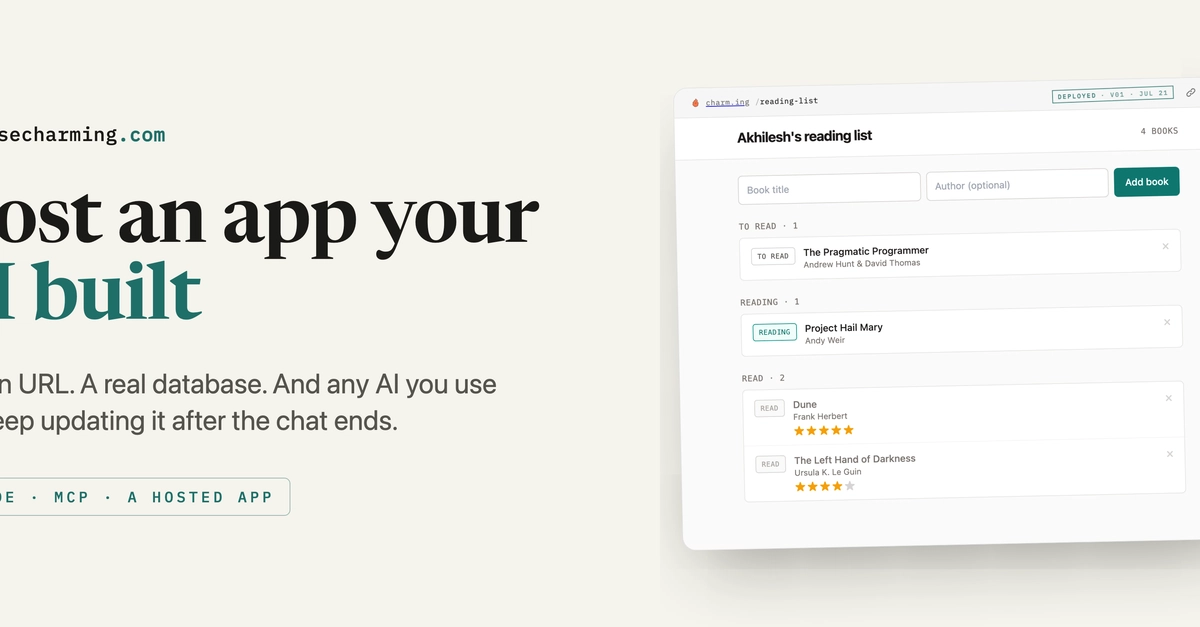
Claude can write a working app right inside a chat. Close the chat and it's gone: no URL, no saved data, nothing to open tomorrow. This is how you turn that throwaway app into a hosted one with its own URL and a database behind it. The example is a reading list, live at charm.ing/avi/reading-list.
The thing doing the hosting is Charming. Claude writes the code, Charming runs it. You keep using Claude, or whatever agent you already pay for. Charming is just where the app lives once the conversation ends.
The canonical guide has the full walkthrough and screenshots. This version is for developers: how the connector hooks up, what the published module looks like, and how other agents reach it afterward.
Connect Charming to Claude
Charming plugs into Claude as a custom MCP connector. One-time setup:
- Open claude.ai/customize/connectors.
- Choose Add custom connector, name it Charming, and paste the connector URL:
https://charm.ing/mcp. - Approve it so Claude can call Charming's tools.
Screenshots and troubleshooting: usecharming.com/setup/claude.
Ask Claude to build it, then publish it
In a normal Claude chat:
Build me a reading list app. I want to add books with a title and author, move each one between to-read, reading, and read, and give finished books a star rating.
Claude writes it and previews it inline. So far it's just like any other in-chat app. Then:
Create this on Charming so it has its own URL and saves my data.
Claude calls the connector and hands back a live URL. That's your hosted app, with storage behind it and an API other agents can call later.
What Claude actually publishes
Under the connector, Claude authors and ships one ES module with two named exports:
export const manifest = {
  id: 'reading-list',
  version: '0.0.1',
  displayName: 'Reading list',
  capabilities: {
    imports: ['buildy:storage/[email protected]'], // gives the handlers env.storage
    exports: [],
  },
};

export const routes = [
  {
    op: 'list',
    method: 'GET',
    handler: async (_input, { env }) => (await env.storage.get('books')) ?? [],
  },
  {
    op: 'add',
    method: 'POST',
    handler: async (input, { env }) => {
      const books = (await env.storage.get('books')) ?? [];
      books.push({ ...input, status: 'to-read' });
      await env.storage.put('books', books);
      return books;
    },
  },
];
Enter fullscreen mode Exit fullscreen mode
No server to stand up, no database to provision. env.storage is per-app key/value storage that survives every later update, and each declared route becomes a discoverable operation at /app/<id>/api/*.
Same app, reachable two ways
Once it's published you're not locked into the chat that built it. Two ways in:
- Over MCP: point any MCP-capable agent at
https://charm.ing/mcpand it can read or write the same app's data. - Over HTTP:
POST https://charm.ing/api/pair/startpairs an agent to your account. From therePOST /appcreates an app andPUT /app/<id>updates one, and every declared route is callable at/app/<id>/api/<op>.
One data store, more than one agent. From a fresh chat I asked Claude to add the Harry Potter series to the same list. It read the existing app over the connector and queued all seven as to-read. I never touched the storage layer.
Reopen it later
Close the Claude conversation. Open the app's URL again days later, in a new tab. Everything's still there: the books, the statuses, the ratings. They live in Charming's storage, not in the chat transcript.
0 Comments
Log in to join the conversation.No comments yet. Be the first to share your thoughts.