
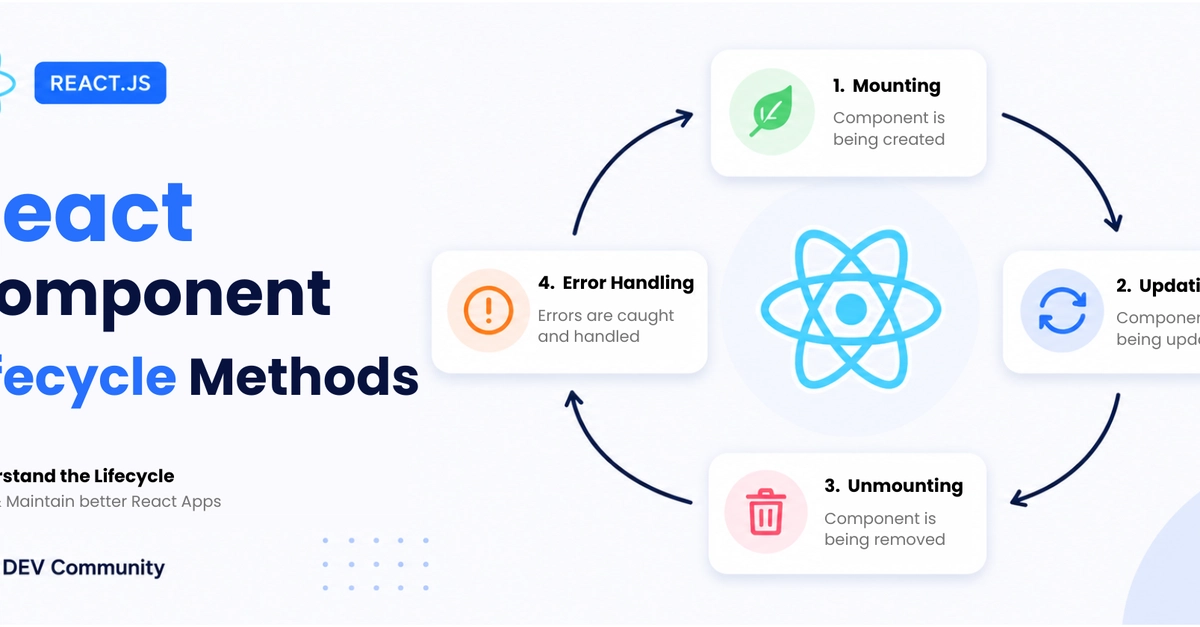
A detailed, beginner-friendly guide to React class component lifecycle methods, render vs commit phases, cleanup, error boundaries, deprecated methods, and Hook equivalents.
If you have worked with React for a while, you have probably heard phrases like:
- "Do the API call in
componentDidMount." - "Clean it up in
componentWillUnmount." - "Don't call
setStateinsiderender." - "Use
componentDidUpdate, but don't create an infinite loop."
These all come from the React component lifecycle.
Even though modern React code is usually written with function components and Hooks, lifecycle methods are still important because:
- Many real-world codebases still contain class components.
- Lifecycle concepts map directly to how Hooks like
useEffectanduseLayoutEffectwork. - Error boundaries are still commonly written as class components.
- Lifecycle questions are very common in React interviews.
In this post, we will walk through React lifecycle methods in a practical way and then end with an interactive lifecycle diagram you can use as a quick reference.
What is the React component lifecycle?
A React component goes through different stages during its existence:

- Mounting: the component is created and inserted into the DOM.
- Updating: the component re-renders because props or state changed.
- Unmounting: the component is removed from the DOM.
- Error handling: the component catches errors from child components.
For class components, React gives us special methods that run at these stages.
Think of it like this:
Component is born  ->  Component updates  ->  Component is removed
     Mounting              Updating              Unmounting
Enter fullscreen mode Exit fullscreen mode
React lifecycle methods let you run code at specific points in that journey.
The most important mental model: render phase vs commit phase
Before memorizing method names, understand this distinction.
React work is often split into two broad parts:
1. Render phase
The render phase is where React figures out what the UI should look like.
Render phase code should be:
- Pure
- Predictable
- Free from side effects
Examples of things that belong in the render phase:
- Reading
props - Reading
state - Returning JSX
- Calculating values used for display
Examples of things that should not happen in the render phase:
- API calls
- Subscriptions
- Timers
- DOM manipulation
- Logging analytics events
- Calling
setStaterepeatedly
Why?
Because React may call render-phase code more than once, pause it, restart it, or discard it depending on rendering mode and development checks.
2. Commit phase
The commit phase is where React actually applies changes to the DOM.
Commit phase code is where side effects are usually safe.
Examples:
- Fetching data
- Setting up subscriptions
- Reading from the DOM after it has updated
- Integrating with third-party libraries
- Starting timers
- Logging
A lot of lifecycle confusion disappears once you ask:
Is this method only calculating UI, or is React already committing changes to the DOM?
Lifecycle flow at a glance
Here is the high-level lifecycle order for class components.
Mounting
constructor()
   ↓
static getDerivedStateFromProps()
   ↓
render()
   ↓
React updates the DOM
   ↓
componentDidMount()
Enter fullscreen mode Exit fullscreen mode
Updating
static getDerivedStateFromProps()
   ↓
shouldComponentUpdate()
   ↓
render()
   ↓
getSnapshotBeforeUpdate()
   ↓
React updates the DOM
   ↓
componentDidUpdate()
Enter fullscreen mode Exit fullscreen mode
Unmounting
componentWillUnmount()
   ↓
Component is removed
Enter fullscreen mode Exit fullscreen mode
Error handling
static getDerivedStateFromError()
   ↓
render fallback UI
   ↓
componentDidCatch()
Enter fullscreen mode Exit fullscreen mode
Now let's go through each stage in detail.
1. Mounting lifecycle methods
Mounting happens when a component is created and inserted into the DOM for the first time.
The common mounting methods are:
constructor()static getDerivedStateFromProps()render()componentDidMount()
1. constructor(props)
The constructor runs before the component is mounted.
It is mainly used for:
- Initializing state
- Binding methods in older class syntax
- Setting up instance variables
Example:
class Counter extends React.Component {
  constructor(props) {
    super(props);

    this.state = {
      count: 0,
    };

    this.increment = this.increment.bind(this);
  }

  increment() {
    this.setState((prevState) => ({
      count: prevState.count + 1,
    }));
  }

  render() {
    return (
      <button onClick={this.increment}>
        Count: {this.state.count}
      </button>
    );
  }
}
Enter fullscreen mode Exit fullscreen mode
Important rules
Do this:
this.state = { count: 0 };
Enter fullscreen mode Exit fullscreen mode
Do not do this inside the constructor:
this.setState({ count: 0 });
Enter fullscreen mode Exit fullscreen mode
The component is not mounted yet, so you should assign the initial state directly.
Modern note
With class fields, you often do not need a constructor:
class Counter extends React.Component {
  state = {
    count: 0,
  };

  increment = () => {
    this.setState((prevState) => ({
      count: prevState.count + 1,
    }));
  };

  render() {
    return <button onClick={this.increment}>Count: {this.state.count}</button>;
  }
}
Enter fullscreen mode Exit fullscreen mode
2. static getDerivedStateFromProps(props, state)
This method runs right before render() during mounting and updating.
It is used when state needs to be derived from props.
Example:
class UserForm extends React.Component {
  state = {
    userId: this.props.userId,
    draftName: '',
  };

  static getDerivedStateFromProps(nextProps, prevState) {
    if (nextProps.userId !== prevState.userId) {
      return {
        userId: nextProps.userId,
        draftName: '',
      };
    }

    return null;
  }

  render() {
    return <input value={this.state.draftName} />;
  }
}
Enter fullscreen mode Exit fullscreen mode
The method must return:
- An object to update state
-
nullif no state update is needed
Be careful with derived state
getDerivedStateFromProps is rarely needed.
A common mistake is copying props into state for no reason:
// Usually a bad idea
state = {
  name: this.props.name,
};
Enter fullscreen mode Exit fullscreen mode
This creates two sources of truth:
this.props.namethis.state.name
Most of the time, you can use props directly:
render() {
  return <h1>{this.props.name}</h1>;
}
Enter fullscreen mode Exit fullscreen mode
Use derived state only when you have a very specific reason.
3. render()
render() is the only required method in a class component.
It tells React what the UI should look like.
Example:
class WelcomeMessage extends React.Component {
  render() {
    return <h1>Hello, {this.props.name}</h1>;
  }
}
Enter fullscreen mode Exit fullscreen mode
render() should be pure.
That means:
- Same props and state should produce the same UI
- No API calls
- No subscriptions
- No timers
- No direct DOM manipulation
- No repeated
setState()calls
Bad example:
render() {
  fetch('/api/user'); // Do not do this

  return <div>User</div>;
}
Enter fullscreen mode Exit fullscreen mode
Good example:
componentDidMount() {
  fetch('/api/user');
}

render() {
  return <div>User</div>;
}
Enter fullscreen mode Exit fullscreen mode
4. componentDidMount()
componentDidMount() runs once after the component has been inserted into the DOM.
This is one of the most commonly used lifecycle methods.
Use it for:
- Fetching data
- Starting timers
- Adding event listeners
- Creating subscriptions
- Working with DOM-based libraries
Example:
class Profile extends React.Component {
  state = {
    user: null,
    loading: true,
  };

  componentDidMount() {
    fetch('/api/profile')
      .then((response) => response.json())
      .then((user) => {
        this.setState({ user, loading: false });
      });
  }

  render() {
    if (this.state.loading) {
      return <p>Loading...</p>;
    }

    return <h1>{this.state.user.name}</h1>;
  }
}
Enter fullscreen mode Exit fullscreen mode
Timer example
class Clock extends React.Component {
  state = {
    now: new Date(),
  };

  componentDidMount() {
    this.timerId = setInterval(() => {
      this.setState({ now: new Date() });
    }, 1000);
  }

  componentWillUnmount() {
    clearInterval(this.timerId);
  }

  render() {
    return <p>{this.state.now.toLocaleTimeString()}</p>;
  }
}
Enter fullscreen mode Exit fullscreen mode
Notice that the timer starts in componentDidMount() and is cleaned up in componentWillUnmount().
That pairing is very important.
2. Updating lifecycle methods
Updating happens when a component re-renders because:
- Its props changed
- Its state changed
- Its parent re-rendered
-
forceUpdate()was called
The common updating methods are:
static getDerivedStateFromProps()shouldComponentUpdate()render()getSnapshotBeforeUpdate()componentDidUpdate()
1. shouldComponentUpdate(nextProps, nextState)
This method lets you decide whether React should continue with the update.
It returns true or false.
Example:
class ProductCard extends React.Component {
  shouldComponentUpdate(nextProps) {
    return nextProps.product.id !== this.props.product.id ||
      nextProps.product.price !== this.props.product.price;
  }

  render() {
    return (
      <article>
        <h2>{this.props.product.name}</h2>
        <p>{this.props.product.price}</p>
      </article>
    );
  }
}
Enter fullscreen mode Exit fullscreen mode
If shouldComponentUpdate() returns false, React skips:
render()getSnapshotBeforeUpdate()componentDidUpdate()
for that update.
When should you use it?
Use it only as a performance optimization.
Do not use it to "fix" rendering bugs.
In many cases, you can use React.PureComponent instead:
class ProductCard extends React.PureComponent {
  render() {
    return (
      <article>
        <h2>{this.props.product.name}</h2>
        <p>{this.props.product.price}</p>
      </article>
    );
  }
}
Enter fullscreen mode Exit fullscreen mode
PureComponent performs a shallow comparison of props and state.
2. render() during updates
During an update, render() runs again to calculate the next UI.
Example:
class SearchResults extends React.Component {
  render() {
    return (
      <ul>
        {this.props.results.map((result) => (
          <li key={result.id}>{result.title}</li>
        ))}
      </ul>
    );
  }
}
Enter fullscreen mode Exit fullscreen mode
The same rules apply:
- Keep it pure
- Do not call APIs
- Do not update state inside it
- Do not manipulate the DOM directly
3. getSnapshotBeforeUpdate(prevProps, prevState)
This method runs after render() but before React commits changes to the DOM.
It is useful when you need to capture information from the DOM before it changes.
The value returned from getSnapshotBeforeUpdate() is passed as the third argument to componentDidUpdate().
A classic example is preserving scroll position.
class ChatList extends React.Component {
  listRef = React.createRef();

  getSnapshotBeforeUpdate(prevProps) {
    if (prevProps.messages.length < this.props.messages.length) {
      const list = this.listRef.current;

      return list.scrollHeight - list.scrollTop;
    }

    return null;
  }

  componentDidUpdate(prevProps, prevState, snapshot) {
    if (snapshot !== null) {
      const list = this.listRef.current;

      list.scrollTop = list.scrollHeight - snapshot;
    }
  }

  render() {
    return (
      <div ref={this.listRef} style={{ height: 300, overflow: 'auto' }}>
        {this.props.messages.map((message) => (
          <p key={message.id}>{message.text}</p>
        ))}
      </div>
    );
  }
}
Enter fullscreen mode Exit fullscreen mode
Use this method rarely.
Most components do not need it.
4. componentDidUpdate(prevProps, prevState, snapshot)
componentDidUpdate() runs after the component updates and the DOM has been committed.
Use it for side effects that depend on prop or state changes.
Example:
class UserProfile extends React.Component {
  state = {
    user: null,
  };

  componentDidMount() {
    this.fetchUser(this.props.userId);
  }

  componentDidUpdate(prevProps) {
    if (prevProps.userId !== this.props.userId) {
      this.fetchUser(this.props.userId);
    }
  }

  fetchUser(userId) {
    fetch(`/api/users/${userId}`)
      .then((response) => response.json())
      .then((user) => {
        this.setState({ user });
      });
  }

  render() {
    if (!this.state.user) {
      return <p>Loading...</p>;
    }

    return <h1>{this.state.user.name}</h1>;
  }
}
Enter fullscreen mode Exit fullscreen mode
The important part is this condition:
if (prevProps.userId !== this.props.userId) {
  this.fetchUser(this.props.userId);
}
Enter fullscreen mode Exit fullscreen mode
Without the condition, you can easily create an infinite loop.
Bad example:
componentDidUpdate() {
  this.setState({ updated: true }); // Dangerous: can cause infinite updates
}
Enter fullscreen mode Exit fullscreen mode
Better example:
componentDidUpdate(prevProps) {
  if (prevProps.userId !== this.props.userId) {
    this.setState({ updated: true });
  }
}
Enter fullscreen mode Exit fullscreen mode
componentDidUpdate() is powerful, but always compare previous props/state with current props/state before doing work.
3. Unmounting lifecycle method
Unmounting happens when React removes a component from the DOM.
There is one main unmounting method:
componentWillUnmount()
Enter fullscreen mode Exit fullscreen mode
componentWillUnmount()
Use this method to clean up anything the component created.
Examples:
- Clear timers
- Remove event listeners
- Cancel subscriptions
- Abort network requests
- Destroy third-party widgets
Example:
class WindowSize extends React.Component {
  state = {
    width: window.innerWidth,
  };

  componentDidMount() {
    window.addEventListener('resize', this.handleResize);
  }

  componentWillUnmount() {
    window.removeEventListener('resize', this.handleResize);
  }

  handleResize = () => {
    this.setState({ width: window.innerWidth });
  };

  render() {
    return <p>Window width: {this.state.width}px</p>;
  }
}
Enter fullscreen mode Exit fullscreen mode
Do not call setState() here
The component is about to be removed, so updating its state does not make sense.
Bad:
componentWillUnmount() {
  this.setState({ active: false });
}
Enter fullscreen mode Exit fullscreen mode
Good:
componentWillUnmount() {
  clearInterval(this.timerId);
  window.removeEventListener('resize', this.handleResize);
}
Enter fullscreen mode Exit fullscreen mode
4. Error handling lifecycle methods
React has a concept called error boundaries.
An error boundary catches JavaScript errors in child components and displays fallback UI instead of crashing the whole app.
The two main error lifecycle methods are:
static getDerivedStateFromError()componentDidCatch()
1. static getDerivedStateFromError(error)
This method is used to update state after a child component throws an error.
It lets you render fallback UI.
class ErrorBoundary extends React.Component {
  state = {
    hasError: false,
  };

  static getDerivedStateFromError(error) {
    return {
      hasError: true,
    };
  }

  render() {
    if (this.state.hasError) {
      return <h1>Something went wrong.</h1>;
    }

    return this.props.children;
  }
}
Enter fullscreen mode Exit fullscreen mode
Usage:
<ErrorBoundary>
  <Dashboard />
</ErrorBoundary>
Enter fullscreen mode Exit fullscreen mode
If Dashboard or one of its children throws during rendering, the error boundary can show fallback UI.
2. componentDidCatch(error, info)
This method is used for logging error details.
class ErrorBoundary extends React.Component {
  state = {
    hasError: false,
  };

  static getDerivedStateFromError(error) {
    return { hasError: true };
  }

  componentDidCatch(error, info) {
    console.error('Error:', error);
    console.error('Component stack:', info.componentStack);

    // You could also send this to an error monitoring service
    // logErrorToService(error, info.componentStack);
  }

  render() {
    if (this.state.hasError) {
      return <h1>Something went wrong.</h1>;
    }

    return this.props.children;
  }
}
Enter fullscreen mode Exit fullscreen mode
Error boundaries do not catch everything
They catch errors in:
- Rendering
- Lifecycle methods
- Constructors of child components
They do not catch errors in:
- Event handlers
- Asynchronous code like
setTimeout - Server-side rendering
- Errors thrown inside the error boundary itself
For event handlers, use normal try...catch:
handleClick = () => {
  try {
    riskyOperation();
  } catch (error) {
    console.error(error);
  }
};
Enter fullscreen mode Exit fullscreen mode
5. Deprecated lifecycle methods
Older React code may contain lifecycle methods like these:
componentWillMount()
componentWillReceiveProps()
componentWillUpdate()
Enter fullscreen mode Exit fullscreen mode
In modern React, these are considered unsafe for async rendering patterns.
You may also see their newer names:
UNSAFE_componentWillMount()
UNSAFE_componentWillReceiveProps()
UNSAFE_componentWillUpdate()
Enter fullscreen mode Exit fullscreen mode
The UNSAFE_ prefix is React's way of saying:
This method may cause bugs in modern rendering behavior. Avoid it in new code.
What should you use instead?
| Deprecated method | Prefer this instead |
|---|---|
componentWillMount() |
constructor() for initialization, componentDidMount() for side effects |
componentWillReceiveProps() |
componentDidUpdate() or derived render calculations |
componentWillUpdate() |
getSnapshotBeforeUpdate() for DOM snapshots, componentDidUpdate() for side effects |
Example migration:
// Avoid this
UNSAFE_componentWillReceiveProps(nextProps) {
  if (nextProps.userId !== this.props.userId) {
    this.fetchUser(nextProps.userId);
  }
}
Enter fullscreen mode Exit fullscreen mode
Use this instead:
componentDidUpdate(prevProps) {
  if (prevProps.userId !== this.props.userId) {
    this.fetchUser(this.props.userId);
  }
}
Enter fullscreen mode Exit fullscreen mode
6. Full practical example
Here is a more complete class component that uses multiple lifecycle methods correctly.
class UserDetails extends React.Component {
  state = {
    user: null,
    loading: false,
    error: null,
  };

  componentDidMount() {
    this.loadUser(this.props.userId);
  }

  componentDidUpdate(prevProps) {
    if (prevProps.userId !== this.props.userId) {
      this.loadUser(this.props.userId);
    }
  }

  componentWillUnmount() {
    if (this.abortController) {
      this.abortController.abort();
    }
  }

  async loadUser(userId) {
    if (this.abortController) {
      this.abortController.abort();
    }

    this.abortController = new AbortController();

    this.setState({
      loading: true,
      error: null,
    });

    try {
      const response = await fetch(`/api/users/${userId}`, {
        signal: this.abortController.signal,
      });

      if (!response.ok) {
        throw new Error('Failed to load user');
      }

      const user = await response.json();

      this.setState({
        user,
        loading: false,
      });
    } catch (error) {
      if (error.name === 'AbortError') {
        return;
      }

      this.setState({
        error,
        loading: false,
      });
    }
  }

  render() {
    const { user, loading, error } = this.state;

    if (loading) {
      return <p>Loading user...</p>;
    }

    if (error) {
      return <p>Could not load user.</p>;
    }

    if (!user) {
      return null;
    }

    return (
      <section>
        <h1>{user.name}</h1>
        <p>{user.email}</p>
      </section>
    );
  }
}
Enter fullscreen mode Exit fullscreen mode
This component demonstrates several lifecycle ideas:
-
componentDidMount()loads data when the component first appears. -
componentDidUpdate()reloads data whenuserIdchanges. -
componentWillUnmount()aborts the request if the component disappears. -
render()stays focused on describing the UI.
7. How lifecycle methods map to Hooks
Most new React code uses function components and Hooks.
Here is the rough mapping:
| Class lifecycle method | Hook equivalent |
|---|---|
componentDidMount() |
useEffect(() => { ... }, []) |
componentDidUpdate() |
useEffect(() => { ... }, [dependencies]) |
componentWillUnmount() |
Cleanup function returned from useEffect()
|
getSnapshotBeforeUpdate() |
Often useLayoutEffect(), depending on the case |
shouldComponentUpdate() |
React.memo, useMemo, useCallback
|
getDerivedStateFromProps() |
Usually derive during render or use memoization; avoid duplicated state |
componentDidCatch() |
No built-in Hook equivalent; use an error boundary class or a library |
Example class lifecycle:
class PageTitle extends React.Component {
  componentDidMount() {
    document.title = this.props.title;
  }

  componentDidUpdate(prevProps) {
    if (prevProps.title !== this.props.title) {
      document.title = this.props.title;
    }
  }

  render() {
    return <h1>{this.props.title}</h1>;
  }
}
Enter fullscreen mode Exit fullscreen mode
Equivalent function component:
function PageTitle({ title }) {
  React.useEffect(() => {
    document.title = title;
  }, [title]);

  return <h1>{title}</h1>;
}
Enter fullscreen mode Exit fullscreen mode
Example cleanup with Hooks:
function WindowSize() {
  const [width, setWidth] = React.useState(window.innerWidth);

  React.useEffect(() => {
    function handleResize() {
      setWidth(window.innerWidth);
    }

    window.addEventListener('resize', handleResize);

    return () => {
      window.removeEventListener('resize', handleResize);
    };
  }, []);

  return <p>Window width: {width}px</p>;
}
Enter fullscreen mode Exit fullscreen mode
This is similar to combining:
componentDidMount()componentWillUnmount()
into one useEffect().
8. Common lifecycle mistakes
Mistake 1: Doing side effects inside render()
Bad:
render() {
  localStorage.setItem('theme', this.state.theme);
  return <div>{this.state.theme}</div>;
}
Enter fullscreen mode Exit fullscreen mode
Better:
componentDidUpdate(prevProps, prevState) {
  if (prevState.theme !== this.state.theme) {
    localStorage.setItem('theme', this.state.theme);
  }
}
Enter fullscreen mode Exit fullscreen mode
Mistake 2: Forgetting cleanup
Bad:
componentDidMount() {
  window.addEventListener('resize', this.handleResize);
}
Enter fullscreen mode Exit fullscreen mode
Better:
componentDidMount() {
  window.addEventListener('resize', this.handleResize);
}

componentWillUnmount() {
  window.removeEventListener('resize', this.handleResize);
}
Enter fullscreen mode Exit fullscreen mode
Mistake 3: Infinite loops in componentDidUpdate()
Bad:
componentDidUpdate() {
  this.setState({ synced: true });
}
Enter fullscreen mode Exit fullscreen mode
Better:
componentDidUpdate(prevProps) {
if (prevProps.id !==
Read the original source
#Ai
#Frontend

0 Comments
Log in to join the conversation.No comments yet. Be the first to share your thoughts.