

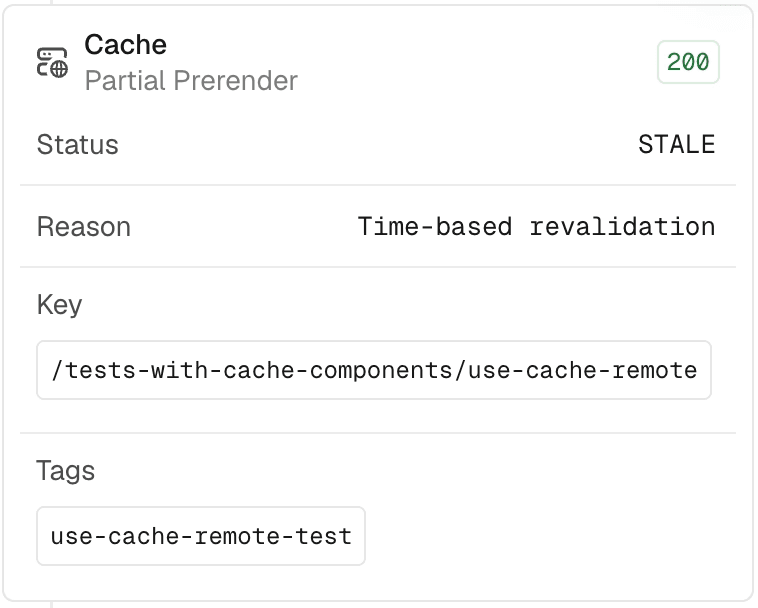
Runtime logs now show a Cache Reason explaining why a request wasn't a fresh cache hit, for example a time-based or tag-based revalidation. Use cache reasons to debug misses and improve your hit rate.
Cache reasons appear for any response the CDN can cache, including ISR, Partial Prerendering, and functions that set a Cache-Control header with directives like stale-while-revalidate. Responses rendered dynamically on every request don't have a cache reason.
Open the Logs tab and select a request to see the reason alongside its cache status. Each status and reason links to its entry in the Cache Status and Reasons reference.
Copy link to headingFrom the CLI
Cache reason is available in vercel logs, vercel metrics, and Vercel plugin's cdn-caching skill:
# Inspect the cache reason for a request with vercel logs:
vercel logs \
--request-id <request-id> \
--expand --json \
--project <project> \
--scope <team>
# Quantify how often each reason occurs across your traffic with vercel metrics:
vercel metrics vercel.request.count \
--group-by cache_reason \
--since <time> \
--project <project> \
--scope <team>
# Debug caching at scale using the cdn-caching skill in the Vercel plugin:
npx skills add https://github.com/vercel/vercel-plugin --skill cdn-caching
Learn more about cache statuses and reasons.
0 Comments
Log in to join the conversation.No comments yet. Be the first to share your thoughts.