


Hey DEV community! 👋
Like many of you, I listen to music while coding all day. However, I got tired of constantly switching browser tabs just to skip a track or see what song is currently playing on the Spotify Web Player.
So, I decided to build a lightweight tool for macOS called NotchTune.
What is NotchTune?
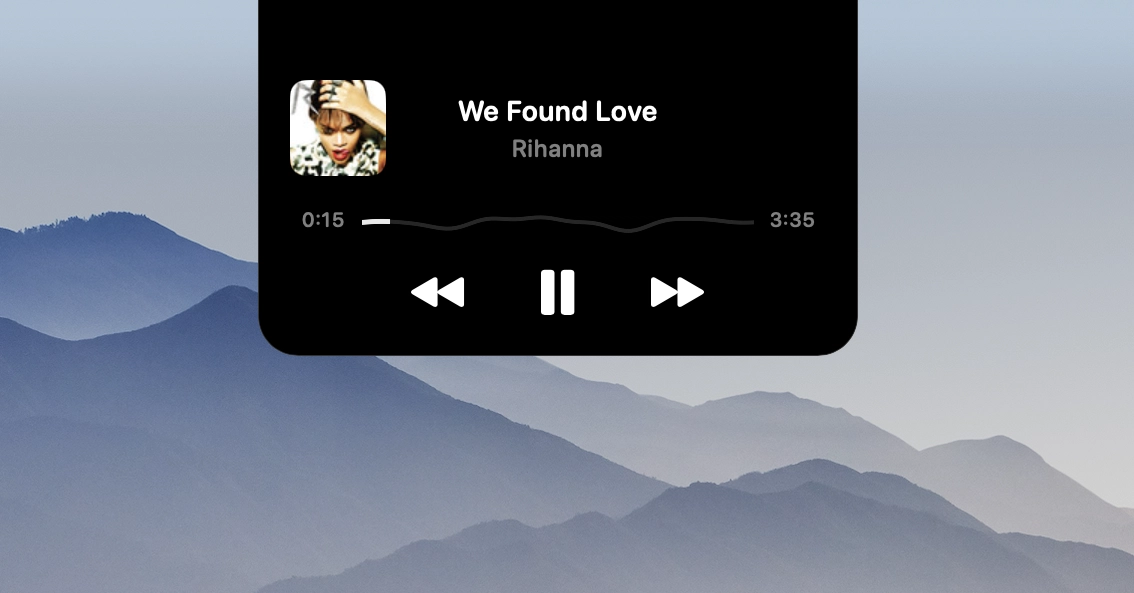
NotchTune is a minimal, native macOS app that transforms your screen notch (or top menu bar area) into a dynamic control widget for Spotify Web.
It stays hidden until you need it and provides a clean, native UI inspired by macOS design principles.
✨ Key Features
- Notch Integration: Fits seamlessly around the MacBook notch.
- Real-time Track Info: Displays current song title, artist name, and album artwork.
- Playback Controls: Play, pause, skip, and progress bar tracking without leaving your workspace.
- Lightweight & Native: Built purely with SwiftUI and tailored for low resource consumption.
Tech Stack
- Language: Swift
- UI Framework: SwiftUI
- Platform: macOS
Looking for Feedback & Contributors!
This is the initial 1.0 release, and I'm actively looking for feedback from the developer community.
I’d love to hear your thoughts! If you want to test it out, report a bug, or even contribute to the codebase (feature requests, UI tweaks, etc.), check out the repository below:
GitHub Repository: blessedlab/NotchTune
If you like the project, a ⭐ on GitHub would mean the world to me!
Thanks for reading.
0 Comments
Log in to join the conversation.No comments yet. Be the first to share your thoughts.