
Introduction
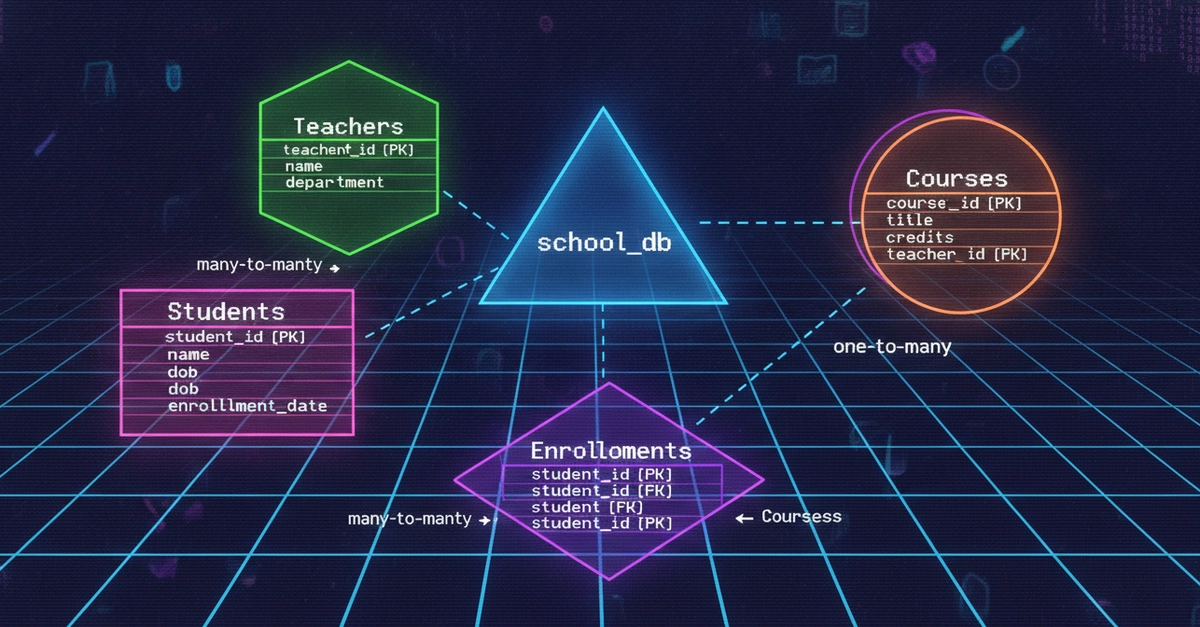
As part of my SQL learning journey, I built a simple school database called Greenwood Academy using PostgreSQL. The goal of this project was to practice the most important SQL concepts, including database design, inserting data, filtering records, using operators, counting records, and applying conditional logic with CASE WHEN.
In this article, I’ll walk through the project step by step and explain what I learned.
Why This Project?
Real-world organizations store large amounts of structured data. A school, for example, needs to manage:
- Students
- Subjects
- Exam results
- Teachers
- Academic departments
By modeling this information in a relational database, we can query and analyze it efficiently.
Lets dive in
Step 1 : Creating the Database Schema (DDL)
I started by creating a schema named Greenwood_academy. A schema helps group related database objects together.
create  schema greenwood_academy;
set search_path to greenwood_academy;
Enter fullscreen mode Exit fullscreen mode
Then I defined the three main tables:
- Students
create table greenwood_academy.students(
 student_id serial primary key,
 first_name varchar(50) not null,
 last_name varchar (50) not null,
 gender varchar (1),
 date_of_birth date,
 class varchar (10),
 city varchar (50)
 );
Enter fullscreen mode Exit fullscreen mode
- Subjects
create table greenwood_academy.subjects(
subject_id serial primary key,
subject_name varchar(100) unique,
department varchar (50),
teacher_name varchar (100),
credits int
);
Enter fullscreen mode Exit fullscreen mode
- Exam Results Table
create table greenwood_academy.exam_results(
result_id serial primary key,
student_id int not null,
subject_id int not null,
marks int not null,
exam_date date,
grade varchar (2),
foreign key(student_id) references greenwood_academy.students(student_id),
foreign key (subject_id) references greenwood_academy.subjects(subject_id)
);
Enter fullscreen mode Exit fullscreen mode
To make the tables relational we use a Foriegn Keys.
What I learned
-
SERIALautomatically generates unique IDs. -
PRIMARY KEYuniquely identifies each record. -
FOREIGN KEYcreates relationships between tables. -
NOT NULLensures important fields cannot be left empty.
Modifying tables with ALTER
I also practiced modifying existing tables using the ALTER TABLE statement. In this project, I renamed a column, added a column and dropped a column, which helped me understand how database schemas can be updated as requirements change.
-- Alter table changing type
alter table greenwood_academy.students
add column phone_number varchar(20);

-- Renaming a column
alter table greenwood_academy.subjects
rename column credits to credit_hours;

-- dropping a column
alter table greenwood_academy.students
drop column phone_number;
Enter fullscreen mode Exit fullscreen mode
Step 2 : Inserting Data (DML)
With the structure in place, it's time to add data. INSERT statements can take multiple rows at once, which keeps things concise.
Inserting values into the Students table
insert into greenwood_academy.students(first_name,last_name,
gender,date_of_birth,class,city)
values ('Amina','Wanjiku','F','2008-03-12','Form 3','Nairobi'),
('Brain','Ochieng','M','2007-07-25','Form 4','Mombasa'),
('Cynthia','Mutua','F','2008-11-05','Form 3','Kisumu'),
('David','Kamau','M','2007-02-18','Form 4','Nairobi'),
('Esther','Akinyi','F','2009-09-14','Form 2','Nakuru'),
('Felix','Otieno','M','2009-09-14','Form 2','Eldoret'),
('Grace','Mwangi','F','2008-01-22','Form 3','Nairobi'),
('Hassan','Abdi','M','2007-04-09','Form 4','Mombasa'),
('Ivy','Chebet','F','2009-12-01','Form 2','Nakuru'),
('James','Kariuki','M','2008-08-17','Form 3','Nairobi');
Enter fullscreen mode Exit fullscreen mode
Inserting values into the Subjects table
insert into greenwood_academy.subjects(subject_name,department,
teacher_name,credit_hours)
values ('Mathematics','Sciences','Mr. Njoroge',4),
('English','Languages','Ms. Adhiambo',3),
('Biology','Sciences','Ms. Otieno',4),
('History','Humanities','Mr. Waweru',3),
('Kiswahili','Languages','Ms. Nduta',3),
('Physics','Sciences','Mr. Kamande',4),
('Geography','Humanities','Ms. Chebet',3),
('Chemistry','Sciences','Ms. Muthoni',4),
('Computer Studies','Sciences','Mr. Oduya',3),
('Business Studies','Humanities','Ms. Wangari',3);
Enter fullscreen mode Exit fullscreen mode
Inserting values into the Exam Results table
insert into greenwood_academy.exam_results(student_id,subject_id,marks,
exam_date,grade)
values(1,1,78,'2024-03-15','B'),
(1,2,85,'2024-03-16','A'),
(2,1,92,'2024-03-15','A'),
(2,3,55,'2024-03-17','C'),
(3,2,49,'2024-03-16','D'),
(3,4,71,'2024-03-18','B'),
(4,1,88,'2024-03-14','A'),
(4,6,63,'2024-03-19','C'),
(5,5,39,'2024-03-20','F'),
(6,9,95,'2024-03-21','A');
Enter fullscreen mode Exit fullscreen mode
Once the tables are populated, a quick sanity check confirms everything landed correctly.
select * from greenwood_academy.students;
select * from greenwood_academy.subjects;
select * from greenwood_academy.exam_results;
Enter fullscreen mode Exit fullscreen mode
Data isn't static, though. People move, mistakes happen, and records get cancelled. That's where UPDATE and DELETE come in.
-- Updating Esther Akinyi city from Nakuru to Nairobi.

update greenwood_academy.students
set city = 'Nairobi'
where student_id = 5;

-- updating the exam_results table
update greenwood_academy.exam_results
set marks = 59, grade = 'C'
where result_id = 5;

-- Deleting result_id 9
delete from greenwood_academy.exam_results
where result_id = 9;
Enter fullscreen mode Exit fullscreen mode
What I learned
- How to insert multiple rows in a single statement.
- The importance of matching the order of columns and values.
- Using realistic sample data for testing queries
Step 3 : Querying the Data
I used SQL queries to retrieve and filter relevant data from the database for analysis and reporting.
-- all students in form 4
select first_name, last_name
from greenwood_academy.students
where class = 'Form 4';

-- subjects in the sciences department
select subject_name
from greenwood_academy.subjects
where department = 'Sciences';

-- exams results where marks is greater then of equal to 70
select *
from greenwood_academy.exam_results
where marks >=70;

-- Finding all females
select first_name,last_name
from greenwood_academy.students
where gender = 'F';
Enter fullscreen mode Exit fullscreen mode
You can combine conditions with AND and OR to ask more specific questions.
-- students in form 3 and from Nairobi
select first_name,last_name
from greenwood_academy.students
where class = 'Form 3' and city = 'Nairobi';

-- students that are either in form 2 or form 4
select first_name,last_name
from greenwood_academy.students
where class = 'Form 2' or class = 'Form 4';
Enter fullscreen mode Exit fullscreen mode
What I learned
-
WHEREfilters records. - Comparison operators (
=,>=,<=) are essential for analysis. - Using
ANDandORoperators helps understand how to combine multiple conditions to create more accurate and flexible queries. - Selecting only the columns you need improves readability.
Step 4 : Range, Membership & Search Operators
The BETWEEN operator is used to retrieve values that fall within a specified range.
-- marks between 50 and 80 (inclusive)
select *
from greenwood_academy.exam_results
where marks between 50 and 80;

-- exam date between 15th march 2024 and 18th march 2024
select *
from greenwood_academy.exam_results
where exam_date between '2024-03-15' and '2024-03-18';
Enter fullscreen mode Exit fullscreen mode
IN and NOT IN for membership checks much cleaner than a chain of OR
-- students who live in nairobi,mombasa,or Kisumu
select first_name,last_name
from greenwood_academy.students
where city in ('Nairobi','Mombasa','Kisumu');

-- students not in form 2 or form 3
select first_name,last_name
from greenwood_academy.students
where class not in ('Form 2', 'Form 3');
Enter fullscreen mode Exit fullscreen mode
LIKE for pattern matching % is a wildcard for any characters.
-- students whose first name starts with a or e
select first_name
from greenwood_academy.students
where first_name like 'A%' or first_name like 'E%';

-- subject that contain the word 'studies'
select subject_name
from greenwood_academy.subjects
where subject_name like '%Studies%';
Enter fullscreen mode Exit fullscreen mode
What I Learned
-
BETWEENsimplifies range filtering. -
INis cleaner than multipleORconditions. -
LIKEis useful for pattern matching.
Step 5 : Counting Records
Counting helps turn raw records into summaries.
-- number of students from form 3
select count(*) as num_students
from greenwood_academy.students
where class = 'Form 3';

-- number of exams with marks 70 and above
select count(*) as num_marks_above_70
from greenwood_academy.exam_results
where marks >=70;
Enter fullscreen mode Exit fullscreen mode
What I learned
-
COUNT(*)returns the number of matching rows.
Step 6 : Categorizing Data with CASE WHEN
The CASE statement is used to add conditional logic inside SQL queries. It checks conditions one by one and returns a value as soon as a matching condition is found.
Grading Exams Performance
select
    result_id,
    marks,
case
    when marks >= 80 then 'Distinction'
    when marks >= 60 then 'Merit'
    when marks >= 40 then 'Pass'
    else 'Fail'
end as class_performance
from greenwood_academy.exam_results;
Enter fullscreen mode Exit fullscreen mode
Classifying Class Level
select
    first_name,
    last_name,
    class,
case
    when class = 'Form 3' or class = 'Form 4' then 'Senior'
    when class = 'Form 2' or class = 'Form 1' then 'Junior'
end as student_level
from greenwood_academy.students;
Enter fullscreen mode Exit fullscreen mode
What I learned
-
CASE WHENworks like anIF-ELSEstatement inside SQL. -
CASE WHENhelps categorize data or transform values dynamically. -
CASE WHENcan be used inSELECT,UPDATE,ORDER BYand other clauses.
Conclusion
Building the Greenwood Academy database gave me practical experience in designing relational databases, inserting and querying data, using operators such as AND and OR, applying aggregate functions, and implementing conditional logic with CASE WHEN. This project helped me move beyond SQL theory and understand how databases are structured and analyzed in real-world scenarios
0 Comments
Log in to join the conversation.No comments yet. Be the first to share your thoughts.