
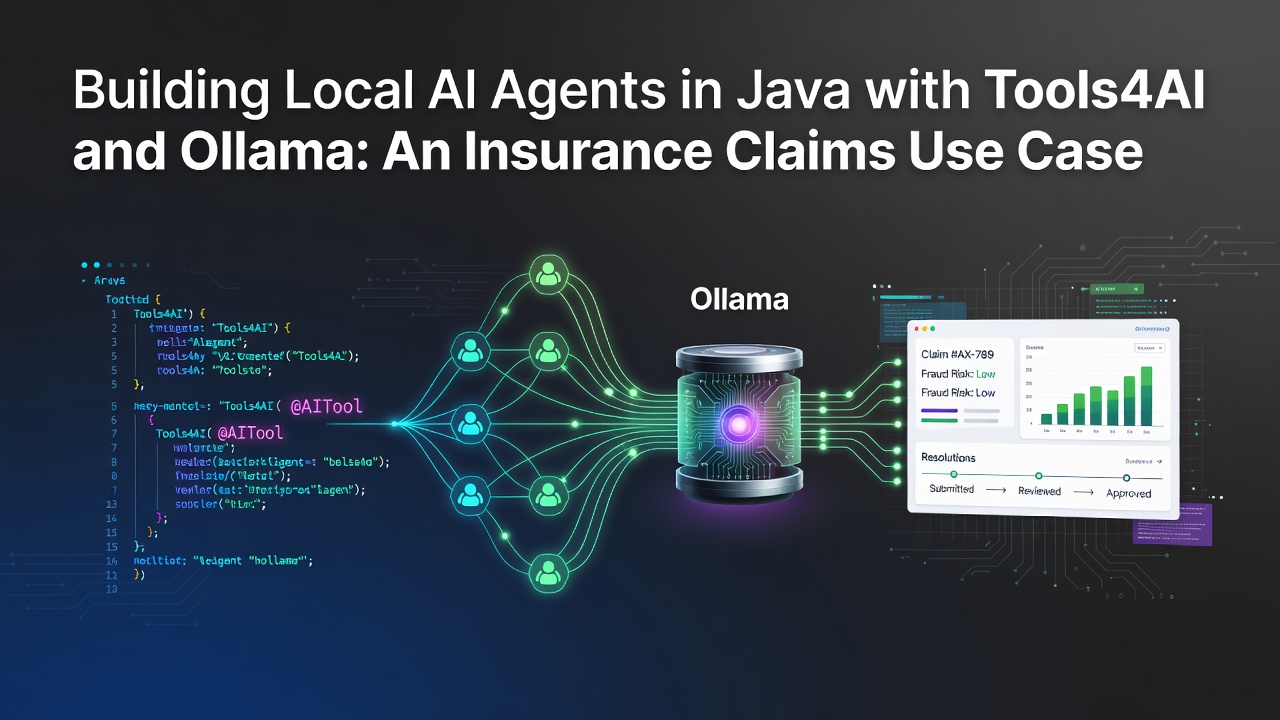
Tools4AI is a 100% Java agentic AI framework that turns any annotated Java method into an AI-callable action. Ollama runs open models like Llama 3.1 and Phi-4 locally and exposes an OpenAI-compatible API. Point Tools4AI at http://localhost:11434/v1 and you get a fully offline, on-premise AI agent — no data ever leaves your network. In this tutorial we build an insurance claims triage agent that reads a claimant's free-text incident report, routes it to the right business action, extracts structured data, gates high-value payouts behind a human approval, and records a compliance audit trail.
Who is this for? Java developers, solution architects, and engineering leaders in regulated industries (insurance, banking, healthcare) who want agentic AI without sending sensitive data to a third-party API.
Table of Contents
Why local AI agents matter for insurance
Insurance runs on personally identifiable information (PII): names, addresses, policy numbers, medical details, vehicle data, and loss descriptions. Sending that data to a hosted LLM API creates regulatory, contractual, and reputational risk. At the same time, claims teams are drowning in unstructured text — First Notice of Loss (FNOL) reports, adjuster notes, emails, and call transcripts.
A local AI agent solves both problems at once:
- Data never leaves your premises. The model runs on your own hardware via Ollama.
- Deterministic business logic stays in Java. The LLM decides what to do; your audited, tested Java code decides how.
- Human-in-the-loop and audit trails are first-class, so you can satisfy compliance reviewers.
That combination — private inference plus governed execution — is exactly what Tools4AI + Ollama gives you.
What is Tools4AI?
Tools4AI (io.github.vishalmysore:tools4ai on Maven Central) is a lightweight, pure-Java agentic AI framework and ADK. Its core idea is simple and powerful:
Annotate a Java class with
@Agentand its methods with@Action. Tools4AI scans the classpath, and at runtime it maps a natural-language prompt to the correct method, extracts the parameters, and invokes it — no manual function schemas required.
Key capabilities used in this article:
| Feature | What it does |
|---|---|
| Action routing | Maps a prompt to the right @Action method automatically |
| Automatic parameter mapping | Fills method arguments (including POJOs, lists, maps, dates) from the prompt |
| POJO transformation | Converts free text into a populated Java object |
| Risk gating | Blocks HIGH-risk actions unless a human approves |
| Audit trail | Records every action for compliance |
| Agent memory | Keeps conversation context across turns |
Because it is provider-agnostic, the same code runs on Gemini, OpenAI, Anthropic — or, as we will do here, a local Ollama model through its OpenAI-compatible endpoint.
Why Ollama + Java is a great fit for regulated data
Ollama serves open-weight models (Llama 3.1, Phi-4, Mistral, Gemma, and more) behind an OpenAI-compatible REST API at http://localhost:11434/v1. Because Tools4AI's OpenAiActionProcessor already speaks that protocol, wiring the two together is pure configuration — no adapter, no new code.
- ✅ Zero data egress — inference is local.
- ✅ No API keys, no per-token billing.
- ✅ Runs in air-gapped / VPC environments.
- ✅ Same Tools4AI code works with a cloud provider later if you choose.
Prerequisites
- Java 8+ (Tools4AI compiles at Java 8 bytecode) and Maven
- Ollama installed — download here
- ~8 GB RAM free for a capable instruction model (more is better)
Step 1 — Install and run Ollama
Pull a model that is good at function calling and start it:
ollama pull llama3.1
ollama run llama3.1
Enter fullscreen mode Exit fullscreen mode
Ollama now serves the OpenAI-compatible API locally. Verify it:
curl http://localhost:11434/v1/chat/completions \
  -H "Content-Type: application/json" \
  -d '{"model":"llama3.1","messages":[{"role":"user","content":"Say OK"}],"stream":false}'
Enter fullscreen mode Exit fullscreen mode
You should get a JSON response with "content": "OK".
Step 2 — Add the Tools4AI dependency
<dependency>
    <groupId>io.github.vishalmysore</groupId>
    <artifactId>tools4ai</artifactId>
    <version>1.2.1</version>
</dependency>
Enter fullscreen mode Exit fullscreen mode
Check Maven Central for the latest version. If you build from source, remember to enable the
-parameterscompiler flag so Tools4AI can read method parameter names.
Step 3 — Point Tools4AI at Ollama
Create tools4ai.properties on your classpath (e.g. src/main/resources/tools4ai.properties):
## Any non-empty value works — Ollama ignores the key,
## but Tools4AI only builds the model when a key is present.
openAiKey=ollama

## Ollama's OpenAI-compatible base URL
openAiBaseURL=http://localhost:11434/v1

## Use the exact Ollama model tag
openAiModelName=llama3.1
Enter fullscreen mode Exit fullscreen mode
Two gotchas worth knowing:
-
LocalAIActionProcessoris a stub — its methods returnnull. Do not use it. The OpenAI-compatible route above is the working path. -
Properties file wins over
-DVM options. Tools4AI readstools4ai.propertiesfirst and only falls back to-DopenAiModelName=...if the file value is empty. If you rely on VM options, leave the corresponding property blank.
Step 4 — Your first local AI call
import com.t4a.processor.OpenAiActionProcessor;

public class Hello {
    public static void main(String[] args) throws Exception {
        OpenAiActionProcessor processor = new OpenAiActionProcessor();
        String reply = processor.query("Reply with exactly one word: PONG");
        System.out.println(reply); // -> PONG
    }
}
Enter fullscreen mode Exit fullscreen mode
That single query() call already round-trips through Tools4AI's config loader, langchain4j, and your local Ollama model. If it prints PONG, you are fully offline and ready to build an agent.
The insurance use case: an FNOL claims triage agent
Let's build something real: an agent that handles the First Notice of Loss (FNOL) — the moment a policyholder reports an incident. Our agent will:
- Route a claimant's message to the right business action (check policy, file a claim, estimate a payout, or escalate).
- Extract a structured claim record from a free-text incident description.
- Gate large payouts behind a mandatory human approval.
- Audit every action for compliance.
1. Define your business actions as agents
This is the whole point of Tools4AI: your business logic is just an ordinary Java class. Annotate the class with @Agent, annotate each callable method with @Action, and you're done — no interface to implement, no boilerplate. Tools4AI scans the classpath, registers every @Action method (many per class is fine), instantiates the class for you, and reads riskLevel straight from the annotation.
import com.t4a.annotations.Action;
import com.t4a.annotations.Agent;
import com.t4a.api.ActionRisk;

@Agent(groupName = "claims", groupDescription = "insurance policy and claims actions")
public class ClaimsAgent {

    @Action(description = "check whether an insurance policy is active and in good standing "
            + "given its policy number")
    public String checkPolicyStatus(String policyNumber) {
        return "Policy " + policyNumber + " is ACTIVE | coverage: AUTO | deductible: $500";
    }

    @Action(description = "open a new insurance claim for a policyholder describing an incident, "
            + "given the policy number, the incident type (collision, theft, fire, water damage) "
            + "and a short description")
    public String fileClaim(String policyNumber, String incidentType, String description) {
        String claimId = "CLM-" + Math.abs((policyNumber + incidentType).hashCode() % 100000);
        return "Opened claim " + claimId + " (" + incidentType + ") for policy " + policyNumber;
    }

    @Action(description = "estimate the payout amount in US dollars for a described incident, "
            + "given the incident type and the estimated damage amount in dollars")
    public String estimatePayout(String incidentType, double estimatedDamage) {
        double payout = Math.max(0, estimatedDamage - 500);   // minus deductible
        return "Estimated payout for " + incidentType + ": $" + payout;
    }

    // Settling a claim moves money. Declaring riskLevel = HIGH right on the annotation is enough:
    // Tools4AI refuses to trigger it via auto-prediction, so it can only be invoked explicitly.
    @Action(description = "approve and settle a claim payout to the policyholder, "
            + "given the claim id, the amount in dollars, and who approved it",
            riskLevel = ActionRisk.HIGH)
    public String settleClaim(String claimId, double amount, String approvedBy) {
        return "SETTLED " + claimId + " for $" + amount + " approved by " + approvedBy;
    }
}
Enter fullscreen mode Exit fullscreen mode
Two things to know. (1)
riskLevelbelongs on@Action, not@Agent(@Agentonly carriesgroupName,groupDescription, and an optionalprompt). (2) The class needs a public no-arg constructor — Tools4AI instantiates it for you.(There is an older style where an action class
implements JavaMethodAction. Avoid it unless you need it: that path registers only the first@Actionmethod per class and ignores@Action(riskLevel=…)— you'd have to split every action into its own class and overridegetActionRisk(). Plain@Agentclasses, as above, have neither limitation.)
### 2. Natural-language action routing

Now let the agent decide which method to call from plain English. No `if/else`, no intent parser — Tools4AI does the mapping.
Enter fullscreen mode Exit fullscreen mode
java
import com.t4a.processor.OpenAiActionProcessor;
OpenAiActionProcessor agent = new OpenAiActionProcessor();
// The AI picks checkPolicyStatus and extracts policyNumber = "AUTO-88213"
Object status = agent.processSingleAction(
"Can you tell me if my policy AUTO-88213 is still active?");
System.out.println(status);
// -> Policy AUTO-88213 is ACTIVE, auto coverage, $500 deductible
// The AI picks fileClaim and extracts all three arguments
Object claim = agent.processSingleAction(
"I need to file a claim on policy AUTO-88213. Someone rear-ended my car " +
"in a parking lot and the bumper is cracked.");
System.out.println(claim);
// -> Opened claim CLM-12345 (collision) for policy AUTO-88213
You can also pass the action explicitly (`agent.processSingleAction(prompt, new FileClaimAction())`) when you already know which capability to use — handy for deterministic, single-purpose endpoints.

### 3. Turn free text into a structured claim (POJO extraction)

Claimants describe incidents in messy prose. Use `OpenAIPromptTransformer` to convert that into a clean Java object you can validate and persist. The `@Prompt` annotation adds per-field instructions such as date formatting.
Enter fullscreen mode Exit fullscreen mode
java
import com.t4a.annotations.Prompt;
import java.util.Date;
public class ClaimReport {
public String claimantName;
public String policyNumber;
public String incidentType; // e.g. collision, theft, fire, water damage
@Prompt(describe = "estimated cost of damage in US dollars, number only")
public double  estimatedDamage;

@Prompt(dateFormat = "yyyy-MM-dd", describe = "date the incident occurred")
public Date    incidentDate;

public String  location;

public String toString() {
    return "ClaimReport{name=" + claimantName + ", policy=" + policyNumber +
           ", type=" + incidentType + ", damage=$" + estimatedDamage +
           ", date=" + incidentDate + ", location=" + location + "}";
}
Enter fullscreen mode Exit fullscreen mode
}
Enter fullscreen mode Exit fullscreen mode
java
import com.t4a.transform.OpenAIPromptTransformer;
OpenAIPromptTransformer transformer = new OpenAIPromptTransformer();
String fnol =
"Hi, this is Priya Sharma, policy HOME-55021. On July 12th 2026 a burst pipe " +
"flooded my kitchen in Austin. A plumber estimated about $3,200 in damage.";
ClaimReport report = (ClaimReport) transformer.transformIntoPojo(fnol, ClaimReport.class.getName());
System.out.println(report);
// -> ClaimReport{name=Priya Sharma, policy=HOME-55021, type=water damage,
// damage=$3200.0, date=2026-07-12, location=Austin}
One call turns an unstructured report into a validated, typed record ready for your claims pipeline.

### 4. Gate high-value payouts with human-in-the-loop

Settling a claim moves money — it must **never** be triggered automatically by the model. With the **core** Tools4AI API you get two guarantees, no extra libraries required:

1. **Auto-prediction refuses `HIGH`-risk actions.** If you call `processSingleAction(prompt)` with no explicit action and the best match is `HIGH` risk, it is not executed.
2. **Explicit calls run only if a human approves.** Pass a `HumanInLoop` approver to `processSingleAction(prompt, action, approver, explain)` — the action runs only when the approver returns valid.

Provide an approver by implementing `HumanInLoop`. In production each call would open a ticket, page an adjuster, or invoke your workflow engine and block until a decision returns:
Enter fullscreen mode Exit fullscreen mode
java
import com.t4a.detect.FeedbackLoop;
import com.t4a.detect.HumanInLoop;
import java.util.Map;
public class AdjusterApproval implements HumanInLoop {
private final boolean approve; // wire to a real approval channel
public AdjusterApproval(boolean approve) { this.approve = approve; }
@Override
public FeedbackLoop allow(String prompt, String methodName, Map<String, Object> params) {
    return () -> approve;
}
@Override
public FeedbackLoop allow(String prompt, String methodName, String params) {
    return () -> approve;   // core calls this String overload with the action JSON
}
Enter fullscreen mode Exit fullscreen mode
}
Because `ClaimsAgent` is a plain `@Agent` POJO (not an `AIAction`), grab the registered action from Tools4AI's registry by name to invoke it explicitly:
Enter fullscreen mode Exit fullscreen mode
java
import com.t4a.api.AIAction;
import com.t4a.predict.PredictionLoader;
import com.t4a.processor.LogginggExplainDecision;
import com.t4a.processor.OpenAiActionProcessor;
OpenAiActionProcessor agent = new OpenAiActionProcessor();
AIAction settle = PredictionLoader.getInstance().getAiAction("settleClaim");
// Human declines -> settleClaim never runs; you get "Human verification failed"
agent.processSingleAction("Settle claim CLM-12345 for $8000, approved by Vishal",
settle, new AdjusterApproval(false), new LogginggExplainDecision());
// Human approves -> the settlement executes
Object result = agent.processSingleAction("Settle claim CLM-12345 for $8000, approved by Vishal",
settle, new AdjusterApproval(true), new LogginggExplainDecision());
// -> SETTLED CLM-12345 for $8000.0 approved by Vishal
> Because `riskLevel = HIGH` is declared on the `@Action`, the auto-prediction refusal in step 1 works with no extra code.

### 5. Going further: the agent toolkit

Beyond the core, Tools4AI ships an **agent toolkit** (`com.t4a.agent.*`) of composable decorators over the `AIProcessor` interface — a two-signoff `RiskGatedActionProcessor`, a JSON `AuditedActionProcessor` for compliance, `InMemoryActionMetrics`, retry/rate-limit resilience, `AgentMemory` for multi-turn claims, and multi-agent orchestration. For example, a compliance audit trail is one wrapper:
Enter fullscreen mode Exit fullscreen mode
java
// Requires a Tools4AI build that includes the agent toolkit (com.t4a.agent.*)
AuditTrail trail = new JsonFileAuditTrail("/var/claims/audit.jsonl");
AIProcessor audited = new AuditedActionProcessor(new OpenAiActionProcessor(), trail);
audited.processSingleAction("File a claim on policy AUTO-88213 for a cracked bumper");
> **Availability note:** the agent toolkit is part of newer Tools4AI builds and may not be in every published Maven Central release. Check that `com.t4a.agent.*` is present in your resolved jar before importing it. The InsureJAI demo above uses **core only**, so it builds against the published artifact as-is. For multi-turn claims, `AgentMemory` / `PersistentFileAgentMemory` from the same toolkit keep conversation context across turns and restarts.

---

## Choosing the right local model

**Model capability directly determines how well function calling works.** In our testing:

- **Capable instruction models** (`llama3.1`, `phi4`) reliably route prompts to the correct `@Action` **and** fill in the arguments — including numbers, dates, and nested POJOs.
- **Very small models** (e.g. `gemma3:270m`) often select the right action but leave parameters empty. They are fine for a plain `query()`, but unreliable for full tool calling.

**Recommendation:** start with `llama3.1` (8B) or `phi4` (14B) for claims-style extraction. Use a larger model if your prompts are long or multi-entity. Match the model to your hardware — bigger models need more RAM/VRAM and are slower on CPU.

## Production hardening: composing the agent stack

Every agent-toolkit capability is a decorator over the `AIProcessor` interface, so they nest in any order — and the order encodes your policy. A production-grade claims agent might look like this (requires the `com.t4a.agent.*` toolkit noted above):
Enter fullscreen mode Exit fullscreen mode
java
AIProcessor claimsAgent =
new AuditedActionProcessor( // records the final outcome
new MeteredActionProcessor( // latency + error rates
new RiskGatedActionProcessor( // human approval for HIGH-risk settlements
new RetryActionProcessor( // survive transient model hiccups
new OpenAiActionProcessor(), // -> your local Ollama model
3, 500, null),
new AdjusterApproval()),
metrics),
new JsonFileAuditTrail("/var/claims/audit.jsonl"));
Reading outside-in: audit the *final* decision, measure *user-visible* latency, require approval *once* (not per retry), and retry transient failures closest to the model. Rearranging the layers changes the semantics — choose deliberately.

## Frequently asked questions

**Does any claim data leave my network?**
No. With Ollama the model runs locally and Tools4AI talks to `http://localhost:11434`. Nothing is sent to a hosted API.

**Do I need an OpenAI API key?**
No. Set `openAiKey=ollama` (any non-empty placeholder). Ollama ignores it; Tools4AI just needs a non-empty value to initialize the client.

**Why does the model pick the right action but leave the fields blank?**
The model is too small for reliable function calling. Switch to `llama3.1` or `phi4`.

**Can I use the same code with a cloud provider later?**
Yes. Tools4AI is provider-agnostic. Swap the processor (or the base URL/model) and your `@Agent` / `@Action` code is unchanged.

**Is this production-ready?**
The building blocks — risk gating, audit, retry, metrics, memory — are designed for production. As always, validate model outputs, keep humans in the loop for money-moving actions, and test against your own data.

## Conclusion

With **Tools4AI + Ollama** you get the best of both worlds: **private, on-premise LLM inference** and **governed, testable Java business logic**. In a few dozen lines we built an insurance FNOL agent that understands natural language, extracts structured claims, protects high-value payouts behind human approval, and logs everything for compliance — all without a single byte of PII leaving the building.

- 🏥 Runnable project for this article: [github.com/vishalmysore/insureJAI](https://github.com/vishalmysore/insureJAI)
- ⭐ Star the framework: [github.com/vishalmysore/Tools4AI](https://github.com/vishalmysore/Tools4AI)
- 📦 Maven Central: [io.github.vishalmysore:tools4ai](https://central.sonatype.com/artifact/io.github.vishalmysore/tools4ai)
- 📚 Architecture deep-dive: [Tools4AI ARCHITECTURE.md](https://github.com/vishalmysore/Tools4AI/blob/main/ARCHITECTURE.md)

*Build private AI agents in Java. Keep your data where it belongs.*
Enter fullscreen mode Exit fullscreen mode
0 Comments
Log in to join the conversation.No comments yet. Be the first to share your thoughts.