
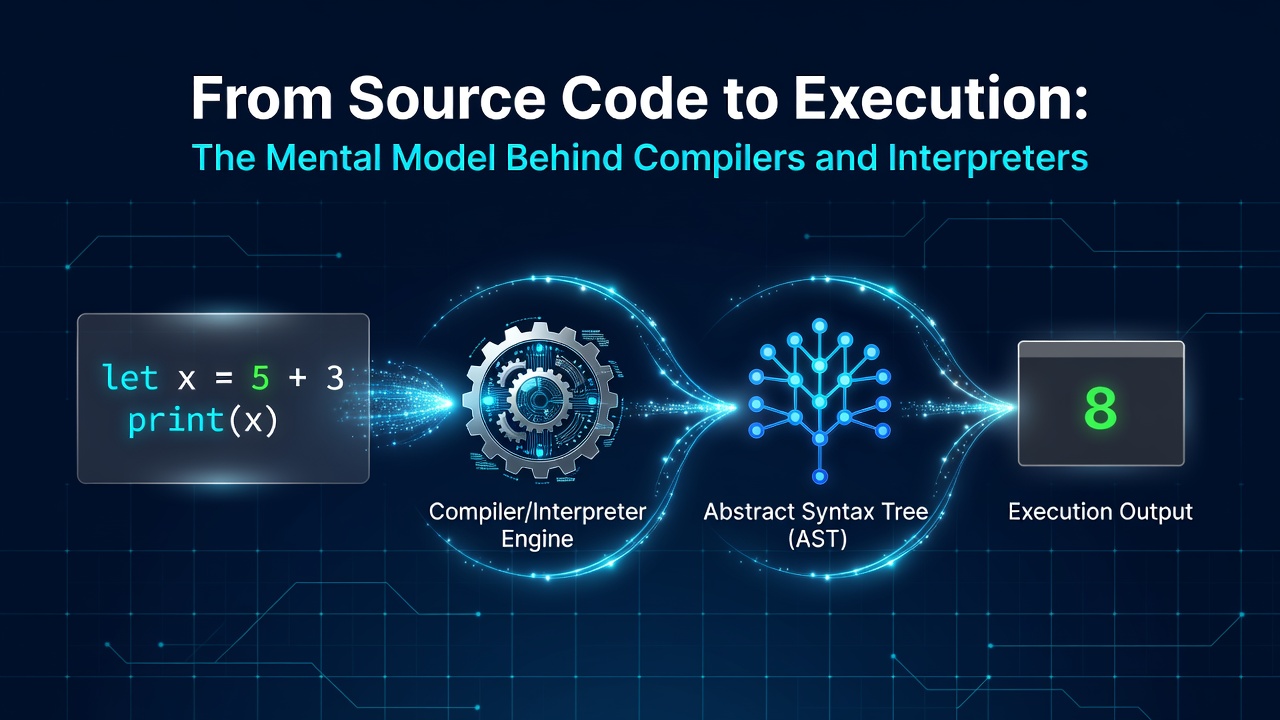
When you write:
let x = 5 + 3
print(x)
Enter fullscreen mode Exit fullscreen mode
it feels like the computer should simply read it, understand it, and execute it.
But computers don't naturally understand source code the way we do.
A programming language implementation has to take that source code and progressively transform it into something it can work with.
That process is one of the most interesting parts of how programming languages work.
And you don't need to know advanced compiler theory to understand it.
A useful starting point is to stop thinking of a compiler or interpreter as one enormous program.
Instead, think of it as a pipeline.
Source Code
     ↓
   Lexer
     ↓
  Tokens
     ↓
  Parser
     ↓
   AST
     ↓
Interpreter / Compiler
Enter fullscreen mode Exit fullscreen mode
Each stage takes something in, transforms it, and hands the result to the next stage.
Once this mental model clicks, compilers and interpreters become much less mysterious.
Start With the Source Code
Let's follow one tiny program throughout this article:
let x = 5 + 3
print(x)
Enter fullscreen mode Exit fullscreen mode
As humans, we can look at this and immediately understand several things.
We're declaring a variable called x.
We're adding 5 and 3.
We're storing the result in x.
Then we're printing the value of x.
The language implementation can't simply rely on that kind of intuition.
It has to systematically process the source.
The first step is lexing.
1. Lexing: Characters Become Tokens
The lexer, sometimes called a tokenizer, is responsible for reading the source code and breaking it into meaningful pieces called tokens.
Take this expression:
5 + 7
Enter fullscreen mode Exit fullscreen mode
At the character level, we have:
'5' '+' '7'
Enter fullscreen mode Exit fullscreen mode
The lexer turns those characters into something more useful:
INT(5)
PLUS
INT(7)
Enter fullscreen mode Exit fullscreen mode
For our original example:
let x = 5 + 3
Enter fullscreen mode Exit fullscreen mode
we might get:
LET
IDENT(x)
ASSIGN
INT(5)
PLUS
INT(3)
Enter fullscreen mode Exit fullscreen mode
The important thing is that the lexer is primarily concerned with recognizing patterns.
It knows that:
let
Enter fullscreen mode Exit fullscreen mode
is a keyword.
It knows that:
x
Enter fullscreen mode Exit fullscreen mode
is an identifier.
It knows that:
5
Enter fullscreen mode Exit fullscreen mode
is an integer.
It knows that:
+
Enter fullscreen mode Exit fullscreen mode
is an operator.
But it doesn't need to understand the full meaning of the program.
The lexer isn't asking:
"Why is
xbeing assigned this value?"
It's asking:
"What are these pieces?"
That's the first transformation:
Characters → Tokens
Enter fullscreen mode Exit fullscreen mode
Whitespace is usually skipped along the way, so the next stage receives a cleaner stream of information.
2. Parsing: Tokens Become Structure
Now we have tokens.
But tokens are still mostly a flat sequence.
Consider:
5 + 3 * 2
Enter fullscreen mode Exit fullscreen mode
The token stream might look like:
INT PLUS INT MULTIPLY INT
Enter fullscreen mode Exit fullscreen mode
There's still an important question:
What is the structure of this expression?
Does it mean:
(5 + 3) * 2
Enter fullscreen mode Exit fullscreen mode
or:
5 + (3 * 2)
Enter fullscreen mode Exit fullscreen mode
The parser is responsible for answering questions like this.
It takes the tokens and builds a structured representation of the program called an Abstract Syntax Tree, or AST.
Because multiplication has higher precedence than addition, the AST would represent:
5 + (3 * 2)
Enter fullscreen mode Exit fullscreen mode
roughly like this:
      +
     / \
    5   *
       / \
      3   2
Enter fullscreen mode Exit fullscreen mode
Now consider:
(5 + 3) * 2
Enter fullscreen mode Exit fullscreen mode
The tree changes:
       *
      / \
     +   2
    / \
   5   3
Enter fullscreen mode Exit fullscreen mode
Notice something important.
The source code changed only slightly, but the structure changed significantly.
That is the parser's job.
It uses the language's syntax rules, including things like operator precedence and grouping, to determine how the pieces fit together.
So while the lexer asks:
"What are these pieces?"
the parser asks:
"How do these pieces fit together?"
3. The AST: Code Becomes Structured Data
An AST is essentially a structured representation of the program.
For:
5 + 7
Enter fullscreen mode Exit fullscreen mode
we can think of the AST as:
     +
    / \
   5   7
Enter fullscreen mode Exit fullscreen mode
Or conceptually:
Add(5, 7)
Enter fullscreen mode Exit fullscreen mode
The exact representation depends on the language implementation, but the idea is the same.
Instead of having to reason about raw characters such as:
'5' '+' '7'
Enter fullscreen mode Exit fullscreen mode
the next stage can work with something that explicitly describes the relationship:
addition
├── left: 5
└── right: 7
Enter fullscreen mode Exit fullscreen mode
This is one of the most useful ideas to understand when learning about compilers.
The AST isn't the final result.
It's a representation of the program that later stages can operate on.
4. What Happens After the AST?
Once we have an AST, we can go in different directions.
One possibility is to interpret it.
Another is to compile it.
Interpreter
An interpreter can evaluate the AST directly.
For:
Add(5, 7)
Enter fullscreen mode Exit fullscreen mode
the interpreter evaluates the expression:
5 + 7
Enter fullscreen mode Exit fullscreen mode
and produces:
12
Enter fullscreen mode Exit fullscreen mode
Conceptually:
AST
 ↓
Interpreter
 ↓
Result
Enter fullscreen mode Exit fullscreen mode
Compiler
A compiler can instead transform the AST into another representation, such as a sequence of instructions.
For example:
PUSH 5
PUSH 7
ADD
Enter fullscreen mode Exit fullscreen mode
Conceptually:
AST
 ↓
Compiler
 ↓
Instructions
Enter fullscreen mode Exit fullscreen mode
These two approaches are different, but notice something important:
They can share the same frontend.
Both can use:
Source
  ↓
Lexer
  ↓
Parser
  ↓
AST
Enter fullscreen mode Exit fullscreen mode
and then decide what to do with the resulting AST.
The Shared Frontend
This gives us a more complete picture:
                 Source Code
                      ↓
                    Lexer
                      ↓
                    Tokens
                      ↓
                    Parser
                      ↓
                     AST
                   ↙     ↘
            Interpreter   Compiler
                  ↓           ↓
                Result     Instructions
Enter fullscreen mode Exit fullscreen mode
This separation is extremely useful.
The lexer doesn't need to know how the interpreter works.
The parser doesn't need to know how the compiler generates instructions.
The AST provides a common representation between them.
Each part has a clear responsibility.
And that's where the idea of a pipeline becomes really powerful.
Why Not Just Build One Big Program?
You could imagine writing one giant function that does everything:
read source
↓
find numbers
↓
find operators
↓
understand precedence
↓
build structure
↓
execute
↓
generate instructions
Enter fullscreen mode Exit fullscreen mode
But such a system would quickly become difficult to understand and maintain.
Instead, we separate the responsibilities:
Lexer
  → characters → tokens

Parser
  → tokens → AST

Interpreter
  → AST → result

Compiler
  → AST → instructions
Enter fullscreen mode Exit fullscreen mode
Now each stage can be tested independently.
If the tokens are wrong, we can investigate the lexer.
If the AST is wrong, we can investigate the parser.
If the result is wrong, we can investigate the interpreter.
If the generated instructions are wrong, we can investigate the compiler.
That separation doesn't just make the code cleaner.
It gives us a way to reason about the system.
Thinking of the Program as Transformations
At this point, we can simplify the entire idea into one mental model:
Characters
    ↓
Tokens
    ↓
Structure
    ↓
Execution
Enter fullscreen mode Exit fullscreen mode
Or, more explicitly:
Source Code
    ↓
Lexing
    ↓
Token Stream
    ↓
Parsing
    ↓
AST
    ↓
Interpretation / Compilation
    ↓
Behavior
Enter fullscreen mode Exit fullscreen mode
Every stage produces a representation that is more useful to the next stage.
The raw source code is designed for humans.
Tokens are easier for the parser to consume.
The AST is easier for the interpreter or compiler to reason about.
Instructions are suitable for a later execution layer.
The key idea is not that every real language implementation follows exactly this diagram.
Real language implementations can have additional stages such as intermediate representations, optimization passes, bytecode generation, virtual machines, or native code generation.
But this pipeline gives us a simple and powerful foundation.
A Tiny Example From Start to Finish
Let's take:
5 + 7
Enter fullscreen mode Exit fullscreen mode
Step 1: Source
5 + 7
Enter fullscreen mode Exit fullscreen mode
Step 2: Lexing
INT(5)
PLUS
INT(7)
Enter fullscreen mode Exit fullscreen mode
Step 3: Parsing
    +
   / \
  5   7
Enter fullscreen mode Exit fullscreen mode
Step 4: Interpretation
12
Enter fullscreen mode Exit fullscreen mode
Or compilation
PUSH 5
PUSH 7
ADD
Enter fullscreen mode Exit fullscreen mode
One tiny expression has now traveled through several different representations.
That is the entire idea in miniature.
Where Does the REPL Fit?
You may have encountered the term REPL when working with programming languages.
REPL stands for:
Read – Eval – Print – Loop
It provides an interactive environment where you can enter code, have the language process it, see the result, and then enter more code.
For example:
>> 5 + 7
12

>> 10 * 2
20
Enter fullscreen mode Exit fullscreen mode
The REPL is not necessarily the compiler or interpreter itself.
Instead, it provides a convenient interface for interacting with the language implementation.
Conceptually:
User Input
    ↓
   REPL
    ↓
  Lexer
    ↓
 Parser
    ↓
   AST
    ↓
Interpreter / Compiler
    ↓
 Result
Enter fullscreen mode Exit fullscreen mode
That's why a REPL is particularly useful when building a small educational language: you can immediately see what your implementation is doing.
Building a Language One Milestone at a Time
One of the things I find most useful about learning compilers through a small project is that you don't need to build the entire system at once.
You can build it progressively.
Milestone 1: Lexer
Start with:
5 + 7
Enter fullscreen mode Exit fullscreen mode
and produce:
INT PLUS INT
Enter fullscreen mode Exit fullscreen mode
Milestone 2: Parser
Take those tokens and produce a structure representing the expression:
Add(5, 7)
Enter fullscreen mode Exit fullscreen mode
Milestone 3: Interpreter
Evaluate the AST:
Add(5, 7)
     ↓
    12
Enter fullscreen mode Exit fullscreen mode
Milestone 4: Compiler
Transform the AST into instructions:
PUSH 5
PUSH 7
ADD
Enter fullscreen mode Exit fullscreen mode
Each milestone builds on the previous one.
This is much easier to reason about than attempting to build a "compiler" as one huge project.
The Bigger Lesson
Learning about compilers isn't only about compilers.
It teaches an important software engineering principle:
Complex systems become easier to understand when we break them into stages with clear responsibilities.
The lexer doesn't need to understand execution.
The parser doesn't need to generate instructions.
The interpreter doesn't need to tokenize source code.
Each part can focus on its own job.
And because the data passed between stages is well defined, the pieces can work together without each one needing to understand everything else.
That is good architecture.
Final Mental Model
When I think about compilers and interpreters now, I don't picture a mysterious black box that magically turns code into behavior.
I picture a series of transformations:
Source Code
    ↓
Characters
    ↓
Tokens
    ↓
AST
    ↓
Interpretation / Compilation
    ↓
Execution
Enter fullscreen mode Exit fullscreen mode
For our example:
let x = 5 + 3
print(x)
Enter fullscreen mode Exit fullscreen mode
the same source can gradually become something much more structured and useful to the machine.
And that's the mental model worth remembering.
Source code isn't executed all at once. It is transformed step by step.
Once you understand those transformations, the world of compilers, interpreters, parsers, ASTs, bytecode, and language runtimes starts to feel a lot less intimidating.
0 Comments
Log in to join the conversation.No comments yet. Be the first to share your thoughts.