
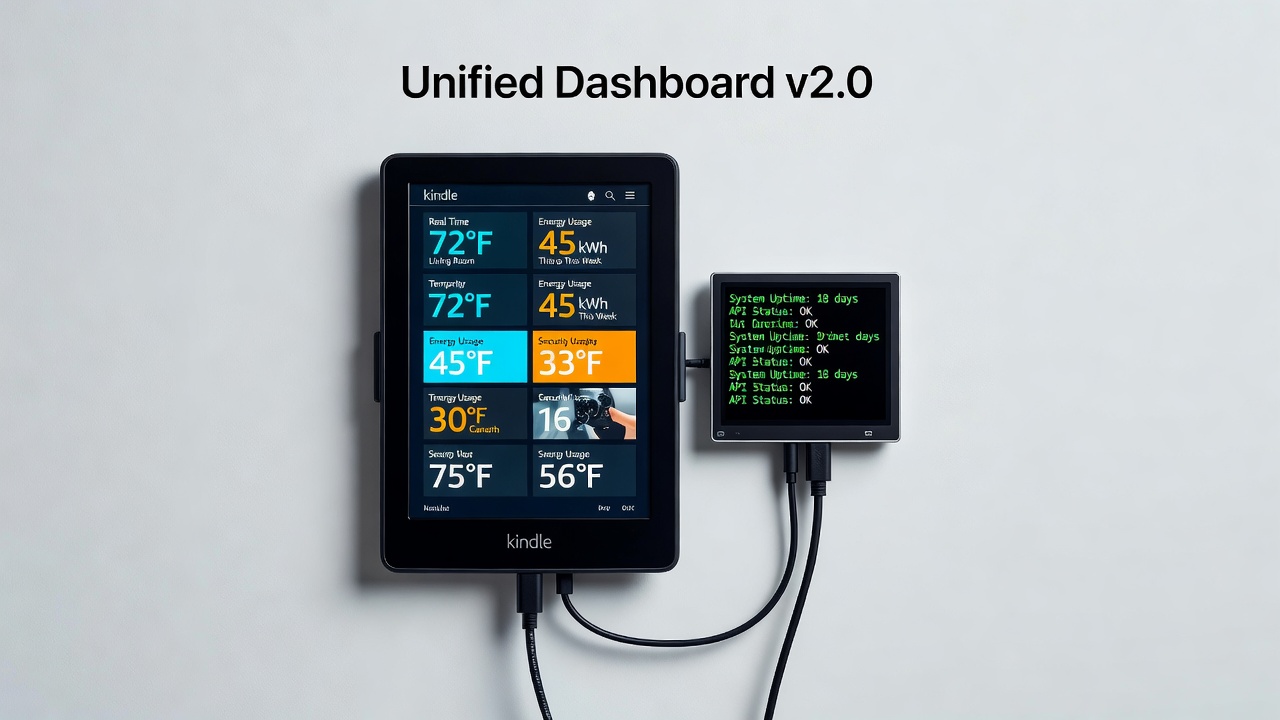


This Kindle was supposed to be obsolete.
The tiny LCD beside it was designed to do little more than rotate a slide show.
Now both show live transit departures, weather, tasks, and anything else I can pull from an API—and I control them from the same self-hosted dashboard.
No custom firmware on the LCD. No soldering. No cloud subscription.
It started with a cheap Chinese display:

The GeekMagic Ultra, or "SmallTV" as people call it, a 240×240 IPS panel with a stock firmware that just rotates through a gallery slideshow or weather UI. Static images only, no dynamic data unles you use weather screen, no API for live content. But it has a /doUpload endpoint and a /set call. Punch in its IP, overwrite the same JPEG every time, and suddenly that dumb gallery display is showing live transit departures and Todoist tasks.
No firmware mods. No soldering. Just one script.
I built geekmagic-ultra-scripts to prove it works. Transit boards, task lists, weather — all running on stock hardware that cost pocket change. That project was fun. I thought it was the end of the story.
Then I found a used, EOL'd Kindle 4 NT for 100 PLN (like 25 USD) on the second-hand market. Amazon abondaned it, but I haven't :) It runs on Linux. It has an e-ink display that uses almost no power. A command called eips can render images. It can toggle Wi-Fi, report battery, last weeks on a charge, and wake from deep sleep via its RTC.
One jailbreak way to an SSH session and I knew: this thing is a perfect pull-based display. I highly inspired from melihkarakelle's project called kindle4-weather-display.

Now I had two completely different hacked screens: one push (GeekMagic), one pull (Kindle), and no unified way to manage them. Every device needed its own script, its own config, its own workflow.
So I sat down and built the thing that ties them all together.
hackreen is a self-hosted control plane and design studio for every hacked display in your house. One web UI, one declarative screen language, deploy to any device.
What it actually does
Boots in two minutes (docker compose up -d):
-
GeekMagic → push mode. Configure the endpoint. Hackreen renders a 240×240 JPEG, overwrites the same gallery file, calls
/set, and the display updates instantly. Zero hardware hacks. -
Kindle 4 → pull mode. Copy-paste one
wget | shcommand into the Kindle. It installs a client that wakes Wi-Fi every 30 minutes, pulls a fresh image, renders it witheips, reports battery, then goes back to RTC deep sleep for days of battery life. SSH stays reachable. There's even a debug mode: hold the center 5-way key during power-on and you get a shell. - Hackreen Screen Language (HSL). Declarative JSON format. Define data sources (clock, weather, Todoist, transit APIs), compose layers with text, images, icons, shapes. Every live source ships with sample data so the preview works offline.
- Design Studio. Visual editor with instant preview. Connect to live APIs, iterate in real time, push when it looks right — without touching a config file.
- Secrets Vault. AES-256-GCM encrypted. Tokens stay safe at rest, never exposed by the API.
-
2,000+ Lucide icons. Built-in.
icon:lucide:cloud-rain, done.
The Kindles pull. The GeekMagic gets pushed. You design once, deploy everywhere.

Why self-hosted?
This is a home lab tool. You run it on your LAN. Access through a VPN. No third party, no subscription, no "we changed our API, sorry." You own your data and your screens.
The lineage
- geekmagic-ultra-scripts — the first proof of concept. Turned a stock gallery slideshow into a live information display by repeatedly overwriting one file. Transit, Todoist, weather templates.
- Kindle 4 NT discovery — second-hand e-ink device that could pull and display images with almost zero power consumption. Proved the pull model worked.
- Hackreen — the orchestrator. Brought push and pull under one roof with a proper design pipeline, HSL language, and a unified API.
What's next
Every hacked screen in this house goes into Hackreen. The SmallTV in the kitchen. The Kindle on the desk. Whatever cheap display I find next — it's getting a pull URL or a push button. The question isn't "can I show this data on that screen?" anymore. The answer is always yes, it's just another screen in the dashboard.
Check it out: github.com/calganaygun/hackreen
This project is highly inspired by Melih Karakelle's tweets and projects, so special thanks to him.
0 Comments
Log in to join the conversation.No comments yet. Be the first to share your thoughts.