
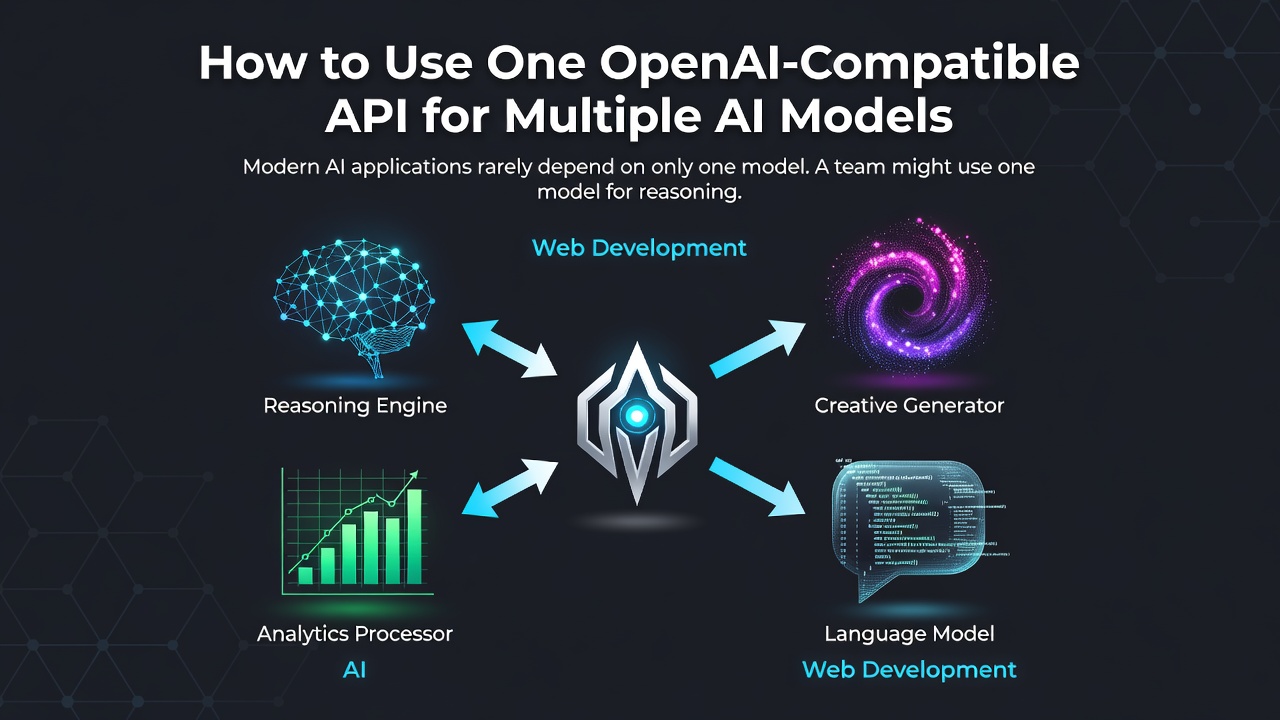

Modern AI applications rarely depend on only one model.
A team might use one model for reasoning, another for fast classification, and another for multimodal tasks. But integrating every provider separately introduces duplicated work:
- Different authentication methods
- Different request and response formats
- Different SDKs and error structures
- Separate usage dashboards
- More code to maintain
An OpenAI-compatible API gateway can simplify this architecture by exposing one familiar interface for multiple models.
The basic idea
Instead of connecting your application directly to every model provider, your application connects to one gateway:
Your application
       ↓
OpenAI-compatible gateway
       ↓
OpenAI / Claude / Gemini / other models
Enter fullscreen mode Exit fullscreen mode
Your authentication and request format remain consistent. In many cases, switching models only requires changing the model identifier.
JavaScript example
Install the OpenAI SDK:
npm install openai
Enter fullscreen mode Exit fullscreen mode
Create a client that points to your gateway:
import OpenAI from "openai";

const client = new OpenAI({
  apiKey: process.env.AI_GATEWAY_API_KEY,
  baseURL: process.env.AI_GATEWAY_BASE_URL,
});

async function generateResponse(model, prompt) {
  const response = await client.chat.completions.create({
    model,
    messages: [
      {
        role: "user",
        content: prompt,
      },
    ],
  });

  return response.choices[0].message.content;
}

const result = await generateResponse(
  process.env.AI_MODEL_ID,
  "Explain API gateways in three sentences."
);

console.log(result);
Enter fullscreen mode Exit fullscreen mode
Set the environment variables using the values provided by your gateway:
AI_GATEWAY_API_KEY=your_api_key
AI_GATEWAY_BASE_URL=your_gateway_base_url
AI_MODEL_ID=your_model_id
Enter fullscreen mode Exit fullscreen mode
Keeping these values outside the application code makes it easier to change endpoints and models between development and production.
Python example
Install the SDK:
pip install openai
Enter fullscreen mode Exit fullscreen mode
Then initialize the client with a custom base URL:
import os
from openai import OpenAI

client = OpenAI(
    api_key=os.environ["AI_GATEWAY_API_KEY"],
    base_url=os.environ["AI_GATEWAY_BASE_URL"],
)

response = client.chat.completions.create(
    model=os.environ["AI_MODEL_ID"],
    messages=[
        {
            "role": "user",
            "content": "Explain API gateways in three sentences.",
        }
    ],
)

print(response.choices[0].message.content)
Enter fullscreen mode Exit fullscreen mode
Add a model-routing layer
Avoid scattering model identifiers throughout your code. Keep them in one configuration object:
const models = {
  fast: process.env.FAST_MODEL_ID,
  reasoning: process.env.REASONING_MODEL_ID,
  multimodal: process.env.MULTIMODAL_MODEL_ID,
};

const selectedModel = models.reasoning;
Enter fullscreen mode Exit fullscreen mode
This lets you change providers without rewriting the rest of the application.
Handle failures consistently
A gateway reduces integration complexity, but production applications still need basic resilience:
async function requestWithRetry(model, prompt, retries = 2) {
  for (let attempt = 0; attempt <= retries; attempt++) {
    try {
      return await generateResponse(model, prompt);
    } catch (error) {
      if (attempt === retries) throw error;

      const delay = 500 * 2 ** attempt;
      await new Promise(resolve => setTimeout(resolve, delay));
    }
  }
}
Enter fullscreen mode Exit fullscreen mode
For production workloads, also consider:
- Request timeouts
- Rate-limit handling
- Usage and cost monitoring
- Logging without exposing prompts or API keys
- Model fallbacks
- Separate keys for development and production
Why we built APIHubRelay
We built APIHubRelay to provide developers with a unified, OpenAI-compatible gateway for leading AI models.
The goal is straightforward: integrate once, manage access in one place, and make it easier to test or switch models as applications evolve.
The website also supports multiple interface languages for international developers and teams.
You can learn more at:
Before copying the examples into production, replace the gateway URL and model identifiers with the exact values shown in the APIHubRelay documentation or dashboard.
Final thoughts
A unified API does not eliminate every difference between AI models. Models can still have different capabilities, context limits, pricing, and supported parameters.
However, standardizing the connection layer removes a large amount of repetitive integration work. It also gives teams a cleaner foundation for model routing, monitoring, and future provider changes.
Disclosure: I am involved with APIHubRelay. AI assistance was used to help structure and edit this article, and the final content was reviewed before publication.
0 Comments
Log in to join the conversation.No comments yet. Be the first to share your thoughts.