


I Added an MCP Server to NPMScan for AI Coding Agents
AI coding agents are increasingly choosing libraries, installing dependencies, and modifying package.json files.
But when an agent recommends an npm package, it may rely on model knowledge, general web search, or incomplete package information.
I wanted NPMScan to be available directly inside that workflow.
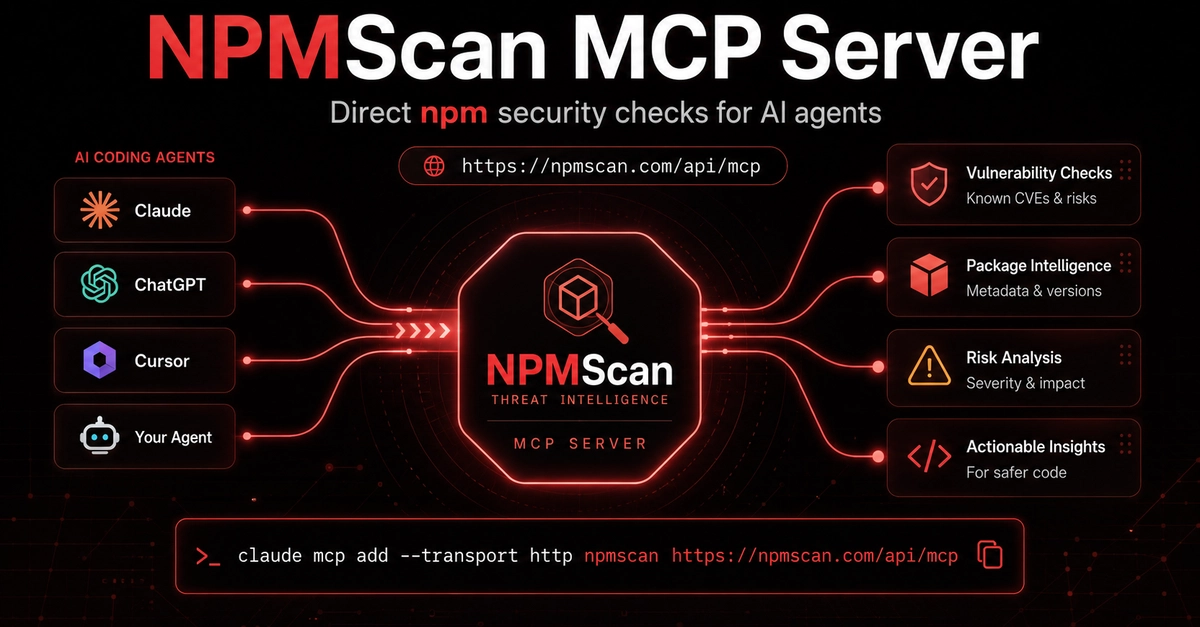
NPMScan now has a public MCP server that allows compatible AI agents to query npm package metadata, versions, install scripts, maintainers, known vulnerabilities, and recent security advisories.
MCP endpoint
https://npmscan.com/api/mcp
Enter fullscreen mode Exit fullscreen mode
The server is public, read-only, and does not require an API key.
Connect it to Claude Code
Run:
claude mcp add --transport http npmscan https://npmscan.com/api/mcp
Enter fullscreen mode Exit fullscreen mode
You can then confirm that the server is available:
claude mcp list
Enter fullscreen mode Exit fullscreen mode
What the MCP server provides
The current MCP integration exposes tools for:
- Searching npm packages
- Inspecting package metadata and versions
- Reviewing package install scripts
- Querying known vulnerabilities
- Checking multiple packages in one request
- Retrieving recent npm security advisories
The available tools currently include:
search_packages
get_package
get_package_version
query_vulnerabilities
batch_query_vulnerabilities
get_latest_advisories
Enter fullscreen mode Exit fullscreen mode
Example prompts
After connecting NPMScan, you can ask your coding agent:
Check the axios package for known vulnerabilities before installing it.
Enter fullscreen mode Exit fullscreen mode
Compare axios and ky from a package security perspective.
Enter fullscreen mode Exit fullscreen mode
Inspect the install scripts and maintainers for this npm package.
Enter fullscreen mode Exit fullscreen mode
Check these dependencies for known vulnerabilities:
axios, express, lodash, jsonwebtoken
Enter fullscreen mode Exit fullscreen mode
Show me the latest npm security advisories.
Enter fullscreen mode Exit fullscreen mode
The agent can query NPMScan directly instead of asking you to leave the editor, open another website, and manually investigate each package.
Why I built this
AI agents are becoming part of the dependency selection process.
That creates a simple problem: agents need access to structured security information before they recommend or install a package.
Package popularity is not enough.
A package can have:
- Known vulnerabilities
- Suspicious install scripts
- Unexpected version changes
- Risky maintainer activity
- Security advisories affecting specific versions
The goal of the NPMScan MCP server is to make those checks easier to include in AI-assisted development workflows.
It does not replace manual security review, but it gives agents a better source of package intelligence than relying only on generated knowledge.
Configuration for other MCP clients
Clients that support remote HTTP MCP servers can use:
{
  "mcpServers": {
    "npmscan": {
      "type": "http",
      "url": "https://npmscan.com/api/mcp"
    }
  }
}
Enter fullscreen mode Exit fullscreen mode
For clients that only support local stdio servers, you can use an MCP remote bridge:
{
  "mcpServers": {
    "npmscan": {
      "command": "npx",
      "args": [
        "-y",
        "mcp-remote",
        "https://npmscan.com/api/mcp"
      ]
    }
  }
}
Enter fullscreen mode Exit fullscreen mode
Try it
MCP documentation:
NPMScan:
I would appreciate feedback from developers using MCP with Claude Code, Cursor, or other coding agents.
What additional npm security checks would be most useful inside your agent workflow?
0 Comments
Log in to join the conversation.No comments yet. Be the first to share your thoughts.