
It started with the dumbest problem in computing: I'm in bed, a movie is
playing on my laptop across the room, and pausing it requires physically
getting up.
Every existing fix annoyed me in some way. Remote desktop apps are overkill
and route through someone's cloud. Remote-control apps want accounts,
subscriptions, or a native app install. I just wanted my phone to poke my
laptop over my own Wi-Fi.
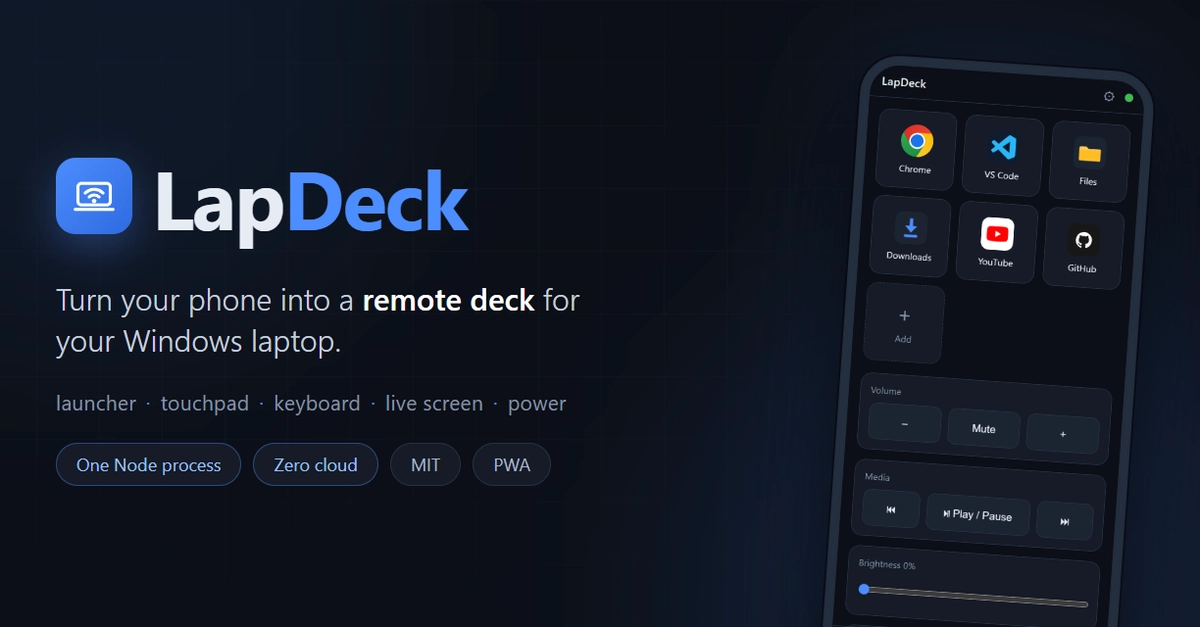
So I built LapDeck: one Node.js
process on the laptop, a PWA on the phone. Scan a QR code once and your
phone becomes an app launcher, touchpad, keyboard, live screen viewer, and
media/power remote. MIT licensed, plain JavaScript, no build step.
This post is about the four problems that turned out to be more interesting
than I expected.
The architecture in one line
Phone (PWA) ── WebSocket + MJPEG over Wi-Fi ──► Node.js agent (Windows)
The agent serves the PWA, exposes a WebSocket for commands, and streams the
screen as MJPEG. The protocol is deliberately dumb JSON envelopes — no
protobuf, no RPC framework — so a native Android client or a CLI script can
speak it in an afternoon. Windows-specific glue (volume, brightness, power,
capture) is isolated in src/win/, so a macOS/Linux port only has to
reimplement that layer.
Problem 1: mobile keyboards lie to you
The obvious way to build a remote keyboard is to listen for keydown and
forward key codes. On mobile, this collapses immediately: swipe typing,
autocorrect, and IME composition don't emit per-key events. Android will
happily tell you every key is keyCode 229.
The fix: stop listening to keys entirely. I keep a hidden input, and on
every input event I diff the field's value against the last known
state — compute the common prefix, then emit "delete N chars, type this
string" to the laptop. Swipe-type a whole word and the laptop receives one
clean text insertion. IME composition, autocorrect rewrites, emoji — all
just become diffs.
The lesson generalizes: on mobile web, treat the text field as the source of
truth, never the key events.
Problem 2: streaming a screen without WebRTC
I wanted live screen view with tap-to-click. WebRTC would be the "correct"
answer, but it drags in a signaling dance and a pile of dependencies for
what is fundamentally "pictures, quickly."
MJPEG turned out to be embarrassingly good for this. The agent runs a
capture loop (screenshots via nut.js, resize + JPEG encode via sharp) and
pushes frames as multipart/x-mixed-replace — a <img> tag on the phone
renders it natively, zero client code. Quality presets just change fps,
width, and JPEG quality.
Latency is fine for "tap where you want to click," but a raw MJPEG stream
makes the cursor feel laggy. So the phone renders its own client-predicted
cursor overlay on top of the stream — your finger drives a local cursor
instantly, and the real cursor catches up underneath. The perceived latency
of the whole feature is the latency of that overlay, not the stream.
Problem 3: the security model for "my phone can shut down my laptop"
Giving a web page on the network the power to inject input and kill your
machine deserves paranoia. The rules I settled on:
- A 256-bit random token, generated on first run, embedded in the QR link. You scan once; the phone stores it. Every WebSocket command and the MJPEG stream require it. Comparison is constant-time.
- First WebSocket message must authenticate within 3 seconds or the socket drops.
- Feature switches are enforced server-side. If you disable screen view in settings, the agent refuses those commands — it doesn't just hide the button.
- Destructive actions are opt-in and abortable. Sleep/shutdown/restart each need to be enabled in settings, require an explicit confirm flag, and shutdown/restart honor a grace period during which one tap aborts. (I have fat-fingered shutdown. The abort window has paid for itself.)
Transport is plain HTTP/WS, which is fine for a home LAN you trust — and
explicitly not fine for the open internet. Which leads to:
Problem 4: remote access without running a server
"Control your laptop from anywhere" usually means either port forwarding
(no) or somebody's relay cloud (also no). The answer that costs nothing and
required surprisingly little code: detect Tailscale.
If the agent sees a Tailscale interface, it prints a second "remote" QR and
the UI offers a one-tap switch to the tailnet URL. WireGuard gives you
end-to-end encryption, MagicDNS + tailscale cert gives you a real HTTPS
URL (which also makes the PWA installable from anywhere), and I run zero
infrastructure. Any VPN that puts your phone on your home network works —
Tailscale is just the zero-config path.
Things I deliberately didn't do
- No TypeScript, no build step. Plain ESM on Node ≥ 20. Clone, install, run. Contributors can read every line that executes.
- No Electron, no tray app. It's a console process; a PowerShell script installs a hidden autostart launcher into the Startup folder if you want it permanent (no admin needed).
- No cloud component, period. There is nothing to sign up for, nothing that phones home, and the whole thing works with Wi-Fi and no internet.
Try it
Windows 10/11, Node ≥ 20, phone on the same Wi-Fi:
git clone https://github.com/ronak-create/LapDeck.git
cd LapDeck
npm install
npm start
Enter fullscreen mode Exit fullscreen mode
Scan the QR, add to home screen, done.
Repo: https://github.com/ronak-create/LapDeck — the WebSocket protocol
is documented in docs/PROTOCOL.md if you want to build your own client.
macOS/Linux ports, multi-monitor support, and code roasts all welcome.
What's the laziest problem you've ever over-engineered a solution for?
0 Comments
Log in to join the conversation.No comments yet. Be the first to share your thoughts.