
As the Next.js 16.3 Preview nears a stable release, we're sharing a series of posts about what's inside. The first post, Instant Navigations, covers the new rendering and prefetching primitives. This second post focuses on AI improvements.
Next.js has grown a lot since the App Router went stable, and more and more of that growth is driven by code written through agents like Claude Code, Cursor, and Codex.
What would Next.js look like if it were designed primarily for agent-driven development? We're not all the way there yet, but we're getting closer with every release. Next.js 16 added the DevTools MCP server, and Next.js 16.2 brought bundled docs and next-browser, an experimental CLI for letting agents drive a real browser.
In Next.js 16.3, we're extending this with:
- Bundled docs through AGENTS.md: Keeps agents reading version-matched docs instead of their training data
- First-party Skills: Skills that help agents drive multi-step workflows
- Agent Browser with React introspection: Drive a real browser and inspect React state from
agent-browser - Actionable errors: Labeled fix menus in the overlay and terminal for Instant Insights, with a Copy prompt button and per-rule docs written for agents
- A smaller, more focused MCP server: New build diagnostics tools, knowledge-base tools retired
- Docs as Markdown: Append
.mdto any docs URL for a plain Markdown version
Bundled docs through AGENTS.md
In our previous 16.2 release, we started bundling the Next.js documentation into your project so agents can read it locally. Projects created with create-next-app on 16.2 or later already point AGENTS.md to those docs.
In 16.3, next dev writes and updates that pointer automatically, so existing projects stay current as you upgrade. On 16.1 or earlier, run the agents-md codemod manually:
Here's what next dev inserts into your AGENTS.md:
The block is only written when next dev detects an AI coding agent in the environment and the markers aren't already there. Anything outside the markers is preserved, and you can opt out with agentRules: false in next.config.ts. Commit the block as-is, even if it shows up as an uncommitted change.
First-party Skills
Skills give agents framework-specific context. You may have installed our earlier knowledge Skills from skills.sh, which covered App Router conventions and caching APIs. With the bundled docs now reaching agents through the managed AGENTS.md block, we're retiring those Skills. Run npx skills update to remove them from your installed set.
Skills are still useful for multi-step workflows that docs alone can't drive end to end. Next.js 16.3 adds three new first-party Skills for those.
next-dev-loop
The next-dev-loop Skill gives your coding agent access to the full development feedback loop. It can drive the browser, read the console, follow network requests, and inspect the React tree as it iterates.
/_next/mcp, the framework's view of routes, server logs, and compilation issues.agent-browser, the browser's view of the DOM, console, network, and React tree.
The Skill requires agent-browser version 0.27 or later.
Then prompt your agent with something like:
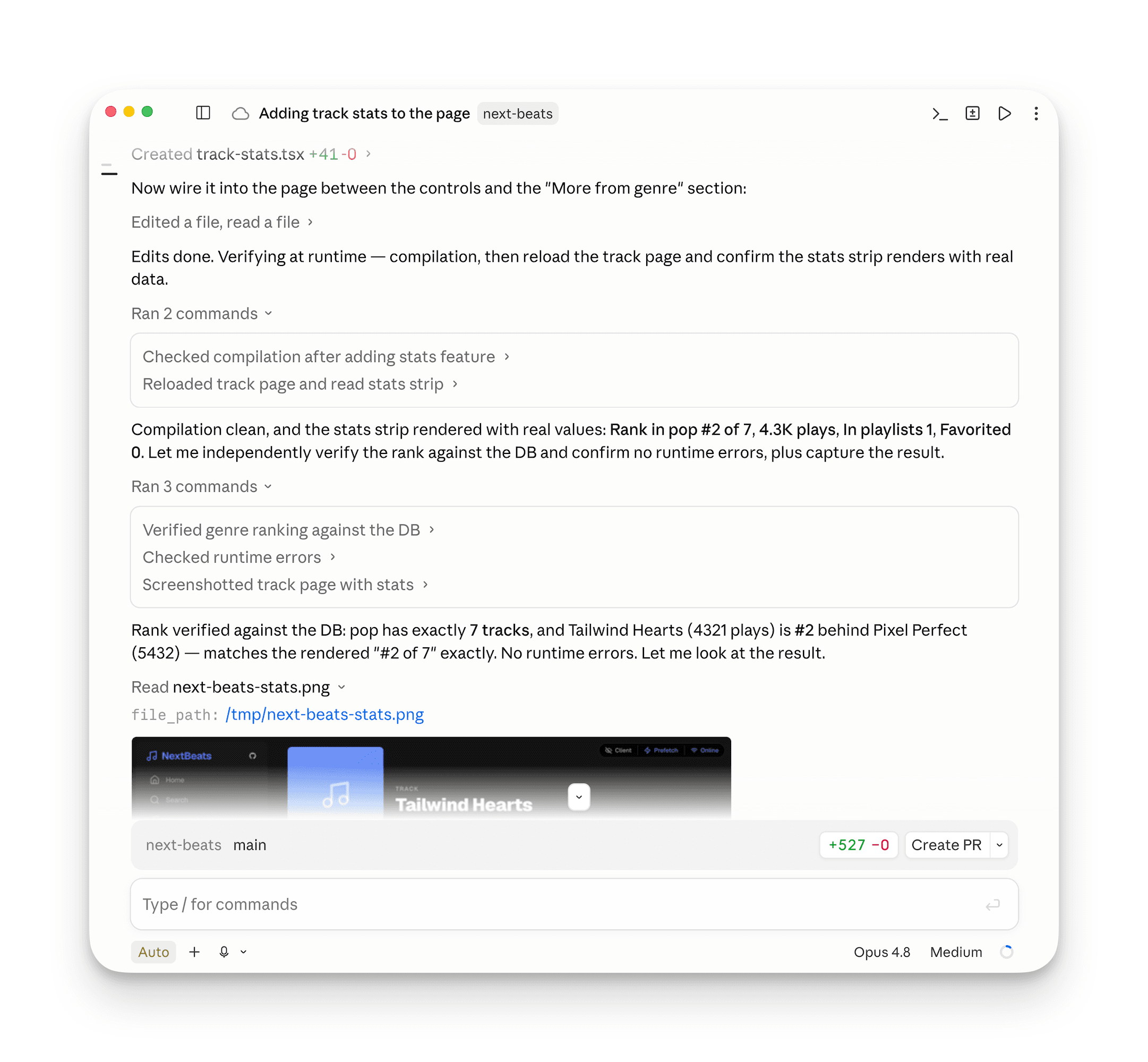
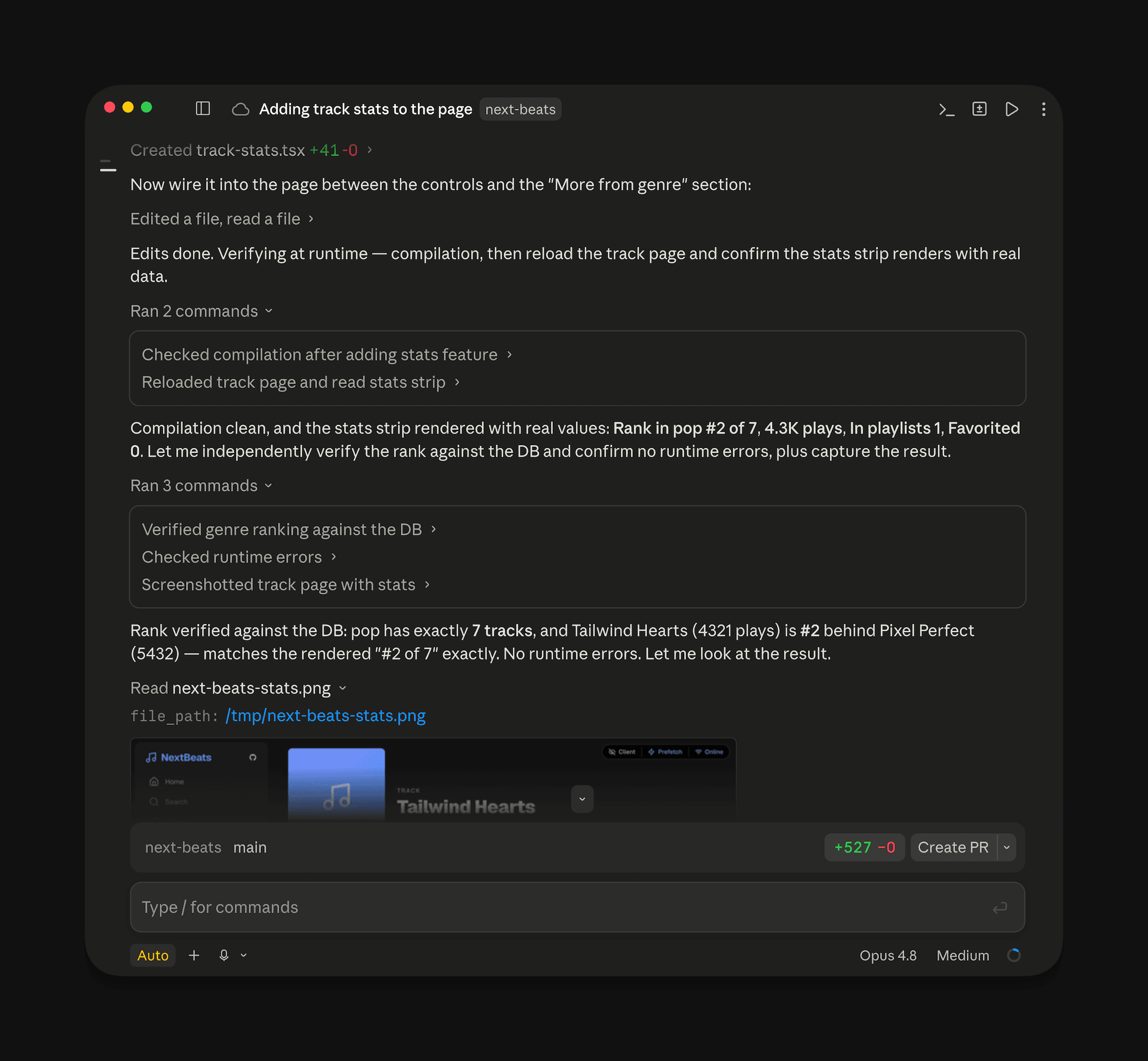
Claude editing, compiling, reloading, and inspecting the result through
next-dev-loop.
next-cache-components-adoption
The next-cache-components-adoption Skill turns Cache Components on in your project and works through the app one feature at a time, checking in with you at the boundary of each feature so you stay in control of the scope. It works in one of two modes:
- Incremental. Lands a single mechanical PR up front that opts every route out of validation, so you can ship features as you go in follow-up PRs.
- Direct. Adopts every route in place on one branch.
The per-feature loop is the same in both: the Skill reads the actionable error, fetches the per-error docs page it links to, applies that fix to the route, then drives the browser through next-dev-loop to confirm the static shell renders the right content.
Then prompt your agent with something like:
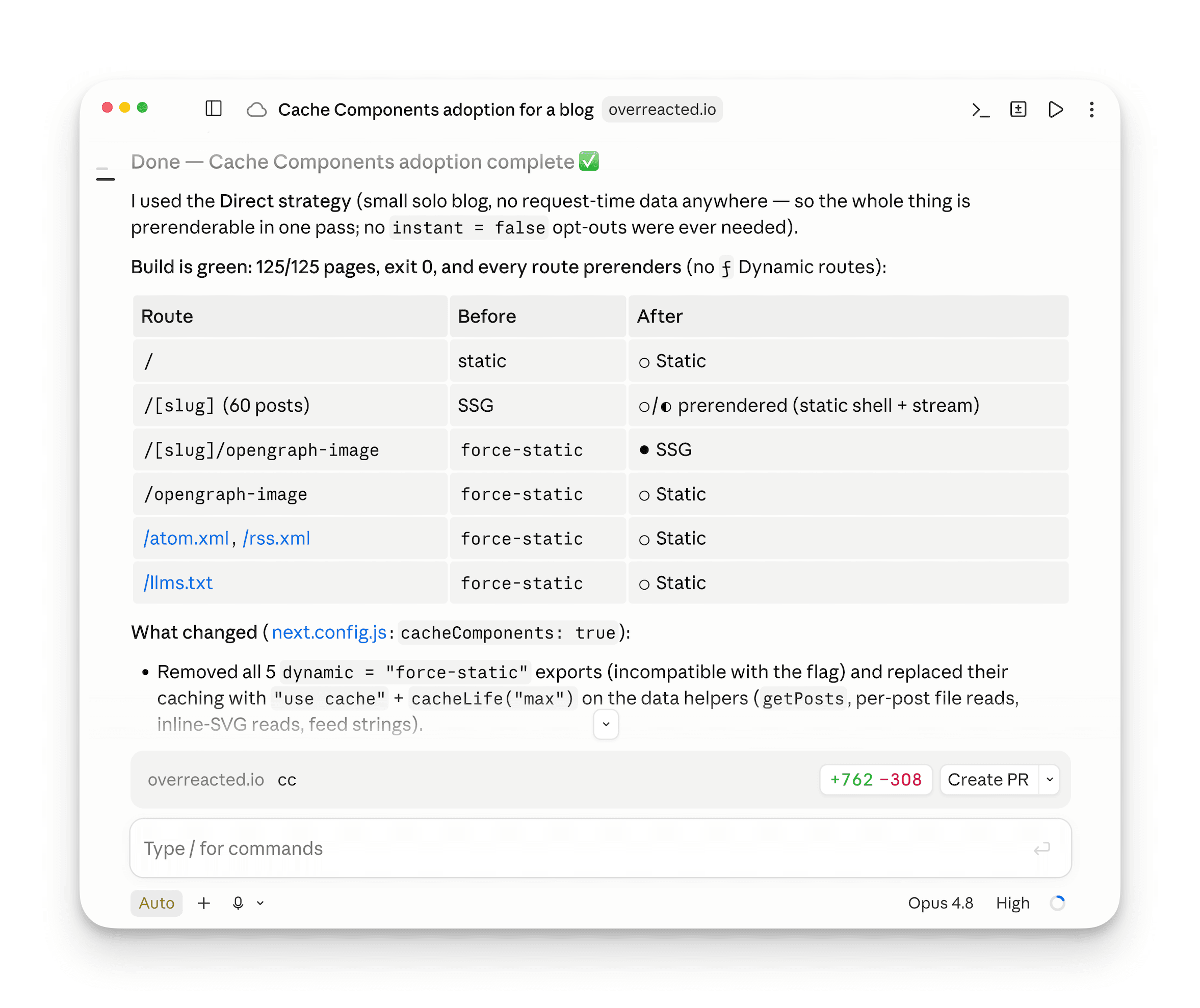
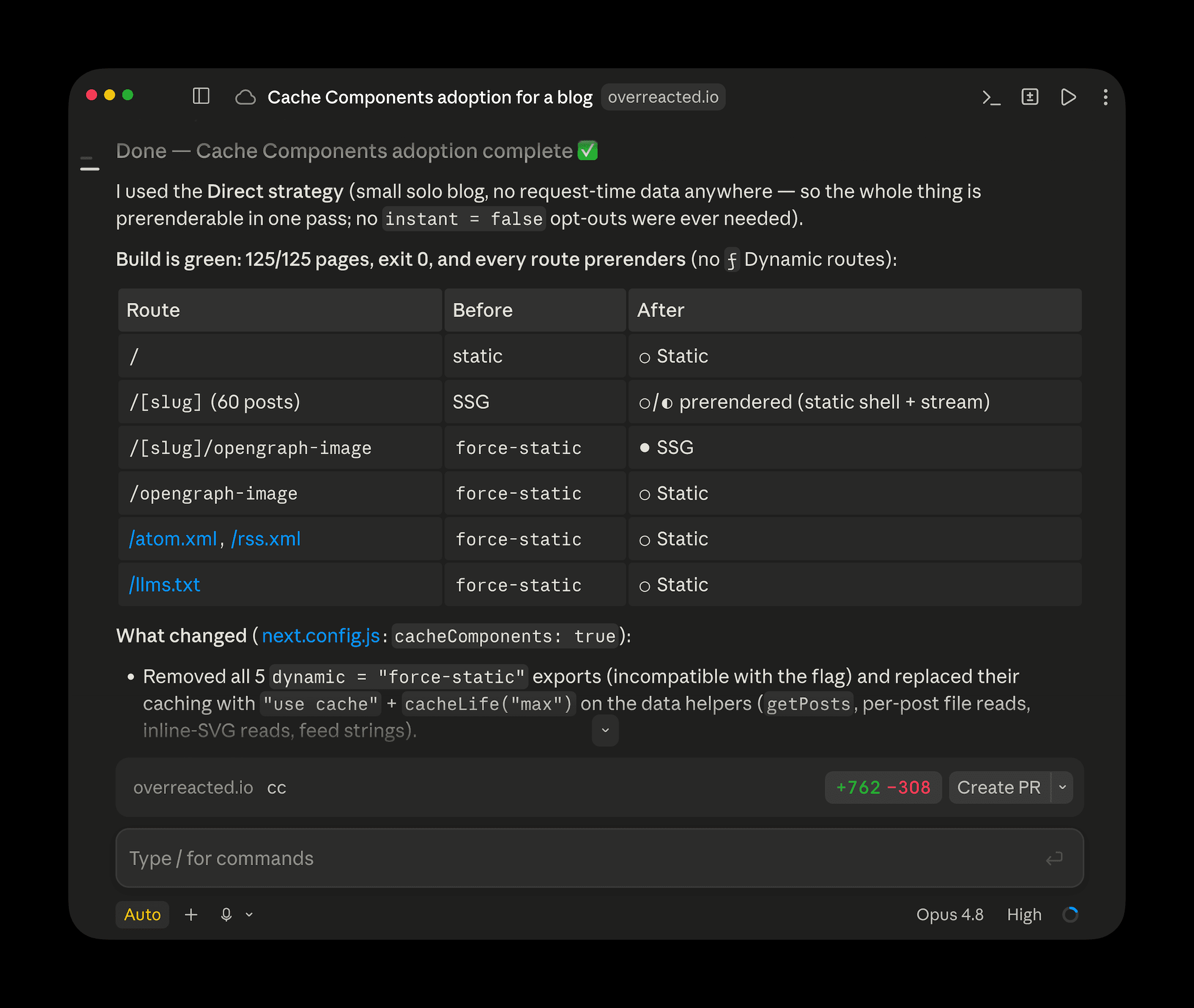
Claude turning Cache Components on and adopting routes one feature at a time.
next-cache-components-optimizer
The next-cache-components-optimizer Skill optimizes a Cache Components route for instant navigation, by running an observe-fix-iterate loop against the static shell. Use it whenever you want a route to feel faster, by growing the static shell so more of the page is ready at request time. It works in one of two modes:
- Page-render mode. Increases how much of a single page can render statically by pushing I/O deeper into the component tree or caching it with
'use cache'. - Nav mode. Ensures navigations between pages are instant. Any server-side work needed for the next page streams in without blocking the navigation.
The Skill screenshots before and after each change through next-dev-loop. Identical screenshots roll the change back.
Then prompt your agent with something like:
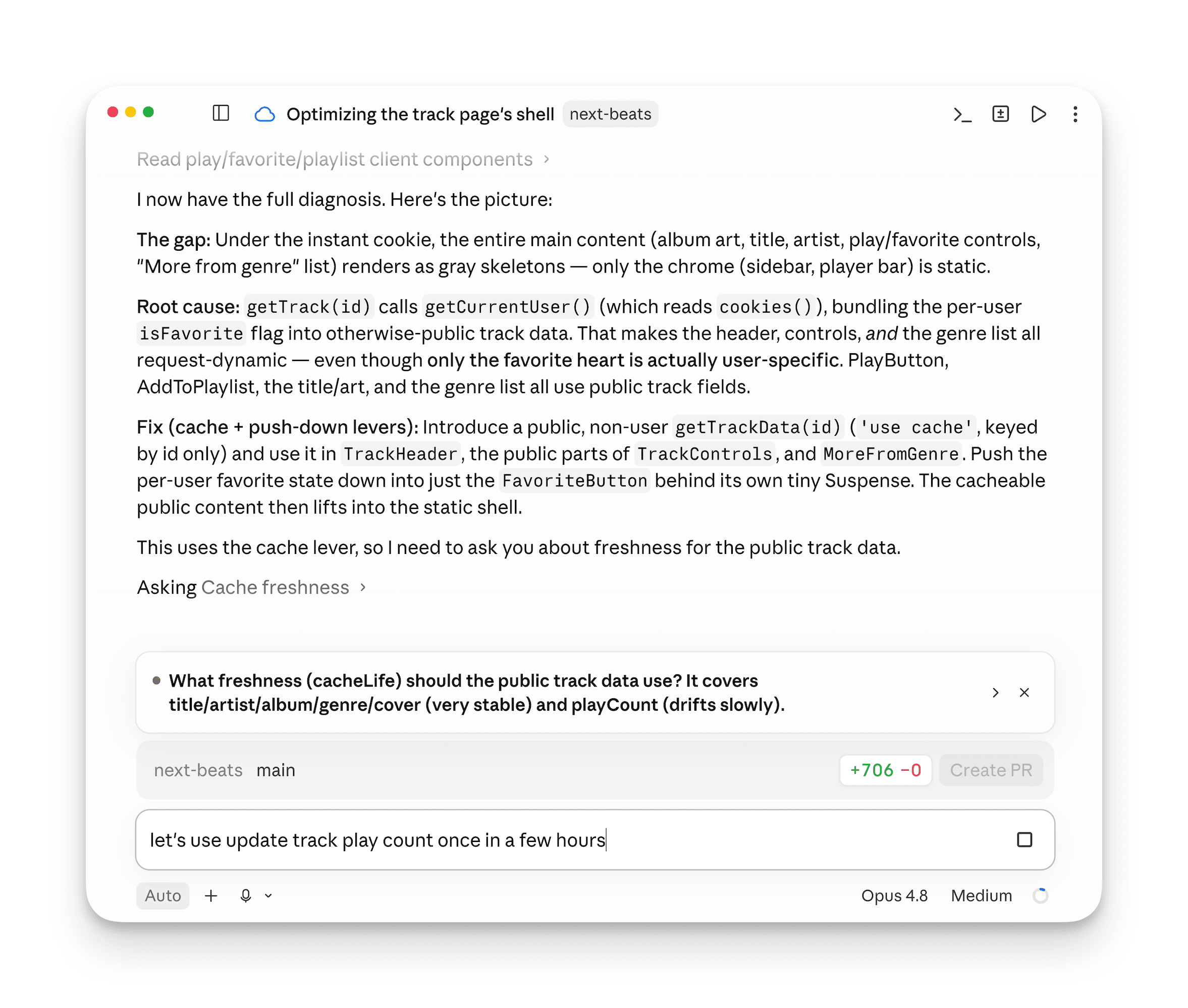
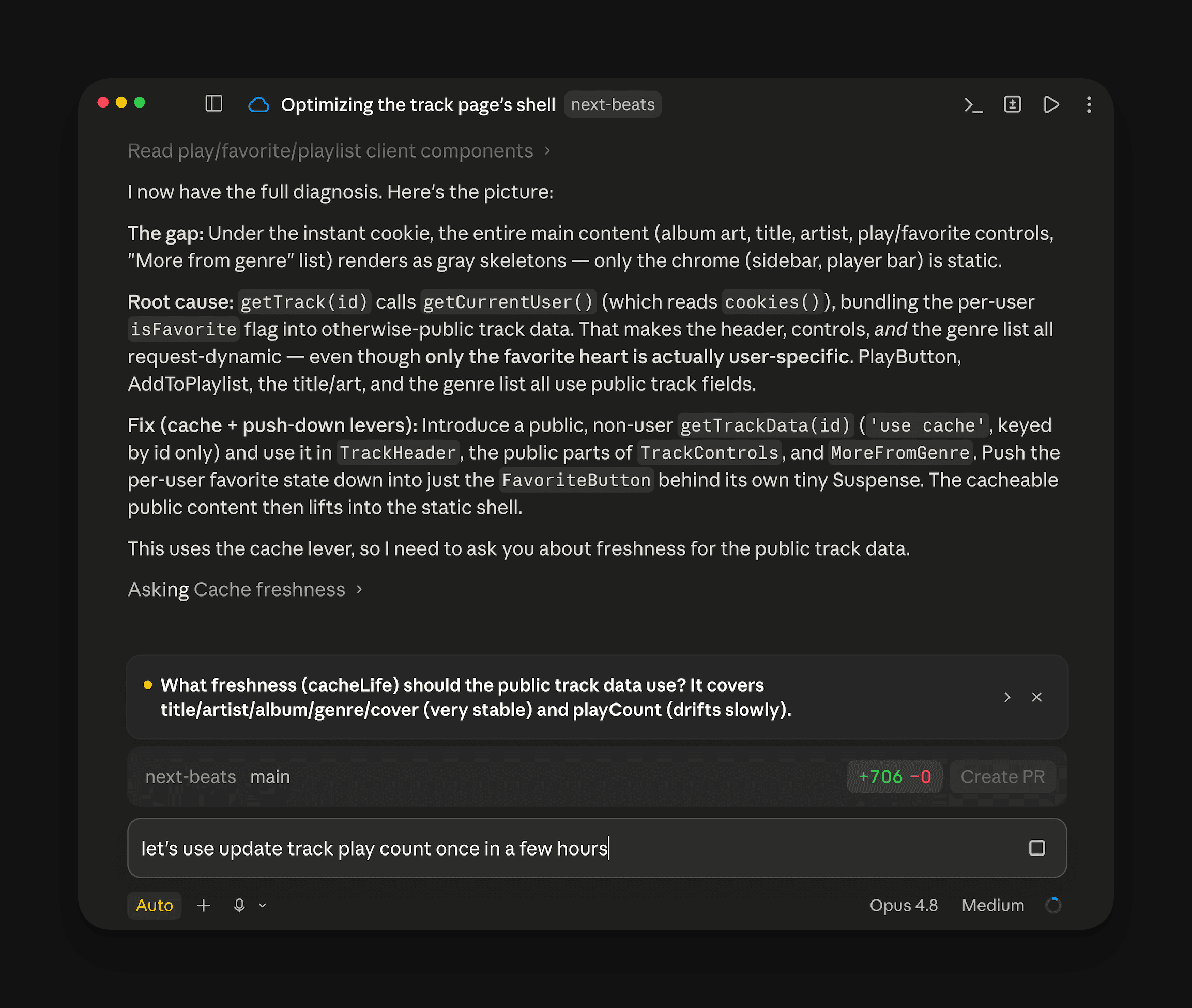
Claude growing the static shell of a route, with before/after screenshots to verify the change landed.
Agent Browser with React introspection
The experimental next-browser from Next.js 16.2 has merged into the general-purpose agent-browser CLI. Everything next-browser did is now in agent-browser, and it works beyond Next.js too.
Version 0.27 adds React DevTools introspection on top of the existing DOM, console, network, and Web Vitals access. Agents can list the component tree with react tree, inspect a single component with react inspect <fiberId>, profile re-renders with react renders start and stop, and see what's holding a render with react suspense --only-dynamic --json. The next-dev-loop Skill launches agent-browser with React DevTools enabled so these commands are available during verification.
To install or upgrade, run npm install -g agent-browser@^0.27. The React commands require --enable react-devtools at launch.
Actionable errors
With Cache Components enabled, an await on the server is a choice. Instant Insights presents that choice as an error with three specific fixes:
- Stream the data behind a
<Suspense>boundary - Cache it with
"use cache" - Block the route with
export const instant = false
These are product decisions with trade-offs. Picking the right one needs context, whether you or your coding agent is making the choice.
Instant Insights fix prompts
An Instant Insight presents the error with labeled fixes, with a Copy prompt button that packages the chosen fix into a paste-ready prompt for your coding agent. The prompt walks the agent through identifying the failing code, reading the matching error page, applying the canonical pattern, and verifying the result at runtime through the next-dev-loop Skill.
For example, say we hit an uncached fetch() call in a page. We pick Stream and click Copy prompt, and get:
Structured console output
The same fix menu shows up in the terminal during next dev, and next build emits it when an error stops a prerender. That means an agent reading errors from next build, CI logs, or any terminal session where the dev overlay isn't available still gets the same labeled fixes, linked to the matching section of the error page:
Error pages written for agents
The overlay and console show you which fix to apply. But each fix is a pattern with constraints, edge cases, and trade-offs that don't fit in an error message. So every error gets its own page on nextjs.org/docs/messages, written for agents to read. Every fix section follows the same shape: the canonical Patterns, the Trade-offs against the other fixes, and the Gotchas an agent is likely to miss on a first attempt.
For example, our uncached fetch() call lands on blocking-prerender-dynamic, with our Stream choice at Wrap in or move into Suspense. This is the most common one. There are 10+ similar pages under /docs/messages, each with its own considerations. An agent applying the fix on its own can read the trade-offs and pick what fits.
Together, the Copy prompt button, the structured console output, and the per-rule docs pages give agents the context to write performant, idiomatic Cache Components code.
A smaller, more focused MCP server
The DevTools MCP server used to include its own Next.js knowledge base, along with upgrade and Cache Components helpers. With the bundled docs now serving that purpose, we've removed those tools from the MCP server, as we did with the knowledge Skills.
In 16.3, the MCP server adds two new compilation tools: get_compilation_issues for the whole project, and compile_route for a single route. Agents often run next build just to check whether the code compiles, which is overkill while you're still editing. These tools answer the same question from the running dev server, much faster.
Skills like next-dev-loop call the underlying /_next/mcp endpoints directly, so they work without any extra setup. To use these tools from your own agent client, add next-devtools-mcp to your .mcp.json. The client finds the running next dev automatically.
Docs as Markdown
Append .md to any Next.js docs URL to get the page as plain markdown. This works for any page on nextjs.org/docs, including the per-error pages. Clients that send an Accept: text/markdown header get the markdown version too.
The full index is at /docs/llms.txt, and /docs/llms-full.txt bundles all doc pages into a single file. Both follow the llms.txt convention, so any agent that already reads llms.txt for other tools can read Next.js docs the same way.
Feedback and community
Share your feedback and help shape the future of Next.js:
0 Comments
Log in to join the conversation.No comments yet. Be the first to share your thoughts.