
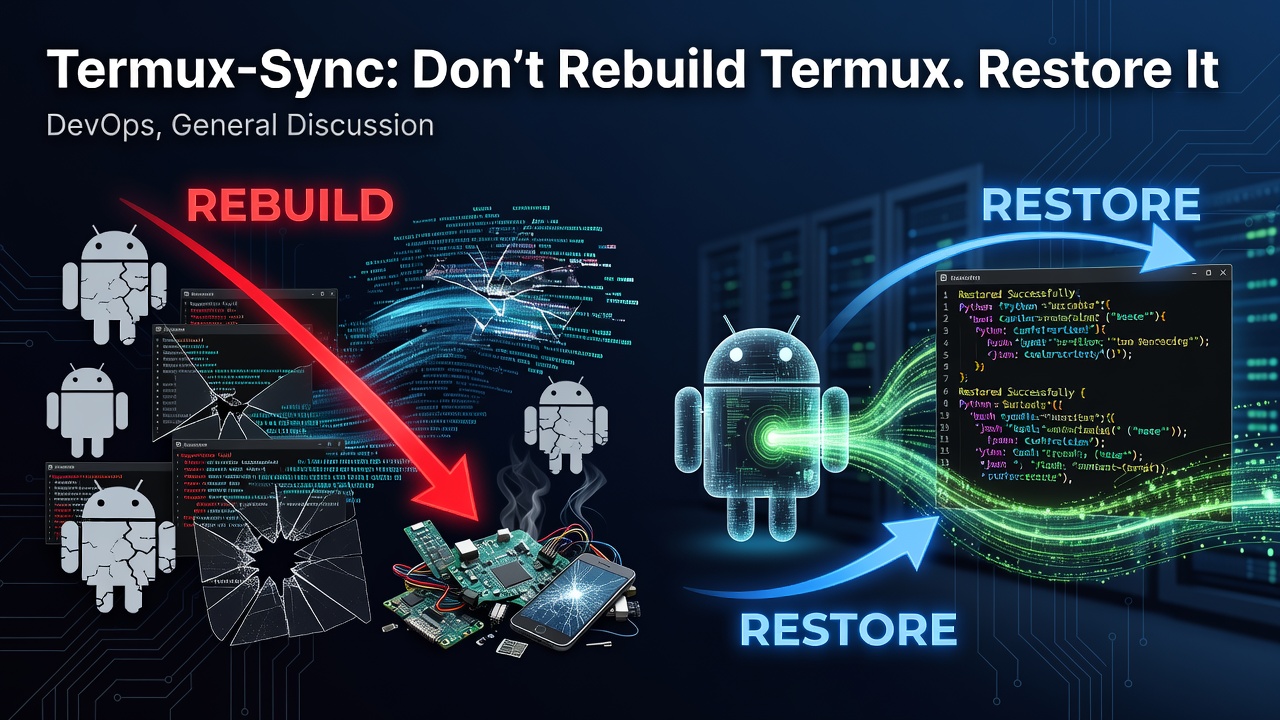
If you use Termux on Android as a real development environment, you eventually run into the same problem:
What happens when you get a new phone?
Your Termux environment may contain:
- hundreds of installed packages
- Python and Node.js environments
- Git repositories
- shell scripts
- dotfiles
- configuration files
- SSH configuration
- development tools
- personal projects
- custom environment variables
- years of terminal customization
Rebuilding all of that manually can take hours.
That's why I built Termux-Sync.
«Termux-Sync is a backup, restore, and migration tool for your entire Termux environment.»
Instead of rebuilding Termux from scratch, you can back up your environment and restore it on another device.
GitHub: https://github.com/djunekz/termux-sync
PyPI: https://pypi.org/project/termux-sync/
The Problem
Termux is much more than a terminal emulator.
For many users, it becomes a complete development environment running on Android.
A typical Termux installation can look something like this:
Termux
├── Python
├── Node.js
├── Rust
├── Git
├── npm packages
├── Python packages
├── shell scripts
├── Git repositories
├── ~/.config
├── ~/projects
├── environment variables
└── custom configuration
Then one day:
New phone
↓
Install Termux
↓
Install packages again
↓
Restore configuration
↓
Clone repositories again
↓
Reconfigure everything
Nobody wants to do that every time they change devices.
A simple file backup is also not enough.
You don't just want your files.
You want your Termux environment.
What Is Termux-Sync?
Termux-Sync is an open-source CLI/TUI tool designed to back up, restore, and migrate a complete Termux environment.
The goal is simple:
Old Device
│
│ backup
▼
Termux-Sync
│
│ restore
▼
New Device
The project is designed for Termux users who want to preserve their development environment instead of starting from zero.
What Does It Back Up?
Termux-Sync is designed around the idea of an environment backup rather than just a file archive.
Depending on the backup configuration, it can preserve things such as:
Installed packages
Home directory
User projects
Configuration
/usr/etc
Environment data
Package information
This makes the backup useful for both disaster recovery and device migration.
The goal is:
«Back up the environment, not just the files.»
Why Not Just Use tar?
You can absolutely create a backup manually:
tar -czf backup.tar.gz $HOME
But that only solves part of the problem.
A complete Termux migration can involve:
- package lists
- Termux-specific directories
- configuration
- package restoration
- architecture differences
- permissions
- verification
- storage backends
- restore ordering
Eventually, a simple archive becomes a collection of shell scripts and manual steps.
Termux-Sync tries to turn that process into a repeatable workflow.
Instead of remembering a long list of commands:
backup
→ package list
→ configuration
→ home
→ verify
→ transfer
→ restore
→ reinstall packages
→ restore configuration
you can use a single tool.
Basic Workflow
Install Termux-Sync from PyPI:
pkg install python
pip install termux-sync
Then run:
termux-sync
The tool provides an interactive interface for common operations.
You can also use its CLI commands directly.
For example:
termux-sync backup
Create a backup of your Termux environment.
Then on another device:
termux-sync restore
Restore the environment.
The exact workflow can be customized depending on where the backup is stored.
Backup Before Getting a New Phone
One of the main use cases is device migration.
Imagine you are using Termux heavily on your current phone.
Before switching devices:
termux-sync backup --label "phone-migration"
Then move the backup to your preferred storage.
Install Termux and Termux-Sync on the new device.
Then restore:
termux-sync restore
Instead of:
New phone
↓
"What packages did I have?"
↓
"What was my configuration?"
↓
"Where was that project?"
↓
"How did I configure this?"
you get:
New phone
↓
Restore
↓
Continue working
Local Backups
You don't have to use a cloud service.
Termux-Sync supports local backups.
That means you can keep your backup on local storage or another storage location accessible from Termux.
This is useful when you want:
- offline backups
- fast restores
- complete control over your files
- no cloud dependency
The philosophy is simple:
«Your backup should remain under your control.»
Google Drive
For users who want cloud storage, Termux-Sync can work with Google Drive through "rclone".
The workflow becomes:
Termux
│
▼
Termux-Sync
│
▼
rclone
│
▼
Google Drive
This makes it possible to keep a remote copy of your Termux environment.
A cloud backup is especially useful when the original phone is lost or damaged.
Private GitHub Repository
Another option is using a private GitHub repository as a backup destination.
This can be useful for developers who already use GitHub as part of their workflow.
The concept is:
Termux
│
▼
Termux-Sync
│
▼
Private GitHub Repository
A private repository can provide versioned backup storage while remaining accessible from another device.
However, sensitive information should still be handled carefully.
A private repository should not automatically be treated as equivalent to encryption.
SHA-256 Verification
A backup is only useful if you can trust that the data has not been corrupted.
Termux-Sync uses SHA-256 verification as part of its backup/restore workflow.
The basic idea is:
Create backup
↓
Calculate checksum
↓
Store checksum
↓
Transfer backup
↓
Verify checksum
↓
Restore
This helps detect corrupted or modified backup data before restoration.
For a migration tool, integrity verification is important.
You don't want to discover that your backup is broken only after deleting the original environment.
Automatic Backups
Manual backups are useful.
Automatic backups are better.
Termux-Sync includes automatic backup functionality so users can maintain regular copies of their environment.
A practical strategy might look like:
Daily
↓
Automatic backup
Before major changes
↓
Manual snapshot
Before phone migration
↓
Migration backup
This gives you multiple recovery points instead of relying on one backup file.
Backup Labels
Backups can also be labeled.
For example:
termux-sync backup --label "before-rust-update"
or:
termux-sync backup --label "before-phone-migration"
This makes it easier to understand what a particular snapshot represents.
Instead of:
backup_001
backup_002
backup_003
you can have:
before-rust-update
before-node-update
stable
phone-migration
As the project evolves, this concept can become even more powerful through snapshot management and comparison.
The TUI
Termux-Sync is not only a collection of commands.
It also provides a terminal user interface.
This is useful for users who prefer browsing operations rather than memorizing every command.
The TUI can expose functionality such as:
┌─────────────────────────────┐
│ TERMUX-SYNC │
├─────────────────────────────┤
│ │
│ Backup │
│ Restore │
│ Snapshots │
│ Storage │
│ Configuration │
│ Logs │
│ Disk Usage │
│ │
└─────────────────────────────┘
The goal is to keep the experience native to Termux while still making advanced operations approachable.
Termux-Sync Is Not Just File Synchronization
The name "Sync" can make the project sound like another file synchronization utility.
That's not really the main idea.
The important concept is:
«Termux environment backup and migration.»
There is a difference between:
File sync
and:
Environment migration
File sync asks:
«"Which files changed?"»
Termux-Sync asks:
«"How can I reproduce my Termux environment somewhere else?"»
That is a much bigger problem.
Architecture-Aware Restoration
Android devices can use different CPU architectures.
For example:
aarch64
arm
x86_64
i686
A backup created on one architecture may not be directly transferable to another architecture if it contains architecture-specific binaries.
This is one of the challenges of creating a proper Termux migration tool.
A future goal for Termux-Sync is to make restoration more architecture-aware.
Instead of blindly restoring everything:
Backup
↓
Detect architecture
↓
Compare target
↓
Identify incompatible binaries
↓
Reinstall compatible packages
↓
Restore user data/configuration
This is especially important for users moving between different devices.
Security
A backup can contain extremely sensitive information.
For example:
SSH keys
API tokens
Git credentials
environment variables
shell history
private source code
configuration files
That means backup software needs to take security seriously.
Checksum verification helps with integrity, but integrity is not the same thing as encryption.
One of the areas I want to continue improving is encrypted backups.
The long-term goal is to support workflows such as:
termux-sync backup --encrypt
and:
termux-sync restore
with secure key/password handling.
The objective is to make remote backups safer even if the storage provider itself should not be fully trusted.
Dry-Run Restore
Another feature I want to build further is restore simulation.
Something like:
termux-sync restore --dry-run
could show:
Termux-Sync Restore Preview
Source:
Backup: phone-migration
Architecture: aarch64
Packages:
✓ python
✓ git
✓ nodejs
✓ rust
Files:
12,421
Potential conflicts:
⚠ ~/.config/example/config.toml
Estimated size:
4.8 GB
No changes were made.
This would allow users to understand what is going to happen before modifying their environment.
For a backup tool, trust is more important than speed.
Who Is Termux-Sync For?
Termux-Sync is mainly designed for people who use Termux seriously.
Developers
If Termux is your development environment, losing it can mean losing hours or days of setup work.
Power users
Users with customized shells, scripts, packages, and configurations can preserve their environment.
Server and automation users
If your Android device runs scripts or automated workflows, backups can make recovery much easier.
People changing phones
This is probably the simplest and strongest use case.
«New phone? Restore your Termux environment instead of rebuilding it.»
Termux-Sync vs a Normal Backup
A normal backup might look like:
Photos
Documents
Videos
Downloads
A Termux backup looks more like:
Termux Environment
├── Packages
├── Home
│ ├── Projects
│ ├── Scripts
│ └── Config
├── /usr/etc
├── Environment
└── Metadata
The goal is not simply to preserve data.
It is to preserve the working environment.
Termux-Sync + Termux App Store
I also maintain another project called Termux App Store.
The two projects solve different problems.
          Termux Ecosystem
                 │
      ┌──────────┴──────────┐
      │                     │
Enter fullscreen mode Exit fullscreen mode
Termux App Store Termux-Sync
│ │
Packages Backup
Install Restore
Update Migration
│ │
└──────────┬──────────┘
│
Termux Environment
Termux App Store answers:
«"What software can I install?"»
Termux-Sync answers:
«"How do I preserve my environment?"»
A typical workflow could therefore be:
Install packages
↓
Configure Termux
↓
Develop projects
↓
Termux-Sync backup
↓
New device
↓
Termux-Sync restore
↓
Continue working
Why I Think This Problem Matters
Termux is increasingly capable of being a serious development environment.
You can use it for:
- Python
- Node.js
- Rust
- Git
- automation
- servers
- scripting
- networking
- development tools
- personal projects
The more powerful the environment becomes, the more painful it becomes to lose.
That's the core reason behind Termux-Sync.
«The more you customize Termux, the more valuable your environment becomes.»
And valuable environments deserve reliable backups.
The Bigger Vision
I don't want Termux-Sync to become another generic file synchronization tool.
The bigger goal is:
Termux Environment Management
That means eventually being able to:
Backup
Restore
Snapshot
Diff
Verify
Migrate
Encrypt
Automate
all while understanding the specific requirements of a Termux environment.
Imagine being able to run:
termux-sync snapshot create stable
then:
termux-sync snapshot diff stable latest
and finally:
termux-sync restore stable
The environment becomes something you can manage rather than something you have to rebuild manually.
Search for "Termux Backup"
There is also a larger discovery problem.
People regularly search for things like:
how to backup Termux
Termux backup
Termux backup and restore
how to restore Termux
Termux migration
move Termux to a new phone
backup Termux before factory reset
backup Termux packages
backup Termux environment
These are not hypothetical questions.
They represent real problems users encounter.
That's why Termux-Sync is positioned around backup, restore, and migration, rather than simply "sync".
The goal is to make the project easy to discover when someone is already looking for a solution.
The Philosophy
The philosophy behind Termux-Sync is simple:
«Don't rebuild Termux. Restore it.»
Your terminal environment should be portable.
Your configuration should not be tied permanently to one phone.
Your projects should not require days of manual setup after a device migration.
And your backup should be something you can verify and control.
What's Next?
Some of the areas I want to explore next include:
- encrypted backups
- architecture-aware migration
- restore dry-runs
- snapshot management
- backup comparison
- incremental backups
- better deduplication
- improved recovery workflows
- better documentation
- more storage backends
The priority is not simply adding more features.
The priority is making backup and restoration safe, predictable, and easy to understand.
Try Termux-Sync
Install it with:
pkg install python
pip install termux-sync
Then run:
termux-sync
Create a backup:
termux-sync backup
Restore a backup:
termux-sync restore
For the latest documentation and source code:
GitHub:
https://github.com/djunekz/termux-sync
PyPI:
https://pypi.org/project/termux-sync/
Final Thoughts
Termux gives Android users an incredibly powerful Linux-like environment.
But once you spend weeks or months building that environment, reinstalling everything from scratch becomes painful.
That's the problem Termux-Sync is trying to solve.
Not just:
«"Backup some files."»
But:
«"Preserve the environment I've built."»
From package lists and configuration to projects and user data, the goal is to make Termux portable.
So the next time you get a new phone, instead of thinking:
«"Great. Now I have to set up Termux again."»
Think:
termux-sync restore
Don't rebuild Termux. Restore it.
Project
GitHub: https://github.com/djunekz/termux-sync
PyPI: https://pypi.org/project/termux-sync/
Keywords
Termux Sync, Termux backup, Termux restore, Termux migration, Termux backup tool, Termux environment backup, Termux Android backup, backup Termux packages, restore Termux environment, migrate Termux to new phone, Termux backup and restore, Android terminal backup, Termux developer tools, Termux environment migration.
0 Comments
Log in to join the conversation.No comments yet. Be the first to share your thoughts.