
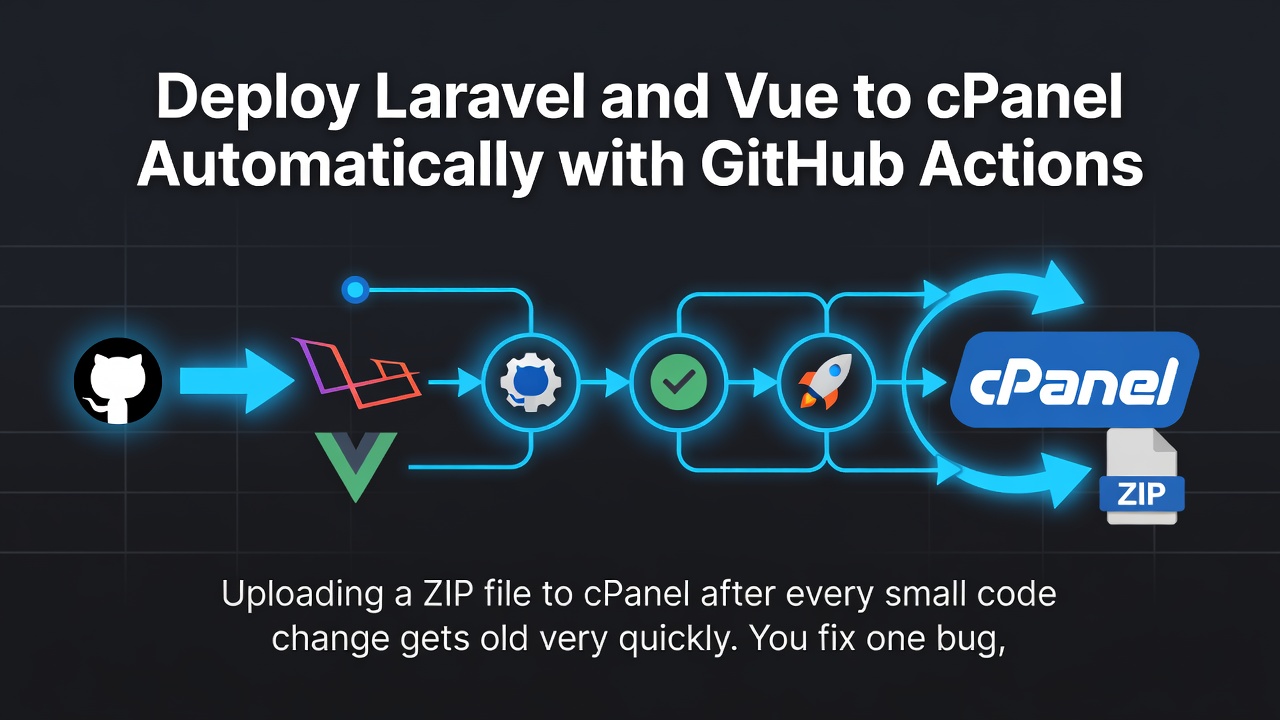
Uploading a ZIP file to cPanel after every small code change gets old very quickly.
You fix one bug, build the Vue frontend, create a ZIP file, open cPanel File Manager, upload it, extract it, run migrations, clear Laravel caches, and then check whether everything still works.
The code change may take two minutes. The deployment takes much longer.
A better approach is simple:
Push your code to GitHub and let GitHub Actions deploy it to cPanel automatically.
In this guide, we will start with a cPanel account and a private GitHub repository. From there, we will connect them with SSH and create a complete deployment workflow.
After the setup, deployment becomes:
git add .
git commit -m "Fix checkout issue"
git push origin main
Enter fullscreen mode Exit fullscreen mode
GitHub Actions will handle the rest.

What the deployment will do
Every push to the main branch will:
- Install Laravel’s production dependencies.
- Build the Vue and Vite assets.
- Package the application.
- Connect to cPanel through SSH.
- Upload and extract the new version.
- Preserve the production
.envandstoragedirectory. - Run migrations and Laravel optimization commands.
- Restart queue workers.
- Check whether the production website responds.
Step 1: Generate an SSH key from cPanel
First, connect your cPanel server to the private GitHub repository.
Open:
cPanel → Advanced → Terminal
Enter fullscreen mode Exit fullscreen mode
Create the SSH directory:
mkdir -p "$HOME/.ssh"
chmod 700 "$HOME/.ssh"
Enter fullscreen mode Exit fullscreen mode
Generate a new Ed25519 key:
ssh-keygen \
  -t ed25519 \
  -C "cpanel-github-deploy-key" \
  -f "$HOME/.ssh/github_repository" \
  -N ""
Enter fullscreen mode Exit fullscreen mode
This creates two files:
~/.ssh/github_repository
~/.ssh/github_repository.pub
Enter fullscreen mode Exit fullscreen mode
The file ending in .pub is the public key.
Display it:
cat "$HOME/.ssh/github_repository.pub"
Enter fullscreen mode Exit fullscreen mode
Copy the complete output.
It will look similar to:
ssh-ed25519 AAAAC3NzaC1lZDI1NTE5AAAA... cpanel-github-deploy-key
Enter fullscreen mode Exit fullscreen mode
Step 2: Add the key to the private GitHub repository
Open your GitHub repository and go to:
Repository
→ Settings
→ Deploy keys
→ Add deploy key
Enter fullscreen mode Exit fullscreen mode
Add a title such as:
Production cPanel
Enter fullscreen mode Exit fullscreen mode
Paste the public key.
Leave Allow write access disabled.
A repository deploy key is usually better than adding the key to your whole GitHub account. It gives the cPanel server access only to this repository.
Use an account-level SSH key only when the same server genuinely needs access to several repositories.
Step 3: Configure and test GitHub access
In cPanel Terminal, create the SSH configuration:
nano "$HOME/.ssh/config"
Enter fullscreen mode Exit fullscreen mode
Add:
Host github-production
    HostName github.com
    User git
    IdentityFile ~/.ssh/github_repository
    IdentitiesOnly yes
Enter fullscreen mode Exit fullscreen mode
Set the correct permission:
chmod 600 "$HOME/.ssh/config"
Enter fullscreen mode Exit fullscreen mode
Test the connection:
ssh -T git@github-production
Enter fullscreen mode Exit fullscreen mode
A successful response looks similar to:
Hi USERNAME/REPOSITORY! You've successfully authenticated,
but GitHub does not provide shell access.
Enter fullscreen mode Exit fullscreen mode
Now confirm that cPanel can read the repository:
git ls-remote \
  git@github-production:YOUR_GITHUB_USERNAME/YOUR_REPOSITORY.git \
  HEAD
Enter fullscreen mode Exit fullscreen mode
A successful command returns a commit hash.
This connection is useful for testing repository access. The actual deployment workflow will use a second SSH key to connect in the opposite direction:
GitHub Actions → cPanel
Enter fullscreen mode Exit fullscreen mode
Step 4: Prepare the Laravel directory
Find your cPanel username and home directory:
whoami
echo "$HOME"
Enter fullscreen mode Exit fullscreen mode
Create the Laravel application directory:
mkdir -p "$HOME/example.com"
cd "$HOME/example.com"
pwd
Enter fullscreen mode Exit fullscreen mode
Example output:
/home/exampleuser/example.com
Enter fullscreen mode Exit fullscreen mode
Save this path. It will become the GitHub variable:
APP_DIR=/home/exampleuser/example.com
Enter fullscreen mode Exit fullscreen mode
Your domain must point to Laravel’s public directory:
/home/exampleuser/example.com/public
Enter fullscreen mode Exit fullscreen mode
It must not point to the Laravel project root.
The application structure should look like this:
/home/exampleuser/example.com
├── app
├── bootstrap
├── config
├── database
├── public          ← Domain document root
├── resources
├── routes
├── storage
├── vendor
├── .env
└── artisan
Enter fullscreen mode Exit fullscreen mode
Step 5: Create the production .env
The workflow will not upload .env from GitHub.
Create it directly on cPanel:
cd "$HOME/example.com"

umask 077
touch .env
chmod 600 .env

nano .env
Enter fullscreen mode Exit fullscreen mode
A basic production configuration may look like this:
APP_NAME="My Application"
APP_ENV=production
APP_KEY=base64:YOUR_APPLICATION_KEY
APP_DEBUG=false
APP_URL=https://example.com

LOG_CHANNEL=stack
LOG_LEVEL=error

DB_CONNECTION=mysql
DB_HOST=localhost
DB_PORT=3306
DB_DATABASE=exampleuser_database
DB_USERNAME=exampleuser_dbuser
DB_PASSWORD=YOUR_DATABASE_PASSWORD

CACHE_STORE=database
SESSION_DRIVER=database
QUEUE_CONNECTION=database
Enter fullscreen mode Exit fullscreen mode
Generate the application key from your local project:
php artisan key:generate --show
Enter fullscreen mode Exit fullscreen mode
Copy the result into the production .env.
Also find the correct PHP executable on cPanel:
command -v php
php -v
Enter fullscreen mode Exit fullscreen mode
On some servers, you may need a cPanel PHP binary such as:
/opt/cpanel/ea-php84/root/usr/bin/php
Enter fullscreen mode Exit fullscreen mode
Save the working path. It will become the PHP_BIN GitHub variable.
Step 6: Generate the deployment key
Now create the SSH key that GitHub Actions will use to log in to cPanel.
Generate this key on your local computer, not inside the repository:
mkdir -p "$HOME/.ssh/deploy-keys"
chmod 700 "$HOME/.ssh/deploy-keys"
Enter fullscreen mode Exit fullscreen mode
Generate the key:
ssh-keygen \
  -t ed25519 \
  -C "github-actions-to-cpanel" \
  -f "$HOME/.ssh/deploy-keys/cpanel_production" \
  -N ""
Enter fullscreen mode Exit fullscreen mode
This creates:
~/.ssh/deploy-keys/cpanel_production
~/.ssh/deploy-keys/cpanel_production.pub
Enter fullscreen mode Exit fullscreen mode
The private key will be stored in GitHub.
The public key must be authorized in cPanel.
Step 7: Authorize the deployment key in cPanel
Display the public key locally:
cat "$HOME/.ssh/deploy-keys/cpanel_production.pub"
Enter fullscreen mode Exit fullscreen mode
Copy it.
In cPanel, open:
cPanel
→ Security
→ SSH Access
→ Manage SSH Keys
→ Import Key
Enter fullscreen mode Exit fullscreen mode
Paste the public key and import it.
After importing, select:
Manage → Authorize
Enter fullscreen mode Exit fullscreen mode
Importing and authorizing may be two separate steps.
You can also add it from cPanel Terminal:
mkdir -p "$HOME/.ssh"
chmod 700 "$HOME/.ssh"

nano "$HOME/.ssh/authorized_keys"
Enter fullscreen mode Exit fullscreen mode
Paste the public key on a new line, then run:
chmod 600 "$HOME/.ssh/authorized_keys"
Enter fullscreen mode Exit fullscreen mode
Test the connection from your local computer:
ssh \
  -i "$HOME/.ssh/deploy-keys/cpanel_production" \
  -p YOUR_SSH_PORT \
  YOUR_CPANEL_USER@YOUR_CPANEL_HOST
Enter fullscreen mode Exit fullscreen mode
Example:
ssh \
  -i "$HOME/.ssh/deploy-keys/cpanel_production" \
  -p 22 \
  [email protected]
Enter fullscreen mode Exit fullscreen mode
Do not continue until this connection works.
Step 8: Add GitHub secrets and variables
Open your repository:
Settings
→ Environments
→ New environment
Enter fullscreen mode Exit fullscreen mode
Create an environment called:
production
Enter fullscreen mode Exit fullscreen mode
Environment secrets
Add these secrets:
| Secret | Example |
|---|---|
CPANEL_SSH_PRIVATE_KEY |
Complete private SSH key |
CPANEL_SSH_HOST |
server123.hosting-company.com |
CPANEL_SSH_PORT |
22 |
Display the private key:
cat "$HOME/.ssh/deploy-keys/cpanel_production"
Enter fullscreen mode Exit fullscreen mode
Copy the complete value, including:
-----BEGIN OPENSSH PRIVATE KEY-----
...
-----END OPENSSH PRIVATE KEY-----
Enter fullscreen mode Exit fullscreen mode
Do not copy the .pub key into this secret.
Environment variables
Add these variables:
| Variable | Example |
|---|---|
APP_DIR |
/home/exampleuser/example.com |
CPANEL_USER |
exampleuser |
PHP_BIN |
/usr/local/bin/php |
APP_URL |
https://example.com |
Step 9: Add the GitHub Actions workflow
Create this file:
.github/workflows/deploy-cpanel.yml
Enter fullscreen mode Exit fullscreen mode
Add the following workflow:
name: Deploy Laravel Vue to cPanel

on:
  push:
    branches: [main]
  workflow_dispatch:

permissions:
  contents: read

concurrency:
  group: production-cpanel
  cancel-in-progress: false

env:
  APP_DIR: ${{ vars.APP_DIR }}
  CPANEL_USER: ${{ vars.CPANEL_USER }}
  PHP_BIN: ${{ vars.PHP_BIN }}
  SSH_PORT: ${{ secrets.CPANEL_SSH_PORT }}
  NODE_VERSION: "22"
  NODE_OPTIONS: --max-old-space-size=4096

jobs:
  build-and-deploy:
    name: Build and deploy production
    runs-on: ubuntu-latest
    timeout-minutes: 35
    environment: production

    steps:
      - name: Checkout repository
        uses: actions/checkout@v7
        with:
          fetch-depth: 1

      - name: Set up PHP
        uses: shivammathur/setup-php@v2
        with:
          php-version: "8.4"
          coverage: none
          tools: composer:v2
          extensions: mbstring, xml, ctype, iconv, intl, pdo_mysql, bcmath, curl, fileinfo, gd, openssl, zip

      - name: Install production PHP dependencies
        env:
          COMPOSER_ALLOW_SUPERUSER: "1"
        run: |
          composer validate --no-check-publish

          composer install \
            --no-dev \
            --prefer-dist \
            --no-interaction \
            --no-progress \
            --optimize-autoloader

      - name: Set up Node.js
        uses: actions/setup-node@v7
        with:
          node-version: ${{ env.NODE_VERSION }}
          cache: npm
          cache-dependency-path: package-lock.json

      - name: Install frontend dependencies
        run: npm ci --no-audit --no-fund

      - name: Build frontend assets
        env:
          VITE_APP_URL: ${{ vars.APP_URL }}
        run: npm run build

      - name: Verify build
        run: |
          test -f artisan
          test -f vendor/autoload.php
          test -d public/build
          test -f public/build/manifest.json

      - name: Configure SSH
        env:
          SSH_PRIVATE_KEY: ${{ secrets.CPANEL_SSH_PRIVATE_KEY }}
          SSH_HOST: ${{ secrets.CPANEL_SSH_HOST }}
        run: |
          install -m 700 -d "$HOME/.ssh"

          printf '%s\n' "$SSH_PRIVATE_KEY" > "$HOME/.ssh/id_ed25519"
          chmod 600 "$HOME/.ssh/id_ed25519"

          ssh-keyscan \
            -p "$SSH_PORT" \
            "$SSH_HOST" >> "$HOME/.ssh/known_hosts"

          chmod 600 "$HOME/.ssh/known_hosts"

      - name: Package application
        run: |
          tar -czf /tmp/app-deploy.tar.gz \
            --exclude='./.git' \
            --exclude='./.github' \
            --exclude='./node_modules' \
            --exclude='./.env' \
            --exclude='./.env.*' \
            --exclude='./storage' \
            --exclude='./public/storage' \
            --exclude='./public/.well-known' \
            --exclude='./.user.ini' \
            --exclude='./php.ini' \
            --exclude='./tests' \
            .

      - name: Deploy to cPanel
        env:
          SSH_HOST: ${{ secrets.CPANEL_SSH_HOST }}
        run: |
          set -Eeuo pipefail

          SSH=(
            ssh
            -i "$HOME/.ssh/id_ed25519"
            -p "$SSH_PORT"
            -o BatchMode=yes
            -o StrictHostKeyChecking=yes
            -o UserKnownHostsFile="$HOME/.ssh/known_hosts"
            "$CPANEL_USER@$SSH_HOST"
          )

          SCP=(
            scp
            -i "$HOME/.ssh/id_ed25519"
            -P "$SSH_PORT"
            -o BatchMode=yes
            -o StrictHostKeyChecking=yes
            -o UserKnownHostsFile="$HOME/.ssh/known_hosts"
          )

          "${SSH[@]}" "mkdir -p '$APP_DIR' && test -f '$APP_DIR/.env'" || {
            echo '::error::Production .env is missing.'
            exit 1
          }

          "${SSH[@]}" \
            "cd '$APP_DIR' && if [ -f artisan ]; then '$PHP_BIN' artisan down --retry=60 || true; fi"

          bring_application_up() {
            "${SSH[@]}" \
              "cd '$APP_DIR' && if [ -f artisan ]; then '$PHP_BIN' artisan up || true; fi" \
              || true
          }

          trap bring_application_up EXIT

          "${SCP[@]}" \
            /tmp/app-deploy.tar.gz \
            "$CPANEL_USER@$SSH_HOST:$APP_DIR/app-deploy.tar.gz"

          "${SSH[@]}" \
            "APP_DIR='$APP_DIR' PHP_BIN='$PHP_BIN' bash -se" <<'REMOTE'
          set -Eeuo pipefail

          cd "$APP_DIR"

          test -f app-deploy.tar.gz

          tar -xzf app-deploy.tar.gz --overwrite
          rm app-deploy.tar.gz

          test -f .env
          test -f artisan
          test -f vendor/autoload.php

          mkdir -p \
            storage/app/public \
            storage/framework/cache/data \
            storage/framework/sessions \
            storage/framework/views \
            storage/logs \
            bootstrap/cache

          chmod -R ug+rwX storage bootstrap/cache

          "$PHP_BIN" artisan optimize:clear
          "$PHP_BIN" artisan package:discover --ansi
          "$PHP_BIN" artisan migrate --force
          "$PHP_BIN" artisan storage:link || true
          "$PHP_BIN" artisan optimize
          "$PHP_BIN" artisan queue:restart || true

          chmod -R ug+rwX storage bootstrap/cache
          REMOTE

          trap - EXIT
          bring_application_up

      - name: Check production URL
        if: ${{ vars.APP_URL != '' }}
        env:
          PRODUCTION_URL: ${{ vars.APP_URL }}
        run: |
          curl \
            --fail \
            --silent \
            --show-error \
            --location \
            --retry 5 \
            --retry-delay 5 \
            --max-time 30 \
            "$PRODUCTION_URL" > /dev/null

      - name: Deployment summary
        run: |
          {
            echo '## Deployment completed'
            echo
            echo "- Directory: \`$APP_DIR\`"
            echo '- Laravel dependencies built on GitHub Actions'
            echo '- Vue assets built on GitHub Actions'
            echo '- Production .env and storage preserved'
          } >> "$GITHUB_STEP_SUMMARY"
Enter fullscreen mode Exit fullscreen mode
Update the PHP and Node.js versions when your project requires different versions.
Step 10: Run the first deployment
Commit the workflow:
git add .github/workflows/deploy-cpanel.yml
git commit -m "Add automatic cPanel deployment"
git push origin main
Enter fullscreen mode Exit fullscreen mode
Open:
GitHub repository → Actions
Enter fullscreen mode Exit fullscreen mode
Select the deployment workflow and follow the logs.
After the workflow finishes, verify the application from cPanel:
cd "$HOME/example.com"

"$PHP_BIN" artisan about
"$PHP_BIN" artisan migrate:status

ls -la public/build
ls -la public/storage
Enter fullscreen mode Exit fullscreen mode
Then open the production URL.
What the workflow preserves
The archive does not include:
.env
storage/
public/storage/
public/.well-known/
Enter fullscreen mode Exit fullscreen mode
This means the workflow will not replace:
- Database credentials
- API keys
- User uploads
- Application logs
- Sessions
- Server-managed SSL files
Composer’s vendor directory and Vite’s public/build directory are built on GitHub Actions and uploaded with the application.
Important security notes
Never put secrets in VITE_*
Values beginning with VITE_ can become part of the browser’s JavaScript bundle.
Safe:
VITE_APP_NAME
VITE_APP_URL
Enter fullscreen mode Exit fullscreen mode
Unsafe:
VITE_DB_PASSWORD
VITE_STRIPE_SECRET
VITE_OPENAI_API_KEY
Enter fullscreen mode Exit fullscreen mode
Never commit .env
The production .env should exist only on cPanel and in secure backups.
Never use chmod 777
The workflow uses:
chmod -R ug+rwX storage bootstrap/cache
Enter fullscreen mode Exit fullscreen mode
This gives the owner and group write access without making the directories writable by everyone.
Back up before risky migrations
The workflow runs:
php artisan migrate --force
Enter fullscreen mode Exit fullscreen mode
A Git rollback restores code. It does not automatically restore deleted or modified database data.
Common errors
Permission denied (publickey)
Check:
- The public key was authorized in cPanel.
- The correct private key was added to GitHub.
-
CPANEL_USERis correct. - The SSH hostname and port are correct.
Test locally:
ssh \
  -vvv \
  -i "$HOME/.ssh/deploy-keys/cpanel_production" \
  -p YOUR_SSH_PORT \
  YOUR_CPANEL_USER@YOUR_CPANEL_HOST
Enter fullscreen mode Exit fullscreen mode
Production .env is missing
Create .env inside APP_DIR, not inside public:
cd /home/YOUR_CPANEL_USER/YOUR_APP_DIRECTORY
touch .env
chmod 600 .env
nano .env
Enter fullscreen mode Exit fullscreen mode
public/build/manifest.json is missing
Run locally:
npm ci
npm run build
Enter fullscreen mode Exit fullscreen mode
Make sure Vite generates:
public/build/manifest.json
Enter fullscreen mode Exit fullscreen mode
Laravel returns HTTP 500
Check the log:
tail -n 100 storage/logs/laravel.log
Enter fullscreen mode Exit fullscreen mode
Then clear and rebuild caches:
"$PHP_BIN" artisan optimize:clear
"$PHP_BIN" artisan optimize
Enter fullscreen mode Exit fullscreen mode
A note about old files
This workflow extracts the new archive over the existing application.
Files with matching names are replaced, but files deleted from Git may remain on the server.
For a small or medium application, this approach is often enough.
For a larger production system, consider release directories with a symbolic link:
releases/
├── 20260730-120001/
├── 20260730-123500/
└── 20260730-130800/

current -> releases/20260730-130800
Enter fullscreen mode Exit fullscreen mode
That setup makes cleanup and rollback easier, but it requires a more advanced workflow.
Conclusion
Manual cPanel deployment works, but it becomes frustrating when you deploy often.
With this setup, your regular process becomes:
git add .
git commit -m "Describe the change"
git push origin main
Enter fullscreen mode Exit fullscreen mode
GitHub Actions will:
- Build Laravel dependencies
- Build Vue and Vite assets
- Upload the application
- Preserve
.envand storage - Run migrations
- Optimize Laravel
- Restart queues
- Check the live website
The first setup requires some care around SSH keys, paths, PHP versions, and production secrets.
After that, deployment becomes predictable, repeatable, and much less stressful.
0 Comments
Log in to join the conversation.No comments yet. Be the first to share your thoughts.