
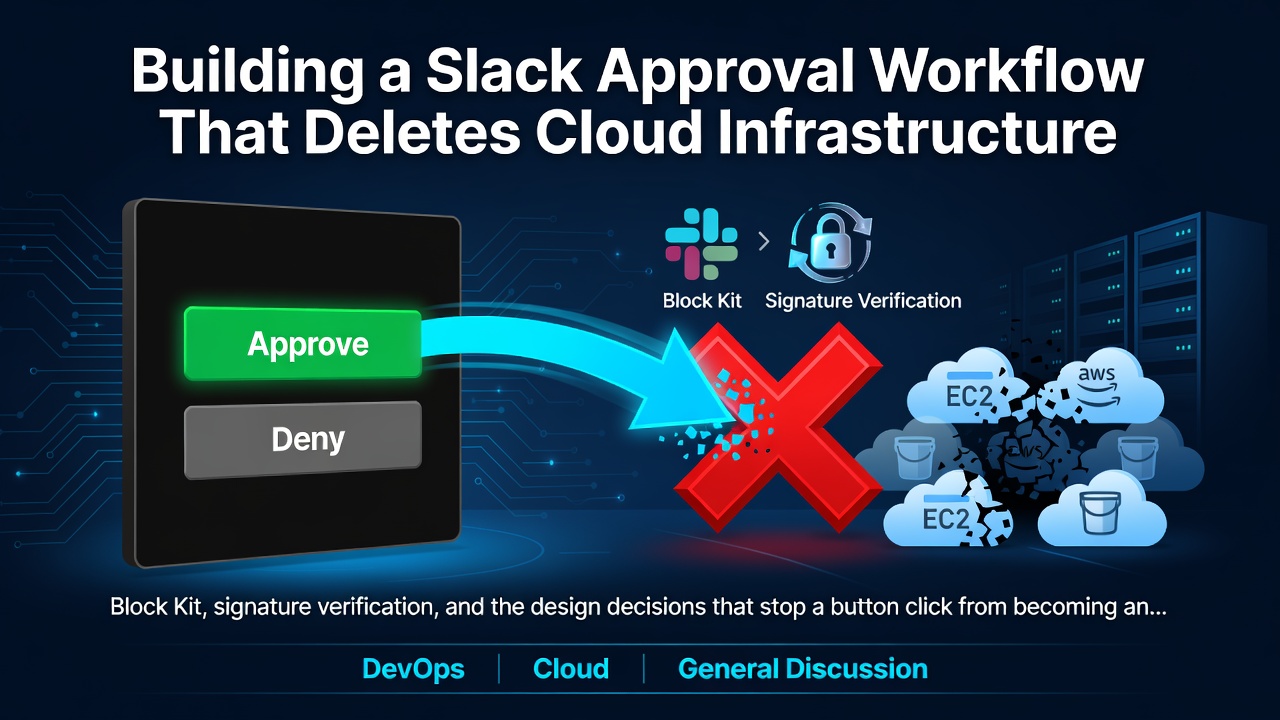
Block Kit、簽章驗證,以及防止一次按鈕點擊演變成事故的設計決策。

那張截圖是一個機器人要求刪除 EBS 磁碟區的權限。點擊
Approve Remediation 會建立磁碟區快照、等待快照完成、刪除磁碟區,並編輯訊息說明發生了什麼事。
讓這一切運作主要是串接 plumbing。讓它能安全運作,避免過時的點擊、重播的請求,或是期間有人保護的資源造成損害,才是真正有趣的部分。
本文將使用 FinOps Sentinel 的 Slack adapter 逐步說明這兩者。
問題的形狀
Slack 互動性是兩個獨立的通道,看起來像對話:
Your app ──── incoming webhook ────▶ Slack channel
                                          │
                                     user clicks
                                          │
Your app ◀─── HTTP POST ──────────────────┘
             (a completely new request, from Slack's servers)
Enter fullscreen mode Exit fullscreen mode
點擊以未經身份驗證的 POST 從公網傳送至您註冊的任何 URL。請求中沒有任何內容能證明它來自 Slack,或是有人真的點擊了任何東西。這就是一句話的安全問題,而後續所有內容都由此而來。
第一部分:設定 Slack 應用程式
建立應用程式並取得 webhook
- api.slack.com/apps → Create New App → From scratch
- 命名並選擇您的工作區
- Incoming Webhooks → 開啟 On → Add New Webhook to Workspace
- 選擇頻道,點擊 Allow,複製 URL
SLACK_WEBHOOK_URL=https://hooks.slack.com/services/TXXXXX/BXXXXX/XXXXXXXX
Enter fullscreen mode Exit fullscreen mode
Webhook 只會張貼到單一頻道,且無法讀取任何內容。對於通知機器人來說,這是恰當的權限等級:無需 OAuth 流程、無需機器人權杖、無需檢閱 scopes。
啟用互動性
Interactivity & Shortcuts → 開啟 On → 設定 Request URL:
https://your-domain.example/callbacks/slack
Enter fullscreen mode Exit fullscreen mode
在本機您需要使用 tunnel:
ngrok http 8000
# → https://a1b2c3d4.ngrok.app
# Request URL: https://a1b2c3d4.ngrok.app/callbacks/slack
Enter fullscreen mode Exit fullscreen mode
免費的 ngrok URL 每次重新啟動都會變更,您必須每次都更新 Slack。避免混淆:如果按鈕「沒有任何反應」,請先檢查此設定。
取得簽章密鑰
Basic Information → App Credentials → Signing Secret → 顯示。
SLACK_SIGNING_SECRET=your_signing_secret_here
Enter fullscreen mode Exit fullscreen mode
這是讓回呼值得信賴的關鍵。若無此密鑰,您的端點將會為任何傳送格式正確 POST 的人刪除基礎架構。
第二部分:傳送值得採取行動的訊息
Block Kit 訊息是 JSON 區塊陣列。初始版本可立即運作:
from slack_sdk.webhook import WebhookClient

WebhookClient(webhook_url).send(text=f"Idle volume found: {volume_id}")
Enter fullscreen mode Exit fullscreen mode
但工程師必須採取行動的警示,需要在約十秒內回答是什麼、在哪裡、多少,以及如果我點擊這個會發生什麼事,而且常常是在手機上。
以下是實際實作:
def send_finding_alert(self, finding: Finding, resource: Resource) -> str | None:
    webhook_url = settings.slack_webhook_url
    if not webhook_url:
        raise RuntimeError("SLACK_WEBHOOK_URL is not configured")

    remediable = is_remediable(finding.rule)
    header = (
        "*FinOps Alert: Waste Detected*"
        if remediable
        else "*FinOps Advisory: Possible Idle Resource*"
    )

    blocks: list[dict[str, Any]] = [
        {
            "type": "section",
            "text": {
                "type": "mrkdwn",
                "text": (
                    f"{header}\n\n"
                    f"*Rule:* {finding.rule}\n"
                    f"*Resource:* `{resource.resource_id}` ({resource.resource_type})\n"
                    # Region is not decoration: with several regions scanned, it is
                    # the first thing an approver needs to know where to look, and
                    # remediation runs there.
                    f"*Region:* `{resource.region}`\n"
                    f"*Cost Impact:* ${finding.est_monthly_cost_usd}/mo"
                ),
            },
        }
    ]
Enter fullscreen mode Exit fullscreen mode
區域行是在實際混淆後新增的。掃描三個區域會產生三個幾乎相同的警示,只透過資源 ID 區分。若無區域,核准者無法判斷即將變更的是哪個帳戶角落。
LLM 摘要放在自己的區塊中
    if finding.llm_summary:
        # Advisor output is untrusted display copy (it summarizes
        # user-controlled tags), so it goes in its own context block and is
        # never used to build action values.
        blocks.append({
            "type": "context",
            "elements": [{"type": "mrkdwn", "text": finding.llm_summary}],
        })
Enter fullscreen mode Exit fullscreen mode
本地 LLM 會為每個發現撰寫淺顯易懂的說明。提示詞包含 AWS 標籤,任何有標籤權限的人都能撰寫。因此模型輸出被視為不受信任的顯示內容:只渲染,不解析,且永遠不會用於建立系統會採取行動的任何內容。
按鈕是有條件的,這就是整個設計
    if remediable:
        blocks.append({
            "type": "actions",
            "elements": [
                {
                    "type": "button",
                    "text": {"type": "plain_text", "text": "Approve Remediation"},
                    "style": "primary",
                    "value": f"approve_{finding.id}",
                    "action_id": "approve_remediation",
                },
                {
                    "type": "button",
                    "text": {"type": "plain_text", "text": "Deny"},
                    "style": "danger",
                    "value": f"deny_{finding.id}",
                    "action_id": "deny_remediation",
                },
            ],
        })
    else:
        # Metric-inferred: no playbook is allowed to run, so offering an
        # Approve button would promise an action the domain refuses.
        blocks.append({
            "type": "context",
            "elements": [{
                "type": "mrkdwn", "text": ("_Advisory only: inferred from CloudWatch metrics. "
                         "No automated remediation is available for this rule._"),
            }],
        })
Enter fullscreen mode Exit fullscreen mode
有些發現本質上就是諮詢性質。閒置的 EC2 執行個體可能是暖待命、執行間隙的批次工作者,或是授權伺服器,而低 CPU 是證據,而非證明。領域拒絕修復這些規則。
早期版本會在每個警示上渲染按鈕。點擊諮詢性發現的 Approve 會傳回拒絕。什麼都不做的按鈕比沒有按鈕更糟:它會讓人們不信任每個按鈕。因此 adapter 會先詢問領域再據以渲染。
通知預覽文字
    response = WebhookClient(webhook_url).send(
        # Notification preview text. The region belongs here too, since
        # this is all a phone lock screen shows.
        text=(f"FinOps Alert: {finding.rule} on {resource.resource_id} "
              f"in {resource.region}"),
        blocks=blocks,
    )
    if response.status_code != 200:
        raise RuntimeError(f"Slack webhook returned {response.status_code}: {response.body}")

    logger.info("Sent Slack alert for finding %s", finding.id)
    # Incoming webhooks return no message timestamp; edits happen via the
    # interaction payload's response_url instead.
    return None
Enter fullscreen mode Exit fullscreen mode
容易忘記:當存在 blocks 時,text 會成為推播通知預覽。若省略,手機會顯示「無法顯示此內容」。
注意 raise。傳送失敗不會被吞掉。呼叫者會讓發現保持未通知狀態,以便下次掃描重試。吞掉會默默遺失警示,對成本警示而言意味著金錢持續燃燒卻無人知曉。
第三部分:安全接收點擊
先驗證再解析
def parse_callback(
    self, raw_body: bytes, headers: Mapping[str, str]
) -> tuple[Decision, dict[str, Any]]:
    self._verify_signature(raw_body, headers)     # ← first line, always
    ...
Enter fullscreen mode Exit fullscreen mode
簽章驗證是發生的第一件事。先解析再驗證意味著您已經在惡意輸入上執行了 JSON 解碼器。
CALLBACK_MAX_AGE_SECONDS = 60 * 5

def _verify_signature(self, raw_body: bytes, headers: Mapping[str, str]) -> None:
    secret = settings.slack_signing_secret
    if not secret:
        # No secret configured: verification bypassed (local testing).
        return

    timestamp = headers.get("x-slack-request-timestamp") or headers.get(
        "X-Slack-Request-Timestamp"
    )
    signature = headers.get("x-slack-signature") or headers.get(
        "X-Slack-Signature"
    )
    if not timestamp or not signature:
        raise PermissionError("Missing Slack signature headers")

    try:
        age = abs(time.time() - int(timestamp))
    except ValueError as exc:
        raise PermissionError("Invalid Slack timestamp header") from exc
    if age > CALLBACK_MAX_AGE_SECONDS:
        raise PermissionError("Slack request timestamp expired")

    verifier = SignatureVerifier(secret)
    if not verifier.is_valid(body=raw_body, timestamp=timestamp, signature=signature):
        raise PermissionError("Invalid Slack signature")
Enter fullscreen mode Exit fullscreen mode
三個檢查,三種不同的攻擊:
| 檢查 | 阻止 |
|---|---|
| 標頭存在 | 對公用端點的隨意探測 |
| 時間戳記在 5 分鐘內 | 重播:稍後重新傳送已擷取的有效請求 |
| HMAC 有效 | 偽造 |
重播檢查是人們會跳過的。簽章會永久有效,除非您綁定其期限;擷取一個合法的核准回呼,您就可以無限期重播。Slack 傳送時間戳記正是讓您可以拒絕過時請求。
SignatureVerifier 來自 slack_sdk,並使用常數時間比較,值得使用而非自行實作 HMAC 並使用 == 比較。
if not secret: return 繞過是刻意為本地測試提供的便利,但也是地雷。這意味著未設定的部署會接受任何內容。在筆記型電腦上沒問題,但在任何可到達的地方都很危險。如果我要為生產環境強化此功能,我會讓它在未明確設定 ALLOW_UNSIGNED_CALLBACKS=true 時關閉失敗。
原始位元組很重要
@app.post("/callbacks/{channel}")
async def notifier_callback(channel: str, request: Request) -> dict[str, Any]:
    raw_body = await request.body()          # ← bytes, not a parsed model
    decision, reply_context = notifier.parse_callback(raw_body, request.headers)
Enter fullscreen mode Exit fullscreen mode
HMAC 是針對 Slack 傳送的確切位元組計算的。讓 FastAPI 先將主體解析為 Pydantic 模型,您就無法重建它們:鍵順序、空白和編碼都會改變。簽章驗證隨後會神秘失敗,您將浪費一個下午。
解析 payload
Slack 傳送 application/x-www-form-urlencoded,包含單一 payload 欄位,內含 JSON。真的。
    form = urllib.parse.parse_qs(raw_body.decode("utf-8"))
    payload_values = form.get("payload")
    if not payload_values:
        raise ValueError("No payload found")

    try:
        payload = json.loads(payload_values[0])
    except json.JSONDecodeError as exc:
        raise ValueError("Payload is not valid JSON") from exc

    actions = payload.get("actions") or []
    if not actions:
        raise ValueError("No actions in payload")

    value = str(actions[0].get("value", ""))
    action: Literal["approve", "deny"]
    if value.startswith("approve_"):
        action, finding_id = "approve", value.removeprefix("approve_")
    elif value.startswith("deny_"):
        action, finding_id = "deny", value.removeprefix("deny_")
    else:
        raise ValueError(f"Unrecognized action value: {value!r}")

    actor = payload.get("user", {}).get("username") or payload.get("user", {}).get(
        "id", "unknown"
    )

    decision = Decision(
        finding_id=finding_id,
        actor=actor,
        action=action,
        decided_at=datetime.now(UTC),
        channel=self.channel_name,
    )
    reply_context = {
        "response_url": payload.get("response_url"),
        "original_blocks": payload.get("message", {}).get("blocks", []),
    }
    return decision, reply_context
Enter fullscreen mode Exit fullscreen mode
輸出是領域物件。所有 Slack 形狀的東西(表單編碼、payload 包裝器、response_url)都在這個邊界停止。接收此 Decision 的領域服務不知道 Slack 的存在。
按鈕值攜帶系統產生的發現 ID,永遠不是模型輸出,也永遠不是使用者輸入的任何內容。解析器拒絕任何不符合預期前綴的內容。
將例外對應至狀態碼
    try:
        decision, reply_context = notifier.parse_callback(raw_body, request.headers)
    except PermissionError as exc:
        raise HTTPException(status_code=401, detail=str(exc)) from exc
    except ValueError as exc:
        raise HTTPException(status_code=400, detail=str(exc)) from exc
Enter fullscreen mode Exit fullscreen mode
連接埠定義例外合約:PermissionError 用於驗證失敗,ValueError 用於格式錯誤的輸入,因此任何 notifier 實作都能乾淨地對應至 HTTP,而路由不知道設定的是哪一個。
第四部分:點擊後會發生什麼事
路由立即將工作移交給領域:
def _decide(finding_id: str, action: str, actor: str, channel: str) -> bool:
    repo = get_repository()
    if action == "approve":
        return approve_finding(
            finding_id,
            repo,
            # The resolver, not a gateway: the service picks the endpoint for
            # the finding's own region.
            get_cloud_gateway,
            actor=actor,
            channel=channel,
            dry_run=settings.dry_run,
        )
    return deny_finding(finding_id, repo, actor=actor, channel=channel)
Enter fullscreen mode Exit fullscreen mode
在 approve_finding 內部,護欄會在核准時間重新檢查,而非信任偵測時間:
    if resource.lifecycle == ResourceLifecycle.DELETED:
        _audit(repo, "approve_blocked_resource_gone", finding.id, {...})
        return False

    if finding.protected or rules.is_protected(resource.current_tags):
        _audit(repo, "approve_blocked_protected", finding.id, {...})
        return False

    if not rules.is_remediable(finding.rule):
        _audit(repo, "approve_blocked_notify_only", finding.id, {...})
        return False

    playbook = rules.PLAYBOOK_ALLOWLIST.get(resource.resource_type)
    if playbook is None:
        _audit(repo, "approve_blocked_no_playbook", finding.id, {...})
        return False
Enter fullscreen mode Exit fullscreen mode
警示可能在 Slack 中停留數小時。在這段時間內,可能有人將資源標記為 finops:protected=true,或在外部刪除它。較新的意圖獲勝,且每個拒絕都有自己的稽核事件名稱,因此「為什麼沒有行動?」可以從資料庫中得到答案。
雙擊問題
Slack 按鈕很容易雙擊,且 Slack 本身會在逾時時重試。若無保護,您會得到兩次修復。
    if not repo.transition_finding(finding.id, finding.status, FindingStatus.APPROVED):
        return False  # lost the race, someone else already decided
Enter fullscreen mode Exit fullscreen mode
由 compare-and-swap 支援:
UPDATE findings SET status = :new WHERE id = :id AND status = :expected
Enter fullscreen mode Exit fullscreen mode
只有當 rowcount == 1 時才傳回 True。第二次點擊會發現狀態已經是 APPROVED,沒有符合,沒有更新,傳回 False。結構上最多一次修復,而非靠運氣。
編輯訊息
def confirm_decision(self, reply_context: dict[str, Any], text: str) -> None:
    response_url = reply_context.get("response_url")
    if not response_url:
        return

    blocks: list[dict[str, Any]] = []
    original_blocks = reply_context.get("original_blocks") or []
    if original_blocks:
        blocks.append(original_blocks[0])  # keep the alert text, drop the buttons
    blocks.append({"type": "section", "text": {"type": "mrkdwn", "text": text}})

    response = WebhookClient(response_url).send(
        text=text, blocks=blocks, replace_original=True
    )
    if response.status_code != 200:
        logger.error("Failed to update Slack message: %s", response.body)
Enter fullscreen mode Exit fullscreen mode
保留區塊 [0] 並捨棄其餘部分可保留上下文(警示是什麼),同時移除按鈕,使已決定的發現無法再次點擊。response_url 有效期為 30 分鐘和 5 次使用,對於一次編輯來說綽綽有餘。
結果文字區分每個終端狀態:
outcome = f"*Approved* by @{decision.actor}: remediation executed{where}."
outcome = f"*Approved* by @{decision.actor}: DRY RUN, no resources were changed."
outcome = f"*Denied* by @{decision.actor}: no action taken, finding closed."
outcome = f"*Remediation failed*{where} after approval by @{decision.actor}: ..."
Enter fullscreen mode Exit fullscreen mode
僅「Approved」無法告訴操作員是否實際發生了變更。
第五部分:無需工作區即可測試
整個流程可以在完全沒有 Slack 帳戶的情況下測試,因為 notifier 是一個連接埠:
class FakeNotifier(Notifier):
    """Records what was sent. Zero Slack, zero HTTP."""

    def __init__(self):
        self.alerts: list[tuple[str, str]] = []
        self.digests: list[tuple[str, list[str]]] = []

    @property
    def channel_name(self):
        return "fake"

    def send_finding_alert(self, finding, resource):
        self.alerts.append((finding.id, resource.resource_id))
        return f"msg-{len(self.alerts)}"

    def send_digest(self, title, sections):
        self.digests.append((title, sections))
        return f"digest-{len(self.digests)}"
Enter fullscreen mode Exit fullscreen mode
核准和修復流程會針對 FakeNotifier + 假的雲端閘道 + 記憶體儲存庫執行。如果通過,交換 Slack 為 Telegram 不會破壞核准邏輯,因為核准邏輯從來不知道 Slack 的存在。
對於 adapter 本身,模擬 webhook 用戶端並對區塊進行斷言:
def send_and_capture(finding, resource):
    """Send an alert through a mocked webhook and return the blocks sent."""
    settings.slack_webhook_url = "https://hooks.slack.test/T/B/X"
    try:
        with patch("finops_sentinel.adapters.notifications.slack.WebhookClient") as client_cls:
            client_cls.return_value.send.return_value = MagicMock(status_code=200, body="ok")
            SlackAdapter().send_finding_alert(finding, resource)
            return client_cls.return_value.send.call_args.kwargs["blocks"]
    finally:
        settings.slack_webhook_url = None


def test_advisory_findings_get_no_buttons():
    blocks = send_and_capture(make_finding("ec2_idle"), resource)
    assert not any(b["type"] == "actions" for b in blocks)
Enter fullscreen mode Exit fullscreen mode
該測試編碼的是產品決策,而非實作細節。如果有人稍後將按鈕新增至諮詢性警示,它就會失敗,這正是您希望被打斷的時候。
疑難排解
| 症狀 | 原因 |
|---|---|
401 Invalid Slack signature |
密鑰不符,或主體在驗證前已被解析 |
| 按鈕沒有反應 | Request URL 不符合您目前的 tunnel;ngrok 重新啟動時會輪換 |
This content can't be displayed on mobile |
缺少與 blocks= 並存的 text= 備援 |
| 逾時 | Slack 要求在 3 秒內傳回 200 OK;請在回應後執行慢速工作 |
| 訊息永遠不會編輯 |
response_url 已過期(30 分鐘 / 5 次使用) |
| 重複修復 | 狀態轉換時沒有 compare-and-swap |
關於 3 秒規則:此專案的狀態轉換是單一索引 UPDATE,因此在預算內回應良好。如果您的修復很慢,請立即確認,然後在背景執行工作,否則 Slack 會重試,而現在您依賴的是您可能沒有的等冪性。
我會做什麼不同的事
在缺少簽章密鑰時關閉失敗。繞過在本機很方便,但在其他地方很危險。
使用機器人權杖而非傳入 webhook。Webhook 不會傳回訊息時間戳記,因此編輯取決於 response_url 及其 30 分鐘視窗。機器人權杖可讓您在任何時間對任何訊息執行 chat.update。
為高影響性動作新增確認對話方塊。Block Kit 支援按鈕上的原生 confirm 物件,可在誤點和刪除資料庫之間多一次點擊。
要點
Slack 整合約 260 行。大約三分之一是 Block Kit 格式化,三分之一是簽章驗證,三分之一是將 payload 轉換為領域物件。
讓它安全的原因完全不在 Slack 程式碼中。而是按鈕點擊是一個請求,而非命令:領域會重新檢查每個護欄,使用原子轉換使雙擊無法執行兩次,並在規則永遠不可修復時直接拒絕。
Slack 是驅動 adapter。安全性存在於內部。
完整原始碼:github.com/boazleleina/finops-sentinel。請參閱 adapters/notifications/slack.py 和 SLACK_SETUP.md。
0 Comments
Log in to join the conversation.No comments yet. Be the first to share your thoughts.