
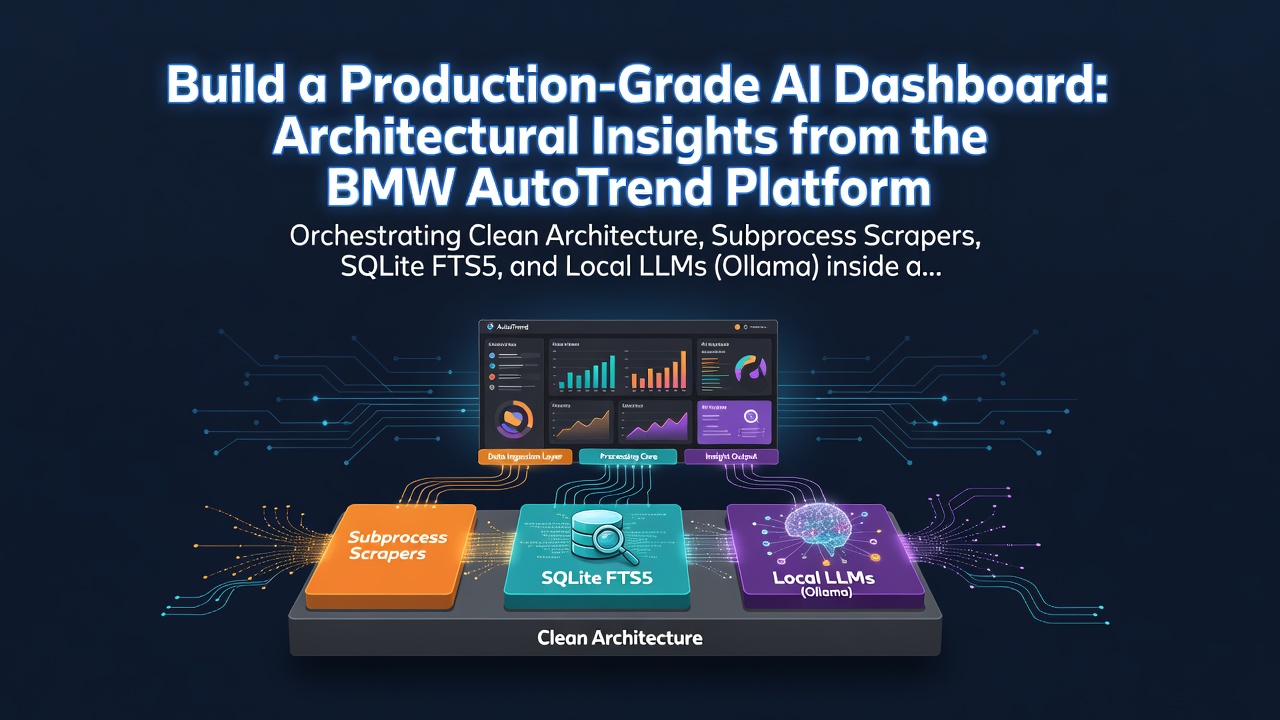
Orchestrating Clean Architecture, Subprocess Scrapers, SQLite FTS5, and Local LLMs (Ollama) inside a Dockerized Python + React Stack.
1. Executive Summary & Design Goals
The BMW AutoTrend Dashboard is a local-first, AI-powered automotive intelligence platform that scrapes, processes, classifies, and visualizes market trends and sentiment for BMW-related news. The system is designed to run completely locally, using a local LLM instance via Ollama for article summarization and entity extraction, backed up by a deterministic rule-based regex fallback engine.
The platform was built with the following design goals:
- Clean Architecture: Decouple the data extraction layer, storage mechanism, analytical computations, and API controllers.
- Deterministic Fallbacks: Ensure the application remains fully functional (using a rule-based regex processor) even when local LLM resources (Ollama) are offline or resource-constrained.
- Local-First & High Performance: Use SQLite FTS5 for instant full-text search, keeping all scraped data, search indexes, and analysis files stored locally without external SaaS API dependencies.
- Plug-and-Play Extensibility: Allow plugging in new scraping adapters (e.g., Autoblog, MotorTrend) by implementing a unified abstract interface.
2. Clean System Architecture
The application adheres to Clean Architecture principles, maintaining a strict unidirectional data flow and isolating business logic from external dependencies.
graph TD
    subgraph Frontend [React SPA - Served via Nginx]
        UI[Interactive Dashboard Pages]
        RC[Recharts Visualizations]
        FTS_UI[Spotlight Search UI]
    end

    subgraph Backend [FastAPI Application]
        API[FastAPI Endpoints]
        SCH[APScheduler Ingestion & Snapshots]
        ING[Ingestion Pipeline]
        ANA[Analytics Engine]
        AIP[AI Processing Pipeline]
    end

    subgraph CLI Bridge [Subprocess Execution]
        WBC[Webcmd CLI + BMWBLOG Plugin]
    end

    subgraph Storage [Local Storage]
        DB[(SQLite Database)]
        FTS[(FTS5 Search Index)]
    end

    subgraph Local LLM [AI Inference]
        OLL[Ollama Server]
    end

    UI -->|Queries| API
    API -->|Reads/Writes| DB
    ING -->|Executes| WBC
    WBC -->|Scrapes Web Data| BMWBLOG[BMWBLOG Site]
    ING -->|Sends content for classification| AIP
    AIP -->|Requests JSON| OLL
    AIP -->|Regex Fallback| AIP
    SCH -->|Triggers| ING
    SCH -->|Runs daily| ANA
    ANA -->|Computes stats| DB
    FTS_UI -->|Queries FTS| API
    API -->|FTS Match Query| FTS
Enter fullscreen mode Exit fullscreen mode
- Frontend Layer: A React + TypeScript SPA built with Vite. It interacts with the backend strictly via standardized JSON REST endpoints.
- API Controllers: FastAPI handlers that validate schemas using Pydantic, query storage, and trigger background tasks.
-
Core Business Logic:
- The Ingestion Pipeline orchestrates scraping, duplicate checks, and data ingestion.
- The AI Processing Pipeline performs text analysis, summarization, and tag extraction.
- The Analytics Engine aggregates metrics and maintains daily snapshots.
-
Data Providers: Subprocess wrappers encapsulating the execution of Node.js-based CLI tools (
webcmd). - Database Layer: SQLite managed via SQLAlchemy ORM, enriched with raw SQL database triggers.
3. Ingestion Pipeline & Subprocess WebCMD Scraping
Data ingestion begins with the abstract base class NewsProvider in [providers/base.py]. Concrete providers, such as the BMWBlogProvider in providers/bmwblog.py, are responsible for crawling data from publishers.
Rather than writing custom web scrapers that are brittle and hard to maintain, the backend utilizes the @agentrhq/webcmd CLI tool under the hood. The BMWBlogProvider executes webcmd as a subprocess to retrieve structured article feeds.
The Subprocess Execution Mechanism
# snippet from backend/providers/bmwblog.py
def _run_webcmd(self, args: List[str]) -> str:
    cmd = ["webcmd"] + args
    try:
        # We use shell=True on Windows because webcmd is a script (.ps1 or .cmd)
        is_windows = os.name == 'nt'
        result = subprocess.run(
            cmd,
            stdout=subprocess.PIPE,
            stderr=subprocess.PIPE,
            text=True,
            shell=is_windows,
            check=True
        )
        return result.stdout
    except subprocess.CalledProcessError as e:
        logger.error(f"webcmd execution failed: {result.stderr}")
        raise Exception(f"webcmd error: {result.stderr}")
Enter fullscreen mode Exit fullscreen mode
The pipeline executes in two stages:
-
Metadata Fetching: Runs
webcmd bmwblog latest -f jsonto retrieve the latest 10 articles (metadata only: URLs, titles, brief excerpts). -
Deep Article Ingestion: For each new URL (determined by checking the SQLite index), it queries
webcmd bmwblog article <url> -f jsonto extract the full body text, category, author, and scrapes the raw HTML for OpenGraph images (og:image).
4. Hybrid AI Classification Pipeline (Ollama & Regex Fallbacks)
Once full article text is ingested, it is dispatched to ai/processor.py. The processor uses a hybrid system that dynamically checks Ollama's availability before selecting an evaluation engine:
graph TD
    A[New Article Ingested] --> B{Is Ollama Server Online?}
    B -->|Yes| C[Call Ollama Llama 3.2 API]
    C --> D{Parsing JSON Successful?}
    D -->|Yes| E[Save AI Classification to Database]
    D -->|No| F[Fallback to Regex Rule Engine]
    B -->|No| F
    F --> G[Extract Entities, Sentiment, & Summaries via Rules]
    G --> E
Enter fullscreen mode Exit fullscreen mode
1. Ollama LLM Pipeline
If the Ollama server is online and running llama3.2, the backend posts to /api/generate with a carefully crafted prompt. To ensure deterministic integration, the request forces a structured JSON output:
payload = {
    "model": settings.OLLAMA_MODEL,
    "prompt": prompt,
    "format": "json",
    "stream": False,
    "options": { "temperature": 0.1 }
}
Enter fullscreen mode Exit fullscreen mode
The model classifies sentiment (Positive, Neutral, Negative), extracts relevant vehicle models (e.g., Neue Klasse, BMW M3), maps technology tags (e.g., Battery Technology, ADAS), and generates short, detailed, and TL;DR summaries.
2. Rule-Based Regex Fallback Pipeline
If Ollama is offline (or fails to return valid JSON), _analyze_with_rules executes. It uses pre-compiled regular expressions to match keywords and tags:
TECHNOLOGY_TAGS = {
    "Electric Vehicles": r"\b(ev|evs|electric|zero-emission|zero emission|battery electric|bev)\b",
    "Battery Technology": r"\b(battery|batteries|solid-state|cell|cells|rimac)\b",
    "Autonomous Driving": r"\b(autonomous|self-driving|driverless|autopilot)\b",
    # ...
}

# Sentiment heuristic based on term tallying
pos_count = sum(len(re.findall(rf"\b{word}\b", combined_text)) for word in SENTIMENT_POSITIVE)
neg_count = sum(len(re.findall(rf"\b{word}\b", combined_text)) for word in SENTIMENT_NEGATIVE)
Enter fullscreen mode Exit fullscreen mode
This hybrid model guarantees that database columns are populated with valid categories and tags, and that search capabilities are never compromised by hardware limitations.
5. High-Performance SQLite FTS5 Search Indexing with Database Triggers
For high-speed, local-first search, the project bypasses slow LIKE %query% SQL operations and utilizes SQLite's native FTS5 (Full-Text Search) extension.
Database Schema Initialization and Triggers
In database/connection.py, the application boots the database using SQLAlchemy, but hooks into standard connection events to enforce foreign key constraints (PRAGMA foreign_keys=ON) and manually provisions an FTS5 virtual table + synchronization triggers:
-- FTS5 Virtual Table Configuration
CREATE VIRTUAL TABLE articles_fts USING fts5(
    title,
    excerpt,
    content,
    content='articles'
);

-- Synchronization Triggers (Insert, Delete, Update)
CREATE TRIGGER articles_ai AFTER INSERT ON articles BEGIN
    INSERT INTO articles_fts(rowid, title, excerpt, content)
    VALUES (new.id, new.title, new.excerpt, new.content);
END;
Enter fullscreen mode Exit fullscreen mode
These triggers offload search indexing directly to the SQLite engine. Whenever a new article is committed via SQLAlchemy, SQLite automatically indexes the title, excerpt, and content inside the FTS5 shadow tables.
Relevance-Based Search Endpoint
When a user searches the dashboard, the backend performs a BM25 relevance-ranking query:
# Snippet from backend/api/routes.py
query_str = """
    SELECT rowid FROM articles_fts
    WHERE articles_fts MATCH :query
    ORDER BY bm25(articles_fts)
"""
result = db.execute(text(query_str), {"query": search_term})
Enter fullscreen mode Exit fullscreen mode
This executes in sub-milliseconds, giving the frontend instantaneous "Search-as-you-type" capabilities.
6. Dynamic Analytics Engine & Rolling Trend Computations
The Analytics Engine in analytics/engine.py performs rolling window calculations to determine which automotive trends are gaining traction.
Instead of tracking basic counts, the engine computes a weekly growth rate by comparing mentions of vehicle models and technologies over a rolling 7-day window vs the preceding 7-day window.
# 7-day boundaries
seven_days_ago = today_start - timedelta(days=7)
fourteen_days_ago = today_start - timedelta(days=14)

# Mentions in last 7 days (recent) vs 7-14 days ago (previous)
# Growth calculation:
if prev_cnt == 0:
    growth_pct = 100.0 if recent_cnt > 0 else 0.0
else:
    growth_pct = ((recent_cnt - prev_cnt) / prev_cnt) * 100.0
Enter fullscreen mode Exit fullscreen mode
The resulting topics are sorted by growth_rate DESC to populate the "Trending Topics" widgets in the UI.
Historical Snapshotting
To prevent CPU-heavy aggregations every time a user loads the page, the application uses APScheduler to execute generate_daily_snapshot near midnight. This function serializes the calculated statistics to JSON and stores it in the analytics_snapshots table, enabling fast rendering of historical timelines over 30 days.
7. Frontend Architecture (React + Vite + Recharts)
The frontend is a single-page application built on a modern React + TypeScript + Vite architecture.
UI Features
- Glassmorphic Theme: A premium dark-mode interface built on CSS variables, custom Outfit typography, and glowing borders.
-
Component Layout: The sidebar and main panels are structured in
layouts/DashboardLayout.tsxfor responsive navigation. -
Visualizations: Uses
Rechartsto display dynamic data:- Area charts for daily article volumes.
- Sentiment timelines mapping Positive/Neutral/Negative trends over a 30-day period.
- Bar charts comparing vehicle model and technology tag popularity.
- Real-time Search: Ingests keypresses, queries the SQLite FTS5 index via the API, and highlights matches with sub-millisecond lag.
8. Docker Orchestration & DevSecOps Insights
The platform is designed to launch with a single command: docker compose up --build. The orchestration configures three networks-isolated, dependent containers:
-
Ollama Container: Pulls and serves LLM models on port
11434. -
FastAPI Backend Container: Built from
docker/backend.Dockerfile. It maps the database to a persistent Docker volumedb_dataat/app/data/autotrend.dbso database records are saved permanently across container restarts. -
Nginx Frontend Container: A multi-stage build that compiles the React application and uses Nginx to serve the static assets on port
80, proxying requests to the backend.
Technical Docker Tip: Node.js Subprocess Requirement
Since the python backend invokes webcmd (an npm library) as a subprocess, the backend Dockerfile must be configured to support a multi-runtime environment. Adding Node.js, npm, and installing @agentrhq/webcmd globally inside the python slim container ensures the ingestion pipeline compiles without error:
FROM python:3.12-slim
WORKDIR /app

# Install Node.js, NPM, and global webcmd CLI scraper
RUN apt-get update && apt-get install -y --no-install-recommends \
    build-essential curl gnupg \
    && curl -fsSL https://deb.nodesource.com/setup_20.x | bash - \
    && apt-get install -y nodejs \
    && npm install -g @agentrhq/webcmd \
    && webcmd plugin install github:agentrhq/webcmd/bmwblog \
    && rm -rf /var/lib/apt/lists/*
Enter fullscreen mode Exit fullscreen mode
9. Extensibility & Future Scope
The design of the AutoTrend Dashboard makes it easily expandable:
-
Adding New News Outlets: Create a new class implementing the
NewsProviderabstract base class (e.g.AutoblogProvider). Map the scraper plugin commands (e.g.webcmd autoblog latest), and register the provider inrun_ingestion_pipeline. - External LLMs: The AI client in [ai/client.py] can be extended to support remote cloud models (such as the Gemini API or OpenAI API) using environment variables for API keys.
-
Advanced Sentiment Heuristics: The rule-based engine can be upgraded to support VADER or transformer models (like Hugging Face's
distilbert-base-uncased-finetuned-sst-2-english) for deep offline sentiment extraction.
Created as technical documentation for the BMW AutoTrend Dashboard codebase.Github Repo at https://github.com/scha54/BMW-AutoTrend-Dashboard
0 Comments
Log in to join the conversation.No comments yet. Be the first to share your thoughts.