
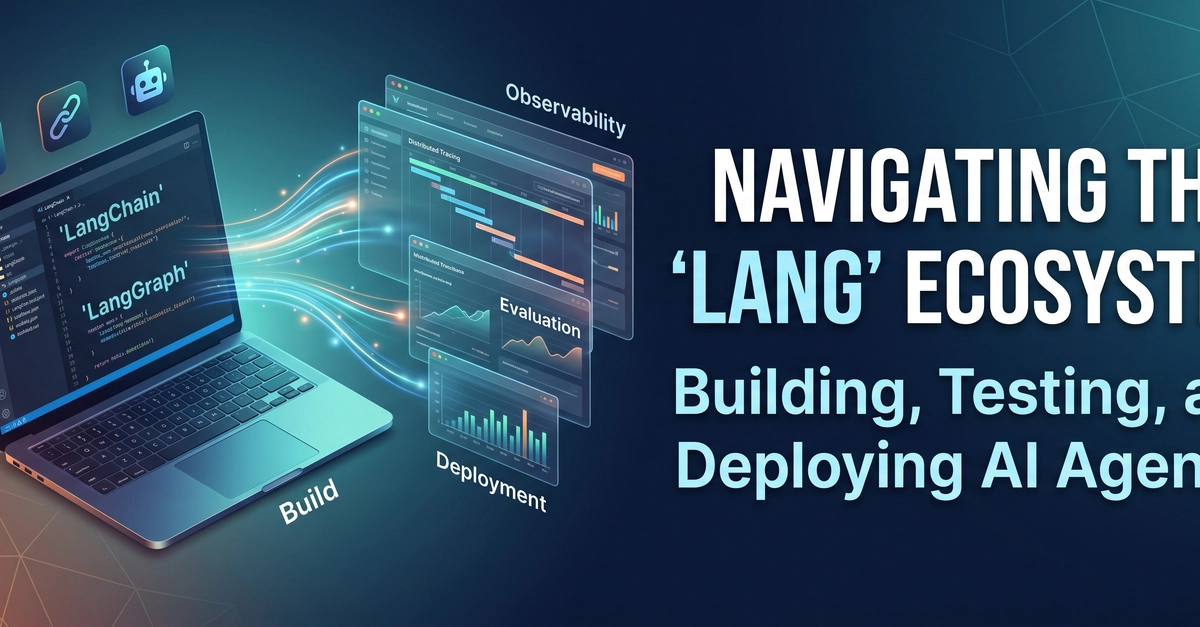
If you've spent any time building with LLMs in the last year, you've probably hit "Lang-fatigue." LangChain, LangGraph, LangSmith, deepagents, dcode, Langflow, LangFuse — the naming convention is great for branding and terrible for onboarding. This guide untangles the entire ecosystem so you know exactly which tool to reach for, and why.
From Chains to a Full Engineering Lifecycle
In 2022, "using LangChain" meant one thing: chaining prompt templates and LLM calls together in Python. That was enough when apps were single-shot Q&A bots.
Agents changed the equation. Once an LLM can loop, call tools, branch on its own outputs, and run for minutes or hours, "build a chain" stops being the hard part. The hard part becomes:
- Build — orchestrate multi-step, stateful, occasionally cyclic logic
- Test — know whether a change made the agent better or worse
- Deploy — run long-lived, resumable processes in production, not just stateless HTTP handlers
- Monitor — see what an autonomous agent actually did after the fact, and fix it when it's wrong
The "Lang" ecosystem today mirrors that lifecycle. It splits cleanly into two categories:
-
Open-source building blocks —
langchain-core,langchain,langgraph,deepagents— the code you import and own. Free, self-hostable, framework-level. - Commercial platform tooling — LangSmith and its sub-products (Observability, Evaluation, Engine, Deployment, Sandboxes, Fleet) — the operational layer for running agents at scale, with a free tier and paid plans for teams.
You can use the open-source layer with zero platform lock-in. Most serious teams eventually pair it with LangSmith once they need to answer "why did this agent fail in production?"
Core Open-Source Building Blocks
langchain-core — the foundation
This is the dependency almost everything else sits on top of. It defines the shared vocabulary: Runnable, chat message types, the base interfaces for chat models, vector stores, and retrievers. You rarely install this directly — it comes in as a transitive dependency — but understanding it explains why every LangChain-compatible integration feels interchangeable.
from langchain_core.messages import HumanMessage, SystemMessage
from langchain_core.runnables import Runnable

# Every chat model, every chain, every tool ultimately
# implements the Runnable interface: .invoke / .stream / .batch
Enter fullscreen mode Exit fullscreen mode
Use it for: understanding the abstractions underneath everything else, or when you're writing a custom integration and need the base classes.
langchain — batteries-included agents
The high-level framework. This is where most developers start. It ships pre-built agent construction patterns (like create_agent), a middleware system for hooking into the agent loop (retries, guardrails, logging), and connects to 1,000+ model providers, vector stores, and tools out of the box.
from langchain.agents import create_agent

agent = create_agent(
    model="anthropic:claude-sonnet-5",
    tools=[my_search_tool, my_calculator_tool],
    system_prompt="You are a helpful research assistant.",
)

result = agent.invoke({"messages": [{"role": "user", "content": "Summarize today's AI news"}]})
Enter fullscreen mode Exit fullscreen mode
Ideal use case: you want a working agent fast, with sensible defaults, and don't need to hand-design the control flow.
langgraph — low-level, stateful orchestration
Where langchain optimizes for speed of getting started, langgraph optimizes for determinism and control. It models your agent as a graph of nodes and edges rather than a straight-line chain — which matters once your logic needs to loop, branch conditionally, or pause for a human.
Key capabilities:
- Cyclic graphs — agents that loop (plan → act → reflect → repeat) instead of running once
- Durable execution — the graph can crash or restart mid-run without losing state
- Checkpointing — every step is persisted, so you can rewind, replay, or fork execution
- Human-in-the-loop — a node can pause and wait for approval before continuing
from langgraph.graph import StateGraph, END

graph = StateGraph(AgentState)
graph.add_node("plan", plan_step)
graph.add_node("act", act_step)
graph.add_conditional_edges("act", should_continue, {"continue": "plan", "done": END})

app = graph.compile(checkpointer=my_checkpointer)
Enter fullscreen mode Exit fullscreen mode
Ideal use case: production agents where you need explicit control over the loop — customer-facing workflows, multi-agent systems, anything that needs to survive a restart mid-task.
deepagents & dcode — long-running, open-ended agents
deepagents is a harness built on top of langgraph for agents that work more like a persistent employee than a single request/response call — think multi-hour research tasks or autonomous coding sessions, not a single tool call.
from deepagents import create_deep_agent

agent = create_deep_agent(
    model="openai:gpt-5.5",
    tools=[my_custom_tool],
    system_prompt="You are a research assistant.",
)

result = agent.invoke({"messages": "Research LangGraph and write a summary"})
Enter fullscreen mode Exit fullscreen mode
It gives agents the ability to plan, read/write files, spin up sub-agents for parallel work, and manage their own context window over long tasks.
Sitting on top of that SDK is dcode (deepagents-code) — a pre-built, terminal-based coding agent, comparable in spirit to Claude Code or Cursor's CLI. It's model-agnostic, works with any provider that supports tool calling, and adds persistent memory, custom skills (slash commands), remote sandboxes for isolated execution, and a headless mode for CI pipelines.
# Install and launch dcode
curl -LsSf https://langch.in/dcode | bash
dcode
Enter fullscreen mode Exit fullscreen mode
Ideal use case: open-ended agentic work where you can't fully script the steps in advance — deep research, long-running coding sessions, autonomous debugging.
The Enterprise Platform: LangSmith & Sub-Products
If the open-source frameworks answer "how do I build an agent," LangSmith answers "how do I know it's actually working, and how do I run it reliably." It's framework-agnostic — you can trace LangGraph, a raw OpenAI SDK call, or anything else via OpenTelemetry and SDKs for Python, TypeScript, Go, and Java.
Observability
Distributed tracing that breaks every agent run into a structured, step-by-step timeline — which tool was called, in what order, with what inputs and outputs, and why the model made each decision. Essential once branching logic and long context make failures hard to reproduce by just reading logs.
Evaluation & Engine
- Evaluation — turn real production traces into reusable test cases; score agents with LLM-as-a-judge evals, human annotation, and both online (live traffic) and offline (batch) scoring.
- LangSmith Engine — a newer addition that goes a step further: it autonomously clusters production failures into prioritized issues, traces them back to a root cause in your code, and proposes a fix for review, rather than leaving you to manually dig through traces.
Deployment & Infrastructure
The LangSmith agent server is built for workloads that don't look like typical stateless web requests — agents that run for a long time, need durable checkpointing, and require human-in-the-loop interruptions. It natively supports:
- Human-in-the-loop and background agents
- Type-safe streaming of messages, UI events, and custom data
- A distributed runtime built to scale to agent swarms
- Native MCP (Model Context Protocol) and A2A (agent-to-agent) protocol support
Fleet & Sandboxes
- Fleet — a no-code/low-code layer for building internal, company-wide agents. Describe a task in plain language and Fleet turns it into a recurring agent that runs across your existing tools, with enterprise security and admin controls baked in.
- Sandboxes — isolated, safe environments for running agent-generated code, so an autonomous agent executing shell commands or scripts can't touch your actual infrastructure.
Historical Context & Ecosystem Clarifications
Whatever happened to LangServe?
LangServe was the original way to deploy a LangChain Runnable as a REST API (FastAPI-based, with /invoke, /batch, and /stream endpoints). It's still maintained for bug fixes, but LangChain now explicitly recommends the LangGraph Platform / LangSmith Deployment for new projects — LangServe was designed for simple, stateless runnables, whereas modern agents need persistence, memory, checkpointing, and human-in-the-loop support that LangServe was never built for.
Is Langflow part of LangChain?
No — this trips up a lot of people. Langflow is a visual, drag-and-drop workflow builder that uses LangChain-style primitives under the hood, but it's a separate open-source project (acquired by DataStax, and now under IBM following DataStax's acquisition). It's genuinely popular for prototyping RAG pipelines and agent flows without writing code, and it ships its own MCP server support and API layer — but it isn't developed or maintained by the LangChain team, and its roadmap moves independently.
Other "Lang" tools you'll bump into
- LangFuse — an independent, open-source LLM observability platform, often used as a self-hostable alternative to LangSmith tracing.
- LangTest — an open-source library focused on testing LLMs for robustness, bias, and fairness before deployment.
None of these are LangChain products — they're part of the broader ecosystem that grew up around it.
Summary Architecture Table
| Product | Category | Primary Purpose | Best Used For |
|---|---|---|---|
langchain-core |
Open Source | Base abstractions (messages, Runnables, model/vector-store interfaces) | Building custom integrations, understanding the shared API surface |
langchain |
Open Source | High-level agent framework with pre-built patterns and 1,000+ integrations | Getting an agent running quickly with sensible defaults |
langgraph |
Open Source | Low-level, stateful, cyclic orchestration with durable execution | Production agents needing explicit control, loops, or human-in-the-loop steps |
deepagents |
Open Source | SDK for long-running, autonomous, open-ended agents | Multi-hour research or task-execution agents |
dcode (deepagents-code) |
Open Source | Terminal-based coding agent built on the Deep Agents SDK | Autonomous, CLI-driven coding sessions |
| LangSmith Observability | Commercial | Distributed tracing and run inspection | Debugging agent behavior in production |
| LangSmith Evaluation | Commercial | LLM-as-judge and human-annotated evals | Measuring and improving agent quality over iterations |
| LangSmith Engine | Commercial | Autonomous failure clustering and root-cause fixes | Reducing manual triage time on production issues |
| LangSmith Deployment | Commercial | Scalable, fault-tolerant agent server with checkpointing, MCP/A2A support | Running agents in production at scale |
| LangSmith Sandboxes | Commercial | Isolated environments for agent-generated code execution | Safely running untrusted, agent-written code |
| LangSmith Fleet | Commercial | No-code/low-code internal company agents | Non-engineering teams automating recurring tasks |
| LangServe | Legacy OSS | REST-serving LangChain runnables | Simple, stateless chains only (superseded for new work) |
| Langflow | Independent OSS | Visual drag-and-drop agent/RAG builder | Prototyping without code (maintained by IBM/DataStax, not LangChain) |
| LangFuse | Third-party OSS | Self-hostable LLM observability | Framework-agnostic tracing outside LangSmith |
| LangTest | Third-party OSS | LLM robustness/bias/fairness testing | Pre-deployment model evaluation |
Where to Go Next
The fastest way to get oriented is to pick your entry point based on what you're actually building:
- Prototyping fast → start with
langchain - Need real control over the agent loop → go straight to
langgraph - Building an autonomous, long-running agent → check out
deepagents - Ready to move past "it works on my machine" → set up LangSmith
For hands-on, structured learning, LangChain Academy has free courses covering the whole stack, and the official documentation is the best source of truth as this ecosystem keeps moving fast.
If this cleared up the "Lang" confusion for you, drop a comment with which tool you're using in production right now — I'm curious how the split between langgraph and deepagents is shaking out in real projects.
0 Comments
Log in to join the conversation.No comments yet. Be the first to share your thoughts.