
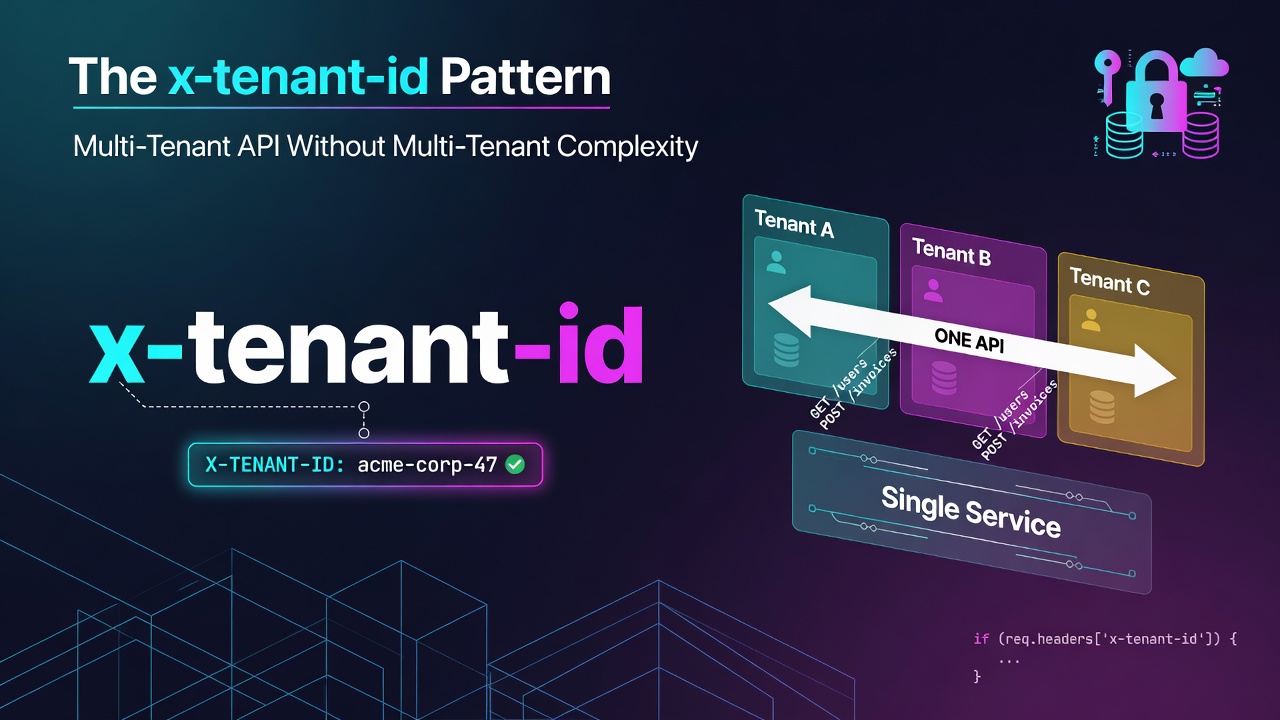
當您在建置多租戶 SaaS 時,第一個架構問題通常是:如何保持租戶資料隔離?選項從每個租戶使用獨立資料庫(最高隔離性、最高成本)到共用資料庫搭配資料列層級過濾(最低成本,需要更謹慎的編碼)。
但有一個同等重要的問題較少受到關注:您的 API 如何知道請求屬於哪個租戶上下文?
這篇文章介紹我們在生產環境中使用的模式:使用自訂請求標頭進行租戶範圍界定,並結合 JWT 驗證。實作簡單、易於稽核,且靈活支援單一使用者帳戶的多租戶存取。
三種常見方法
1. 基於子網域(tenant.yourdomain.com)
租戶編碼在主機名稱中。每個子網域路由到同一個後端,後端從 Host 標頭中提取租戶。
優點:直觀、在 URL 中可見。
缺點:需要萬用字元 TLS 憑證、更複雜的 DNS 設定、在開發環境中不方便、行動 API 客戶端的運作方式不同。
2. 基於 URL 路徑(/api/tenants/{tenantId}/...)
租戶識別碼是每個路由路徑的一部分。
優點:符合 REST 原則、自我說明。
缺點:使所有路由定義變得冗長、每個端點都需要包含租戶區段、使 API 版本控制變得更複雜。
3. 基於標頭(x-tenant-id: <id>)
自訂標頭攜帶租戶上下文。路由保持簡潔。租戶範圍在中介軟體中解析,然後才執行處理程序。
優點:路由保持簡單、中介軟體統一處理範圍界定、與 JWT 驗證搭配良好、易於測試。
缺點:較不明顯(租戶不在 URL 中)、客戶端必須始終包含標頭。
我們使用標頭方法。
實作方式
API 接受兩種驗證形式:
Authorization標頭中的 JWT 權杖 — 識別誰發出請求x-tenant-id標頭中的租戶 ID — 識別代表哪個租戶
POST /api/v1/members
Authorization: Bearer eyJhbGciOiJIUzI1NiIs...
x-tenant-id: tenant_01GZ8K3X7Y
Content-Type: application/json
Enter fullscreen mode Exit fullscreen mode
中介軟體
驗證中介軟體首先執行並驗證 JWT。租戶中介軟體其次執行,並根據已驗證使用者的允許租戶清單驗證 x-tenant-id:
// middleware/requireAuth.js
export async function requireAuth(req, res, next) {
  const token = extractBearerToken(req.headers.authorization);
  if (!token) return res.status(401).json({ error: 'Unauthorized' });

  try {
    const payload = verifyJwt(token);
    req.user = payload;
    next();
  } catch {
    res.status(401).json({ error: 'Invalid token' });
  }
}
Enter fullscreen mode Exit fullscreen mode
// middleware/requireTenantContext.js
export async function requireTenantContext(req, res, next) {
  const tenantId = req.headers['x-tenant-id'];
  if (!tenantId) return res.status(400).json({ error: 'x-tenant-id header required' });

  // Verify the authenticated user has access to this tenant
  const membership = await db.membership.findFirst({
    where: {
      userId: req.user.id,
      tenantId,
      status: 'active',
    },
  });

  if (!membership) return res.status(403).json({ error: 'Access denied' });

  req.tenantId = tenantId;
  req.role = membership.role;
  next();
}
Enter fullscreen mode Exit fullscreen mode
路由處理程序接著可使用 req.tenantId 和 req.role。這些處理程序中的所有資料庫查詢都包含 where: { tenantId: req.tenantId }。
路由註冊
租戶範圍的路由會套用兩個中介軟體。公開路由(驗證端點、健康檢查)不套用任何中介軟體:
// Public
router.post('/auth/login', loginHandler);
router.get('/health', healthHandler);

// Tenant-scoped
router.use('/members', requireAuth, requireTenantContext, membersRouter);
router.use('/invoices', requireAuth, requireTenantContext, invoicesRouter);
router.use('/settings', requireAuth, requireTenantContext, settingsRouter);
Enter fullscreen mode Exit fullscreen mode
中介軟體在路由層級套用,而非每個處理程序。新路由在租戶範圍的前綴下會自動繼承上下文,無需任何額外工作。
單一帳戶的多租戶存取
標頭模式使另一件事變得容易:單一使用者帳戶存取多個租戶。
超級管理員或管理工具需要跨租戶查詢或切換上下文,而無需重新驗證。使用標頭模式這很簡單 — 為使用者發出一個 JWT,然後每個請求傳遞不同的 x-tenant-id 值:
// Management dashboard switching tenant context
async function fetchMembersForTenant(tenantId) {
  return api.get('/members', {
    headers: {
      'Authorization': `Bearer ${userToken}`,
      'x-tenant-id': tenantId,
    }
  });
}
Enter fullscreen mode Exit fullscreen mode
使用基於子網域或路徑的方法,同樣的情境需要不同的基礎 URL 或重複的路由結構。
加入深度防禦:資料列層級安全性
標頭 + 中介軟體模式處理應用程式層的租戶隔離。若要在資料庫層級增加一層防護,PostgreSQL 的資料列層級安全性(Row-Level Security)即使應用程式程式碼有錯誤而遺漏 tenantId 過濾器,仍能強制執行隔離:
-- Policy: users can only see rows belonging to their current tenant
ALTER TABLE members ENABLE ROW LEVEL SECURITY;

CREATE POLICY tenant_isolation ON members
  USING (tenant_id = current_setting('app.current_tenant_id')::uuid);
Enter fullscreen mode Exit fullscreen mode
在每個請求開始時,在資料庫連線上設定目前租戶:
await db.$executeRaw`SELECT set_config('app.current_tenant_id', ${req.tenantId}, true)`;
Enter fullscreen mode Exit fullscreen mode
即使查詢忘記 WHERE tenant_id = ?,現在也會傳回空結果,而不會洩漏資料。中介軟體是第一道防線;RLS 是最後一道防線。
採用前需了解的權衡
客戶端必須始終傳送標頭。這是一項紀律要求。忘記傳送標頭會傳回 400,這很容易偵錯,但這是初始整合時的小困擾。清楚記錄並考慮提供有幫助的錯誤訊息:"x-tenant-id header is required for this endpoint. See docs for details."
標頭在日誌中可見。租戶 ID 不是機密 — 它們是識別碼 — 但請確保您的日誌清理規則會將它們與其他中繼資料一致對待。
在工作階段中切換租戶是應用程式層邏輯。API 不知道也不關心工作階段狀態中的「目前租戶」。客戶端始終告訴 API 要使用哪個租戶上下文。這是明確的,這很好,但需要客戶端管理該狀態。
摘要
x-tenant-id 標頭模式雖然不華麗,但很有效。路由保持簡潔。中介軟體統一處理範圍界定。單一 JWT 可跨多個租戶上下文運作。當您需要時,此模式可自然地與資料庫層級的隔離機制搭配使用。
對於大多數租戶是組織(而非個別使用者)的多租戶 API,在使用子網域或基於路徑的替代方案之前,值得考慮此模式。
0 Comments
Log in to join the conversation.No comments yet. Be the first to share your thoughts.