
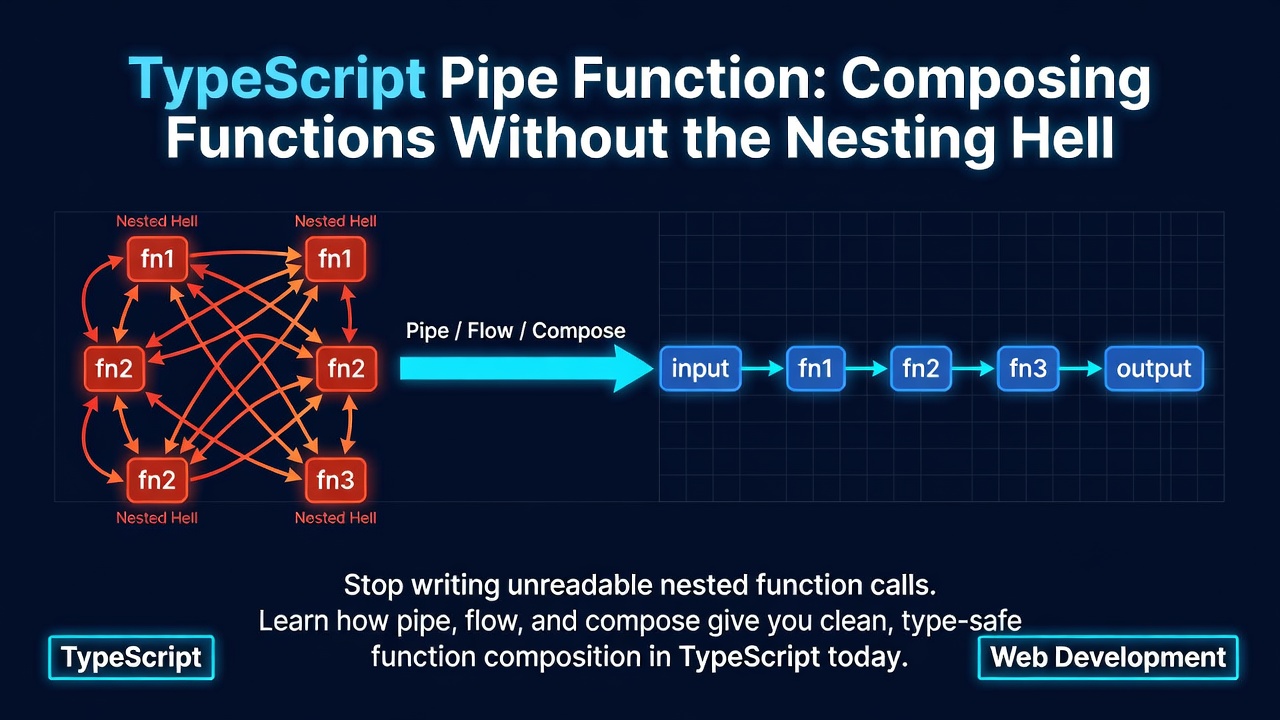
來看看這段程式碼,告訴我運算順序:
const result = uppercase(trim(removeSpaces(validate(input))));
Enter fullscreen mode Exit fullscreen mode
你從左到右閱讀,但執行順序卻是從右到左。validate 最先執行,接著是 removeSpaces,然後 trim,最後才是 uppercase。閱讀順序與執行順序相反。
現在再多加一個步驟:
const result = format(uppercase(trim(removeSpaces(validate(input)))));
Enter fullscreen mode Exit fullscreen mode
再多加一個:
const result = encode(format(uppercase(trim(removeSpaces(validate(input))))));
Enter fullscreen mode Exit fullscreen mode
這種寫法無法擴展。每增加一個步驟,就要把整個運算式再包一層函式呼叫。巢狀層級不斷增加,括號不斷堆疊。在中間插入步驟需要計算括號數量,移除步驟也是如此。如果其中任何函式回傳 Either 或 Task 這類包裝型別,巢狀結構就會變得非常痛苦。
有更好的寫法。
pipe:由左至右的組合
pipe 以值作為第一個參數,然後依序傳遞給一連串函式,由左至右。每個函式都會接收前一個函式的回傳值。
import { pipe } from "@oofp/core/pipe";

const result = pipe(input, validate, removeSpaces, trim, uppercase);
Enter fullscreen mode Exit fullscreen mode
同樣的運算,同樣的結果。但現在程式碼的閱讀順序就是執行順序:從 input 開始,驗證它、移除空白、修剪它、轉大寫。
增加步驟非常簡單:
const result = pipe(input, validate, removeSpaces, trim, uppercase, encode);
Enter fullscreen mode Exit fullscreen mode
移除步驟也一樣容易——直接刪除那一行即可。無需計算括號,無需重新組織。
型別推論貫穿整個鏈結
TypeScript 會推論每一個中間型別。如果 validate 回傳 string,那麼 removeSpaces 就必須接受 string。如果你傳入不匹配的函式,編譯器會立即告訴你:
const double = (n: number) => n * 2;
const exclaim = (s: string) => s + "!";
const len = (s: string) => s.length;

// TypeScript infers each step:
const result = pipe(
  "hello",        // string
  exclaim,        // (string) => string
  len,            // (string) => number
  double,         // (number) => number
);
// result: number (10)
Enter fullscreen mode Exit fullscreen mode
交換 double 和 len,編譯器就會抓到錯誤。型別會流經整個管線,每個不匹配都會在編譯時期浮現。
垂直管線
當管線變長時,請以垂直方式撰寫。這是函式式 TypeScript 的慣用風格:
import { pipe } from "@oofp/core/pipe";
import * as E from "@oofp/core/either";

const processInput = (raw: string) =>
  pipe(
    raw,
    parseJSON,
    E.chain(validateSchema),
    E.map(normalize),
    E.map(enrichWithDefaults),
    E.map(serialize),
  );
Enter fullscreen mode Exit fullscreen mode
每一行就是一個步驟。你可以從上到下掃描管線,一眼就能理解整個轉換過程。
flow:建立可重複使用的管線
pipe 會先接收值並立即執行。有時你還沒有這個值——你想要先定義管線,稍後再套用。這就是 flow。
flow 只接收函式,並回傳一個新函式:
import { flow } from "@oofp/core/flow";

const process = flow(validate, removeSpaces, trim, uppercase);
// process is a function: (input: string) => string

const result = process(input);
Enter fullscreen mode Exit fullscreen mode
flow 的組合方式與 pipe 相同,都是由左至右。兩者的差別在於計算發生的時機:pipe 現在就執行,flow 則是建立一個函式供稍後使用。
flow 的優勢所在
當你需要將轉換傳遞作為參數時,請使用 flow:
import { flow } from "@oofp/core/flow";
import * as E from "@oofp/core/either";

const parsePositiveNumber = flow(
  (s: string) => Number(s),
  (n) => (isNaN(n) ? E.left("Not a number") : E.right(n)),
  E.chain((n) => (n > 0 ? E.right(n) : E.left("Must be positive"))),
);

// Use it directly with Array.map
const results = ["10", "-3", "abc", "42"].map(parsePositiveNumber);
// [Right(10), Left("Must be positive"), Left("Not a number"), Right(42)]
Enter fullscreen mode Exit fullscreen mode
因為 flow 回傳的是普通函式,所以可以與任何接受回呼的 API 整合:Array.map、Array.filter、事件處理函式、中介軟體鏈等等。
為管線命名
flow 鼓勵為轉換取名。這是可讀性的一大進步:
import { flow } from "@oofp/core/flow";
import * as M from "@oofp/core/maybe";

const parseAge = flow(
  M.fromNullable<string>,
  M.map((s) => parseInt(s, 10)),
  M.iif((n) => !isNaN(n) && n >= 0 && n <= 150),
);

const formatCurrency = flow(
  (cents: number) => cents / 100,
  (dollars) => dollars.toFixed(2),
  (s) => `$${s}`,
);
Enter fullscreen mode Exit fullscreen mode
現在 parseAge 和 formatCurrency 都是自我說明的、可重複使用的,並且可以獨立測試。
compose:由右至左(數學順序)
compose 與 flow 做相同的事,但順序相反。函式列出時是由外而內,對應數學記號 (f . g)(x) = f(g(x))。
import { compose } from "@oofp/core/compose";

const process = compose(uppercase, trim, removeSpaces, validate);
// Same result as flow(validate, removeSpaces, trim, uppercase)
Enter fullscreen mode Exit fullscreen mode
由右至左閱讀:先 validate,再 removeSpaces,然後 trim,最後 uppercase。
import { flow } from "@oofp/core/flow";
import { compose } from "@oofp/core/compose";

const exclaim = (s: string) => s + "!";
const upper = (s: string) => s.toUpperCase();
const trim = (s: string) => s.trim();

// These produce identical functions:
const withFlow = flow(trim, upper, exclaim);
const withCompose = compose(exclaim, upper, trim);

withFlow("  hi  ");    // "HI!"
withCompose("  hi  "); // "HI!"
Enter fullscreen mode Exit fullscreen mode
大多數 TypeScript 開發者偏好 pipe 和 flow,因為由左至右符合我們閱讀程式碼的方式。compose 是為了來自 Haskell 或範疇論、習慣以 f . g 思考的人而存在。請選擇對你的團隊來說閱讀起來更舒服的那一種。
真實世界範例
資料驗證管線
import { pipe } from "@oofp/core/pipe";
import * as E from "@oofp/core/either";

interface Order {
  items: Array<{ price: number; qty: number }>;
  discount: number;
}

const validateOrder = (data: unknown): E.Either<string, Order> =>
  typeof data === "object" && data !== null
    ? E.right(data as Order)
    : E.left("Invalid order data");

const calculateTotal = (order: Order): Order & { total: number } => ({
  ...order,
  total: order.items.reduce((sum, item) => sum + item.price * item.qty, 0),
});

const applyDiscount = (rate: number) => (order: Order & { total: number }) => ({
  ...order,
  total: order.total * (1 - rate),
});

const processOrder = (rawData: unknown) =>
  pipe(
    rawData,
    validateOrder,
    E.map(calculateTotal),
    E.map(applyDiscount(0.1)),
  );
Enter fullscreen mode Exit fullscreen mode
每一步只做一件事。管線就是組合。加入稅金計算只需要一行:E.map(applyTax(0.08))。
使用 TaskEither 的非同步管線
import { pipe } from "@oofp/core/pipe";
import * as TE from "@oofp/core/task-either";

interface User {
  id: string;
  name: string;
}

interface Order {
  id: string;
  userId: string;
  total: number;
}

const fetchUser = (id: string): TE.TaskEither<Error, User> =>
  TE.tryCatch(
    () => fetch(`/api/users/${id}`).then((r) => r.json()),
    (err) => new Error(`Failed to fetch user: ${err}`),
  );

const fetchOrders = (userId: string): TE.TaskEither<Error, Order[]> =>
  TE.tryCatch(
    () => fetch(`/api/orders?userId=${userId}`).then((r) => r.json()),
    (err) => new Error(`Failed to fetch orders: ${err}`),
  );

const calculateTotals = (orders: Order[]) =>
  orders.reduce((sum, o) => sum + o.total, 0);

const formatReport = (total: number) => `Total revenue: $${total.toFixed(2)}`;

const fetchAndProcess = (id: string) =>
  pipe(
    fetchUser(id),
    TE.chain((user) => fetchOrders(user.id)),
    TE.map(calculateTotals),
    TE.map(formatReport),
  );
Enter fullscreen mode Exit fullscreen mode
如果 fetchUser 失敗,fetchOrders 就不會執行。錯誤會在管線中傳播,而不需要任何 try-catch 區塊。
結合 pipe 與 flow
常見模式:使用 flow 定義小型管線,再用 pipe 來協調它們:
import { pipe } from "@oofp/core/pipe";
import { flow } from "@oofp/core/flow";
import * as E from "@oofp/core/either";

const parseNumber = flow(
  (s: string) => Number(s),
  (n) => (isNaN(n) ? E.left("Invalid number" as const) : E.right(n)),
);

const ensureRange = (min: number, max: number) =>
  flow(
    E.iif((n: number) => n >= min && n <= max),
    E.mapLeft(() => `Must be between ${min} and ${max}` as const),
  );

const parsePercentage = (input: string) =>
  pipe(
    parseNumber(input),
    E.chain(ensureRange(0, 100)),
  );

parsePercentage("42");   // Right(42)
parsePercentage("-5");   // Left("Must be between 0 and 100")
parsePercentage("abc");  // Left("Invalid number")
Enter fullscreen mode Exit fullscreen mode
flow 建立建置區塊,pipe 則負責組裝它們。
pipe 與方法鏈的比較
你可能會想:「這看起來很像 .then().then() 或 array.map().filter()。」方法鏈與 pipe 解決類似的問題,但 pipe 更具通用性。
方法鏈只能使用特定類別上定義的方法:
// Method chaining — only works with Array's built-in methods
const result = [1, 2, 3, 4, 5]
  .filter((n) => n > 2).map((n) => n * 2).reduce((sum, n) => sum + n, 0);
Enter fullscreen mode Exit fullscreen mode
如果你需要在鏈結中呼叫另一個模組的工具函式呢?你辦不到。你必須中斷鏈結、指派給變數,然後開始新的鏈結。
pipe 可以與任何函式搭配使用,無論來自哪個模組:
import { pipe } from "@oofp/core/pipe";
import * as L from "@oofp/core/list";

const result = pipe(
  [1, 2, 3, 4, 5],
  L.filter((n) => n > 2),
  L.map((n) => n * 2),
  L.reduce(0, (sum, n) => sum + n),
  formatAsUSD,        // from your utils module
  addTaxDisclaimer,   // from another module
);
Enter fullscreen mode Exit fullscreen mode
你可以混合來自任何來源的函式。沒有類別階層,沒有原型鏈。只要是函式進、值出即可。
這也讓測試變得更簡單。管線中的每個函式都是可以獨立測試的獨立單元。無需實例化類別或模擬方法。
TC39 管線運算子
JavaScript 有一個 stage 2 提案,提出管線運算子 |>:
// Proposed syntax (not yet available)
const result = input
  |> validate(%)
  |> removeSpaces(%)
  |> trim(%)
  |> uppercase(%);
Enter fullscreen mode Exit fullscreen mode
它解決的問題與 pipe 相同。但截至 2025 年,這個提案已經停留在 stage 2 多年。它需要使用實驗性 Babel 外掛進行轉譯。它歷經多次語法修訂。而且它提供的型別安全並沒有超越 TypeScript 已經提供的範圍。
pipe 來自 @oofp/core/pipe,今天就能提供相同的便利性:
- 在任何 TypeScript 專案中零設定即可使用。
- 整個鏈結具備完整的型別推論。
- 不需要實驗性旗標或轉譯器外掛。
- 現在就能使用,而非等待委員會核准。
如果管線運算子最終進入語言,從 pipe 遷移將會很直觀。在那之前,pipe 是實用的選擇。
何時使用哪一個
| Utility | Input | Returns | Use when |
|---|---|---|---|
pipe(value, f, g, h) |
A value + functions | The final result | You have a value and want to transform it now |
flow(f, g, h) |
Functions only | A new function | You want a reusable pipeline to apply later |
compose(h, g, f) |
Functions only (reversed) | A new function | You want right-to-left (mathematical) order |
決策樹很簡單:
-
已經有值了? 使用
pipe。 -
要建立可重複使用的轉換? 使用
flow。 -
偏好數學記號? 使用
compose。
實際上,你大約 80% 的時間會使用 pipe,19% 使用 flow,很少使用 compose。這沒關係。它們都具備完整的 TypeScript 推論,都能乾淨地組合,而且都來自 @oofp/core。
入門指南
安裝核心套件:
npm install @oofp/core
Enter fullscreen mode Exit fullscreen mode
匯入你需要的內容:
import { pipe } from "@oofp/core/pipe";
import { flow } from "@oofp/core/flow";
import { compose } from "@oofp/core/compose";
Enter fullscreen mode Exit fullscreen mode
若要深入了解每個工具以及更多範例與 API 細節,請參閱 Pipe, Flow & Compose 說明文件。
從 pipe 開始。在你的程式碼庫中替換一個巢狀函式呼叫。一旦閱讀順序與執行順序相符,你就不會想回頭。
0 Comments
Log in to join the conversation.No comments yet. Be the first to share your thoughts.