
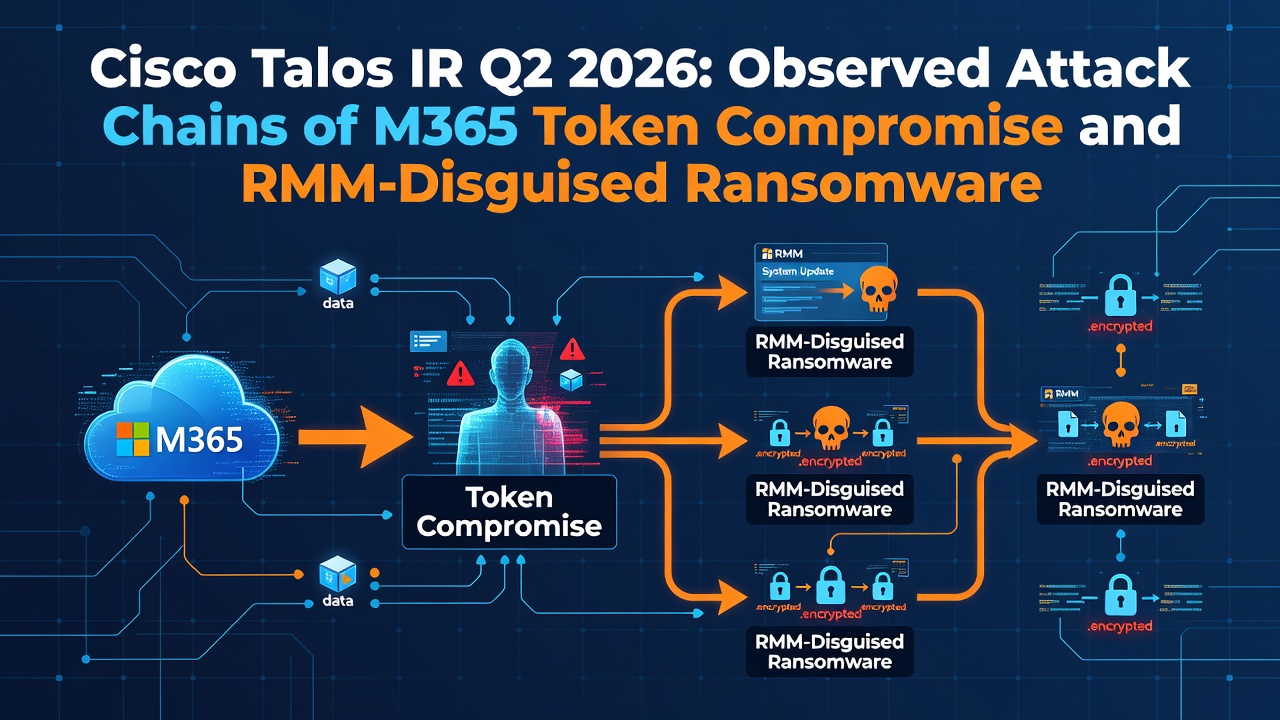
Cisco Talos IR Q2 2026: Observed Attack Chains of M365 Token Compromise and RMM-Disguised Ransomware
1. Basic Information
- Article Title: IR Trends Q2 2026: Phishing and weaponized remote management tools drive attack chains
- Publisher: Cisco Talos Blog
- Publication Date: July 28, 2026
- Original Article: https://blog.talosintelligence.com/ir-trends-q2-2026/
- Related Sources: ARToken technical analysis and Talos IR observations within the article
- Related Entities: UAT-11764, ARToken, EvilTokens, Sinobi, Warlock/Storm-2603, MeshAgent/MeshCentral, Zoho Assist, Microsoft 365, SharePoint, OneDrive, RDP, WinRM, rclone
- Severity: High
2. Executive Summary
Talos IR identified real-world attack chains from recent incidents. The first chain steals M365 tokens using QR code PDFs and OAuth device-code phishing, then self-propagates through inbox rules, SharePoint, and mass internal emails. The second chain uses modified and abused legitimate RMM tools to achieve SYSTEM persistence, lateral movement, and domain-wide ransomware deployment via GPO.
3. Attack Flows
Chain A: UAT-11764 QR Phishing
- The attacker sends targeted PDFs from a compromised M365 account.
- The victim scans the PDF's QR code using a mobile device.
- Credentials are stolen on a fake M365 login page.
- The attacker signs in to the Microsoft account.
- Inbox rules are created to hide warnings and replies.
- Malicious documents are placed in SharePoint.
- The attacker uses contacts to resend phishing emails internally and externally.
Chain B: M365 Token Compromise via ARToken
- Lures pretending to be trusted vendors are presented.
- The user is redirected to the Microsoft OAuth device authorization flow.
- The user approves the attacker's device code on a legitimate Microsoft screen.
- Access tokens are obtained without stealing passwords, bypassing MFA.
- ARToken manages tokens using over 80 APIs.
- Persistence is achieved via PRT, followed by email/BEC, inbox rule manipulation, and OneDrive/SharePoint management and exfiltration.
- Tokens are shared among attackers to monitor multiple accounts.
Chain C: Sinobi Ransomware
- A trojanized MeshAgent is installed as an automatic SYSTEM startup service.
- It connects to the attacker's MeshCentral via an encrypted WebSocket and lies dormant for about 3 days.
- Weak service account passwords obtained from
ntds.ditare used. - Lateral movement is conducted via RDP and WinRM.
- Data for exfiltration is staged using rclone.
- Malicious GPO logon scripts are distributed to the domain.
- The entire environment is encrypted with the
.SINOBIextension.
Chain D: Warlock
- Zoho Assist Unattended Agent is deployed.
- Constant remote access is established without a user session.
- Facts: Encryption was not reached in this specific incident.
- Inference: Similar to other cases, it may proceed to credential harvesting, lateral movement, and ransomware deployment.
4. Attacker Positions and Execution Locations
- QR/ARToken operators manage M365 and attacker infrastructure from the outside.
- Authentication and device-code approval take place on legitimate Microsoft endpoints.
- Inbox rules, SharePoint, and OneDrive operations run within the victim tenant.
- Sinobi/Warlock run RMM services on compromised Windows environments.
- MeshAgent runs as SYSTEM, lateral movement uses service accounts, and deployment runs through AD/GPO management planes.
5. Visibility for Victims and Administrators
- To users, emails look like PDFs from acquaintances or internal accounts, showing legitimate Microsoft device-code screens and legitimate RMM tools.
- Email administrators see PDFs with QR codes, short bursts of high-volume mail, and hidden inbox rules.
- Identity Providers (IdPs) see device-code grants, PRT usage, new devices, and unusual token activity.
- Endpoint Detection and Response (EDR) tools see MeshAgent/Zoho Assist service creation, WebSockets (WSS), RDP/WinRM, rclone, and GPO changes.
6. Success and Failure Conditions
Success Conditions
- The user enters credentials or approves the device code on the QR destination page.
- Weak authentication controls such as push/SMS MFA, legacy auth, and self-registered devices.
- Broad permissions on inbox rules, Graph, SharePoint, and OneDrive.
- RMM execution allowed as a legitimate tool.
- Weak service accounts and excessive domain privileges.
- GPO changes, RDP/WinRM, and outbound WSS/rclone are not blocked.
Failure Conditions
- Phishing-resistant MFA like FIDO2/WebAuthn.
- Restrictions on device-code flow, legacy auth, and self-MFA registration.
- Inspection of QR-containing attachments and outbound email rate limiting.
- Blocking unauthorized RMM via allowlists.
- Strong secrets for service accounts and the principle of least privilege.
- GPO change monitoring, network segmentation, and egress controls.
7. What Happens Upon Success
M365 session compromise, email hiding, Business Email Compromise (BEC), information theft from SharePoint/OneDrive, and secondary infections using internal trust occur. On the Windows side, it leads to SYSTEM persistence, lateral movement, domain-wide ransomware deployment, data exfiltration, and encryption.
8. Observable Logs
- Targeted PDFs with embedded QR codes.
- High volume of internal and external emails sent immediately after compromise (over 6,600 emails in one case).
- New forwarding, deletion, and mark-as-read rules.
Proxy / SWG / DNS
- Fake M365 pages accessed via QR links.
- Unknown server connections via WSS from MeshAgent.
- Cloud storage traffic generated by rclone.
Endpoint / EDR
- SYSTEM service created by trojanized MeshAgent.
- Unauthorized deployment of Zoho Assist Unattended Agent.
- Access to
ntds.dit, RDP/WinRM usage, and rclone activity. - Creation of GPO logon scripts and encryption processes.
Identity / IdP
- Device-code authentication, new PRT issuance, and abnormal refresh token use.
- MFA fatigue, registration of attacker-managed devices, and legacy auth use.
- Use of weak service accounts across multiple hosts.
SaaS / Cloud
- Email, inbox rule, and SharePoint/OneDrive operations via Microsoft Graph.
- Rapid file enumeration and downloading.
- Multi-region and multi-client access due to token sharing.
Network
- Increase in East-West RDP/WinRM traffic.
- Long-duration new WSS sessions.
- Simultaneous communication and encryption after GPO deployment across the domain.
9. Attack Success Determination
- Contact Only: Receipt of QR PDF, display of device-code page.
- User Action: Scanning QR code, entering credentials, approving device code.
- Initial Execution: Successful M365 sign-in or RMM service startup.
- Malware or Auth Success: Token/PRT usage, MeshAgent C2 connection, Zoho Assist session.
- Exfiltration & Session Compromise: Mass Graph/SharePoint collection, rclone staging/transfer.
-
Subsequent Compromise Confirmation: Inbox rules, internal phishing, RDP/WinRM, GPO,
.SINOBIencryption.
10. Investigation Playbook
Trigger
QR PDF, device-code authentication, abnormal inbox rules, mass emailing, unauthorized RMM, MeshAgent WSS, rclone, GPO changes.
Initial Verification
- Chronologically map the initial email, click/QR, authentication, and token issuance.
- Separate user actions from attacker token usage.
- Verify RMM binary signatures, hashes, sources, and management servers.
Endpoint
- Preserve services, processes, RDP/WinRM, rclone, and GPO scripts.
- Investigate
ntds.ditaccess and credential dumping artifacts.
Authentication & Cloud
- Revoke refresh tokens and PRTs.
- Check device-code grants, new devices, inbox rules, OAuth consents, and Graph operations.
- Investigate SharePoint/OneDrive downloads, shares, and deletions.
Subsequent Operations
- Search for internal phishing, BEC, token sharing, lateral movement, staging, and encryption.
Containment
- Disable accounts and revoke all sessions.
- Remove malicious inbox rules, OAuth grants, and registered devices.
- Isolate unauthorized RMM hosts and stop GPO distribution.
- Rotate service account credentials and protect the domain management plane.
Verdict Categories
Phish Delivered / User Authorized / Cloud Session Compromised / Persistence / Lateral Movement / Exfiltration / Ransomware Impact.
11. Defense and Detection Ideas
Single Events
- QR-embedded PDF.
- OAuth device-code grant.
- New inbox rules.
- Service creation for MeshAgent/Zoho Assist.
- rclone execution, GPO logon script modification.
Time-Series Correlation
QR PDF → Authentication → New Rule → SharePoint Placement → Mass EmailingDevice-Code Approval → PRT → Graph Enumeration → OneDrive/SharePoint DownloadMeshAgent Service → WSS → ntds.dit / Weak Credentials → RDP/WinRM → rclone → GPO → Encryption
Hunting Perspectives
- Connections to unauthorized RMM servers and non-standard management servers.
- Graph, inbox rule, and file operations within 24 hours of device-code authentication.
- Sudden spikes in email sending volumes from a single account.
- Use of service accounts on new hosts.
Log Gaps
Talos reported that short domain controller log retention, missing NetFlow, endpoint-only logs, and short cloud log retention hindered incident determination. Organizations should centralize logs outside endpoints with a target retention period of at least 90 days.
Priority Countermeasures
- Phishing-resistant MFA.
- Restrictions on device-code, legacy auth, and self-registration.
- Auditing of Graph, email, and SharePoint.
- RMM allowlists.
- Strong service accounts and GPO monitoring.
- Outbound email rate limiting.
12. Facts / Inference / Hypothesis
Facts
- Phishing was the initial vector in over half of Q2 incidents, and credential abuse was observed in 65%.
- UAT-11764 used QR PDFs, compromised M365 accounts, inbox rules, SharePoint, and re-sent phishing.
- ARToken features over 80 APIs, device-code phishing, PRT usage, BEC, and SharePoint exfiltration capabilities.
- Sinobi turned a trojanized MeshAgent into a SYSTEM service and lurked via WSS for about 3 days.
- Sinobi utilized weak service accounts, RDP/WinRM, rclone, and GPO to encrypt the entire environment.
- The Warlock incident deployed Zoho Assist but did not reach encryption.
Inference
- Because attackers abuse the trust of legitimate cloud services and RMM tools, allowlists based solely on product names are insufficient.
- Revoking tokens and isolating endpoints separately leaves persistence active on the unaddressed side.
Hypothesis
- Correlating device-code authentication with inbox rules and mass Graph operations enables early detection of ARToken-based attacks.
- Standardizing RMM management destinations, signatures, origins, and deployment actors makes it easier to distinguish between legitimate use and abuse.
13. MITRE ATT&CK Mapping
- T1566 Phishing — High confidence.
- T1204.001 Malicious Link — High confidence.
- T1078 Valid Accounts — High confidence.
- T1111 MFA Interception / T1621 MFA Request Generation — High confidence.
- T1564.008 Email Hiding Rules — High confidence.
- T1534 Internal Spearphishing — High confidence.
- T1219 Remote Access Software — High confidence.
- T1543.003 Windows Service — MeshAgent automatic startup, high confidence.
- T1021.001 RDP / T1021.006 WinRM — High confidence.
- T1484.001 Group Policy Modification — High confidence.
- T1567.002 Exfiltration to Cloud Storage — rclone usage, medium-to-high confidence.
- T1486 Data Encrypted for Impact — High confidence.
14. Unknowns and Additional Investigations
- Initial entry IOCs for each chain and a complete endpoint list for ARToken.
- Sinobi's initial entry vector, MeshAgent modifications, and C2 IOCs.
- The actual scope of data exfiltration completed via rclone.
- Observation of the same campaign globally.
15. Impact on SOCs and Organizations
Microsoft 365, SharePoint, legitimate RMM tools, and AD/GPO are common components in enterprise environments worldwide. Healthcare, public sector, and manufacturing organizations are prime targets, directly impacting entities with low tolerance for operational downtime. Security Operations Centers (SOCs) should correlate logs across email, identity, SaaS, endpoints, and Active Directory as a single incident, ensuring log retention of at least 90 days.
16. Summary by Role
For SOC Teams
Correlate QR/device-code authentication events with subsequent inbox rules and Graph operations, and link them to unauthorized RMM activity up to GPO-based encryption.
For Administrators
Prioritize FIDO2 implementation, device-code restrictions, RMM allowlists, service account hardening, GPO auditing, and 90-day log retention.
For End Users
Even if an email or PDF comes from an internal sender or a legitimate Microsoft screen, do not scan unexpected QR codes or approve device codes without verification, and report suspicious prompts immediately.
0 Comments
Log in to join the conversation.No comments yet. Be the first to share your thoughts.