
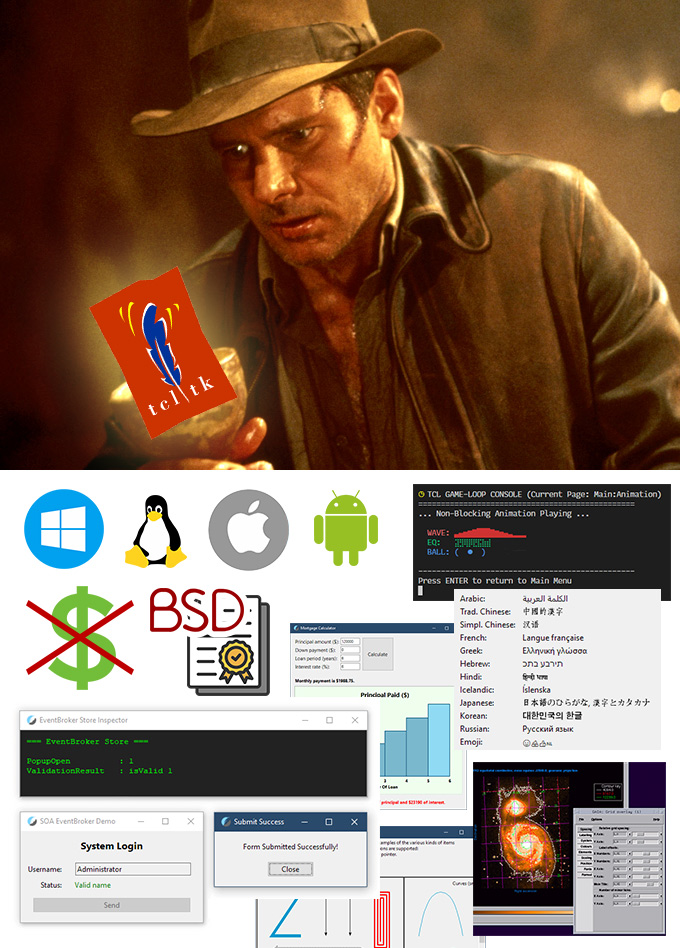
What if I told you there exists a language, or a whole toolkit that:
- Can be used to create cross-platform Console and GUI tools or apps
- Those GUI apps look native on Windows, Linux and MacOS
- Supports safe and efficient threading, non-blocking events and I/O
- Has a small footprint of about 100MB with most common packages installed
- Can produce very compact single-file apps for any supported platform
- Is capable of building robust cross-platform Web Apps
- Has existed and been in use by some of the largest corporations for over three decades
- Is free and BSD-licensed, so you can do whatever you want with it, or to it
Would you believe me?
Foreword
Documenting personal experiences on fascinating or useful topics is what I do. Real-time visualization, 3D simulation, data safety, energy efficiency, or even input devices, microcontrollers, and fitness — an endless stream of ideas for new studies and exploration is always on the ToDo list.
This particular topic turned up to be quite a bit more involved than I originally planned. But I promise: all information here is what I myself would've loved to have known before I started my Tcl/Tk toolkit learning journey.
I'm writing this long after my honeymoon phase with Tcl/Tk ended, and will try to be as objective and honest as possible. Both to you, and to myself. I have nothing to "sell" except my personal experience, hoping to better inform you and simplify the "onboarding" process if you ever decide to give Tcl/Tk a try.
Due to its command-centric nature, Tcl is a powerful, yet widely misunderstood language. I want to contribute to the conversation, aiming to clear up this persistent confusion with concise explanations and concrete examples. And a bit of flair, of course, to keep you entertained.
Please note: We’re skipping the "Programming 101" talk here with the assumption that you already have a baseline familiarity with general programming logic. If you know your way around an if statement and know what function is, you're probably ready to dive straight into Tcl-specific structures and syntax. Think of this article as both a "Tcl hands-up and a primer", in hopes to make you, too, discover and appreciate this almost 40-year old technology that quietly powers the world. And maybe convince you to try it for yourself, and spread the word.
As for the "About the Author" — if you're interested, please visit the "About" page.
Table Of Contents
- Introduction
- The Why
- Meet Tcl/Tk
- "Heroes Don't Wear Capes"
- The SQLite Connection
- The Anatomy Of Tcl/Tk
- Tcl Basics
- Which One to Use — tclsh Or wish?
- Homoiconicity and the Extreme Flexibility of Tcl
- Basic Demo Of Tcl's Homoiconicity
- A Word for the Experienced Tcl Devs
- Language With a "Different Philosophy of Power"
- Tcl/Tk — Alive and Kicking With Tcl 9.0
- Tk GUI Toolkit
- Namespaces
- The "Everything Is a String" Conundrum
- Shimmering
- The Power of Tcl Dictionaries
- Tcl Arrays
- Object-Oriented Programming (OOP) With TclOO
- Why Isn't Tcl More Popular?
- Practical Tcl/Tk Use Case — Decent Espresso
- Tcl/Tk on Android With Androwish
- Tcl's Powerful Stackful Coroutines
- Threading in Tcl
- Standalone Apps. Starkits and Zipkits
- Web-Based Apps with Tcl Wapp
- More Cool Facts About Tcl/Tk
- Limitations (and "Quirks")
- Learning Resources
- Where to Get Tcl/Tk
- Afterword
- Useful Links
Introduction
There's plethora of transformative inventions that ended up benefitting humanity as a whole: the Printing Press, Electricity or the Transistor. As for the intellectual commons, there are of course the Linux OS, the World Wide Web protocols, and the concept of Public-Key Cryptography. You know, the stuff we mostly take for granted, or aren't even aware exists.
Tcl, or the "Tool Command Language", created and released by John Ousterhout in 1990, deserves a place among the greatest products of the human mind. Especially when combined with its better known graphical user interface Toolkit — Tk. In 1997 Ousterhout was awarded the ACM Software System Award for Tcl/Tk, an award given to institutions or individuals recognized for developing software systems with a lasting influence, reflected in contributions to concepts, in commercial acceptance, or both.
A good overall summary of what Tcl is could be found in the project's source code repository:
Tcl provides a powerful platform for creating integration applications that tie together diverse applications, protocols, devices, and frameworks. When paired with the Tk toolkit, Tcl provides the fastest and most powerful way to create GUI applications that run on PCs, Unix, and macOS. Tcl can also be used for a variety of web-related tasks and for creating powerful command languages for applications.
Tcl is maintained, enhanced, and distributed freely by the Tcl community. Source code development and tracking of bug reports and feature requests take place at core.tcl-lang.org. Tcl/Tk release and mailing list services are hosted by SourceForge with the Tcl Developer Xchange hosted at www.tcl-lang.org.
Tcl is a freely available open-source package. You can do virtually anything you like with it, such as modifying it, redistributing it, and selling it either in whole or in part. See the file "license.terms" for complete information.
Ok, Ok… But what does this all mean, and why should you care?
The Why
Some time ago I needed to develop a cross-platform desktop app with a graphical user interface which would run on Windows and Linux (X11/Wayland). Prior to this, I had spent years using AutoHotkey to build small Windows utilities, like the ones mentioned in my post on Alt ♫ Code ♥ Numpad Emulation.
AutoHotkey, specifically v2, is actually very capable, and suitable for the development of small GUI tools, not just doing "hotkey-related stuff". With the improved "C-like" syntax it's a pleasure to use for someone with extensive background in JavaScript, PHP, or C#.
The only problem? — it's Windows-only. Sure, with the Wine compatibility layer AHK scripts and single-file executables could be run in Linux, but there's no guarantee that all Windows-specific bindings and native library calls that AutoHotkey relies on would work well, or at all.
I looked at other options in pursuit of a cross-platform GUI framework and/or runtime:
- C# with WinForms — I considered the .NET ecosystem first, but WinForms remains fundamentally tied to the Windows API. Even with modern .NET cross-platform capabilities, achieving a truly native look and feel on Linux or macOS requires migrating to MAUI or Avalonia, both of which carry a giant dependency footprint and are a pain to develop "non-enterprise" software with
- Headless Local Web Server (The "Electron-like" approach) — I explored building a tool in a modern decoupled architecture. A headless backend that sets up a local HTTP API and provides a browser-based frontend. While this achieves an almost 100% compatibility with any OS, and is more or less considered a "de-facto standard" for modern apps, such complexity is a massive overkill for a small tool. You would need to manage frontend/backend comms, port conflicts, and security overhead just to render a button inside a browser tab that consumes over 100MB just to render an empty page. That's not to say that I wouldn't want to be able to create such apps. I simply don't want my options to be limited to only this type of an interface, which also heavily depends on how feature-complete the provided browser is
- Go (Golang) with Fyne/Gio — while Go produces efficient binaries, the developer experience with the UI libs available for it quickly descended into "dependency hell." Creating a simple "Hello World" window pulled in 40,000 indirect dependencies! And the resulting static binary exceeded 30MB, and looked nothing like a "native app"
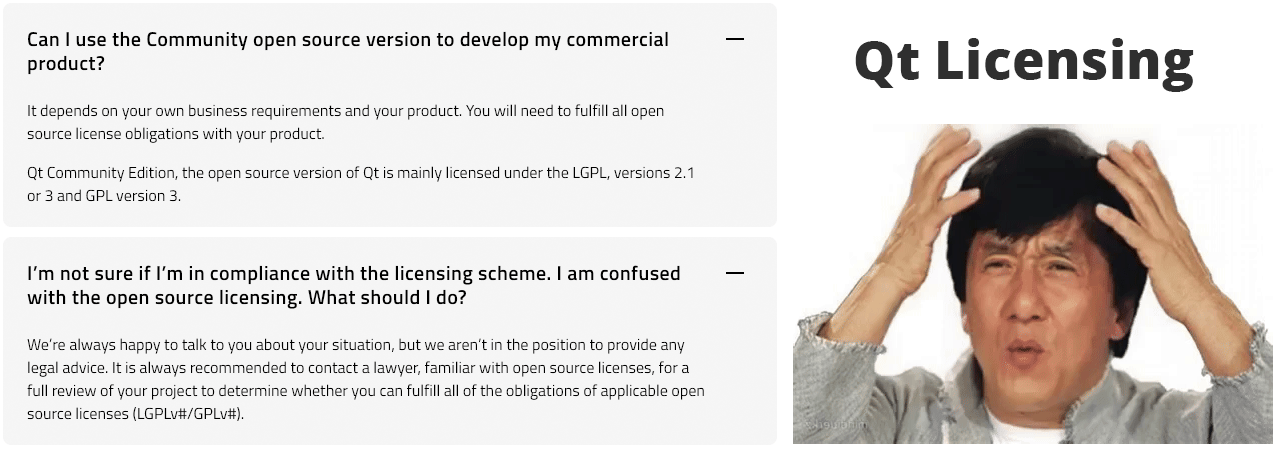
- Qt (via C++ or Python) — of course I looked into Qt, "the industry standard". Alas, the complexity of its meta-object compiler (MOC), the mess of signals and slots across native boundaries, and the confusing licensing model (GPL/LGPL vs. Commercial) made it a no-go as well
This is when I realized that modern "cross-platform" solutions for GUI apps aren't actually cross-platform via portability. Instead, they are just packaged environments, carrying all of their crap to wherever they need to run, simply compiled to execute on the target OS/CPU combo. They don't tap into the native UI API calls of the OS, and instead "draw pixels on a canvas", which is why such GUIs rarely look like native apps.
There had to be a better way to develop cross-platform apps and tools!
And that was the moment when, by serendipity, I found a mention of some "Tk toolkit" and decided to look into it, ending up in a rabbit hole of amazing discoveries…
Meet Tcl/Tk
Before reading any further, please find 40 minutes to watch this video overview of Tcl. It will get you up to speed with the history and the current state of Tcl, whilst allowing me to avoid dumping all of that into this, already giant, post. Don't sweat too much trying to understand all code examples in the video, it's enough to get the general idea of when, why and how Tcl came to be.
Long story short, Tcl was meant as a versatile "architectural glue", bonding high-performance compiled code with a flexible, human-readable logic layer.
In software, a "glue language" is a programming language used to connect, manage, and automate separate, pre-existing software components that weren't originally designed to work together. Rather than building the core logic from scratch, "glue" is used to:
- Bridge: Connect a high-level user interface to low-level, high-performance code (like C++ or Rust)
Orchestrate: Control the flow of data between different programs or modules
Wrap: Provide a simple, scriptable command to trigger a complex underlying process
"Glue" code doesn't do the heavy computation and instead coordinates the components that do.
At first, Tcl was implemented purely as a programming language with its own high-level interpreter, but Mr. Ousterhout quickly realized that command-line apps had their limitations when it comes to user interaction, so the language was extended with Tk — a cross-platform Graphical User Interface Toolkit. This is why you often see the "Tcl/Tk" name used whenever the language is mentioned, due to Tk becoming very popular, and one of the key reasons to use Tcl in the first place.
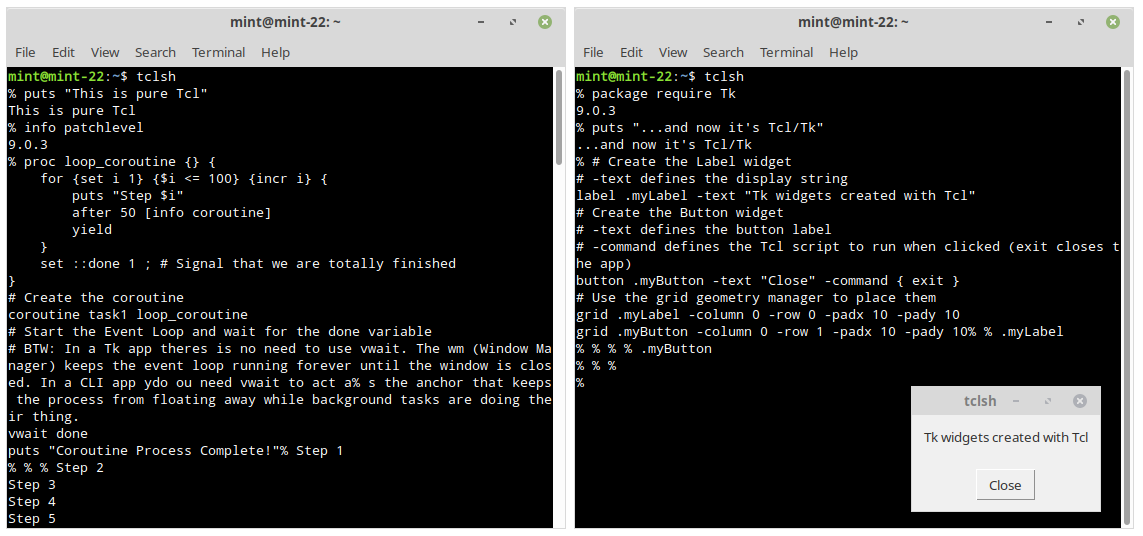
And since Tk is a core part of Tcl, to turn a console app into a GUI one, all you need to do is "request" the Tk package. Voia! You can now build a natively-looking graphical user interface with just a handful of code.
Yes, it's really that simple, look:
Think of Tk to Tcl relationship as what Unity Engine/Unreal Engine are to OpenGL/Vulkan. Most game developers put "I'm a Unity developer" into their BIOs, and not "I'm an OpenGL developer." The abstraction layer (or the Tk extension in case of Tcl) is where the value and the community live, while the underlying language becomes a specialized "implementation detail". As a visual effects programmer, you are, of course, expected to at least understand the basics of the low-level OpenGL or Vulcan APIs, but in all likelihood 80% of your code will interface with the high-level abstracted APIs that the game engine you use provides.
Tcl is also a semantically simple language, with a very well-written C-implementation, which is why it's available for most platforms: Windows, Linux, MacOS, or even Android with Termux for CLI Tcl apps, or the Androwish app for GUI ones, with a variety of CPU architectures supported — ARM, x86, RISC-V etc.
There's nothing that makes pure Tcl particularly… special as an interpreted language, compared to its counterparts. Even though there are features that make Tcl stand out: its event-driven philosophy, homoiconicity, the "everything is a string" approach — features we'll look at in this article — they aren't the only way of writing functional software. Actually, the extreme flexibility of Tcl, where code is data and data is code, is what makes it harder to grasp for a modern developer, compared to the more "rigid/structured" languages like JavaScript, Python or even Lua and Perl.
So then, where did and still does Tcl shine?
"Heroes Don't Wear Capes"
Don't worry, I'm not here to tell you that "the world of programming has unfairly forgotten about Tcl, whereas it's the best thing ever!"
You see. Tcl is just… there.
This is most ironic thing about it. While being one of the least "popular" languages, for almost 40 years it has been and still is used everywhere: powering mission-critical systems, high-end networking hardware, or orchestrating transactions of the largest banks. Because Tcl is so small (the core is just C), it is embedded in things we all use every day without knowing it:
- Git: The
git guiandgitktools that come with every Git installation are Tcl/Tk apps. They look "old" because they still use the classic Tk widgets, but they are nearly "indestructible" and run on every OS without dependencies - FPGAs/Chips: Almost every major hardware design tool (Xilinx, Altera, Cadence) uses Tcl as its primary automation language
- Network Gear: Cisco IOS has a Tcl interpreter baked into the routers for "Embedded Event Manager" scripts
- Intel, NVIDIA, and AMD: Engineers at these companies use Tcl/Tk to build internal GUIs that control massive simulation farms and hardware testers
- Siemens EDA (formerly Mentor Graphics): Their multi-million dollar software suites (like Calibre or Virtuoso) use Tcl as the primary way for users to write scripts that interact with the GUI and the underlying hardware models
- ESA: the European Space Agency and its associated aerospace partners are massive users of Tcl/Tk. Major European aerospace laboratories like ESTEC in the Netherlands, or ESOC in Germany have Tcl/Tk apps running in the background of their most critical operations
Tcl is found everywhere where reliability, backwards-compatibility and cross-platform compatibility are priority No1.
Surprised? I sure was. With Tcl/Tk you can write CLI and GUI tools which reliably run on everything from a Nuclear Power Plant Terminal to a Raspberry Pi without needing to recompile anything. Wouldn't you love to have access to something that powerful, for free, no strings attached?
The SQLite Connection
I should mention that Tcl and SQLite were devised by the same community of bright minds which includes Richard Hipp, the author of SQLite — the most deployed and used database engine in the world.
In fact, SQLite was created as a Tcl extension, first! Here's the talk by Hipp himself where he explains how SQLite came to be, and how the most important reason SQLite became so successful was its "Tcl past". Very cool talk, I highly recommend it.
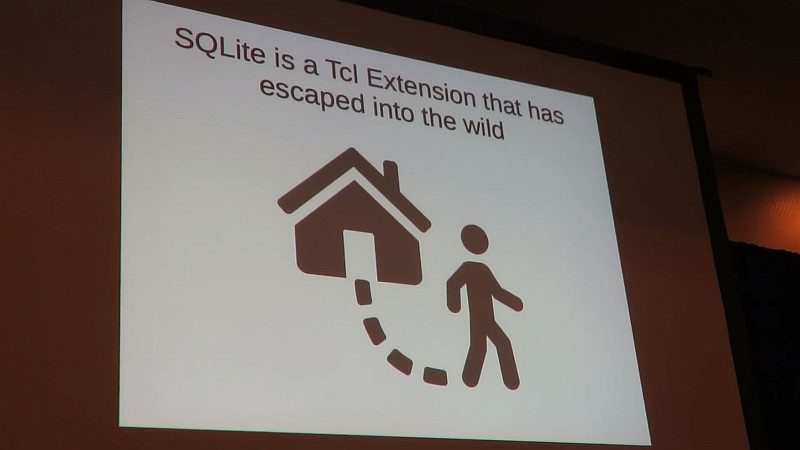
Some cool facts about SQLite and Tcl before we move on:
- Half of all SQLite tests are written in Tcl
- The 3rd, current revision of SQLite, uses dual-ported objects during operation, similarly to Tcl (this concept will be explained later in the article)
- Tcl is used as the "assembler" of the final SQLite code, where it takes over 125 input source C files, does some serious post-processing on them, and generates the final source code of over 200K lines
- SQLite devs are sweet, wonderful people. Here's a discovery I made while skimming through the combined
sqlite.csource code file:
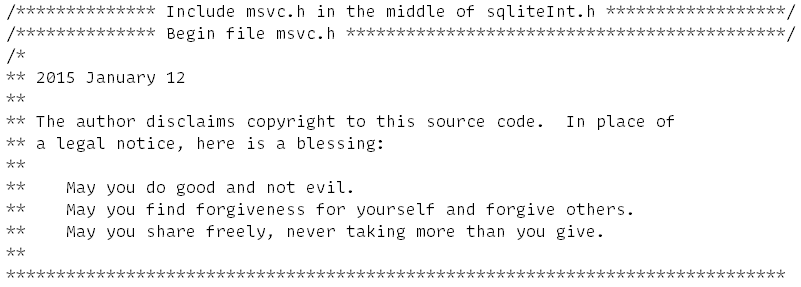
The Anatomy of Tcl/Tk
Just like almost any other language, Tcl can be distributed in many different ways and bundled with all sorts of extra packages. The following components make up a functional Tcl/Tk installation:
- tclsh — as in "tickel shell" — a "pure" command-line Tcl interpreter. It can be run from within any console provided by the target OS, and is the main "workhorse" of the language
- wish — as in "window shell" — Tcl interpreter that starts up with the Tk toolkit package loaded in, meant for developing and running GUI applications. In Linux and macOS running the Tcl window shell from the console will pop up the default Tk window and start the "event loop" in the background (which we'll cover later), whereas in Windows it's compiled specifically as a "Windows GUI application"
- Tcl/Tk Libraries — a.k.a.
TcllibandTklib. A set of standard libraries that should always be bundled with a certain version of Tcl/Tk, to provide support for the out-of-the-core functions and add enhanced ability to the language and the graphical toolkit. Of course, the contents of the distribution may vary, but the library usually contains such vital extensions ashttp,csv,htmlparse,json,aesand many more for Tcl itself, and powerful extra widgets for Tk:tooltip, orwidget— a collection of "mega-widgets" includingdateentry(calendar picker),scrolledwindow, anddialog. - Extensions and Modules (or "Packages") — these extend Tcl with new functionality like threading, drag and drop, or SSL connectivity. Usually they either come as a part of a Tcl/Tk distribution, can be manually downloaded and installed, or created and shared between apps as needed. Extensions can be implemented in pure Tcl or utilize natively compiled libraries to provide a deeper integration into the target OS's APIs
Such simplicity, as well as a careful approach to version-to-version updates, is what makes Tcl a backwards compatibility champion. A Tcl/Tk script written in 1995 often runs just fine today, especially if it only relies on pure Tcl or Tk commands.
All of this is available for free thanks to Tcl's BSD-license model. I keep mentioning the license, because I want you to "internalize" what this licensing model means for Tcl and everyone using it:
- Tcl is forever. It's now a common "good". It "belongs" to everyone
- You can do almost anything with it, or to it. And thanks to the geological layers of almost 40 years of software engineering, done by some of the smartest people humanity had to offer, it still provides excellent cross-platform desktop GUI integration. You literally can't ask for a better tool development kit, especially considering just how compact it can be. So compact, that Tcl remained one of the most embeddable tool languages for many years
- The recently released Tcl 9.0 is the bridge that will keep that 40-year legacy viable for another 40 years of 64-bit, Unicode-heavy computing. If you consider yourself a "power user", there's zero reason not to at least learn the basics of Tcl
Tcl Basics
Contrary to the popular belief, Tcl is not just "that weird obsolete command language with an alien syntax".
Tcl code looks like words separated by tabs or spaces. These words can either be typed in directly, or generated by various commands and procedures, which spit out other words and so on, while at all times, following one primary rule:
The first word is always a command.
What follows is zero or more arguments, forming a complete command string:
Command Argument Argument Argument …
As for the syntax — the language follows 12 basic rules, which are often called dodecalugue.
Notable Tcl fundamentals:
set=> Variable Value Set/Get. When called with 2 arguments — creates (if needed) and sets a value for a variable:set myStr "Time and Date". With just 1 argument — gets the value of the provided variable:set myStr; # => returns "Time and Date"$=> Variable Substitution. Replaces a variable's name with its value. Functionally, the$is just "syntactic sugar" for thesetcommand, so both can be used to resolve the value of a variableproc=> Procedure Definition. Your basic "function" that executes in its own isolated stack like in most other programming languages. With a twist: In Tcl, aprocis actually a command that creates another command! Soproc sayHi {name} {return "Hi, $name!"}creates a commandsayHiwith the specified parameters and body[]=> Command Substitution. Executes a nested script and replaces the brackets with the result of that script. In C terms — it's an inline function call that returns a value{}=> Grouping (Literal). Group words into a single argument without any substitutions. Everything except a\backslash inside is treated as a raw string""=> Grouping (With Substitutions). In this grouping$,[], and\are processed by the interpreter and their contents are replaced with the results of such processing or substitution
set myStr "Time and Date"
# This would execute the commands within [] brackets
# and replace the value of the '$myStr' variable with a previously defined value
puts "$myStr: [clock format [clock seconds]]"
# So the final string received by the 'puts' command would look something like this:
# => "Time and Date: Thu Mar 26 11:40:24 +0000 2026"\=> Backslash Substitution. Escapes special characters or continues lines. Useful to break up a long command string into several lines by literally escaping a newline character that follows it::=> Namespace Scope Operator. Used as a prefix, it references the global scope (e.g.,::myVar). Used as a separator, it defines the path to a command or a variable within a namespace hierarchy (i.e.::Namespace::Command){*}=> Argument Expansion. Treats a single list as multiple separate arguments. While data in Tcl is a string, this string can be interpreted as both a full "sentence" and a list of separate space-delimited items/words. The latter is what's needed, for instance, if you want to pass this data as a list, or as a command with arguments to Tcl. We'll look at its use cases later\nor;=> Command Separators. Allows separating commands with newlines or on one line with a semicolon; so you can write and format your scripts however you want without arbitrary restrictions#=> Comment. Tcl does allow comments, but they should always start at a position where a command can begin. In Tcl, a comment is not a language feature in the traditional sense, instead it is a command that does nothing
Couple of examples to demonstrate Tcl's command strings:
# Command 'concat' followed by two arguments
concat {Hello } "World!"
# => returns "Hello World!"
# This is also a command followed by arguments, with the difference that
# 'string' is an 'ensemble' command, which acts as a 'command dispatcher'.
# It looks at the first argument 'range' to determine which internal function to execute
# Think of it as a C-like 'String.range(str,start,end)'* or Git's 'git commit -m "Done"'
string range "Tcl Programming" 0 2 ; # => returns "Tcl"
The string range example highlights the functional nature of "pure Tcl", where you don't ask the string to "trim itself", and instead call the "range" tool inside the "string" ensemble to trim a piece of data you gave it. The tools to utilize object-oriented patterns are also available, something which we'll cover later in the article.
Which One to Use — tclsh Or wish?
Both kinds of the Tcl interpreter support 2 modes of operation:
- Interactive mode — when you run
tclshorwishwithout arguments, the interpreter enters the interactive mode of operation, also called a Read-Eval-Print Loop (REPL). It executes commands entered by the user in the console and prints out the result. This is similar to how the console shell itself functions (bashin Linux,PowerShellin Windows), and is intended for experimentation and immediate feedback. You can technically run complete scripts in this mode by either typing them line by line, pasting the whole script into the console, or using thesourcecommand to load and interpret a file with Tcl code, but there's a proper way to do this: - Batch mode (Script mode) — meant for execution and automation, and is activated by running
tclshorwishfollowed by the name of a script file —tclsh myscript.tcl. In this mode, the interpreter reads the entire file from start to finish, executes the commands non-interactively, and exits once the script completes. This is the standard way to deploy finished applications, automate CLI tasks, or run GUI programs, similar to many other interpreters and CLI apps which accept command-line parameters. Therefore, to run example scripts from this article, save those as files and pass them to the interpreter. Like this:wish mortgage_calculator.tkapp
While the file extension is irrelevant to the interpreter, as it only cares about the actual file contents, it's recommended to stick to standard conventions. Use .tcl for most of your scripts or follow specific environment associations like those provided by the Magicsplat for Windows Tcl/Tk distribution to distinguish between CLI and GUI entries (.tclapp or .tkapp).
As for which interpreter to go with — there are some "nuanced" differences between the CLI-focused tclsh and the GUI-oriented wish.
For instance, on Windows, the wish interpreter is compiled as a "Windows GUI Application", and can't interact with the console. In effort to provide one to the developer, it presents a "pseudo-console" on startup, known as "Tk Console". This technically means that you could run everything with wish, but there is a significant catch: the UI and the script logic live on the same thread. If a script performs heavy lifting, it "starves" the GUI of the idle time it needs to redraw. This means your puts statements are effectively queued, and won't actually display in the pseudo-console until the script pauses or finishes, leaving the console window "frozen" in the meantime.
Conversely, the tclsh interpreter is compiled as a "Windows Console Application", and therefore it integrates into the console (cmd or PowerShell). So if you try to run the same script with tclsh, you will see all of those puts messages logged into the console one after the other, as Windows does provide command-line apps with the standard input and output channels — stdin and stdout. That's why the system console can more reliably receive and display data sent to those channels in-between heavy "thread-blocking" calculation loops.
In simpler terms: while learning Tcl/Tk just use tclsh:
- It will always provide your scripts with the standard input and output channels regardless of the OS, be it Windows, Linux or macOS, streamlining cross-platform tool development
- For GUI tool development —
tclshwill automatically load in the Tk GUI package and create the default top-level window if it's ever requested in a script withpackage require Tk, to let you practice building GUI apps when you're ready - Same for when learning Tcl's event loop — simply load in the
Tkpackage to start the background event loop, to be able to use coroutines and file/channel events in an interactive Tcl session. Something which, albeit possible in the command-linetclshwith a custom event-driven REPL implementation, absolutely isn't what you should be bothering with right away
Homoiconicity and the Extreme Flexibility of Tcl
Since Tcl code consists of "just words", for the language itself this means that Tcl doesn't drive a wall between code and data, and allows you to decide how to interpret a certain string. You can just treat it as data, like a paragraph of text, or a list of items, or modify if on the fly and pass the same string to the interpreter as a command string to execute as code.
Such concept is called "Homoiconicity".
In computer science, a language is homoiconic (from the Greek homo- "same" and eikon "image") when the program structure is identical to its data structure. In Tcl’s case, both the code and the data are strings, and there is no distinction between "keywords" and "functions".

Now, remember how in the introduction I promised full honesty? Well, here it goes:
In half of the books on Tcl this "homoiconicity" would at this point be praised as something amazing, ingenious. Or an outrageous claim would be made like: "This changes everything!!!11"
This is highly debatable. Claiming data-as-code is a benefit is like building a house where every brick is a potential stick of dynamite. It’s an architectural nightmare for anyone who values structural integrity and security.
Here's a simple demo of how a string can be interpreted as data and/or code, and how easy it is to make a mistake:
# Set or receive a string with data
set userinput {puts "Hello World!"}
# Treat it as a list of items, and count them
llength $userinput; # => returns '2', those being 'puts' and {Hello World!}
# Now interpret the same string as a complete *command string* instead
# Expand the contents with {*} to make Tcl interpret grouped words as list items
# This way Tcl will see a separate command 'puts' with an argument 'Hello World!'
{*}$userinput; # => returns "Hello World!"
# A simple typo in 'data' becomes a CRASH in 'code'
set userinput {puts Hello World!}
# Now 'puts' will see 2 arguments, treating the first one as a channel name,
# and try to send the string 'World!' to the "Hello" channel
{*}$userinput; # => ERROR: can not find channel named "Hello"
Note how the string contents are "just words" separated with an empty space, meaning any first word will be treated as a command call, followed by whatever else seen as arguments. You need to be careful and properly group arguments with spaces inside a command string. This is one of the reasons why more structured languages generally took over as the time passed. Since they clearly isolate program code from data, you need to go out of your way to execute something as valid code, by deliberately formatting it as a function call: console.log("Hello World!"). Such rigidity is what also makes robust static code analysis possible.
Besides, can you interpret a random string as a function in JavaScript? — Of course! You'd use eval for that:
let cmd = 'console.log("Hello World!")';
eval(cmd);
// => logs "Hello World!"
Experienced developers are already wincing at the mention of eval as they know just how dangerous it is to consider "dynamic" code evaluation a "good idea".
In reality, homoiconicity is a "side-effect" of Tcl's syntax. It's not some "magical" or "ingenious" feature. If your primary rule is whitespace-separated commands and arguments, and your only grouping mechanisms are braces {} and quotes "", your code is indistinguishable from a list of words. That's it. It's a structural inevitability.
So no, Tcl is not "amazing" as a result of its homoiconic nature. Instead, it's extremely malleable.
Therefore, let's go with a "safer" and more realistic example where Tcl's homoiconicity can be of use.
Basic Demo of Tcl's Homoiconicity
In C# or JavaScript while is a reserved keyword baked into the compiler’s grammar. But since everything in Tcl follows the command argument argument ... pattern, even such seemingly "core" commands as if, for, or while are just that — commands, no different from a command you would write to print text or move a file.
Let's take look at the while loop in Tcl:
set x 0
while {$x  3} {
    puts "Iteration $x"
    incr x
}
Here, while is just a command followed by 2 arguments:
{$x < 3}— the "condition" argument, that gets tested on each iteration{puts "Iteration $x" ; incr x}— the script to run on each loop iteration
As of the basic syntax rules, curly braces {} tell the interpreter to treat the contents as a literal string, and just pass them on to the while command. Therefore if, for, while and other commands simply accept {some data} as arguments to operate on. Which, again, proves that in Tcl even "default keywords" are not actually keywords, but commands, implemented by the Tcl language developers just like any Tcl script developer could.
In contrast, in JS/Python/C# and many C-like languages, there is a "hard wall" between the code you write (Syntax) and the strings/numbers your code operates on (Data). There, if, while, and for are indeed keywords. For instance, if you look at the JS source code for the V8 engine (Chrome/Node.js), the while keyword is handled by a massive C++ parser and a state machine. It's "static" code given to you to use "as is".
OK then… What if I want to make my own version of a while loop?
To make a custom while in JavaScript you have to wrap your code in functions to prevent them from executing immediately. This is because In JavaScript x < 10 is an expression. If you don't wrap it into an arrow function () =>, it evaluates to true or false before it even reaches your function. Therefore it's possible, but won't be pretty.
Look at this mess:
function myWhile(conditionFn, bodyFn) {
    while(conditionFn()) { bodyFn(); }
}
// You MUST use "() =>" (Lambdas) to "freeze" the code
myWhile(() => x  10, () => { console.log(x); x++; });
Meanwhile, in Tcl, you could write your own procedure in a very straightforward manner. It could take two strings provided inside the {curly braces} and operate on them.
You just need to make sure not to run the provided condition script within the isolated scope of your new procedure, and use the uplevel command to "reach" the variables specified inside those curly braces from within the scope of the procedure that called your implementation of the loop. Which is essentially the same way it's done in the "default" if, for, while and many other Tcl commands.
For example, let's write a repeat command which accepts 2 strings, and also provides 2 modes of operation: until and while:
proc repeat {body mode condition} {
    while {1} {
        # IMPORTANT! Execute the body in the *caller's* scope
        uplevel 1 $body
        # Now evaluate the condition string in the caller's scope as well
        set result [uplevel 1 [list expr $condition]]
        # Switch logic based on the 'mode' provided, easy to extend
        switch -exact -- $mode {
            "until" {if {$result}  { break }}
            "while" {if {!$result} { break }}
            default {
                return -code error "Unknown operator '$mode': must be 'until' or 'while'"
            }
        }
    }
}
# Usage: "until"
set x 0; puts "Testing 'until' x >= 3:"
repeat {puts "x is $x"; incr x} until {$x >= 3}
# Usage: "while"
set y 0; puts "\nTesting 'while' y less than 3"
repeat {puts "y is $y"; incr y} while {$y  3}
Voia! Here's your new fancy version of the "default" while command in Tcl.
This is similar to how the stock if command runs under the hood, just with a different order or arguments:
set x 7
# command argument argument argument argument
if {$x > 10} {puts "High"} else {puts "Low"}
# You can even generate 'else' dynamically, since it's just an argument string
if {$x > 10} {puts "High"} [string cat "el" "se"] {puts "Low"}
Even return is not a reserved keyword. It's not hard-wired into the compiler to halt execution like it does in C++, C#, JS and many others — instead it's just a command that directly communicates with the interpreter via integer codes:
0 (TCL_OK)1 (TCL_ERROR)2 (TCL_RETURN)3 (TCL_BREAK)4 (TCL_CONTINUE)
And you're free to specify any of these codes manually when calling the return command, changing Tcl's behavior as needed.
A Word for the Experienced Tcl Devs
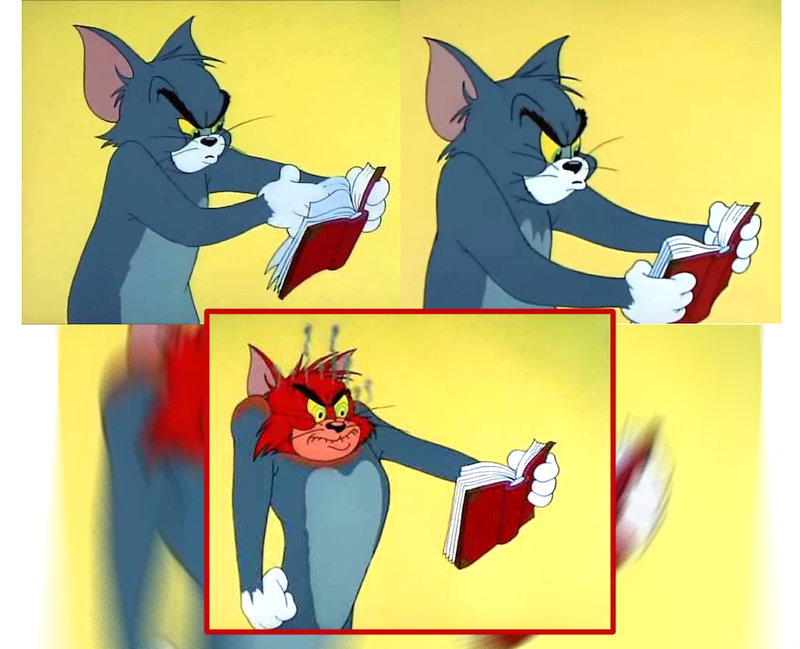
This short section is aimed at the experienced Tcl devs who ended up reading this article and might be fuming with righteous rage after reading my criticism of Tcl's homoiconicity. Beginners may safely skip it.
Yes, I'm aware that Tcl's safe interpreters exist. I also know that you should [list] your callbacks. Lastly, in Cisco routers, for instance, EEM (Embedded Event Manager) policies are essentially lists of strings, and they work fine with the string-based Tcl. But as far as I know, Cisco went with Tcl primarily because it was a lightweight, string-based engine that let them treat user-provided text as hardware-level logic, fitting perfectly into the strict memory constraints of the 90s hardware. There simply weren't many other options to choose from as "glue" for implementing flexible user access to system APIs.
Cisco's reliance on Tcl has evolved into a state of maintenance of a legacy technical debt. They are in the middle of a massive architectural pivot, and the danger of Tcl's string-based nature where "anything may be anything" is exactly why they are looking for alternatives. Instead of having Tcl scripts interact directly with the C-based control plane, Cisco now encourages running Python 3 inside a Guest Shell container, as it doesn't treat strings as hardware-level logic by default and instead interacts with the router via structured APIs (like cli.execute() or NETCONF/YANG models) rather than raw string evaluation.
Tcl's homoiconicity was a design shortcut that made Tcl easy to embed in the 90s but makes it less favorable today, when more and more focus is on security, even if it comes at a price of more rigid rules and structures. The world of modern networking is just way too vast and wild to ignore the risks that a widespread use of a homoiconic language would carry. Modern CPUs and static analyzers are now far more capable of optimizing and securing rigidly structured languages. These tools reduce the cognitive load on developers by detecting errors and vulnerabilities much earlier in the development cycle. It's a safety net that a language as fluid as Tcl simply can't provide.
All in all, I'm not bashing Tcl for its almost too extreme of a flexibility, I'm being honest and pragmatic about the potential risks as a result of an architecture where data is semantically indistinguishable from code.
And if you still disagree, please let me know what it is I'm wrong about, directly. Thank you.
Language With a "Different Philosophy Of Power"
Guess what — you don't have to treat data as code, unless you choose to! You can develop tools and GUIs with just the "default" set of Tcl/Tk commands and extensions. But the door is always open. In C#, JavaScript, Python and the like, such power belongs to the compiler team at Microsoft, Mozilla or the Python Software Foundation. In Tcl, the power belongs to whoever is writing a script.
Tcl's Homoiconicity will seem "weird" and sometimes confusing when you start your learning journey with it, especially if you have extensive experience with more "rigid" or "structured" languages. But over time, you'll understand it better, and might even use it to your benefit. For example — to create whole sets of custom commands, operators and program flows in the form of Domain Specific Languages (DSLs).
As you get more experienced with Tcl, you'll gradually transition into a "Tcl way" of thinking, and naturally steer more towards the initial purpose of this tool command language: from tool development, scripting and automation, to "gluing" application components together. Here Tcl/Tk truly shines, providing a portable, native-looking interface to help manage high-performance, natively compiled binaries doing the heavy lifting. We’ll explore how to bridge these two worlds later in this article.
Tcl/Tk — Alive and Kicking With Tcl 9.0
Although not very "popular", Tcl/Tk is still actively developed by the Tcl/Tk Core Development Team. On Nov 13, 2025, 12 years after the release Tcl 8.6, they presented a new major version of Tcl — Tcl/Tk 9.0.
It's a truly milestone release, as it made Tcl a fully 64-bit-aware language. It might seem puzzling and even silly why this wasn't done sooner, but you can already guess what such a transition brings: it changes the pointer size from 32 to 64 bit. Meaning, some of the existing Tcl scripts, especially those embedding pure C code (critcl package) could either stop working or exhibit unexpected behavior. And since Tcl historically provided outstanding backwards-compatibility, the core team of devs had to be very careful while implementing and introducing such an update, while maintaining compatibility with as much of the existing, sometimes decades-old code-base, as possible. This takes time.
With this update Tcl is now even more "modern" and robust than ever:
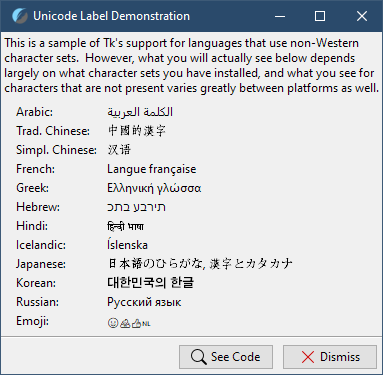
- Supports the full Unicode code point range. Tcl was already well-known for its superb ability for localization (or "internationalization"), and the new release streamlines its Unicode backbone, further improving Tcl's robust, industry-leading support for multi-language tools:
- Tcl now natively supports the ZipFS virtual filesystem. After years of having to rely on 3rd-party hacks and products to create self-sufficient apps or bundle data with scripts, you can now attach a zip file to a script and mount it as a virtual access point to access the files and the directories inside. We'll talk more about this important feature in the Tcl 9 And ZipFS section
- Tcl/Tk 9.0 significantly improved the graphical user interface (GUI) capabilities by introducing support for scalable vector graphics (SVG), as well as vastly improving Tk's high DPI display awareness, something I will demonstrate in the following section. Also, Tk 9.0 added native Desktop Notification support and better integration with system themes like Dark Mode on Windows/macOS
- Octal Literal Sanitization by default — in Tcl 8.x,
010was interpreted as octal (8), which led to endless "WTF is with this math?!" bugs when handling leading zeros, like zip codes or dates. Tcl 9 uses the0oprefix for octals, like0o10. A leading zero no longer changes the base of the number. If your legacy scripts rely on the old behavior, they will now treat010as decimal 10, so that's one of those very welcome, but potentially backward-compatibility-breaking changes - Overall more strict treatment of data. Tcl 8.x could sometimes try and "be smart" when reading text files by silently substituting invalid byte sequences with replacement characters or falling back to ISO-8859-1 (Latin-1) when it encountered encoding errors. While this prevented scripts from crashing, it often led to unexpected data corruption that was nearly impossible to debug once the data was saved. In Tcl 9.0, this behavior has been replaced by a formal Encoding Profile system. So while in Tcl 8.x, if you read a file as UTF-8 that contained a stray non-UTF-8 byte, Tcl would often just carry on, Tcl 9.0's default profile is now
strict. If Tcl encounters an invalid byte sequence for the specified encoding, it will immediately throw an error, which is paramount for cross-platform tool development. I know this, because for the past year I had to deal with lots of arbitrarily-encoded files, and am grateful that Tcl let me know right away when something was wrong with a file I was working with. A file that C# and Python deemed perfectly fine BTW, as "being smart" is a feature of both. Tl;dr: Tcl 8.x assumed the programmer wanted the program to keep running at all costs. Tcl 9.0 assumes the programmer wants the data to be correct at all costs.
While you don't have to use Tcl 9.0 and can still develop CLI and GUI tools with the Tcl 8.6 branch, I highly recommend either starting out with, or updating to the 9.0 version. You get lots of benefits, additional fail-safes in regards to data processing, and a vastly superior Tk's UI ability.
Finally, the official Tcl/Tk source code isn't even the only way to use the language. Other devs offer their own interpreters with the least amount of C-code possible:
- Jim TCL is a small-footprint implementation of the Tcl programming language that implements most Tcl features in a very compact interpreter of about 100-200kB in size. All of that — with less than 10k of C code and plenty of extensions available
- Or, at the extremes, we can find projects like Picol — where with less than 1000 lines of C code the author was able to replicate Tcl's syntax and some of the key Tcl commands

OK, OK… Enough talk about "pure Tcl".
As interesting a topic as Tcl is, there's one feature of the Tcl/Tk toolkit that's so ubiquitous and versatile, that people often forget that it has any relation to Tcl at all:
Let's not beat around the bush and get to the key reason why Tcl is especially relevant today, just as it's been for the past decades — the Tk GUI Toolkit. Soon after the first public release of Tcl, John Ousterhout realized that the world of compute was rapidly moving towards more user-friendly graphical user interfaces. He also knew that there existed several competing operating systems, each — with its own implementation of the UI APIs. This led to the creation of Tk, which became an essential part of Tcl as we know it. So essential, that the "general identity name" of the language itself was changed to Tcl/Tk as a result.
This is because Mr. Ousterhout deliberately developed Tk as a cross-platform toolkit, making sure the same Tcl code could be used (with minimal changes) to create GUIs on different platforms.
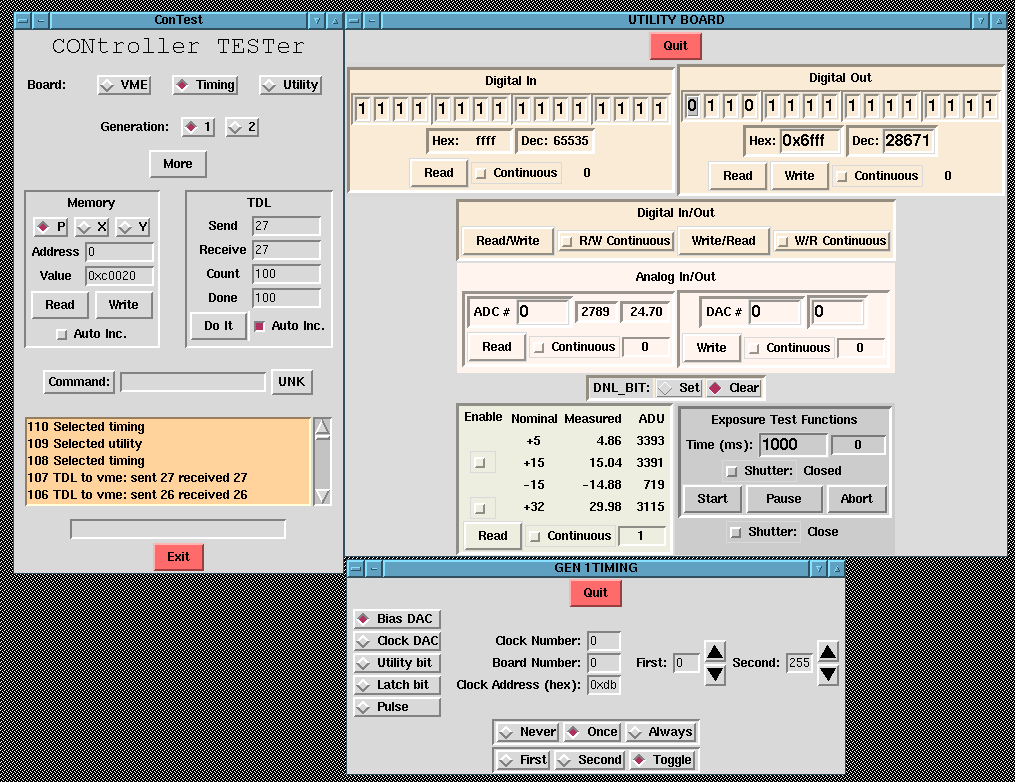
Tk is the original "Write Once, Run Anywhere" UI. Long before Electron was consuming all the RAM in the world, Tk was providing a lightweight bridge between Windows, macOS, and X11 with a footprint that makes an empty C# binary look bloated. Due to this fact, Tk has been so widespread in professional circles (automotive, chip industry, Read the original source Next news
0 Comments
Log in to join the conversation.No comments yet. Be the first to share your thoughts.