
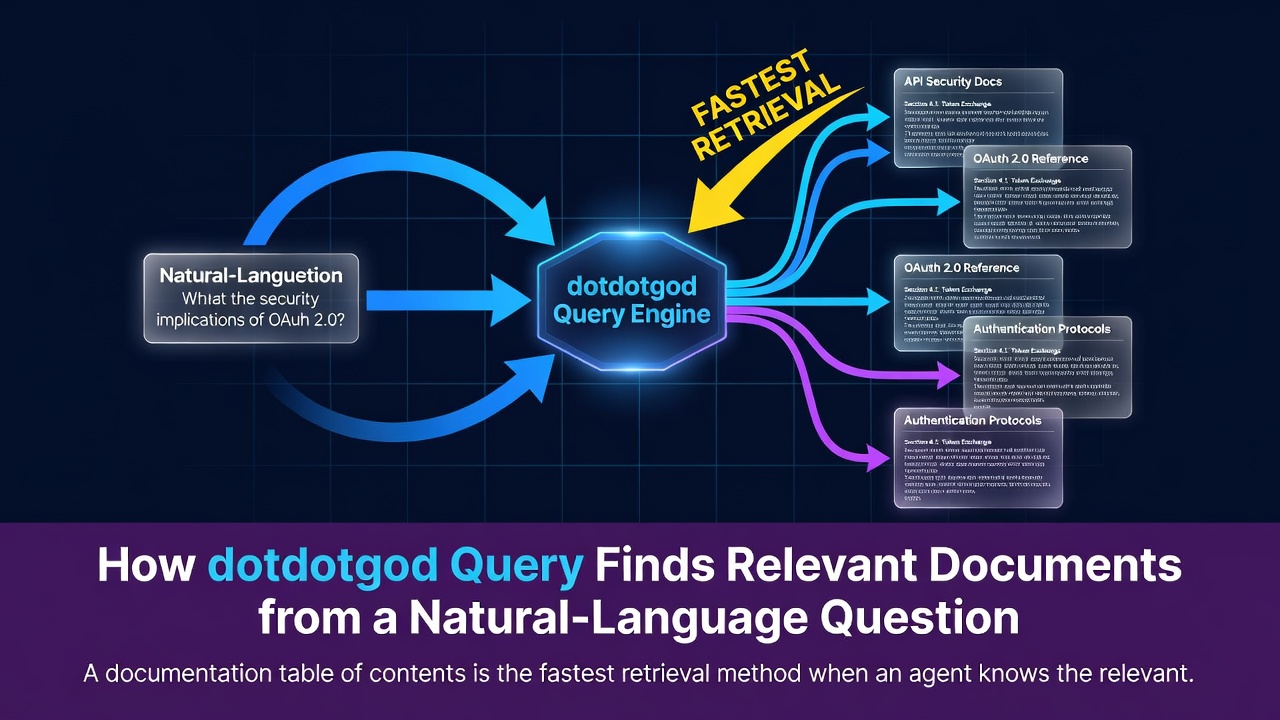
A documentation table of contents is the fastest retrieval method when an agent knows the relevant role and path. A user's question may use different language from a document's filename, and the question and document may even be written in different human languages. dotdotgod query searches locally for document passages that are semantically close to a natural-language question and routes the agent to the maintained sources worth reading.
Documents remain the source of project memory. Embeddings and search results are derived retrieval data that connect a question to those sources.
Start from Meaning When the Path Is Unknown
Consider this question:
Why does Load exclude old plans from its default context?
The relevant explanation may live in LOAD_PROJECT.md, MEMORY_AREA_CONFIG.md, or a document about context curation. A filename search may not connect “old plans” from the question with terms such as archive, local memory, or stale in the documents.
query accepts a free-form question and finds semantically related Markdown passages.
dotdotgod query . \
  "Why does Load exclude old plans from its default context?" \
  --limit 5
Enter fullscreen mode Exit fullscreen mode
Multiple arguments after <root> are joined into one query. --limit accepts values from 1 through 100 and defaults to 30. The limit applies to distinct Markdown files rather than passage count.
Keep the Search Corpus within Docs-First Boundaries
Query searches Markdown documents under docs/ and applies the load.documentationSummary.exclude policy to define its scope.
The default corpus excludes these bodies:
docs/plan/
docs/archive/
Enter fullscreen mode Exit fullscreen mode
Active plans and historical records are read through README indexes and explicit paths when needed. Hidden paths, paths that appear to contain secrets, and configured skip directories are also excluded from embedding.
This scope preserves the different roles of current shared documentation and local working records during retrieval.
Split Markdown along Its Heading Hierarchy
A useful search unit needs both the meaning of one section and enough context to interpret it. dotdotgod splits Markdown along its heading hierarchy, limits each body fragment to 1,600 characters, and attaches path and heading information.
docs/spec/LOAD_PROJECT.md
└── Focused Query
    └── query searches shared documentation ...
Enter fullscreen mode Exit fullscreen mode
Each passage contains its repository-relative path, heading hierarchy from the top level through the current section, and a bounded body fragment. The path and headings provide an address for interpreting a result, while the body provides meaning to compare with the question.
Run the Multilingual E5 Model Locally
Query currently supports one model: Xenova/multilingual-e5-small. It runs locally through @huggingface/transformers, so document bodies are not sent to a remote embedding API.
Following the E5 input format, Query adds a different prefix to each kind of input.
query: Why does Load exclude old plans from its default context?
passage: path: docs/spec/LOAD_PROJECT.md ...
Enter fullscreen mode Exit fullscreen mode
The query receives the query: prefix and document passages receive passage:. The model converts both into normalized 384-dimensional float32 vectors.
If the model files are absent, the runtime may download them to its user-level cache on first use. Remote provider selection and alternative embedding-model profiles are not currently supported.
Compare Semantic Distance across Every Passage
Query directly compares how closely the question matches every document passage in meaning (cosine similarity). For the current small local corpus, it does not need a separate index that quickly narrows the search to likely nearby candidates (approximate nearest neighbor).
convert the question into semantic coordinates
  → compare semantic distance with every passage
  → add a small bonus for matching words in titles and paths
  → sort consistently by score and path
  → select the highest result for each Markdown path
Enter fullscreen mode Exit fullscreen mode
When a word from the question appears directly in a result path or title, Query adds a small bonus (lexical boost). Semantic proximity remains the primary signal, while explicit filename and heading matches also contribute.
After sorting, Query deduplicates results by Markdown path. Even when several passages from one document score highly, only the highest passage represents that file. This keeps one or two long documents from filling the result set and gives the agent a broader set of documents to review.
Reuse Embeddings for Unchanged Passages
Derived vector data lives in a repository-specific cache excluded from Git.
.dotdotgod/vectors/
├── manifest.json
├── chunks.jsonl
└── embeddings.f32
Enter fullscreen mode Exit fullscreen mode
manifest.json records the schema, model, dimensions, exclusion policy, and refresh information. chunks.jsonl stores passage and path metadata, while embeddings.f32 stores float32 vectors.
When a passage fingerprint remains the same, Query reuses the existing vector. It embeds only new or changed passages and removes deleted passages when rewriting the cache.
If the cache is damaged, incomplete, or incompatible with the current schema, model, or dimensions, Query rebuilds it. Each artifact is written to a temporary file and replaced with an atomic rename to reduce the risk of partial writes.
The cache is derived data that can be rebuilt from maintained documents at any time.
Return a Bounded Set of Candidates for Source Reading
The default human-readable output stays concise. With --json, callers can inspect structured query, model, dimension, index, and result data.
Each result provides a chunk ID, repository-relative Markdown path, heading hierarchy, and bounded body excerpt. The final score includes the small bonus for matching expressions, and the original semantic-similarity score remains available.
A high score identifies a maintained-source candidate whose meaning is close to the question. A product contract under docs/spec/ and an explanatory document under docs/concept/ may use the same words while serving different roles. The agent checks the result path and heading to identify that role, then reads the maintained source.
Query and Graph Impact Answer Different Questions
Both features find related documents, but they begin from different inputs and use different signals.
| Feature | Starting point | Primary signals | Purpose |
|---|---|---|---|
query |
Natural-language question | Multilingual semantic retrieval with a small bonus for matching expressions | Find documents close in meaning |
graph impact |
Changed file | Traceability relationships, links, PPR, and project policy | Find items to review together |
Query uses its own local vector cache. Graph impact's default ranking uses deterministic relationships and word-match routing (lexical routing); embedding similarity is not part of its default route.
Load combines Query results with the documentation map when a natural-language focus is present. After code or documentation changes, graph impact identifies the next review route.
Semantic Retrieval and the Documentation Map Form One Reading Route
Semantic retrieval finds candidates when the path is unknown. Paths and README files then explain the role of each candidate document.
question
  → find candidate paths with query
  → identify their roles through README files and memory areas
  → read the necessary sections from maintained sources
Enter fullscreen mode Exit fullscreen mode
Vector search finds the source address an agent should read even when the question and the document use different expressions.
0 Comments
Log in to join the conversation.No comments yet. Be the first to share your thoughts.