
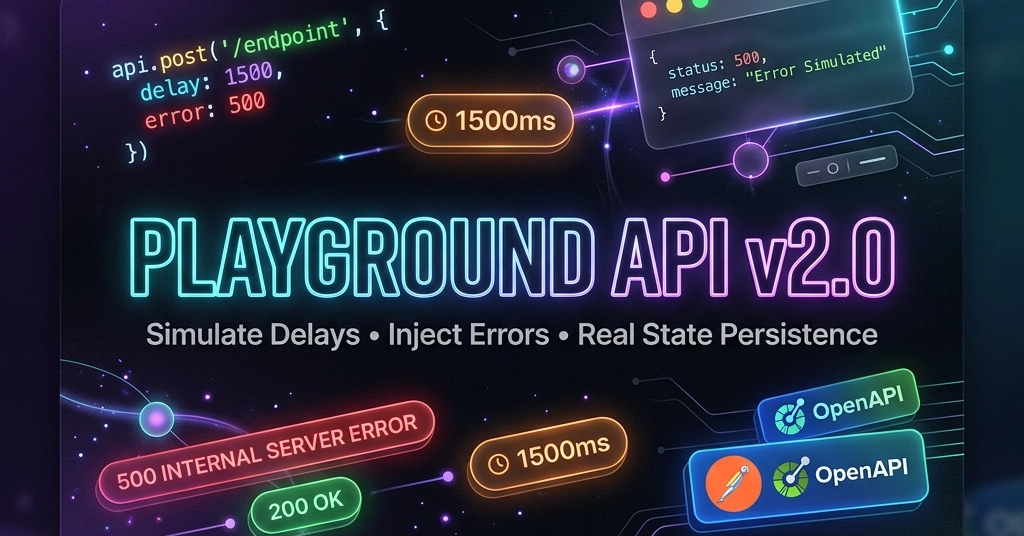
A few days ago, I introduced Playground API—a zero-config, stateful mock REST API designed to solve a huge frontend headache: mock APIs like standard JSONPlaceholder that instantly discard your POST, PUT, and DELETE state changes.
Playground API changed that by introducing zero-login per-session sandboxing, giving developers real data persistence in their browser without database setups or account creation.
Since then, based on awesome feedback from the community, I've shipped a massive v2.0 update packed with features designed specifically for modern frontend development, UI edge-case testing, and E2E automation! ⚡
Here is a breakdown of what's new and how you can use Playground API to level up your development workflow.
🆕 What’s New in Playground API v2.0?
⏱️ 1. Network Delay Simulation (?_delay & X-Simulate-Delay)
Testing skeleton loaders, loading spinners, and debounced inputs on local localhost is notoriously difficult because mock APIs respond almost instantaneously (10–30ms).
Now, you can force Playground API to simulate network latency directly from your code or request headers:
// Simulate a 1.5 second delay to test your UI loading spinner
fetch('https://playground-api-xi.vercel.app/posts?_delay=1500')
Enter fullscreen mode Exit fullscreen mode
Or via request header: X-Simulate-Delay: 1500
🚨 2. HTTP Error Simulation (?_status & X-Simulate-Status)
Want to verify how your app handles a 500 Server Error, 404 Not Found, or 429 Rate Limit without breaking your server code?
You can now inject arbitrary HTTP error responses on-demand:
// Force the API to return a 500 Internal Server Error payload
fetch('https://playground-api-xi.vercel.app/posts?_status=500')
Enter fullscreen mode Exit fullscreen mode
Or via request header: X-Simulate-Status: 404
🔗 3. Relational Sub-Resources & Nested Filtering
Building master-detail views or user profile dashboards? Playground API now natively supports relational queries and nested sub-resource routing out-of-the-box:
# Query filtering
GET /posts?user_id=1
GET /todos?user_id=1&completed=true

# Nested sub-resource routes
GET /users/1/posts       # Get all posts belonging to User 1
GET /users/1/todos       # Get all todos belonging to User 1
GET /posts/1/comments    # Get all comments for Post 1
Enter fullscreen mode Exit fullscreen mode
🔍 4. Universal Full-Text Search (?q=) & Dynamic Sorting (?_sort)
Quickly search and sort through baseline data merged with your custom session sandbox edits:
# Search across all fields (title, body, name, email)
GET /posts?q=javascript

# Sort records dynamically by field and order
GET /posts?_sort=title&_order=desc
Enter fullscreen mode Exit fullscreen mode
🛡️ 5. E2E Test Suite Ready (X-Playground-Identity) & Programmatic Reset
While cookies (pg_identity) handle state persistence smoothly in standard browsers, automated E2E test runners (Playwright, Cypress) and strict Incognito / Safari policies often block cross-site cookies.
Playground API v2 introduces Header-Based Identity Fallback and Programmatic Session Resets:
- Send
X-Playground-Identity: your-custom-session-keyin header to maintain isolated sandbox state across test runs. - Call
DELETE /session/resetto wipe all custom session mutations and revert back to a clean global baseline before each test suite!
📦 6. Multi-Format Collection & Schema Downloads
Need to import mock endpoints into your favorite API client? You can now download full specs directly from the documentation UI or API:
- 📄 OpenAPI 3.0 Spec (
/downloads/openapi.json) - 🚀 Postman Collection v2.1 (
/downloads/postman.json) - 🐶 Bruno API Collection (
/downloads/bruno.json) - 💜 Insomnia Collection (
/downloads/insomnia.json)
💻 7. 9-Language Live Code Generators
The built-in documentation runner now instantly generates ready-to-use code snippets in 9 popular languages and libraries:
- cURL, Node.js Fetch, Axios, Python, Go, Swift, Kotlin, Rust, and PHP.
⚛️ Updated React Example: Skeleton Loader + Error Handling + Delay Simulation
Here’s a full React component demonstrating how easily you can test loading spinners, error states, and CRUD mutations:
import React, { useState, useEffect } from 'react';

const API_BASE = 'https://playground-api-xi.vercel.app';

export default function AdvancedPostManager() {
  const [posts, setPosts] = useState([]);
  const [loading, setLoading] = useState(false);
  const [error, setError] = useState(null);
  const [delayMs, setDelayMs] = useState(1000); // Test delay

  const fetchPosts = async () => {
    setLoading(true);
    setError(null);
    try {
      // Simulate network delay to test UI spinner
      const res = await fetch(`${API_BASE}/posts?page=1&limit=5&_delay=${delayMs}`);
      if (!res.ok) throw new Error(`HTTP Error: ${res.status}`);
      const data = await res.json();
      setPosts(data);
    } catch (err) {
      setError(err.message);
    } finally {
      setLoading(false);
    }
  };

  useEffect(() => {
    fetchPosts();
  }, [delayMs]);

  // Programmatically reset session sandbox back to clean state
  const handleResetSession = async () => {
    await fetch(`${API_BASE}/session/reset`, { method: 'DELETE', credentials: 'include' });
    fetchPosts();
  };

  return (
    <div style={{ maxWidth: '650px', margin: '40px auto', fontFamily: 'sans-serif' }}>
      <h2>📝 Playground API v2 — Real-Time Test Rig</h2>

      <div style={{ display: 'flex', gap: '10px', marginBottom: '15px' }}>
        <label>
          Simulated Latency:
          <select value={delayMs} onChange={(e) => setDelayMs(Number(e.target.value))}>
            <option value={0}>0 ms (Fast)</option>
            <option value={1000}>1000 ms (Slow 3G)</option>
            <option value={2500}>2500 ms (High Latency)</option>
          </select>
        </label>

        <button onClick={handleResetSession} style={{ background: '#ff4d4f', color: '#fff', border: 'none', padding: '6px 12px', borderRadius: '4px' }}>
          🔄 Reset Session Sandbox
        </button>
      </div>

      {loading && <p>⏳ Loading posts (Simulating latency: {delayMs}ms)...</p>}
      {error && <p style={{ color: 'red' }}>⚠️ Error: {error}</p>}

      {!loading && !error && (
        <ul>
          {posts.map((post) => (
            <li key={post.id}>
              <strong>{post.title}</strong> (User ID: {post.userId})
            </li>
          ))}
        </ul>
      )}
    </div>
  );
}
Enter fullscreen mode Exit fullscreen mode
📊 Summary: v1 vs v2 Comparison
| Feature | Playground API v1 | 🚀 Playground API v2 |
|---|---|---|
| State Persistence | ✅ Per-session Sandbox | ✅ Per-session Sandbox |
| Network Latency Simulation | ❌ Instant only | ✅ ?_delay=1500 / Header |
| Error Status Simulation | ❌ None | ✅ ?_status=500 / Header |
| Relational Querying | ❌ Base routes only | ✅ /users/1/posts, /posts?user_id=1
|
| Search & Sorting | ❌ None | ✅ ?q=search & ?_sort=title
|
| E2E & Incognito Support | ⚠️ Cookies only | ✅ X-Playground-Identity Header |
| Schema Downloads | ❌ None | ✅ OpenAPI, Postman, Bruno, Insomnia |
| Code Generators | ⚡ Basic JavaScript | ⚡ 9 Languages (Go, Rust, Swift, etc.) |
🔗 Try It Out & Support the Project
Playground API is 100% free, zero-config, and requires no registration:
If you find Playground API helpful for your projects, demos, or E2E tests, leaving a ⭐ on GitHub would mean the world!
What features would you like to see next? Drop a comment below! 👇
0 Comments
Log in to join the conversation.No comments yet. Be the first to share your thoughts.