


Essential productivity kit for .NET and game developers
.NET Tools News Releases Rider

Rider 2026.2 opens up the IDE’s own intelligence to your AI coding agents, so they work from real project knowledge instead of reconstructing it from files and terminal output.
A new set of agent skills covers testing, profiling, refactoring, and official Microsoft .NET workflows, and GitHub Copilot now joins the lineup as a natively integrated agent. This release also delivers a wave of performance gains that make the IDE feel faster across both .NET and game development.
Bring Rider’s intelligence to your AI agents
Rider 2026.2 connects coding agents directly to the IDE’s coverage data, profiler insights, refactoring engine, and framework-specific guidance, so they find context faster and make safer changes with less guesswork and token waste.
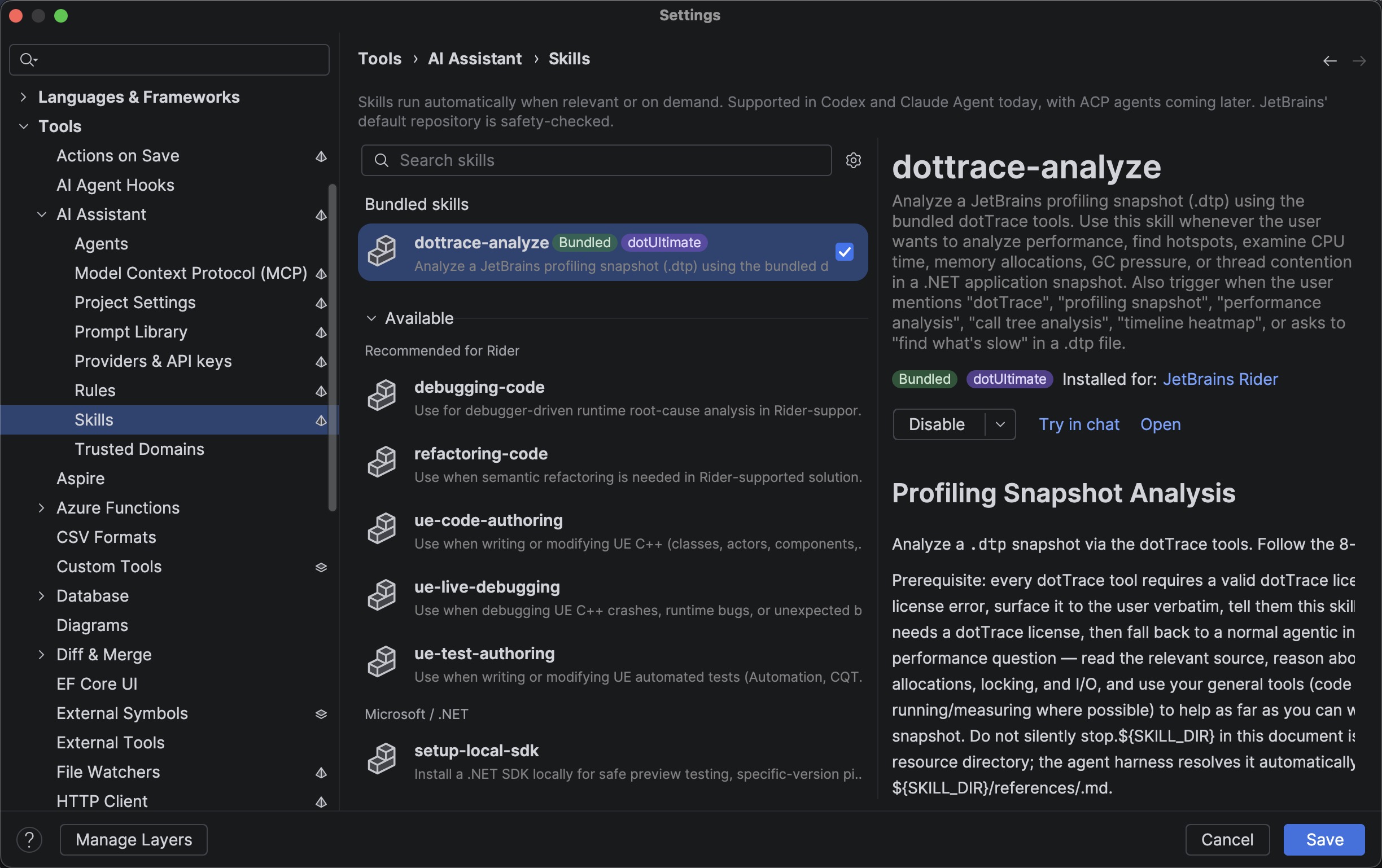
Bundled skills ship with the IDE as built-in workflows, helping agents handle specific tasks without working out every step themselves. Other skills you add through the agent skills manager.
A few of the skills that stand out this release:
dottrace-analyzeis a bundled skill that can read a dotTrace.dtpsnapshot you hand to it, find where the CPU actually went, and trace the hot path back into your code. Read more on the blog.- Code quality check hooks for Claude Code validate every change an agent makes before it can continue, blocking on errors and returning warnings as feedback. Read more on the blog.
finding-testsuses dotCover data to tell your agent where to put new tests, and how to format them to follow your conventions.- Game-aware Unreal Engine skills for UE C++ authoring, live debugging, and test authoring.
Aside from JetBrains Rider’s proprietary skills, the latest release also comes with support for the official Microsoft .NET, Aspire, and Azure skills, which are easily discoverable and installable straight from the IDE.
You can explore the full list of available agent skills in Rider’s Settings/Preferences | Tools | AI Assistant | Skills. Code quality check hooks can be found and configured under Tools | AI Agent Hooks.
More about the AI agent skills included in this release here.
More AI choice: Copilot built in, plus your own models for code completion
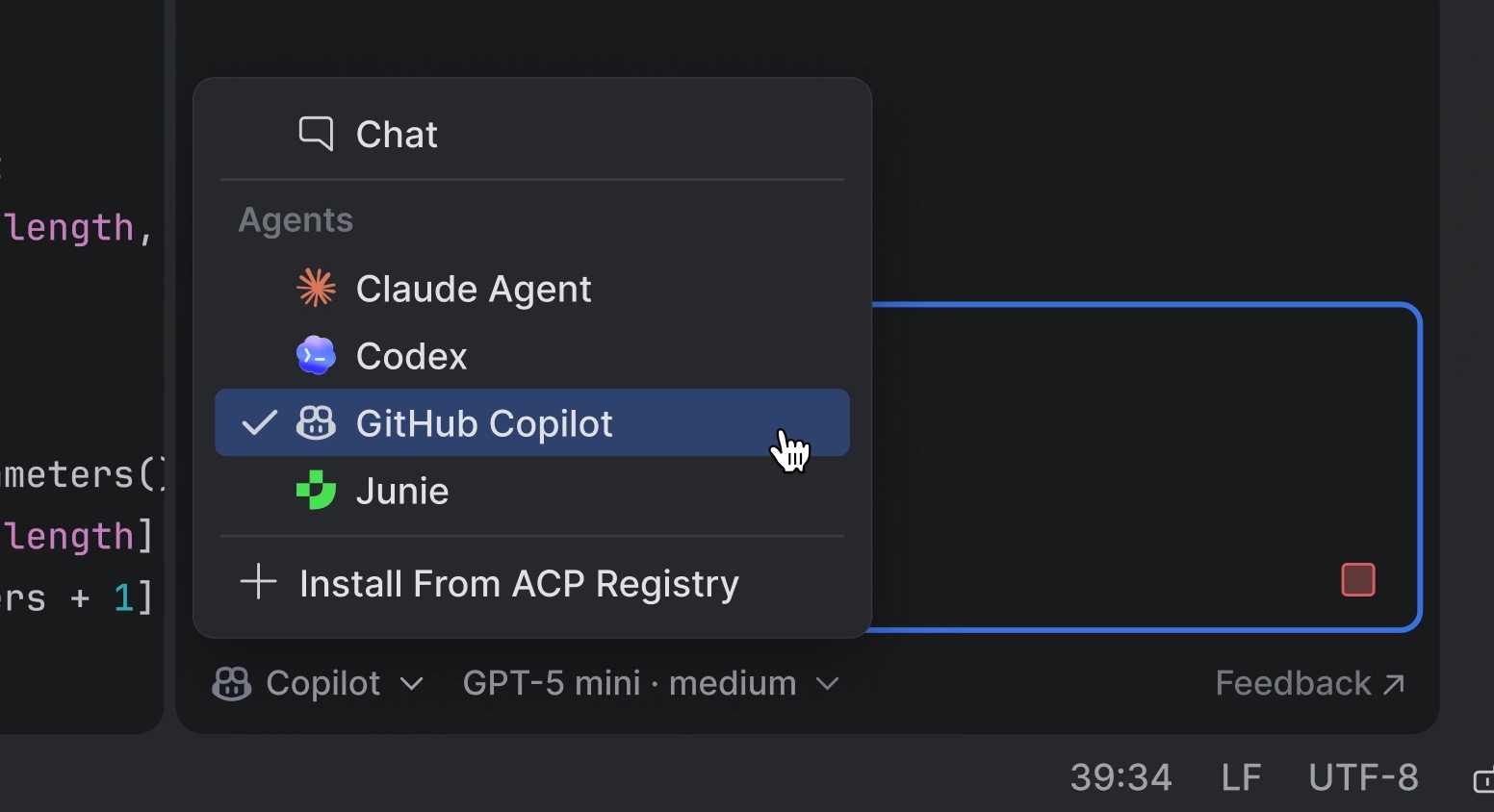
GitHub Copilot is now a natively integrated agent, as the result of a direct partnership between JetBrains and Microsoft. Copilot is available out of the box from the agent picker in AI chat, with OAuth sign-in and no ACP Registry setup required (an active Copilot subscription is needed).
AI completion now supports third-party providers. Alongside the JetBrains-trained models available to all JetBrains AI users out of the box, you can now connect your own completion model, configured independently from your agent provider. Supported options include OpenAI-compatible endpoints like LM Studio or llama.cpp, and Mercury by Inception Labs.
Performance gains for .NET and Unreal Engine
Rider 2026.2 trims the waits that interrupt your flow. On Windows, debugger launch is about 2.8 seconds quicker for .NET apps, branch switching in Roslyn-backed solutions is generally 2–3× faster, and backend processes use around 7–8% less memory. For large Unreal Engine projects opened via the generated .sln, C++ indexing runs roughly twice as fast as in 2026.1.
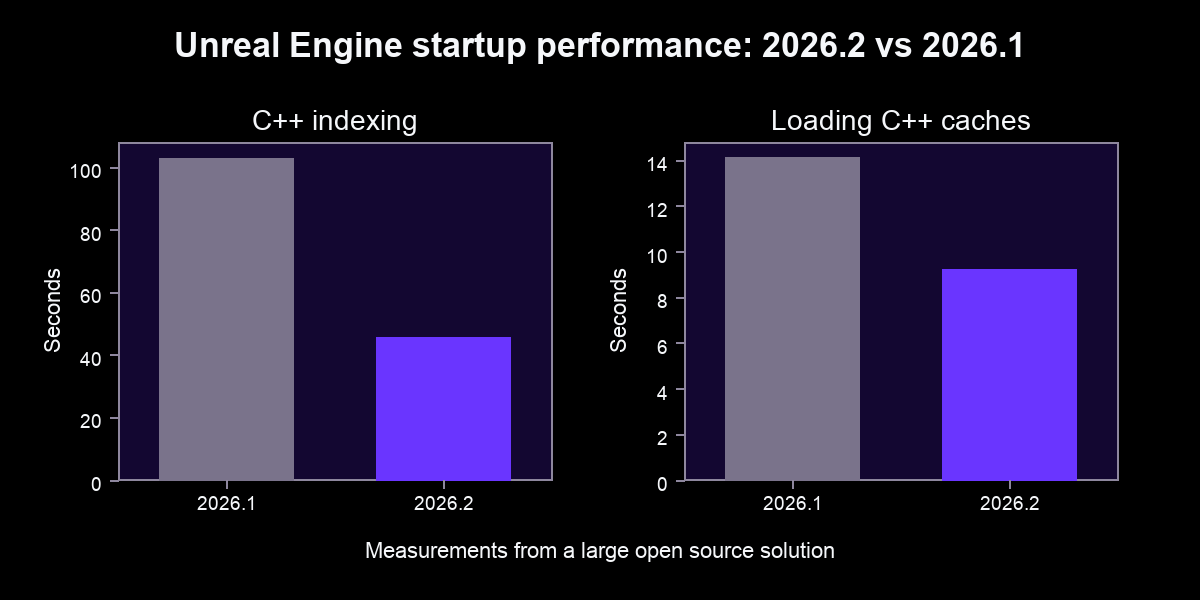
More detail is in the What’s New in Rider 2026.2 performance section.
Hot Reload for WPF
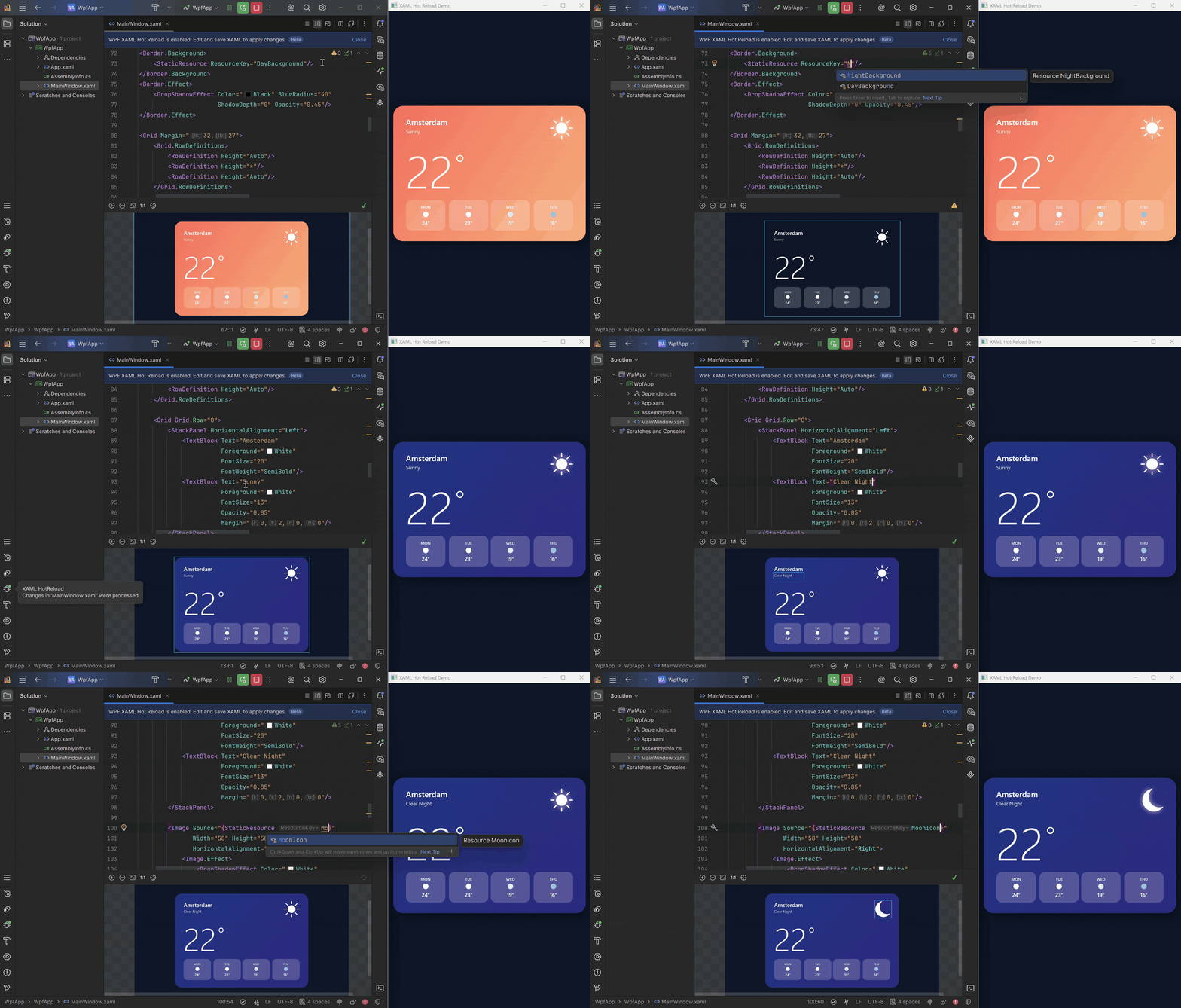
One of the biggest .NET productivity wins this release: WPF Hot Reload lets you edit your XAML while the app runs under the Rider debugger and see saved changes applied in place. Tweak layouts, styles, templates, and resources without rebuilding, restarting, or navigating back to the screen you were on. Paired with Rider’s existing C# Hot Reload, it turns UI iteration into a tight, uninterrupted loop.
Game development
Game development is a priority every release, and 2026.2 delivers on three fronts: the Unreal indexing speedups, game-aware AI agent skills, and first-class debugging with basic Natvis support arriving on Linux and macOS (including the recommended godot-cpp.natvis path for Godot types).
Godot development also feels more complete, with a new configurable GDScript formatter, the ability to drag scene nodes into code as paths or @onready/@export variables, the official JetBrains Rider Integration addon on the Godot Asset Store, and more accurate resolution of Autoloads and uid:// references.
On the Unreal side, UInterface navigation and Gameplay Tag usages now surface across both C++ and Blueprints, and ISPC gets first-class editor support.
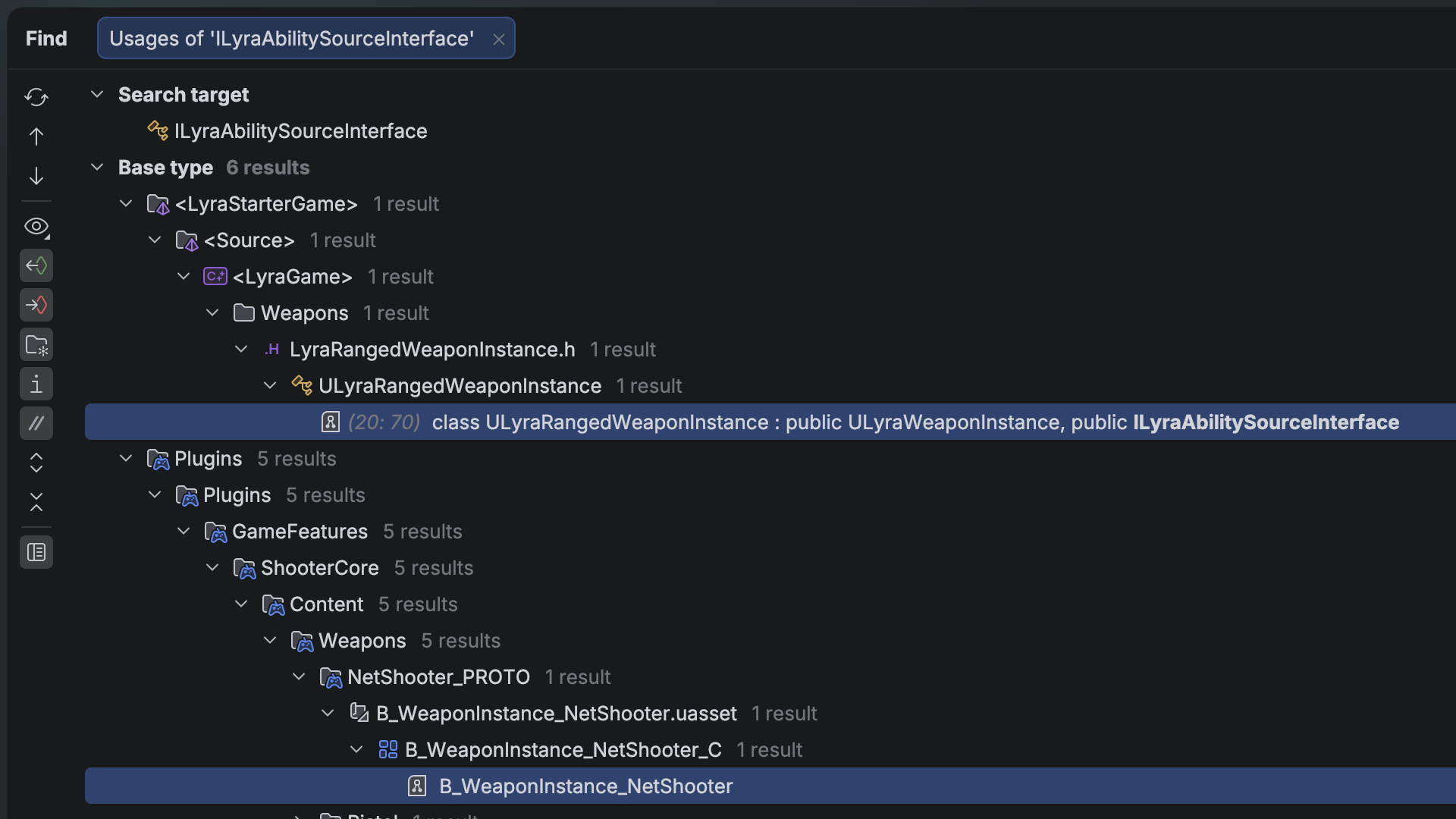
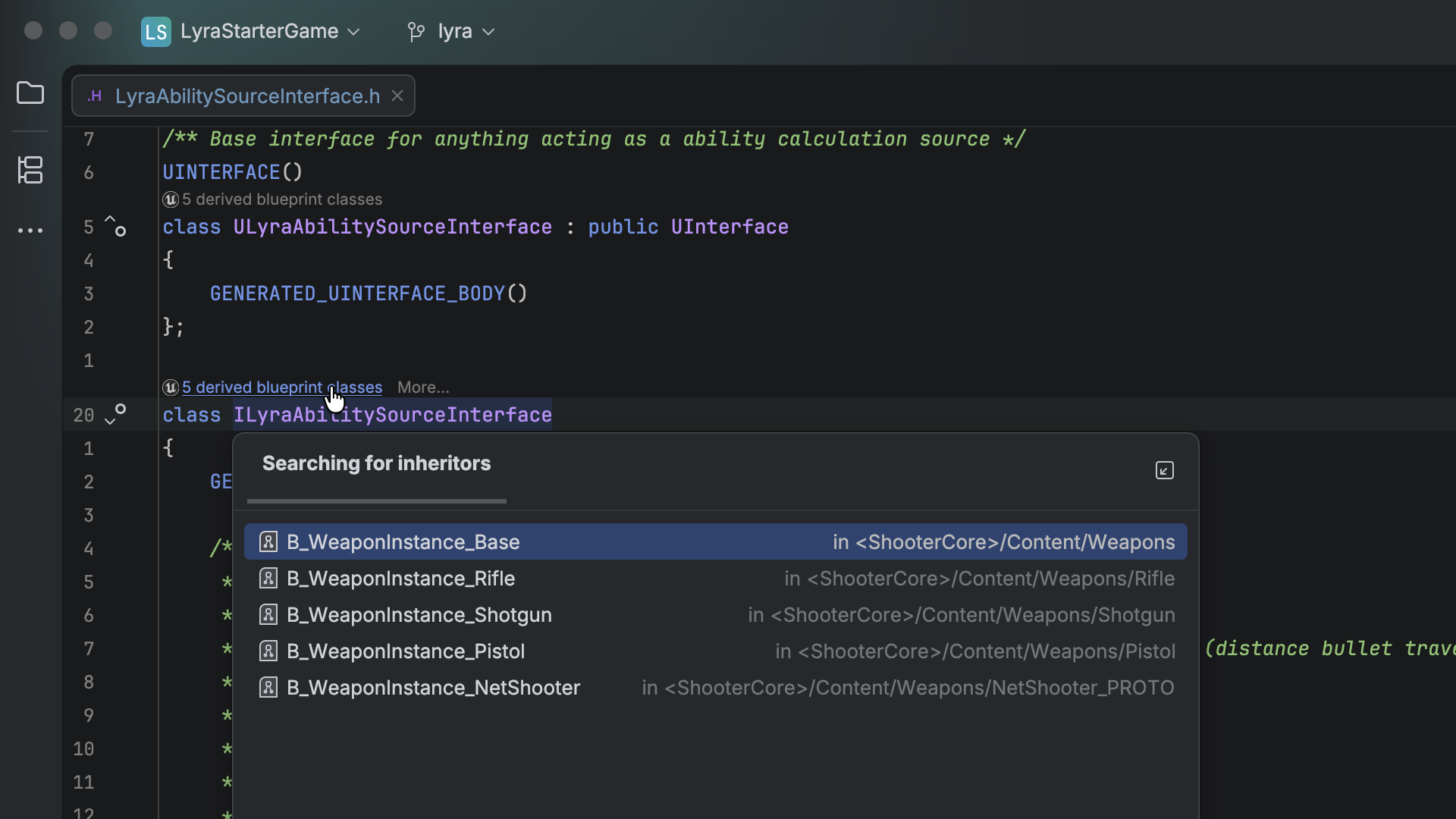
More updates for game development.
The latest language support
- C#: Rider ships the latest ReSharper updates for analysis, refactoring, and language support. See What’s New in ReSharper 2026.2.
- C++: initial support for C++26 reflection (the
^^operator, splicing, and consteval blocks), plus aconstexprevaluator that now handles dynamic allocations and exceptions. See What’s New in ReSharper C++ 2026.2. - F#: a new action to disable and restore compiler warnings, more reliable symbol imports from errors, smoother C# 14 interop, and additional debugging fixes.
Other release highlights
- File-based C# app templates: create, edit, and run single-file C# scripts, repo utilities, and CI helpers without a full project.
- TypeScript 7 support: the Go-based compiler cuts project load time dramatically; in our testing on the Kibana codebase, from ~12 seconds to ~3.
- Built-in Azure Functions: create, run, debug, and containerize Functions projects locally without the separate Azure Toolkit plugin.
- Azure DevOps pull requests: list, filter, review, vote on, and create PRs from a new tool window, without leaving Rider.
- Intention previews: see the diff a quick-fix or context action will produce before you apply it.
- Redesigned NuGet tool window: browsing, installed packages, and updates now have separate, more focused paths.
- Smarter debugging: more predictable Step Into and cleaner return values for C#/F#, plus more reliable source generator debugging on Linux and macOS.
Try Rider 2026.2
You’ll find the full overview on the What’s New in Rider 2026.2 page. Download the latest version and let us know how it fits into your workflow, in the comments below or on X or Bluesky.
Subscribe to a monthly digest curated from the .NET Tools blog:
Discover more

0 Comments
Log in to join the conversation.No comments yet. Be the first to share your thoughts.