
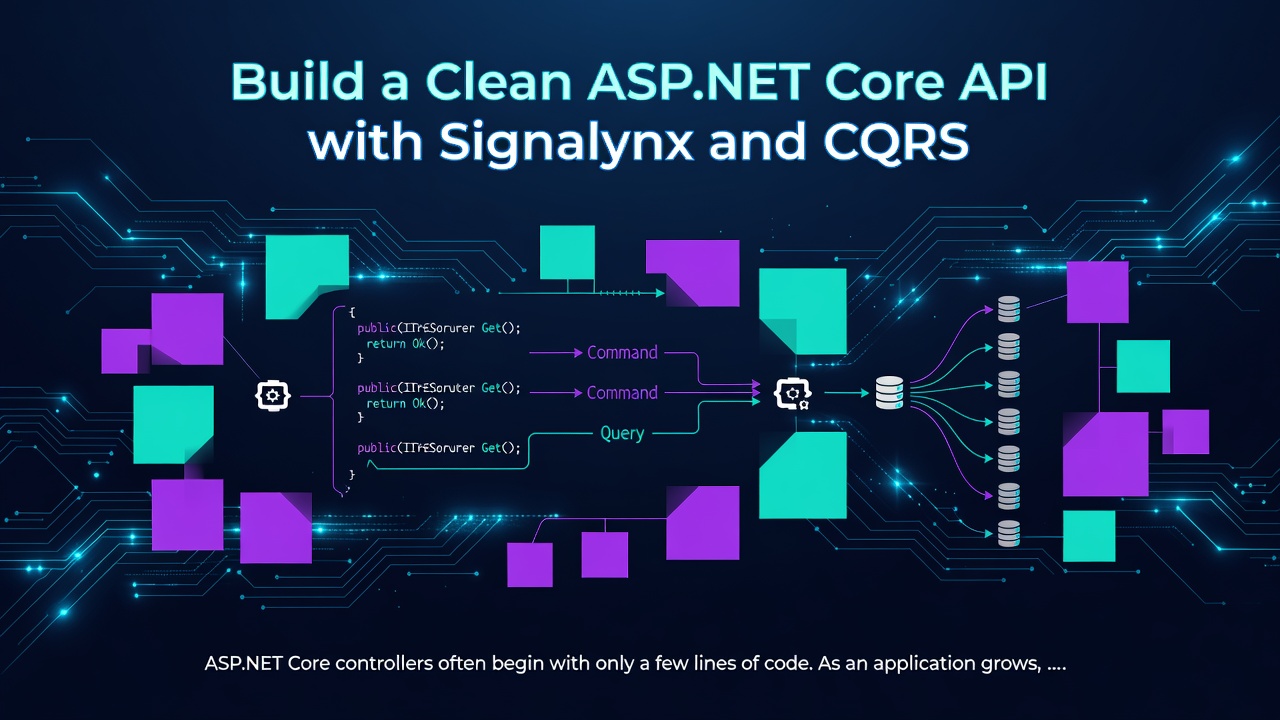
ASP.NET Core controllers often begin with only a few lines of code.
As an application grows, however, controllers can slowly become responsible for validation, business rules, database operations, logging, error handling, and coordinating multiple services.
The result is often a controller that is difficult to understand, test, and maintain.
The Mediator pattern helps solve this problem by moving application logic away from controllers.
Instead of directly calling services and repositories, the controller sends a strongly typed message. A dedicated handler receives that message and performs the requested operation.
In this tutorial, we will build two common ASP.NET Core API operations using Signalynx:
- A
POSTendpoint implemented as a command - A
GETendpoint implemented as a query
This article focuses only on the in-process mediator functionality of Signalynx.
What is the Mediator pattern?
The Mediator pattern introduces a dispatcher between the code requesting an operation and the code responsible for performing it.
Without a mediator, a controller may directly depend on several components:
OrdersController
   ├── OrderService
   ├── ValidationService
   ├── LoggingService
   └── OrderRepository
Enter fullscreen mode Exit fullscreen mode
With a mediator, the controller sends a message:
HTTP Request
     ↓
ASP.NET Core Controller
     ↓
Signalynx
     ↓
Command or Query Handler
     ↓
Application and Database Logic
Enter fullscreen mode Exit fullscreen mode
The controller remains responsible for HTTP concerns, while the handler owns the application use case.
Why use a mediator in ASP.NET Core?
A mediator can improve an ASP.NET Core application in several ways.
Thin controllers
Controllers receive HTTP input, dispatch a message, and convert the result into an HTTP response.
The application logic remains outside the API layer.
Clear use cases
Each command or query represents a specific application operation, such as:
- Create an order
- Retrieve an order
- Update a customer
- Cancel a payment
- Generate an invoice
The message name communicates the intention of the operation.
Better testability
Handlers can be tested independently without starting the complete ASP.NET Core application.
Lower coupling
The controller does not need to know which repository, service, or infrastructure component performs the operation.
Reusable pipeline logic
Cross-cutting concerns can be implemented through mediator pipeline behaviors:
- Validation
- Logging
- Authorization
- Metrics
- Transactions
- Auditing
- Exception handling
This prevents the same logic from being repeated across controllers and handlers.
What is Signalynx?
Signalynx is a strongly typed mediator and dispatcher for modern .NET applications.
For in-process application dispatch, it supports:
- Commands
- Queries
- Request-response messages
- Notifications
- Domain events
- Pipeline behaviors
- Dependency injection
- Validation and logging integrations
- Source-generated registration for NativeAOT scenarios
Signalynx uses asynchronous, strongly typed contracts for messages and handlers.
You can use only the mediator functionality in a simple ASP.NET Core API and add other packages as the application grows.
Create the ASP.NET Core project
Create a new Web API project:
dotnet new webapi -n SignalynxOrdersApi
cd SignalynxOrdersApi
Enter fullscreen mode Exit fullscreen mode
Install the Signalynx dependency-injection package:
dotnet add package Signalynx.DependencyInjection
Enter fullscreen mode Exit fullscreen mode
This package includes the core runtime required for mediator dispatch.
Register Signalynx
Register Signalynx in Program.cs and tell it which assembly contains your handlers:
using Signalynx.DependencyInjection;

var builder = WebApplication.CreateBuilder(args);

builder.Services.AddControllers();

builder.Services.AddSignalynx(options =>
{
    options.RegisterServicesFromAssembly(
        typeof(Program).Assembly);
});

var app = builder.Build();

app.MapControllers();

app.Run();
Enter fullscreen mode Exit fullscreen mode
Signalynx discovers and registers handlers from the selected assembly during application startup.
Organize the project by feature
A feature-based structure keeps each message close to its handler:
Features/
└── Orders/
    ├── CreateOrder/
    │   ├── CreateOrderCommand.cs
    │   └── CreateOrderCommandHandler.cs
    └── GetOrder/
        ├── GetOrderQuery.cs
        ├── GetOrderQueryHandler.cs
        └── OrderResponse.cs

Controllers/
└── OrdersController.cs
Enter fullscreen mode Exit fullscreen mode
This is also known as a vertical-slice structure.
Instead of placing every command, handler, service, and model into separate global folders, files are grouped by the business operation they implement.
Create an order with a command
A POST request normally changes application state.
In a mediator-based application, this operation can be represented as a command.
Define the command
Create Features/Orders/CreateOrder/CreateOrderCommand.cs:
using Signalynx.Abstractions;

namespace SignalynxOrdersApi.Features.Orders.CreateOrder;

public sealed record CreateOrderCommand(
    Guid CustomerId,
    decimal Amount)
    : ICommand<Guid>;
Enter fullscreen mode Exit fullscreen mode
The command contains the data required to create an order.
ICommand<Guid> means that the command returns the ID of the newly created order.
Create the command handler
Create CreateOrderCommandHandler.cs:
using Signalynx.Abstractions;

namespace SignalynxOrdersApi.Features.Orders.CreateOrder;

public sealed class CreateOrderCommandHandler
    : ICommandHandler<CreateOrderCommand, Guid>
{
    public ValueTask<Guid> HandleAsync(
        CreateOrderCommand command,
        CancellationToken cancellationToken = default)
    {
        var orderId = Guid.NewGuid();

        // Replace this with your database or domain logic.
        // For example:
        //
        // var order = new Order(
        //     orderId,
        //     command.CustomerId,
        //     command.Amount);
        //
        // dbContext.Orders.Add(order);
        // await dbContext.SaveChangesAsync(cancellationToken);

        return ValueTask.FromResult(orderId);
    }
}
Enter fullscreen mode Exit fullscreen mode
The handler owns the application logic for creating an order.
In a real project, it could receive an EF Core DbContext, repository, domain service, or another dependency through constructor injection.
For example:
public sealed class CreateOrderCommandHandler(
    OrdersDbContext dbContext)
    : ICommandHandler<CreateOrderCommand, Guid>
{
    public async ValueTask<Guid> HandleAsync(
        CreateOrderCommand command,
        CancellationToken cancellationToken = default)
    {
        var order = new Order
        {
            Id = Guid.NewGuid(),
            CustomerId = command.CustomerId,
            Amount = command.Amount,
            Status = "Created"
        };

        dbContext.Orders.Add(order);

        await dbContext.SaveChangesAsync(
            cancellationToken);

        return order.Id;
    }
}
Enter fullscreen mode Exit fullscreen mode
Retrieve an order with a query
A GET request reads data without intentionally changing application state.
This makes it a good match for a query.
Define the response
Create Features/Orders/GetOrder/OrderResponse.cs:
namespace SignalynxOrdersApi.Features.Orders.GetOrder;

public sealed record OrderResponse(
    Guid Id,
    Guid CustomerId,
    decimal Amount,
    string Status);
Enter fullscreen mode Exit fullscreen mode
Define the query
Create GetOrderQuery.cs:
using Signalynx.Abstractions;

namespace SignalynxOrdersApi.Features.Orders.GetOrder;

public sealed record GetOrderQuery(Guid OrderId)
    : IQuery<OrderResponse?>;
Enter fullscreen mode Exit fullscreen mode
The query contains the order ID.
The nullable OrderResponse? result indicates that the requested order might not exist.
Create the query handler
Create GetOrderQueryHandler.cs:
using Signalynx.Abstractions;

namespace SignalynxOrdersApi.Features.Orders.GetOrder;

public sealed class GetOrderQueryHandler
    : IQueryHandler<GetOrderQuery, OrderResponse?>
{
    public ValueTask<OrderResponse?> HandleAsync(
        GetOrderQuery query,
        CancellationToken cancellationToken = default)
    {
        // Replace this with an EF Core, Dapper,
        // or repository database query.

        OrderResponse? order = new(
            query.OrderId,
            Guid.NewGuid(),
            2499.00m,
            "Created");

        return ValueTask.FromResult(order);
    }
}
Enter fullscreen mode Exit fullscreen mode
In a production application, the handler could query a database using EF Core:
public sealed class GetOrderQueryHandler(
    OrdersDbContext dbContext)
    : IQueryHandler<GetOrderQuery, OrderResponse?>
{
    public async ValueTask<OrderResponse?> HandleAsync(
        GetOrderQuery query,
        CancellationToken cancellationToken = default)
    {
        return await dbContext.Orders
            .Where(order => order.Id == query.OrderId)
            .Select(order => new OrderResponse(
                order.Id,
                order.CustomerId,
                order.Amount,
                order.Status))
            .FirstOrDefaultAsync(cancellationToken);
    }
}
Enter fullscreen mode Exit fullscreen mode
The database query remains inside the query handler rather than the API controller.
Create the request model
Create a request model for the POST endpoint:
namespace SignalynxOrdersApi.Features.Orders.CreateOrder;

public sealed record CreateOrderRequest(
    Guid CustomerId,
    decimal Amount);
Enter fullscreen mode Exit fullscreen mode
The request model represents the HTTP contract.
The command represents the application operation.
Keeping these contracts separate allows the API contract to evolve independently from the application layer when necessary.
Dispatch commands and queries from the controller
Create Controllers/OrdersController.cs:
using Microsoft.AspNetCore.Mvc;
using Signalynx;
using SignalynxOrdersApi.Features.Orders.CreateOrder;
using SignalynxOrdersApi.Features.Orders.GetOrder;

namespace SignalynxOrdersApi.Controllers;

[ApiController]
[Route("api/orders")]
public sealed class OrdersController(
    ISignalynx signalynx)
    : ControllerBase
{
    [HttpGet("{id:guid}")]
    public async Task<IActionResult> GetOrder(
        Guid id,
        CancellationToken cancellationToken)
    {
        var query = new GetOrderQuery(id);

        var order = await signalynx
            .QueryAsync<GetOrderQuery, OrderResponse?>(
                query,
                cancellationToken);

        return order is null
            ? NotFound()
            : Ok(order);
    }

    [HttpPost]
    public async Task<IActionResult> CreateOrder(
        CreateOrderRequest request,
        CancellationToken cancellationToken)
    {
        var command = new CreateOrderCommand(
            request.CustomerId,
            request.Amount);

        var orderId = await signalynx
            .DispatchAsync<CreateOrderCommand, Guid>(
                command,
                cancellationToken);

        return CreatedAtAction(
            nameof(GetOrder),
            new { id = orderId },
            new { id = orderId });
    }
}
Enter fullscreen mode Exit fullscreen mode
The controller remains small.
It does not contain order-creation logic or data-access logic. It only:
- Reads HTTP input.
- Creates a command or query.
- Sends it through Signalynx.
- Converts the result into an HTTP response.
Its only application-level dependency is ISignalynx.
Test the API
Run the application:
dotnet run
Enter fullscreen mode Exit fullscreen mode
Create an order:
POST /api/orders
Content-Type: application/json

{
  "customerId": "4d8c5790-724f-4b42-bdda-bfa7f4932773",
  "amount": 2499.00
}
Enter fullscreen mode Exit fullscreen mode
A successful response may look like this:
{
  "id": "0c9af8bd-478f-4480-a989-3cdb0aafee51"
}
Enter fullscreen mode Exit fullscreen mode
Retrieve the order:
GET /api/orders/0c9af8bd-478f-4480-a989-3cdb0aafee51
Enter fullscreen mode Exit fullscreen mode
Example response:
{
  "id": "0c9af8bd-478f-4480-a989-3cdb0aafee51",
  "customerId": "4d8c5790-724f-4b42-bdda-bfa7f4932773",
  "amount": 2499.00,
  "status": "Created"
}
Enter fullscreen mode Exit fullscreen mode
The sample handlers currently return demonstration data. Connect them to your database to persist and retrieve real orders.
Add validation and logging with pipeline behaviors
One major advantage of a mediator is the ability to apply common logic around multiple application operations.
A mediator pipeline can be visualized like this:
Controller
   ↓
Logging Behavior
   ↓
Validation Behavior
   ↓
Command or Query Handler
   ↓
Response
Enter fullscreen mode Exit fullscreen mode
Pipeline behaviors can be used for:
- Request validation
- Structured logging
- Authorization
- Performance measurement
- Database transactions
- Exception handling
- Auditing
Behaviors can be registered centrally:
builder.Services.AddSignalynx(options =>
{
    options.RegisterServicesFromAssembly(
        typeof(Program).Assembly);

    options.AddOpenBehavior(
        typeof(ValidationBehavior<,>));

    options.AddOpenBehavior(
        typeof(LoggingBehavior<,>));
});
Enter fullscreen mode Exit fullscreen mode
This keeps individual handlers focused on application and business logic.
Only add behaviors that provide clear value to your application.
Commands, queries, requests, and events
Signalynx provides explicit message contracts for different application interactions.
| Requirement | Recommended type | Example |
|---|---|---|
| Change application state | Command | Create or cancel an order |
| Read application data | Query | Retrieve an order by ID |
| General one-to-one operation | Request | Calculate a value |
| Notify multiple local handlers | Notification or domain event | Order created |
Using explicit message types makes the purpose of each operation visible in the code.
Command
Use a command when an operation changes application state:
public sealed record CancelOrderCommand(Guid OrderId)
    : ICommand;
Enter fullscreen mode Exit fullscreen mode
Query
Use a query when an operation retrieves data:
public sealed record SearchOrdersQuery(string SearchTerm)
    : IQuery<IReadOnlyList<OrderResponse>>;
Enter fullscreen mode Exit fullscreen mode
Request
Use a request for a general one-to-one operation that does not clearly fit command or query semantics:
public sealed record CalculateShippingRequest(
    string PostalCode,
    decimal Weight)
    : IRequest<decimal>;
Enter fullscreen mode Exit fullscreen mode
Notification or domain event
Use a notification or domain event when multiple local handlers should react independently:
public sealed record OrderCreatedEvent(Guid OrderId)
    : IDomainEvent;
Enter fullscreen mode Exit fullscreen mode
Possible handlers could include:
OrderCreatedEvent
   ├── Send confirmation email
   ├── Update analytics
   ├── Write audit record
   └── Reserve inventory
Enter fullscreen mode Exit fullscreen mode
Mediator pattern versus direct service calls
A mediator is useful when an application contains multiple use cases and repeated cross-cutting concerns.
However, direct service calls may still be sufficient for a very small application.
Adding a command and handler for every trivial operation can create unnecessary files when there is no meaningful architectural separation to gain.
A mediator becomes more valuable when:
- Controllers are growing too large.
- Business logic is spread across API endpoints.
- Multiple endpoints repeat validation or logging.
- Application use cases need independent tests.
- The project follows Clean Architecture.
- The project follows vertical-slice architecture.
- Commands and queries need clear ownership.
- Cross-cutting behaviors must be applied consistently.
The goal is not to add more layers.
The goal is to give each use case a clear boundary.
Testing a handler
Because the business operation lives in a handler, it can be tested without creating an ASP.NET Core test server.
For example:
public sealed class CreateOrderCommandHandlerTests
{
    [Fact]
    public async Task HandleAsync_ReturnsOrderId()
    {
        var handler = new CreateOrderCommandHandler();

        var command = new CreateOrderCommand(
            Guid.NewGuid(),
            2499.00m);

        var orderId = await handler.HandleAsync(command);

        Assert.NotEqual(Guid.Empty, orderId);
    }
}
Enter fullscreen mode Exit fullscreen mode
When the handler uses a database or another dependency, provide a test implementation through its constructor.
This keeps the test focused on one application operation.
Why I built Signalynx
I built Signalynx to provide a modern, strongly typed mediator experience for .NET applications while keeping in-process dispatch independent from optional infrastructure.
For a simple ASP.NET Core API, you can use only the mediator functionality.
As the application grows, you can add packages for:
- Validation
- Logging
- Source generation
- Domain events
- Durable messaging
- Inbox and outbox patterns
- Message-broker integrations
This allows teams to begin with a clean in-process architecture without forcing every application to immediately adopt distributed messaging infrastructure.
Final thoughts
The Mediator pattern can make ASP.NET Core APIs easier to maintain by separating HTTP endpoints from application use cases.
With Signalynx:
- A
POSTendpoint can dispatch a strongly typed command. - A
GETendpoint can execute a strongly typed query. - Each use case can have its own handler.
- Controllers remain focused on HTTP concerns.
- Validation and logging can be added through reusable pipelines.
- Handlers can be tested independently.
- Application code becomes easier to extend.
Install Signalynx using:
dotnet add package Signalynx.DependencyInjection
Enter fullscreen mode Exit fullscreen mode
Explore the project:
Signalynx is open source. If it helps your project, consider starring the GitHub repository and sharing your feedback.
How do you currently keep your ASP.NET Core controllers thin?
0 Comments
Log in to join the conversation.No comments yet. Be the first to share your thoughts.