
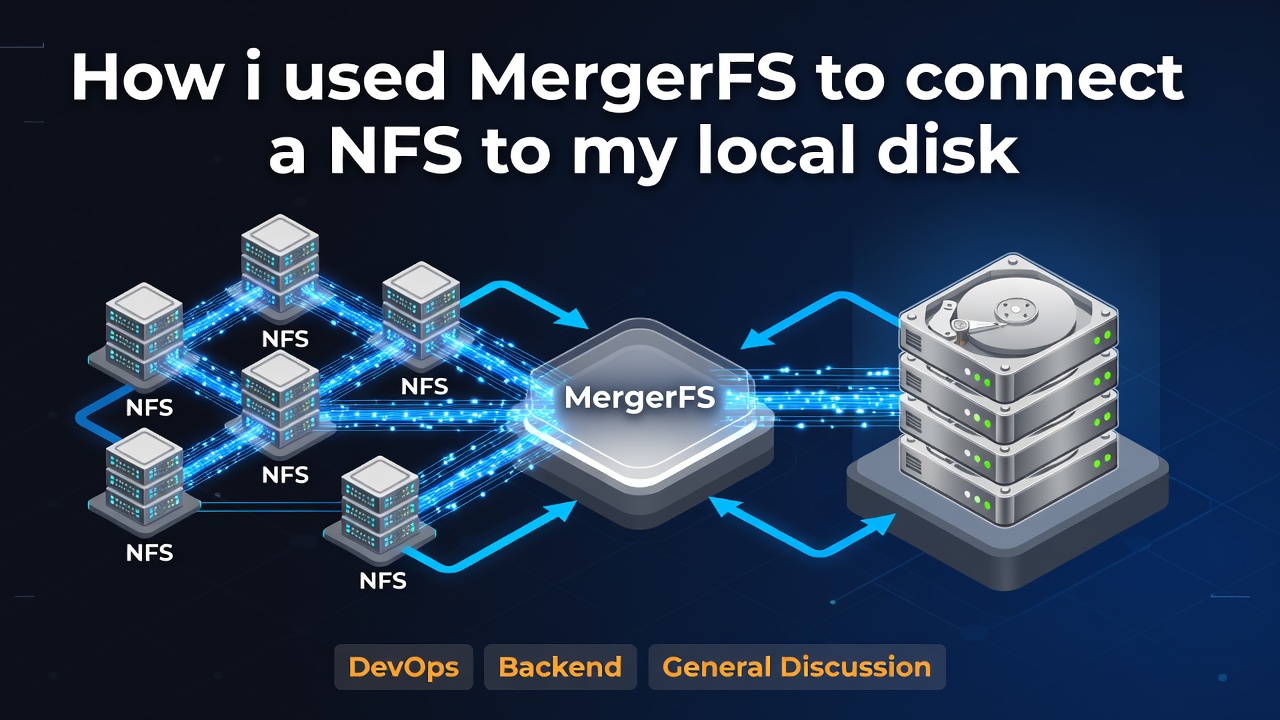
Sooner or later, every self-hosted setup runs into the same wall: you need more storage, but you don't need a distributed storage cluster. Maybe you have a media server whose library keeps growing, or a backup target that's slowly filling up, or a homelab with three or four machines that each have some spare disk sitting idle. The obvious answers, Ceph, GlusterFS, or a full-blown SAN, are overkill for this kind of problem. They bring their own operational burden: multiple daemons, quorum requirements, network overhead, and a learning curve that doesn't pay for itself unless you're running dozens of terabytes across a real cluster with redundancy requirements.
This is the gap that MergerFS fills. It's a union filesystem, meaning it takes several separate storage locations and presents them to applications as a single, unified mount point. It doesn't stripe data, it doesn't replicate it, and it doesn't do anything clever with erasure coding. It just merges directory trees. Combined with NFS to bring in storage from a second machine, you can build a pool that behaves like one big disk without touching a single line of cluster configuration.
This article walks through building exactly that: an NFS server exporting a chunk of storage, a client machine mounting it locally, and MergerFS combining that NFS mount with local disk into a single pooled filesystem. Along the way we'll cover the NFS version choice, placement policies, permissions, failure behavior, and backup strategy, because a union filesystem is not, and never will be, a backup.
Before going further, it's worth being honest about when this approach doesn't make sense. If you need strong consistency guarantees, POSIX locking across multiple concurrent writers, or high availability where a node failure shouldn't interrupt service, MergerFS and NFS are the wrong tool. This setup is best suited for single-writer or mostly-read workloads: media libraries, backup targets, file archives, and general-purpose homelab storage where simplicity and low operational overhead matter more than clustering guarantees.
Architecture Overview
The setup involves two machines. One exports storage over NFS, the other mounts that export and merges it with its own local disk using MergerFS. Applications on the client only ever see the final merged mount point; they have no idea whether a given file physically lives on local disk or on the remote NFS share.
                        STORAGE SERVER (192.0.2.10)
                        ┌─────────────────────────┐
                        │   /srv/storage           │
                        │   (physical disk)        │
                        └──────────────┬───────────┘
                                       │
                                  NFS Export
                                       │
                                       ▼
┌──────────────────────────────────────────────────────────────┐
│                  APPLICATION SERVER (198.51.100.20)           │
│                                                                 │
│   /srv/local-storage        /mnt/storage (NFS mount)          │
│   (local disk)              from 192.0.2.10:/srv/storage      │
│         │                              │                       │
│         └──────────────┬───────────────┘                      │
│                         ▼                                      │
│                 ┌───────────────┐                              │
│                 │   MergerFS    │                              │
│                 └───────┬───────┘                              │
│                         ▼                                      │
│                  /srv/storage                                  │
│              (final merged mount point)                        │
│                         │                                       │
│                    Applications                                 │
└──────────────────────────────────────────────────────────────┘
Enter fullscreen mode Exit fullscreen mode
Data flows in one direction conceptually: applications write to /srv/storage (the merged mount), MergerFS decides which underlying branch actually receives the write based on the placement policy you configure, and that branch is either local disk or the NFS mount pointing back at the storage server. Reads work the same way in reverse; MergerFS looks across all branches and presents whichever file matches, regardless of where it physically lives.
Requirements
You'll need two Linux machines for this setup. The first is the storage server, whose only job is to export a directory over NFS. The second is the application or client server, which mounts that export and merges it locally with MergerFS. Both machines can run any mainstream distribution; the commands below cover Debian and Ubuntu (using apt), and Arch Linux (using pacman), with notes for Fedora and Rocky Linux where the package names differ.
In terms of hardware, there's nothing exotic here. A gigabit or better network link between the two machines is recommended if you're moving anything beyond small files, since NFS performance is heavily influenced by network latency and throughput. For the examples in this article, the storage server sits at 192.0.2.10 and the application server sits at 198.51.100.20. These addresses come from RFC 5737 and are reserved for documentation, so don't expect to reach them on the internet.
Installing and Configuring the NFS Server
Start on the storage server. On Debian or Ubuntu:
sudo apt update
sudo apt install nfs-kernel-server
Enter fullscreen mode Exit fullscreen mode
On Arch Linux:
sudo pacman -S nfs-utils
Enter fullscreen mode Exit fullscreen mode
On Fedora or Rocky Linux, the package is nfs-utils as well, installed with dnf install nfs-utils.
Next, create the directory you intend to export and lock down its ownership. This directory will hold the actual data, so treat its permissions carefully from the start:
sudo mkdir -p /srv/storage
sudo chown nobody:nogroup /srv/storage
sudo chmod 0770 /srv/storage
Enter fullscreen mode Exit fullscreen mode
On Arch and Fedora-based systems, the anonymous group is usually called nobody rather than nogroup; check with getent group nobody if the chown command complains.
Now define the export in /etc/exports:
/srv/storage 198.51.100.20(rw,sync,no_subtree_check,no_root_squash)
Enter fullscreen mode Exit fullscreen mode
Each field here matters. rw allows both reads and writes from the client. sync tells the NFS server to write changes to disk before acknowledging them back to the client, which is slower than async but much safer, since async can lose recently written data if the server crashes before flushing to disk. no_subtree_check disables a consistency check that verifies a requested file is actually within the exported tree; it's mostly a legacy option at this point and disabling it improves reliability when files are renamed or moved within the export. We'll come back to no_root_squash in the permissions section, since it interacts directly with how MergerFS on the client will see file ownership.
Apply the export and start the services:
sudo exportfs -ra
sudo systemctl enable --now nfs-server
Enter fullscreen mode Exit fullscreen mode
exportfs -ra re-reads /etc/exports and reloads the export table without needing a full service restart, which is convenient once you're iterating on the configuration. Verify the export is live with:
sudo exportfs -v
Enter fullscreen mode Exit fullscreen mode
You should see the export listed along with the options you configured. From the client side, once networking is in place, you can also confirm visibility with showmount -e 192.0.2.10, which lists everything the server is currently exporting.
Installing the NFS Client
On the application server, install the client tools. Debian and Ubuntu:
sudo apt install nfs-common
Enter fullscreen mode Exit fullscreen mode
Arch Linux:
sudo pacman -S nfs-utils
Enter fullscreen mode Exit fullscreen mode
Create a mount point and test the connection manually before committing to a permanent configuration:
sudo mkdir -p /mnt/storage
sudo mount -t nfs -o vers=3 192.0.2.10:/srv/storage /mnt/storage
Enter fullscreen mode Exit fullscreen mode
The vers=3 flag pins the mount to NFSv3, which we'll justify in detail in the next section. If the mount succeeds, df -h /mnt/storage should show the remote filesystem, and you should be able to create and read files there as a basic sanity check:
touch /mnt/storage/testfile
ls -la /mnt/storage
Enter fullscreen mode Exit fullscreen mode
Common mount options worth knowing at this stage include rsize and wsize, which control the maximum read and write block sizes negotiated with the server (larger values generally help throughput on fast networks), and timeo, which sets how long the client waits before retransmitting a request. We'll cover the full set of options when we build the permanent fstab entry.
Why Choose NFSv3?
This is a question that trips up a lot of people setting up NFS for the first time, because the assumption is usually "newer is better." NFSv4 is indeed the more modern protocol, with integrated security (Kerberos support), a single well-defined TCP port instead of the sprawling portmapper dance NFSv3 relies on, and built-in state management for things like file locking. So why would anyone deliberately choose the older version for a pooled storage setup?
The core difference comes down to statefulness. NFSv3 is stateless: the server keeps no record of which clients have which files open. Every request is self-contained and includes everything needed to process it. NFSv4 is stateful: the server tracks open files, locks, and client sessions as ongoing state. Statelessness sounds primitive, but it has a very practical benefit for a setup like this one. When an NFSv3 server reboots or the network briefly drops, there's no session state to recover; the client simply resumes sending requests once the server is reachable again, and the server has no confusion about what it "should" remember. NFSv4, by contrast, needs to go through a grace period after a restart where it reclaims locks and rebuilds session state, and if that recovery is interrupted or misconfigured, clients can end up stuck.
Locking behavior follows from this. NFSv3 relies on a separate protocol, NLM (Network Lock Manager), running alongside the main NFS service, which is part of why NFSv3 needs the portmapper and multiple ports. NFSv4 has locking built directly into the protocol, which is architecturally cleaner but ties lock state to the stateful session model described above. For a MergerFS pool that's primarily serving media files, backups, or archival data with a single writer at a time, the sophistication of NFSv4 locking rarely gets used, and the operational simplicity of NFSv3's stateless model tends to matter more.
Recovery after outages is where this really shows up in practice. If your storage server reboots for a kernel update while the application server has files open through the mount, an NFSv3 client will simply retry its pending requests until the server comes back, especially when mounted with hard (more on that shortly). An NFSv4 client going through the same event has to renegotiate its lease and session, which is usually fine, but introduces more moving parts that can fail in ways that are harder to diagnose over a flaky home network link.
Performance-wise, there isn't a dramatic winner. NFSv4.1 and later introduced session trunking and better caching semantics that can outperform NFSv3 on high-concurrency, high-latency wide-area links, but on a local network between two machines in the same rack or the same room, the difference is usually within noise. Security is the one area where NFSv4 is unambiguously ahead, since it supports Kerberos-based authentication and encryption in transit, whereas NFSv3 relies on IP-based trust (the client's address is essentially its credential) and has no native encryption. If your storage server and application server sit behind a firewall on a trusted internal network, this gap matters less; if you're exporting over anything resembling an untrusted network, you should either use NFSv4 with Kerberos or tunnel NFSv3 over something like WireGuard.
Given all this, NFSv3 tends to be the pragmatic choice for a simple two-machine MergerFS pool: fewer moving parts, more forgiving recovery behavior, and a locking model that's simple enough not to fight with MergerFS's own file placement logic. If your environment has multiple concurrent writers, requires encryption in transit without a VPN layer, or spans untrusted networks, NFSv4 with Kerberos is worth the added complexity.
Installing MergerFS
MergerFS is a FUSE-based union filesystem. FUSE (Filesystem in Userspace) lets a regular program implement filesystem behavior without needing kernel driver code, which is why MergerFS can be installed and upgraded like any other package rather than requiring a kernel module. The tradeoff, which we'll revisit in the performance section, is that every filesystem operation crosses the user space/kernel space boundary an extra time compared to a native kernel filesystem, adding a small amount of overhead.
On Debian and Ubuntu, MergerFS ships as a .deb package on its GitHub releases page, since it's not always in the default repositories on older releases:
wget https://github.com/trapexit/mergerfs/releases/latest/download/mergerfs_amd64.deb
sudo dpkg -i mergerfs_amd64.deb
Enter fullscreen mode Exit fullscreen mode
On Arch Linux, it's available directly from the official repositories:
sudo pacman -S mergerfs
Enter fullscreen mode Exit fullscreen mode
On Fedora and Rocky Linux, install via COPR or the packaged RPM from the project's release page, following the same pattern as the Debian package above but with rpm -i.
Verify the install:
mergerfs --version
Enter fullscreen mode Exit fullscreen mode
You should see a version string reported. If the binary isn't found, double check that /usr/bin or /usr/local/bin (depending on how the package installed it) is on your PATH.
Building the Union Filesystem
With NFS mounted at /mnt/storage and some local disk available, we can now merge the two. First, set up the local branch:
sudo mkdir -p /srv/local-storage
Enter fullscreen mode Exit fullscreen mode
Now the actual MergerFS mount:
mergerfs \
  -o defaults,allow_other,use_ino,category.create=mspmfs,minfreespace=20G,moveonenospc=true \
  /srv/local-storage:/mnt/storage \
  /srv/storage
Enter fullscreen mode Exit fullscreen mode
Let's go through this option by option, since each one changes real behavior. defaults pulls in MergerFS's standard baseline options, mainly to keep the command shorter. allow_other permits users other than the one who ran the mergerfs command to access the mount, which is necessary for almost any real deployment where services run as their own dedicated users rather than root. use_ino tells MergerFS to generate its own inode numbers for files in the merged view rather than passing through the underlying filesystem's inode numbers directly; this avoids inode collisions between the two branches, which matters because a local ext4 filesystem and a remote NFS export can easily hand out overlapping inode numbers on their own.
category.create=mspmfs sets the placement policy for new file creation, which we'll cover in detail in the next section, but in short it means "most space percentage, most free space," picking whichever branch has the most free space relative to its total size when creating new files. minfreespace=20G sets a floor: once a branch has less than 20GB free, MergerFS treats it as ineligible for new writes under space-aware policies, which prevents you from ever filling a branch down to zero and running into strange out-of-space edge cases mid-write. moveonenospc=true is a safety net: if a write to a branch fails because that branch ran out of space mid-operation, MergerFS will automatically move the partially written file to another branch with room and retry, rather than simply failing the write.
The two paths after -o are the branches being merged, separated by a colon: /srv/local-storage (physical disk on this machine) and /mnt/storage (the NFS mount from the storage server). The final path, /srv/storage, is the merged mount point that applications will actually use.
Placement Policies
MergerFS decides where new files and directories get created based on a placement policy, and picking the right one matters a lot for how your pool behaves as branches fill up unevenly. epmfs (existing path, most free space) prefers to create new files in whichever branch already has the parent directory present, and among those, picks the one with the most free space; this is a good default when you want related files kept together on the same branch as much as possible. mfs (most free space) ignores existing paths entirely and always picks whichever branch has the most free space in absolute terms, which tends to spread data more evenly but can scatter related files across branches.
mspmfs (most space percentage, most free space), the one used in our example above, chooses the branch with the highest percentage of free space relative to its total capacity, which is useful when your branches are different sizes, since a smaller branch with 30% free might otherwise get starved by mfs in favor of a much larger branch with 30GB free but only 5% of its total. ff (first found) simply uses branches in the order they were listed until the first one runs out of eligible space, which is predictable but can leave later branches sitting mostly empty for a long time. lus (least used space) picks whichever branch currently holds the least amount of data, a reasonable general-purpose choice if you just want things spread out roughly evenly by usage. rand picks a branch at random among the eligible ones, which is rarely the right choice outside of testing, since it makes reasoning about where any given file lives essentially impossible.
For a two-branch pool like the one in this article, mspmfs or mfs are both reasonable defaults, with mspmfs being the better choice whenever the local disk and the remote NFS export have meaningfully different total capacities.
Persistent Mounts
Running these commands by hand each time isn't sustainable, so both the NFS mount and the MergerFS mount need entries in /etc/fstab. Here's a complete example:
# NFS mount from storage server
192.0.2.10:/srv/storage  /mnt/storage  nfs  vers=3,soft,timeo=30,retrans=3,_netdev,nofail,x-systemd.automount  0  0

# MergerFS pool combining local disk and the NFS mount
/srv/local-storage:/mnt/storage  /srv/storage  fuse.mergerfs  defaults,allow_other,use_ino,category.create=mspmfs,minfreespace=20G,moveonenospc=true,nofail,_netdev  0  0
Enter fullscreen mode Exit fullscreen mode
Walking through each option: _netdev tells systemd that this mount depends on the network being up before it can succeed, which prevents the boot process from trying to mount it too early and either failing outright or hanging while waiting for a network interface that isn't ready yet. nofail means that if this mount fails, the boot process continues anyway rather than dropping you into an emergency shell; for a storage pool that isn't strictly required for the system to function, this is almost always what you want. x-systemd.automount sets up the mount as an automount unit, meaning the actual NFS mount only gets triggered the first time something tries to access /mnt/storage, rather than blocking the boot sequence waiting for the NFS server to respond.
soft versus hard is one of the more consequential choices here. A hard mount means that if the NFS server becomes unreachable, any process trying to access the mount will block indefinitely (or until retrans is exhausted, if combined with certain other options) rather than returning an error; this protects against silent data corruption from a write that never actually completed, but can leave applications hung waiting on I/O that will never return. A soft mount, used in the example above, will eventually give up and return an I/O error to the calling application after the timeout and retry count are exhausted, which keeps things responsive but risks the application receiving a failure partway through an operation it assumed would either fully succeed or fully fail cleanly. retrans=3 sets how many times the client retries a request before giving up (relevant mainly under soft), and timeo=30 sets the timeout in deciseconds (so 30 here means 3 seconds) between retries.
For the MergerFS side, use_ino and allow_other mean the same thing they did on the command line earlier; they need to be repeated in fstab since this is effectively just persisting the same command you ran manually.
Reload systemd's view of fstab and test the mounts:
sudo systemctl daemon-reload
sudo mount -a
Enter fullscreen mode Exit fullscreen mode
mount -a attempts to mount everything listed in fstab that isn't already mounted, which is a quick way to verify your fstab syntax is correct without rebooting.
Permissions and UID/GID Mapping
Permissions are where most people lose an afternoon on their first attempt at this setup. The core issue is that NFS, in its traditional form, identifies users by numeric UID and GID, not by username, and it trusts the client to report those numbers honestly. If the storage server and the application server don't agree on what UID 1000 means, you'll see files owned by seemingly random users, or everything showing up owned by nobody.
no_root_squash, used in our exports file earlier, tells the server to trust the client's root user as actual root on the exported filesystem, rather than mapping root requests down to the unprivileged nobody account (which is the default behavior, called root_squash). Squashing root is a security measure: without it, anyone with root on the client machine effectively has root over the exported files too. For a two-machine homelab setup where you control and trust both machines, no_root_squash is often fine and makes life considerably easier, but on any export reachable by machines you don't fully control, root_squash (the default) should stay enabled.
all_squash goes further and maps every remote user, not just root, down to a single anonymous UID and GID, which is useful when you want the export to behave as if it's owned entirely by one service account regardless of who's writing to it from the client side. When all_squash is active, anonuid and anongid specify exactly which UID and GID that anonymous mapping should use:
/srv/storage 198.51.100.20(rw,sync,no_subtree_check,all_squash,anonuid=1000,anongid=1000)
Enter fullscreen mode Exit fullscreen mode
This is a common pattern when the application server runs a specific service (say, a media server under a dedicated mediauser account) and you want every file written through NFS to consistently belong to that same user and group regardless of what process on the client actually wrote it.
The safest general practice, though, is simply to make sure the UID and GID of your service accounts match across both machines. If mediauser is UID 1000 on the application server, create a mediauser account with UID 1000 on the storage server as well, and skip the squashing complexity entirely. This keeps ownership consistent and predictable without relying on the server silently rewriting UIDs behind the scenes.
Failure Testing
Before trusting this pool with real data, it's worth deliberately breaking it to see how it behaves. On the storage server, simulate an outage by stopping the NFS service or physically disconnecting the network:
sudo systemctl stop nfs-server
Enter fullscreen mode Exit fullscreen mode
With a hard mount, any process on the application server trying to read or write through /mnt/storage will simply hang, waiting for the server to come back, rather than failing. This is often the desired behavior for critical writes, since it prevents an application from believing a write succeeded when it didn't. With a soft mount, the same operation will eventually return an I/O error once timeo and retrans are exhausted, letting the application handle the failure instead of blocking forever.
MergerFS itself behaves according to whichever branches remain accessible. If the NFS branch goes away entirely, MergerFS will still serve files from the local branch (/srv/local-storage) normally, but any file that physically lived only on the NFS branch will become unreachable through the merged mount until that branch returns. This is worth internalizing: MergerFS doesn't replicate data between branches, so losing a branch means losing access to whatever data lived exclusively on it, not just a performance hit.
Bring the server back and confirm recovery:
sudo systemctl start nfs-server
ls /mnt/storage
ls /srv/storage
Enter fullscreen mode Exit fullscreen mode
With a properly configured automount and soft or hard mount, access should resume without needing to manually remount anything on the client, though a soft mount that already returned errors to an application may require that application to retry the failed operation itself, since the earlier failure won't automatically retry on its own.
Backup Strategy
It's worth being direct about this: MergerFS pools data, it does not protect it. If a disk backing one of your branches fails, whatever files lived on that branch are gone, exactly as if MergerFS weren't in the picture at all. There's no redundancy, no parity, no replication happening anywhere in this stack. A real backup strategy is not optional here, it's required.
Three tools come up repeatedly for this kind of setup: BorgBackup, Restic, and Kopia. BorgBackup is mature, has excellent deduplication and compression, and is a strong choice when you're backing up to a single destination you control directly (a remote server over SSH, for instance), though it doesn't natively support cloud object storage backends like S3 without additional tooling. Restic is a close cousin in terms of deduplication and encryption, but has native support for a wide range of backends including S3-compatible object storage, Backblaze B2, and Azure, making it a better fit if your backup target lives in the cloud rather than on hardware you manage. Kopia is the newest of the three, and adds a built-in web UI and more flexible snapshot policies out of the box, at the cost of a somewhat smaller community and fewer years of production hardening compared to Borg or Restic.
For a MergerFS pool specifically, any of the three works fine, since they all operate against the merged mount point (/srv/storage) exactly as they would against any other directory tree; none of them need to know or care that the underlying storage is actually split across local disk and an NFS export.
Performance Considerations
Network latency is the first thing to understand, since every read or write that lands on the NFS branch now has to cross the network, unlike a purely local disk. On a local gigabit link this is usually a non-issue for sequential workloads, but random I/O (lots of small reads and writes scattered across a file) suffers more, since each operation pays the round-trip latency cost individually rather than benefiting from read-ahead and write-behind buffering.
Sequential workloads, like streaming a large media file or writing a backup archive, tend to perform close to the raw network throughput once caching settles in. Small file workloads, like thousands of small configuration files or a Git repository, tend to perform noticeably worse over NFS, since the overhead of each individual filesystem operation (open, stat, close) dominates rather than raw data transfer.
FUSE overhead, the cost of MergerFS routing every operation through user space instead of staying in the kernel, is generally small next to network latency, though it becomes measurable on very high IOPS workloads. Caching helps considerably here too: the NFS client caches file attributes and, depending on mount options, data as well, so for large file, mostly-read workloads such as media libraries, repeated access after the first read often feels close to local disk speed.
Troubleshooting
A handful of issues show up repeatedly with this kind of setup, and it's worth knowing the fix ahead of time rather than debugging from scratch under pressure.
Files owned by nobody on the client almost always trace back to a UID/GID mismatch between the two machines, or to all_squash being active without matching anonuid/anongid values. Check id on both machines for the relevant user and compare.
"Stale NFS file handle" errors typically happen after the export path changed on the server (for example, the exported directory was recreated rather than reused) while the client still holds a reference to the old handle. Unmounting and remounting on the client usually resolves it: sudo umount -l /mnt/storage && sudo mount /mnt/storage.
"Permission denied" when writing to the merged mount is almost always a directory permission issue on one of the underlying branches rather than a MergerFS problem itself; check ls -la on both /srv/local-storage and /mnt/storage directly to see which branch is rejecting the write.
MergerFS mount failures at boot are frequently caused by the NFS mount not being ready yet when MergerFS tries to start; this is exactly what _netdev and x-systemd.automount are meant to solve, so double check both are present in the fstab entries.
Boot hangs related to storage almost always trace back to a hard NFS mount without nofail, where the boot process waits indefinitely for a server that isn't responding. Adding nofail (and ideally x-systemd.automount) fixes this by letting the boot continue and deferring the actual mount attempt until something accesses the path.
Automount not triggering usually means the automount unit wasn't regenerated after an fstab edit; run sudo systemctl daemon-reload after any change to /etc/fstab.
UID mismatches surface as files that appear to belong to the wrong user when viewed from one machine versus the other; the fix is either aligning UIDs across both machines or deliberately using all_squash with explicit anonuid/anongid values as described earlier.
Incorrect fstab syntax is best diagnosed with sudo mount -a, which will print the specific parsing or mount error rather than silently failing on the next reboot.
Finally, for genuine network outages, remember that a soft mount will surface I/O errors to applications once retries are exhausted, while a hard mount will simply wait; neither is "broken," they're just different tradeoffs, and the failure testing section above is worth revisiting if the behavior you're seeing doesn't match what you configured.
Final Note on this experiment
A MergerFS and NFS pool is a genuinely good fit when you have a small number of machines, a workload that's mostly sequential reads and writes (media, backups, archives, general file storage), and a strong preference for operational simplicity over clustering features you won't use. It's not a distributed filesystem, it doesn't replicate anything, and it won't survive losing a branch without losing whatever data lived exclusively there, so pairing it with a real backup strategy using Borg, Restic, or Kopia isn't optional.
Once your requirements grow past this, multiple concurrent writers needing strong consistency, actual fault tolerance where losing a node shouldn't mean losing data, or storage spread across many machines that needs to be managed as a single coherent pool, it's time to look at Ceph, GlusterFS, or Longhorn instead. Those systems solve real problems that MergerFS and NFS deliberately don't try to solve, at the cost of considerably more operational complexity. For everything short of that, though, the setup in this article gets you a flexible, pooled storage volume with a fraction of the moving parts, built entirely out of tools that have been stable and well understood for a very long time.
0 Comments
Log in to join the conversation.No comments yet. Be the first to share your thoughts.