
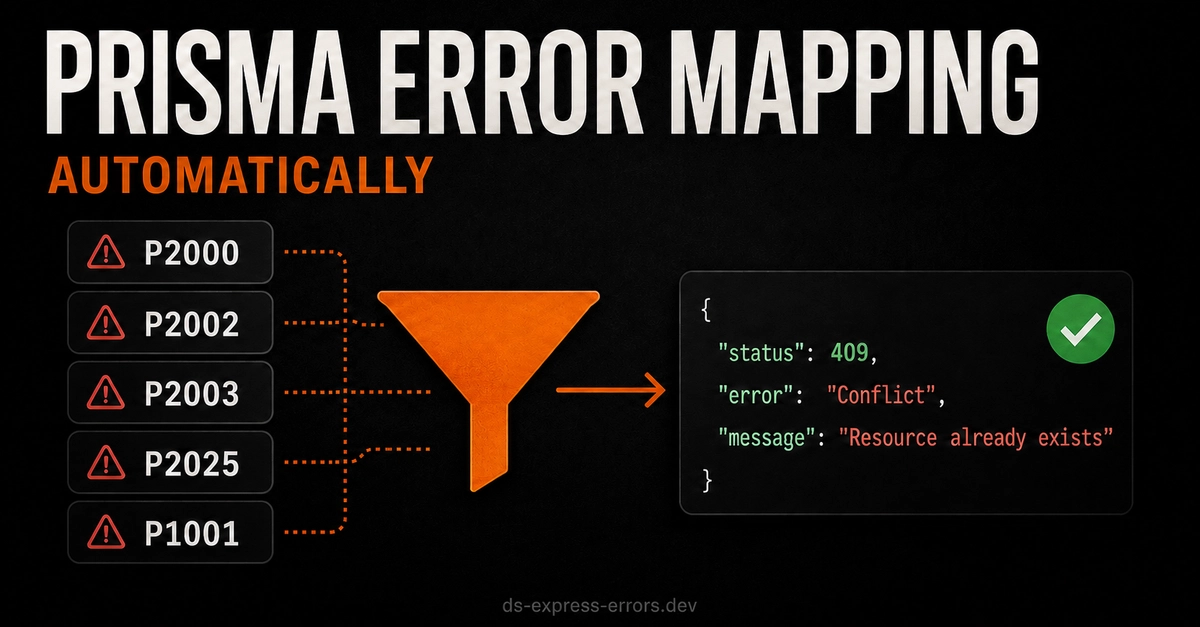
Prisma provides useful error classes and error codes, but handling them manually in every Express controller can quickly become repetitive.
A typical controller may need to check whether an error came from Prisma, inspect its code, select an HTTP status, hide database details in production, and return a consistent JSON response.
The ds-express-errors package can handle this centrally. ZERO DEPENDENCIES
It automatically recognizes Prisma errors and converts them into appropriate HTTP responses.
The usual manual approach
Without a centralized error handler, a route may look like this:
const { Prisma } = require('@prisma/client');

app.post('/users', async (req, res) => {
  try {
    const user = await prisma.user.create({
      data: {
        email: req.body.email,
        name: req.body.name
      }
    });

    res.status(201).json(user);
  } catch (error) {
    if (
      error instanceof Prisma.PrismaClientKnownRequestError &&
      error.code === 'P2002'
    ) {
      return res.status(409).json({
        message: 'A user with this email already exists'
      });
    }

    res.status(500).json({
      message: 'Internal server error'
    });
  }
});
Enter fullscreen mode Exit fullscreen mode
This works, but the same checks often appear in several controllers.
With ds-express-errors, Prisma errors can be forwarded to one global middleware instead.
Installation
Install the package in your Express project:
npm install ds-express-errors
Enter fullscreen mode Exit fullscreen mode
This example assumes that Express and Prisma Client are already installed:
npm install express @prisma/client
Enter fullscreen mode Exit fullscreen mode
Example Prisma model
For this example, the "User" model contains a unique email:
model User {
  id    Int     @id @default(autoincrement())
  email String  @unique
  name  String?
}
Enter fullscreen mode Exit fullscreen mode
Because email is unique, Prisma will throw error P2002 when someone tries to create another user with the same email.
Configure Prisma error handling
Import the Prisma error classes and pass them to ds-express-errors:
const express = require('express');
const { PrismaClient, Prisma } = require('@prisma/client');

const {
  asyncHandler,
  errorHandler,
  setConfig
} = require('ds-express-errors');

const app = express();
const prisma = new PrismaClient();

app.use(express.json());

setConfig({
  needMappers: ['prisma'],

  errorClasses: {
    Prisma
  }
});
Enter fullscreen mode Exit fullscreen mode
The needMappers option enables only the Prisma mapper.
The errorClasses.Prisma option allows version 1.9.0 to use stricter instanceof checks against the real Prisma error classes.
This option is recommended, but not required. Without it, the library can still use fallback detection based on the error name, Prisma client version, and Prisma error code.
Create a user
The controller no longer needs its own try/catch block:
app.post(
  '/users',
  asyncHandler(async (req, res) => {
    const user = await prisma.user.create({
      data: {
        email: req.body.email,
        name: req.body.name
      }
    });

    res.status(201).json(user);
  })
);
Enter fullscreen mode Exit fullscreen mode
If Prisma throws an error, asyncHandler forwards it to the global error middleware.
For example, creating a user with an existing email produces Prisma error P2002.
ds-express-errors maps it to:
409 Conflict
Example production response:
{
  "status": "fail",
  "message": "Conflict"
}
Enter fullscreen mode Exit fullscreen mode
Handle a missing record
The same setup also works for update and delete operations:
app.patch(
  '/users/:id',
  asyncHandler(async (req, res) => {
    const user = await prisma.user.update({
      where: {
        id: Number(req.params.id)
      },
      data: {
        name: req.body.name
      }
    });

    res.json(user);
  })
);
Enter fullscreen mode Exit fullscreen mode
When the requested user does not exist, Prisma can throw P2025.
The library converts it into:
404 Not Found
Example production response:
{
  "status": "fail",
  "message": "Requested resource not found"
}
Enter fullscreen mode Exit fullscreen mode
Add the global error handler
The error middleware must be registered after all routes:
app.use(errorHandler);

app.listen(3000, () => {
  console.log('Server running on port 3000');
});
Enter fullscreen mode Exit fullscreen mode
The complete application now has one centralized place for handling Prisma and other application errors.
Common Prisma mappings
Supported Prisma Error Codes
The Prisma mapper supports the following Prisma error codes and converts them into consistent development and production responses:
| Error Code | Dev Message | Prod Message | HTTP Status |
|---|---|---|---|
| P2000 | Value too long for column: ... | Invalid input value | 400 |
| P2001 | Record does not exist: ... | Resource not found | 404 |
| P2002 | Unique constraint failed: ... | Conflict | 409 |
| P2003 | Foreign key constraint failed: ... | Invalid reference | 400 |
| P2005 | The value stored in the database for the field is invalid for the field's type: ... | Invalid data provided | 400 |
| P2006 | The provided value for the field is not valid: ... | Invalid input value | 400 |
| P2007 | Data validation error: ... | Invalid reference | 400 |
| P2011 | Null constraint violation: ... | Invalid request data | 400 |
| P2014 | Required relation violation: ... | Invalid relation | 400 |
| P2015 | A related record could not be found: ... | Requested resource not found | 404 |
| P2021 | Table does not exist: ... | Internal server error | 500 |
| P2022 | Column does not exist: ... | Internal server error | 500 |
| P2025 | Record not found: ... | Resource not found | 404 |
| P2027 | Multiple errors occurred on the database during query execution: ... | Internal server error | 500 |
| P1001 | Cannot reach database: ... | Service unavailable | 503 |
| P1002 | Database timeout: ... | Service unavailable | 503 |
| P1003 | Database does not exist: ... | Internal server error | 500 |
Development messages preserve useful Prisma details for debugging, while production messages avoid exposing database structure or internal implementation details.
This means controllers do not need a separate switch statement for every supported Prisma error code.
Development and production responses
Set the environment using NODE_ENV:
NODE_ENV=development
In development, the default response can include additional debugging information such as:
{
  "status": "fail",
  "method": "POST",
  "url": "/users",
  "message": "Prisma P2002: [UniqueConstraintError] Unique constraint failed",
  "stack": "Error stack..."
}
Enter fullscreen mode Exit fullscreen mode
In production, stack traces and internal details are hidden:
NODE_ENV=production
{
  "status": "fail",
  "message": "Conflict"
}
Enter fullscreen mode Exit fullscreen mode
For additional mapper logs during development, enable:
DEBUG=true
Example Prisma output. (Dev logging)
[2026-07-23T12:01:34.442Z] POST /prisma/p2003
MESSAGE: Prisma P2003: [PrismaClientKnownRequestError] Foreign key constraint failed: { modelName: Post }; { field_name: Post_authorId_fkey (index) }  Operation: `prisma.post.create()`
StatusCode: 400
Stack: Error: Prisma P2003: [PrismaClientKnownRequestError] Foreign key constraint failed: { modelName: Post }; { field_name: Post_authorId_fkey (index) }
Operation: `prisma.post.create()`
at BadRequest C:\...
Operational: true
What changed in version 1.9.0?
Version 1.9.0 improved Prisma handling by adding:
- strict Prisma error checks using instanceof;
- Prisma support inside the errorClasses configuration;
- improved detection of PrismaClientInitializationError;
- clearer development logs for mapped Prisma errors;
- an ESM import fix.
Final example
const express = require('express');
const { PrismaClient, Prisma } = require('@prisma/client');

const {
  asyncHandler,
  errorHandler,
  setConfig
} = require('ds-express-errors');

const app = express();
const prisma = new PrismaClient();

app.use(express.json());

setConfig({
  needMappers: ['prisma'],
  errorClasses: {
    Prisma
  }
});

app.post(
  '/users',
  asyncHandler(async (req, res) => {
    const user = await prisma.user.create({
      data: {
        email: req.body.email,
        name: req.body.name
      }
    });

    res.status(201).json(user);
  })
);

app.patch(
  '/users/:id',
  asyncHandler(async (req, res) => {
    const user = await prisma.user.update({
      where: {
        id: Number(req.params.id)
      },
      data: {
        name: req.body.name
      }
    });

    res.json(user);
  })
);

// Keep the error handler after all routes
app.use(errorHandler);

app.listen(3000, () => {
  console.log('Server running on port 3000');
});
Enter fullscreen mode Exit fullscreen mode
Conclusion
Prisma already provides detailed error information, but manually processing every error in every controller adds repeated code.
With ds-express-errors, controllers can focus on database operations while Prisma error recognition, HTTP status mapping, logging, and production-safe responses are handled by centralized middleware.
More information:
0 Comments
Log in to join the conversation.No comments yet. Be the first to share your thoughts.