

📝 Originally published (in Japanese) at forge.workstyle.tech.
Moving a Voice Conversion App to a Separate Server: Handling Large Binary Assets
When migrating a voice conversion app to a separate server, you'll inevitably face this dilemma:
Precomputed features and anchor embeddings—those hundreds of megabytes of binary files—can't go in git. But the server absolutely needs them.
While your code can live in git, placing heavy generated artifacts like data/ or features/ in the repository is bad practice. The repo grows bloated, clones slow down, and history becomes unmanageable. Yet manually copying files leaves ambiguity: Did we transfer all the right files without corruption?
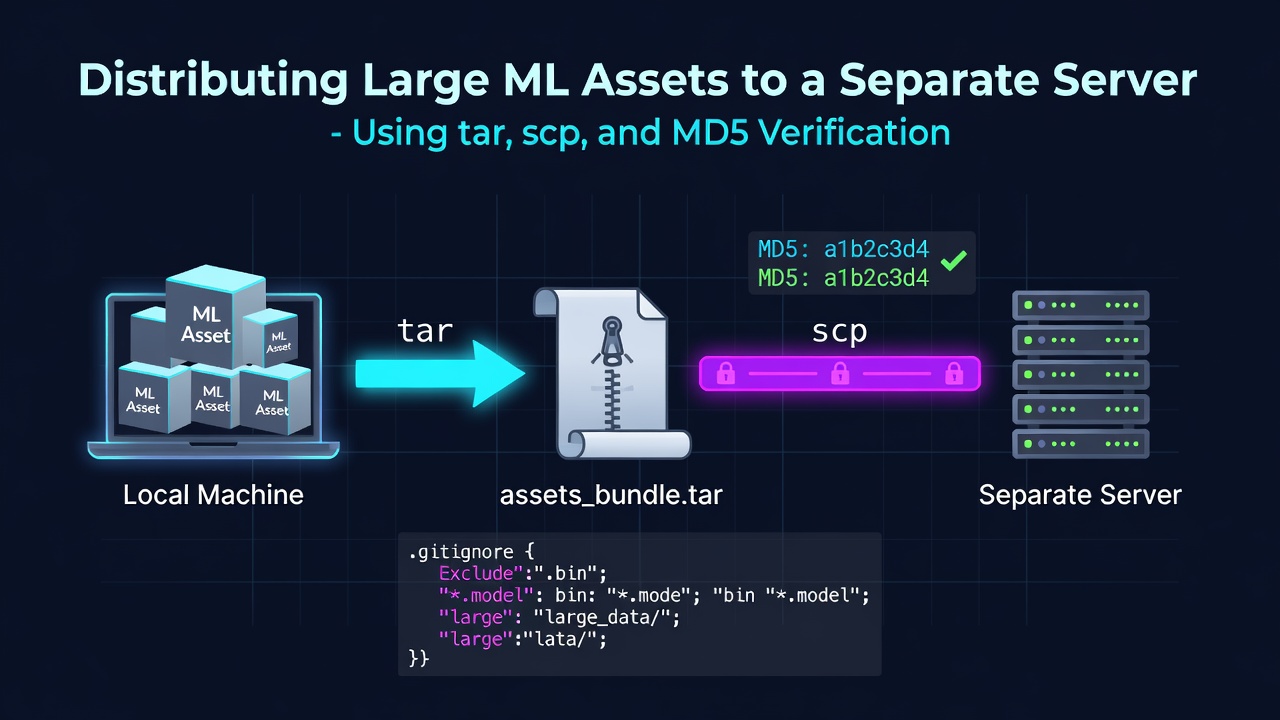
This article outlines a simple but reliable approach: bundle heavy assets with tar, distribute via scp, and verify integrity with MD5 checksums. It also covers the prerequisite .gitignore design that makes this possible.
All hostnames and paths in this article are illustrative. Actual distribution targets and keys are not included.
First Principle: What Goes in Git, What Stays Out
The rule is straightforward:
- Put in git: Code, configuration, small public assets (e.g., sample audio for the frontend)
-
Keep out of git: Heavy generated artifacts (
data/,features/,output/), model weights (checkpoints/), external repos (external/), virtual environments
The tricky part arises when exceptions mix in: "We want to exclude all heavy binaries like `.wav or .npz, but we still need to include sample audio under web/public/personas/` in the repo."
.gitignore Design: Exclude Broadly, Whitelist Exceptions
The key to a clean .gitignore is "exclude broadly, then selectively whitelist exceptions" using !. Here’s the actual configuration:
# Project-specific (generated artifacts & data)
data/
features/
output/
*.wav
*.npz

# But don't ignore documentation
!memo.md
# Include persona sample audio for the frontend (exception to *.wav exclusion)
!web/public/personas/
!web/public/personas/*.wav
external/

# Additional: Heavy artifacts from neural voice conversion
.venv-seedvc/
.venv-vc/
checkpoints/
Enter fullscreen mode Exit fullscreen mode
Key design points:
-
Whitelist directories before files: After excluding
*.wav, you must first!the directory (web/public/personas/) before whitelisting the files inside (!web/public/personas/*.wav). If the parent directory remains ignored, the!for individual files won’t work. - Group exclusions by purpose and comment: Labeling blocks like "generated artifacts," "heavy binaries," "virtual environments," or "model weights" makes it easier to understand why files are ignored later.
-
Anchor exclusions to specific paths: Use
/to limit scope. For example,/lib/excludes only the repo root’slib/directory, avoiding unintended matches withweb/src/lib.
This setup ensures that heavy artifacts stay out of git while allowing only the minimal necessary files (like sample audio) to remain in the repo.
Distribution: Bundle with tar, Transfer via scp, Verify with MD5
Assets excluded from git are distributed as a single tar archive via scp. The critical step is integrity verification—network transfers can silently corrupt large files.
1. Bundle the Assets
Create a compressed tar archive containing only the heavy assets you want to distribute:
# Only include the heavy assets you want to distribute
tar czf ml-assets.tar.gz data/ features/
Enter fullscreen mode Exit fullscreen mode
2. Generate a Checksum
Before sending, compute the MD5 hash of the archive (use md5 on macOS, md5sum on Linux):
md5 ml-assets.tar.gz          # macOS
# md5sum ml-assets.tar.gz     # Linux
Enter fullscreen mode Exit fullscreen mode
3. Transfer the Archive
Use scp to send the archive to the target server (hostnames and paths are illustrative):
scp ml-assets.tar.gz user@example-host:/srv/app/
Enter fullscreen mode Exit fullscreen mode
4. Verify Before Unpacking
On the receiving end, always verify the checksum before unpacking. Only when the hash matches the sender’s should you proceed.
# On the destination server
md5sum ml-assets.tar.gz    # Compare with sender's value
# If it matches, extract
tar xzf ml-assets.tar.gz -C /srv/app/
Enter fullscreen mode Exit fullscreen mode
If the checksums differ, the transfer was corrupted—do not unpack. Instead, request a retransmission. This simple step prevents "it seems to work" issues that are hard to debug later.
Pitfalls and Lessons Learned
-
Whitelisting requires top-down order: When reviving specific files under a broadly excluded pattern (e.g.,
*.wav), first whitelist the parent directory (!web/public/personas/), then the files inside (!web/public/personas/*.wav). - Treat heavy artifacts as separate from git: Git excels at versioning code, not regenerable binary blobs. tar + scp is simple, dependency-free, and works consistently across environments.
- Always include checksums with transfers: Larger files are more prone to silent corruption during transfer. A quick MD5 check before unpacking prevents runtime errors that are hard to trace.
-
Document what you exclude in
.gitignore: This clarifies what must be distributed separately, making the boundary between "code in git" and "assets to transfer" explicit. Exclusion design and distribution go hand in hand.
Summary
- Heavy ML assets (
data/,features/,checkpoints/, etc.) belong outside git and should be distributed via tar + scp. -
.gitignoreshould follow the pattern: exclude broadly → whitelist exceptions. Remember to whitelist directories before files. - You can exclude
*.wavglobally while whitelisting only specific files like!web/public/personas/*.wav. - Distribution workflow: bundle → checksum → scp → verify checksum → unpack. Only proceed if hashes match.
- Exclusion design (what stays out of git) and distribution strategy (how to deliver it) must be planned together.
0 Comments
Log in to join the conversation.No comments yet. Be the first to share your thoughts.