
Deploying an application to Kubernetes is easy to demonstrate with one command:
kubectl apply -f .
Enter fullscreen mode Exit fullscreen mode
The harder question is what happens after the first deployment.
How do you know which commit is running? How do you enforce code-quality checks? How does a new container image reach the cluster without giving the CI pipeline broad Kubernetes access? And how do you clean everything up without leaving AWS resources behind?
I explored those questions by deploying vProfile, a multi-tier Java application, to Amazon EKS using a GitOps workflow.
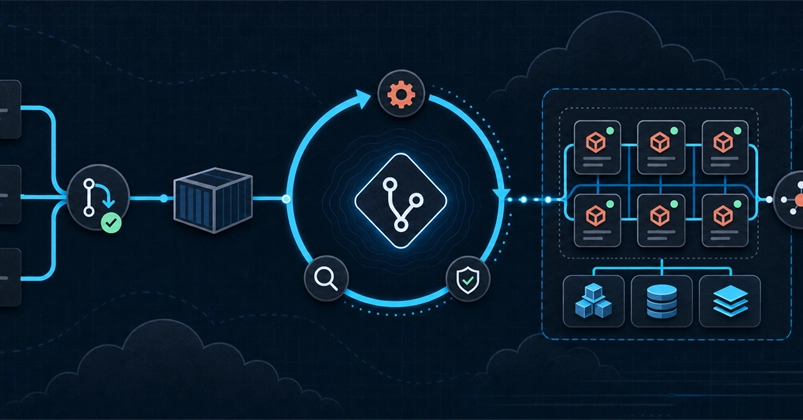
The result was this delivery path:
Pull request
    -> Maven build and SonarQube Quality Gate
    -> Merge to main
    -> Build and push image to Amazon ECR
    -> Update the image tag in Git
    -> Argo CD synchronizes Amazon EKS
Enter fullscreen mode Exit fullscreen mode
The application
vProfile contains four runtime components:
| Component | Purpose |
|---|---|
| Tomcat | Runs the Java web application |
| MySQL | Stores application data |
| Memcached | Provides caching |
| RabbitMQ | Handles messaging |
This made the project more useful than deploying a single stateless container. It introduced persistent storage, startup dependencies, internal service discovery, secrets, and external traffic routing.
The tools and their responsibilities
I deliberately gave each tool a narrow responsibility:
- GitHub Actions builds, tests, and packages the application.
- SonarQube provides code analysis and a Quality Gate.
- Amazon ECR stores the container images.
- Terraform provisions the AWS infrastructure.
- Helm packages the Kubernetes resources.
- Argo CD reconciles the desired state from Git with Amazon EKS.
- AWS Load Balancer Controller creates the public ALB.
- Amazon EBS CSI Driver provides persistent storage for MySQL.
The important boundary is between CI and CD. The build pipeline creates an artifact and records the desired version in Git. Argo CD, not GitHub Actions, changes the cluster.
Pull requests as the quality gate
When a pull request targets main, GitHub Actions runs the Maven build, tests, SonarQube analysis, and Quality Gate.
Only after the pull request is reviewed and merged does the pipeline build the application image and push it to Amazon ECR.
This gives the workflow two distinct stages:
Pull request  -> validate the change
Merge         -> produce a deployable artifact
Enter fullscreen mode Exit fullscreen mode
Secrets such as AWS credentials, SonarQube tokens, and webhooks belong in GitHub Secrets. Non-sensitive settings such as the AWS Region and ECR repository name can remain in GitHub Variables.
For production, I would authenticate GitHub Actions to AWS with OIDC and short-lived credentials instead of storing long-lived AWS access keys.
Why I used commit SHA image tags
The pipeline tags every application image with the Git commit SHA:
app:
  image: <account-id>.dkr.ecr.us-east-1.amazonaws.com/vprofileappimg
  tag: 7d064a3cc586d197b2968f5bb085e8d2d617942d
Enter fullscreen mode Exit fullscreen mode
This small decision provides a direct link between:
- the source revision;
- the image in Amazon ECR;
- the workload running in Amazon EKS.
If a deployment fails, I can identify the exact image and roll back to a known commit. A latest tag may still be useful for convenience, but it should not be the deployment's only version identifier.
For stronger immutability, a production workflow can promote images by digest rather than by tag.
Provisioning Amazon EKS with Terraform
Terraform creates the main infrastructure:
- VPC and subnets;
- Amazon EKS cluster;
- managed node group;
- IAM roles;
- OIDC provider for IAM Roles for Service Accounts;
- Amazon EBS CSI Driver.
The workshop applies Terraform manually so each step remains visible. A production workflow should instead run:
Pull request -> fmt -> validate -> security checks -> plan
Merge + approval -> apply the reviewed plan
Enter fullscreen mode Exit fullscreen mode
GitHub Actions should authenticate through OIDC, production applies should require approval, and Terraform state should use an encrypted and versioned remote backend with locking.
Packaging the workloads with Helm
I converted the original Kubernetes manifests into a Helm chart. Values that change between deployments—image tags, replicas, ports, hostname, and storage size—live in values.yaml.
Before committing a chart change, I render it locally:
helm lint helm/vprofile
helm template vprofile helm/vprofile
Enter fullscreen mode Exit fullscreen mode
This catches missing values and invalid templates before Argo CD tries to synchronize them.
The application also depends on MySQL and Memcached during startup. Init containers wait for their Kubernetes DNS records before Tomcat starts:
init container waits for service DNS
                |
                v
       application container starts
Enter fullscreen mode Exit fullscreen mode
This is a pragmatic way to reduce startup-order failures. It does not replace readiness probes, retries, or proper dependency handling inside the application.
Argo CD closes the loop
Argo CD watches the Helm chart in Git. Its automated synchronization policy uses:
-
prune: trueto remove resources deleted from Git; -
selfHeal: trueto correct manual changes in the cluster; -
CreateNamespace=trueto create the application namespace.
After CI updates app.tag, Argo CD detects the commit, renders the chart, and starts a rolling update.
Code
  -> Quality Gate
  -> Image in Amazon ECR
  -> Desired image tag in Git
  -> Argo CD
  -> Amazon EKS
Enter fullscreen mode Exit fullscreen mode
Git acts as the handoff between CI and CD and provides an audit trail for each deployment.
In this learning project, CI commits the new image tag to the Helm repository because the process is explicit and easy to observe. In production, I would avoid giving CI permission to bypass branch protection. A pull-request-based update or Argo CD Image Updater would keep the build credentials scoped more narrowly.
Validating the complete flow
I tested the workflow by making a small change on a feature branch and following it through every stage:
- The pull-request checks passed.
- Merging created an image tagged with the commit SHA.
- The Helm values file received the new tag.
- Argo CD moved from OutOfSync to Synced.
- Kubernetes performed a rolling update.
- The application still connected to MySQL, Memcached, and RabbitMQ.
- The HTTPS endpoint remained available through ALB and ACM.
Checking each boundary independently made failures easier to locate. A broken deployment could originate in CI, ECR, Git, Argo CD, Kubernetes, DNS, or the application itself.
The cleanup step that is easy to miss
The ALBs and EBS volumes in this project are created by Kubernetes controllers. Terraform does not directly own those resources.
Deleting the EKS cluster first also deletes the controllers that should release them. That can leave orphaned resources generating charges.
The safe order is:
Delete Ingress resources
    -> delete workloads and PVCs
    -> wait for ALBs and EBS volumes to disappear
    -> remove controller resources
    -> terraform destroy
Enter fullscreen mode Exit fullscreen mode
Finally, verify the Load Balancers, EBS Volumes, EC2 Instances, and EKS Clusters pages in the correct AWS Region.
What I would improve for production
This project is a learning environment, not a production reference architecture. My next improvements would be:
- private networking and tighter EKS API access;
- GitHub OIDC and least-privilege IAM;
- automated Terraform plan and approved apply;
- separate development, staging, and production accounts;
- external secret management;
- health probes, multiple replicas, autoscaling, and observability;
- managed data services where appropriate;
- tested backups and disaster recovery.
If traffic increased, I would first add observability and load testing to find the real bottleneck. I would then configure resource requests and limits, scale stateless pods with HPA, add node capacity with Karpenter, and consider moving MySQL, Memcached, and RabbitMQ to managed AWS services.
Final thoughts
The biggest lesson was not how to connect many tools. It was how to define clear boundaries between them.
CI validates the code and produces the artifact. Git records the desired state. Argo CD reconciles that state. Terraform manages the underlying infrastructure.
That separation makes the path from commit to running workload easier to trace, review, and repeat.
 KenzyTran
/
aws-vprofile-gitops
KenzyTran
/
aws-vprofile-gitops
GitOps: deploy the multi-tier vProfile app to AWS EKS - CI with GitHub Actions (SonarQube, Docker, ECR), CD with ArgoCD, infra with Terraform.
vProfile GitOps on Amazon EKS
An end-to-end workshop for deploying the multi-tier vProfile Java application to Amazon EKS with a GitOps delivery model.
The project uses GitHub Actions for continuous integration, SonarQube for code-quality checks, Amazon ECR for container images, Terraform for AWS infrastructure, Helm for application packaging, and Argo CD for continuous delivery.
Start the English workshop · Vietnamese workshop · Cleanup guide

What this project demonstrates
- A pull-request workflow with Maven builds, tests, SonarQube analysis, and a Quality Gate
- Container image builds and pushes to Amazon ECR
- Immutable application image tags based on Git commit SHAs
- Automated Helm value updates after a successful merge
- Reproducible Amazon EKS infrastructure with Terraform
- IAM Roles for Service Accounts (IRSA) for the Amazon EBS CSI Driver
- Persistent MySQL storage backed by Amazon EBS
- Application exposure through AWS Load Balancer Controller, ALB, and ACM
- Automated reconciliation, pruning, and self-healing with Argo CD
- An…
The repository includes the source code, Terraform configuration, Helm chart, architecture diagram, and a complete bilingual workshop.
How do you handle image promotion in your GitOps workflows: direct Git commits, pull requests, or Argo CD Image Updater?
0 Comments
Log in to join the conversation.No comments yet. Be the first to share your thoughts.