
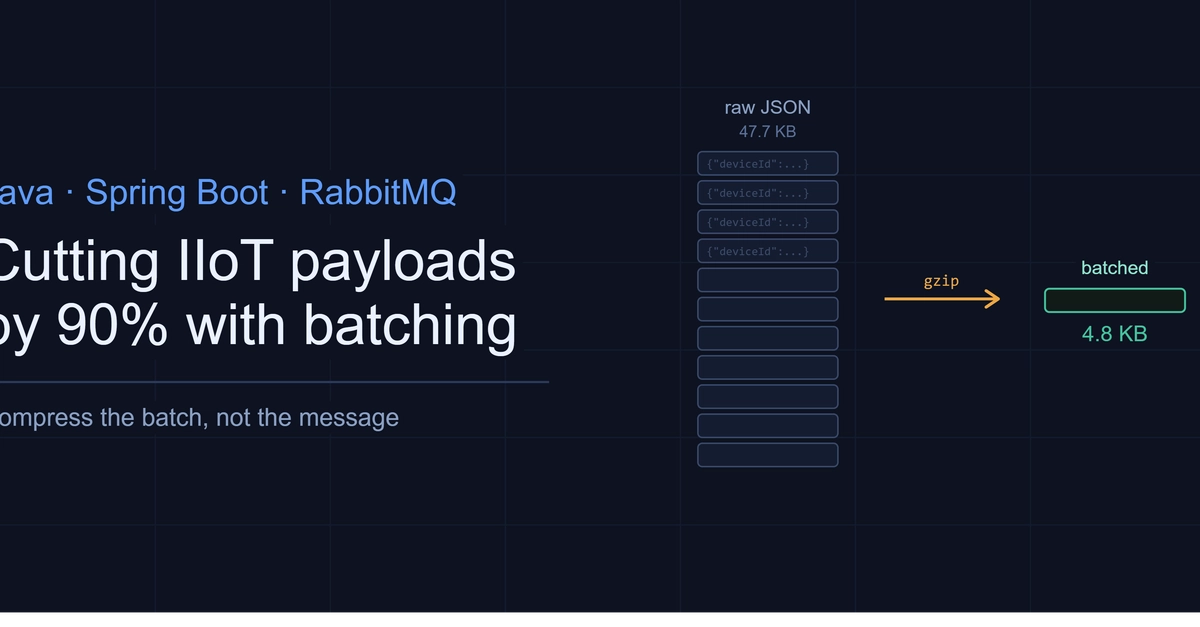
A fleet of devices emitting telemetry once per second does not produce big messages. It produces an enormous number of tiny, nearly identical ones. Each reading is under 100 bytes of JSON, but 5,000 devices at one reading per second is 432 million messages a day and roughly 40 GB of payload. The aggregate volume crossing your message broker gets expensive fast: in network capacity, in broker throughput, and in data transfer costs.
The instinct is to compress. The instinct is right, but the obvious way to do it makes things worse. This article covers the one idea that carries the whole optimization: compress batches, not messages. Everything is demonstrated with a self-contained benchmark you can run with nothing but a JDK. All values are simulated and illustrative.
Why telemetry compresses so well, and when it doesn't
Here is a single telemetry reading:
{"deviceId":"device-01","ts":1770000000000,"voltage":480.91,"frequency":60.04,"status":"Running"}
Enter fullscreen mode Exit fullscreen mode
That is about 97 bytes. Almost all of it is structure that repeats on every single message: the same five keys, timestamps that share a long prefix, voltages clustered around 480, a handful of status strings. Repetition is exactly what a compressor exploits, so this data should compress beautifully.
It does, but only if you let the compressor see the repetition. A compressor works by finding patterns it has already seen and replacing later occurrences with short references. Hand it one 97-byte message in isolation and there is nothing to reference yet. Its dictionary is empty, and its own format overhead (headers, checksums) can make the output larger than the input.
So the question is not "which algorithm" first. It is "what do I hand the algorithm." Compress each message alone and you get nothing. Compress a batch of them together and the second message onward is almost free, because it is mostly a reference to the first.
Proving it with a benchmark
No broker required to demonstrate the core claim. This is plain JDK code: gzip and Deflate ship in java.util.zip. Generate a realistic batch, then compare three strategies: raw, compress-each-message, and compress-the-batch.
static byte[] gzip(byte[] input) throws Exception {
    var bos = new ByteArrayOutputStream();
    try (var gz = new GZIPOutputStream(bos)) {
        gz.write(input);
    }
    return bos.toByteArray();
}
Enter fullscreen mode Exit fullscreen mode
The batch generator produces 500 readings across 25 devices with realistic value ranges and a weighted mix of statuses. The full source is in the companion repo. Here is the captured output:
Telemetry batch: 500 messages
Sample message: {"deviceId":"device-01","ts":1770000000000,"voltage":480.91,"frequency":60.04,"status":"Running"}
Avg raw message size: 97 B

Strategy                             Size       vs raw
------------------------------------------------------
Raw JSON (uncompressed)           47.7 KB            -
Per-message gzip                  51.8 KB        -8.7%
Batched gzip                       4.8 KB        89.9%
Batched deflate (max)              4.3 KB        91.0%

Per-message gzip time: 49.40 ms (500 separate operations)
Batched gzip time:     0.55 ms (1 operation)
Enter fullscreen mode Exit fullscreen mode
Read those middle two rows again. Per-message gzip made the data 8.7% larger. Batched gzip made it 89.9% smaller. Same algorithm, same data, same 500 messages. The only difference is whether the compressor saw them together.
The timing is a bonus. Compressing once is not just smaller, it is faster than compressing 500 times, because you pay the setup cost once instead of 500 times.
To make the failure mode unambiguous, the benchmark also compresses a single message alone:
Batch of 1 (why per-message compression fails):
  raw: 97 B  ->  gzip: 103 B  (-6.2%)
Enter fullscreen mode Exit fullscreen mode
A lone message gets bigger. That is the whole thesis in one line: the batching is doing the work, not the algorithm.
Slotting it into RabbitMQ
Once you accept "compress the batch," the messaging code is straightforward. You need a producer that accumulates readings and flushes a compressed batch, and a consumer that decompresses.
The one detail that matters on the producer side: flush on a size threshold or a time window, whichever comes first. Size alone is a trap. A quiet period leaves readings sitting in the buffer indefinitely, so you cap the latency with a timer.
@Component
class TelemetryBatchPublisher {

    private final RabbitTemplate rabbit;
    private final List<Reading> buffer = new ArrayList<>();
    private static final int MAX_BATCH = 500;

    TelemetryBatchPublisher(RabbitTemplate rabbit) {
        this.rabbit = rabbit;
    }

    synchronized void add(Reading reading) {
        buffer.add(reading);
        if (buffer.size() >= MAX_BATCH) {
            flush();
        }
    }

    // Time-based safety net: flush whatever is buffered every second,
    // so a slow trickle of readings never sits uncompressed for long.
    @Scheduled(fixedRate = 1000)
    synchronized void flush() {
        if (buffer.isEmpty()) return;

        byte[] json = toJsonArray(buffer).getBytes(StandardCharsets.UTF_8);
        byte[] compressed = gzip(json);

        rabbit.convertAndSend("telemetry.exchange", "telemetry", compressed, msg -> {
            msg.getMessageProperties().setContentEncoding("gzip");
            return msg;
        });

        buffer.clear();
    }
}
Enter fullscreen mode Exit fullscreen mode
Note the content-encoding header. That is what lets you roll this out gradually. Consumers key off the header, so compressed and uncompressed messages can coexist on the same queue during a transition, and you are never forced into a flag-day cutover.
The consumer is the mirror image:
@RabbitListener(queues = "telemetry.queue")
void receive(Message message) throws Exception {
    byte[] body = message.getBody();

    String encoding = message.getMessageProperties().getContentEncoding();
    if ("gzip".equals(encoding)) {
        body = gunzip(body);
    }

    List<Reading> readings = parseJsonArray(new String(body, StandardCharsets.UTF_8));
    // hand off to whatever consumes telemetry downstream
}
Enter fullscreen mode Exit fullscreen mode
That is the entire integration. The compression is four lines on each side; the batching buffer with its dual trigger is the only part with any real logic, and it is the part every naive implementation skips.
Can you do better than gzip?
Yes, and this is where Brotli and Zstandard come in. On repetitive text like this, Brotli typically lands another 15 to 20 percent below gzip, and Zstandard is competitive with faster decompression. The benchmark already shows Deflate at maximum level edging out default gzip (91.0% versus 89.9%), so there is clearly headroom.
The tradeoff is dependencies. gzip and Deflate are in the JDK with nothing to add. Brotli in Java means a native library through JNI (Brotli4j is the maintained option), which brings a native dependency and, on JDK 24 and later, native-access warnings under JEP 472 unless you pass --enable-native-access=ALL-UNNAMED. Zstandard is the same story: excellent, but native.
For most telemetry pipelines, batched gzip captures the overwhelming majority of the available win with zero dependencies. Reach for Brotli or Zstd when that last 15 percent is worth a native library, and measure it against your actual payload before committing.
When this pays, and when it doesn't
It pays when bandwidth or throughput is the constraint and CPU is comparatively cheap. Cellular or satellite backhaul from remote sites, per-gigabyte egress fees, a broker near its throughput ceiling: batching plus compression buys real headroom here.
It does not pay in a few cases worth naming honestly. If your messages are already large and unique (images, encrypted blobs, high-entropy binary), the compression ratio collapses and you are just burning CPU. If per-message latency is critical and you cannot tolerate a batch window, batching is off the table by definition. And if your producers and consumers sit on the same fast LAN where bandwidth is effectively free, you are adding complexity to save something that was not costing you anything.
Batching also adds up to one window of latency (a second, in the example) and a small amount of buffer memory. That is the price. For a telemetry stream headed off-site, it is almost always worth paying.
Takeaways
- Compress batches, not messages. A lone small message has no repetition to exploit and can grow.
- Flush on time or size, whichever comes first. Size alone lets data go stale in a quiet period.
- Carry a
content-encodingheader so rollout is gradual and mixed traffic just works. - Batched gzip is the high-value, zero-dependency default. Treat Brotli and Zstd as a measured upgrade, not a starting point.
The full benchmark is one file, runs on any JDK, and produces the numbers above.
0 Comments
Log in to join the conversation.No comments yet. Be the first to share your thoughts.