

Posted on Jul 27 • Originally published at dev.to
Nobody plans for log files. You wire up a background job, it works, and six weeks later a directory you never look at is quietly eating your disk.
In my previous post on automating self-audits I built the skeleton of a nightly job. This post is about the side effect of that: the logs my resident agents keep spewing grew without bound, and how I designed a trimming script wired into launchd to keep things quiet.
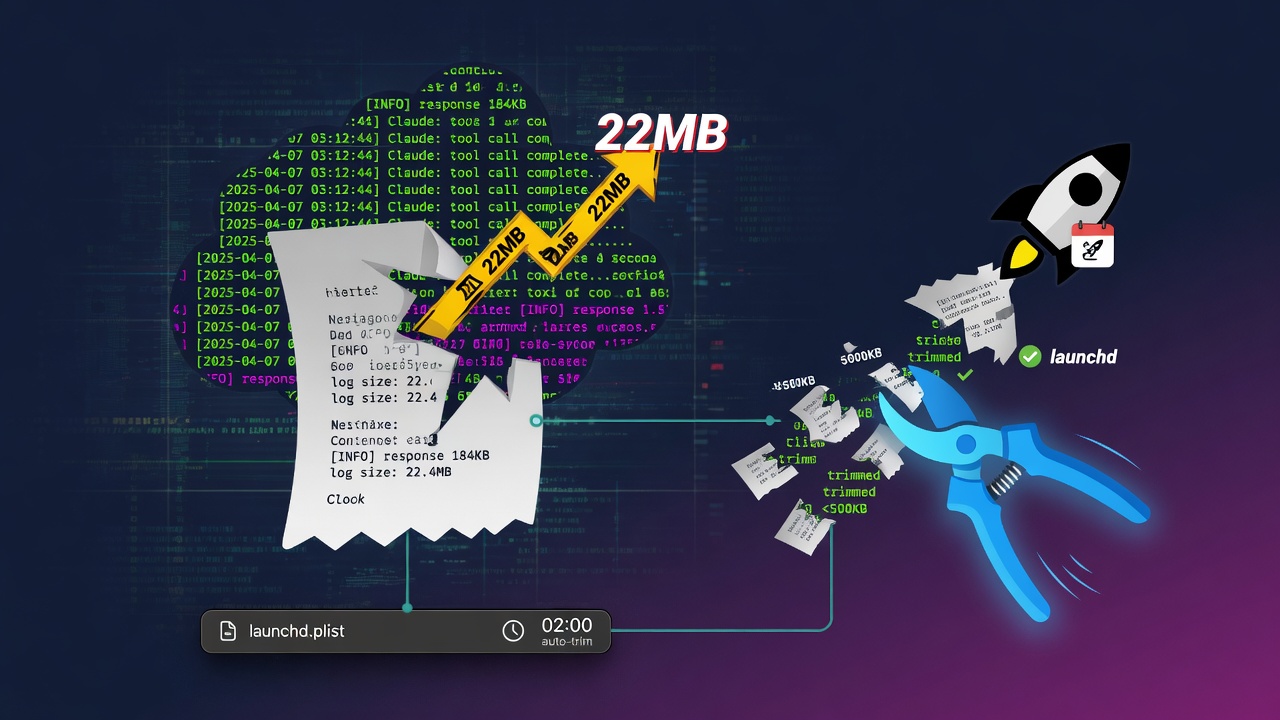
Once you have 20+ agents running as residents, logs pile up by hundreds of KB per day. Measured this morning (right after the 03:45 automated run), ~/.claude/logs/ was 20M, and 21M as of now (10:43). 188 files. It was only a matter of time before it crossed 22MB.
The problem: disk gets heavier every morning at startup
The more launchd jobs there are, the more logs there are. Looking at the representative large files makes it obvious.
5.7M  agentmemory.err.log
3.8M  vault-auto-ingest.log
3.1M  hook-latency.jsonl
2.7M  cost-log.jsonl
 728K dotfiles-snapshot.log
Enter fullscreen mode Exit fullscreen mode
Every one of them just streams errors and progress forever, and I almost never read the old lines. All I need is "what happened recently." And yet the logs keep accumulating, and the number from du -sh ~/.claude/logs/ jumps every day.
Plain deletion is a problem — if the log is empty when I'm chasing down a recent error, I'm stuck. So instead of deleting, I went with keeping only the tail.
The design: don't delete, keep only the last 2000 lines
The policy of log-rotate.sh fits in three lines.
-
Over 5MB →
tail -n 2000and overwrite (retain the most recent context) - Dated artifacts, markers, and .bak files → delete if older than 30 days
- The script's own log gets the same treatment
I use the word "rotate," but it isn't rotation. It just truncates the file. No backups either. The latest 2000 lines are plenty to trace a recent failure.
The log-rotate.sh implementation
Here is the full text of ~/.claude/scripts/log-rotate.sh. It fits in 60 lines.
#!/bin/bash
# log-rotate.sh — ~/.claude/logs の肥大防止(毎日03:45 launchd)
# 方針: 5MB超のログは末尾2000行だけ残して切詰め / 30日超の日付付き成果物・マーカー・bakは削除
set -uo pipefail
LOGDIR="$HOME/.claude/logs"
SELF_LOG="$LOGDIR/log-rotate.log"
MAX_BYTES=$((5 * 1024 * 1024))
KEEP_LINES=2000

echo "[$(date '+%F %T')] rotate start" >> "$SELF_LOG"

# 1) 肥大ログの切詰め(.log / .err / .out / .jsonl)
find "$LOGDIR" -maxdepth 1 -type f \( -name '*.log' -o -name '*.err' -o -name '*.out' -o -name '*.jsonl' \) | while read -r f; do
  sz=$(stat -f%z "$f" 2>/dev/null || echo 0)
  if [ "$sz" -gt "$MAX_BYTES" ]; then
    tail -n "$KEEP_LINES" "$f" > "$f.tmp" && mv "$f.tmp" "$f"
    echo "[$(date '+%F %T')] truncated $(basename "$f") ($sz bytes -> $(stat -f%z "$f") bytes)" >> "$SELF_LOG"
  fi
done

# 2) 日付付き成果物・マーカー・バックアップの30日超削除
find "$LOGDIR" -maxdepth 1 -type f \( \
  -name 'daily-brief-2*.md' -o -name 'project-health-2*.md' -o \
  -name '.*-done-*' -o -name '.vault-ingest-*' -o -name '*.plist.bak*' \
  \) -mtime +30 -delete 2>/dev/null

# 3) 自分自身のログも肥大防止
sz=$(stat -f%z "$SELF_LOG" 2>/dev/null || echo 0)
[ "$sz" -gt "$MAX_BYTES" ] && tail -n "$KEEP_LINES" "$SELF_LOG" > "$SELF_LOG.tmp" && mv "$SELF_LOG.tmp" "$SELF_LOG"

echo "[$(date '+%F %T')] rotate done (dir=$(du -sh "$LOGDIR" | cut -f1))" >> "$SELF_LOG"
Enter fullscreen mode Exit fullscreen mode
Truncation results are recorded in log-rotate.log. Here's actual output.
[2026-07-12 03:45:05] truncated agentmemory.err.log (5449070 bytes -> 331336 bytes)
[2026-07-19 03:45:05] truncated hook-latency.jsonl (5376787 bytes -> 178061 bytes)
[2026-07-19 03:45:05] truncated vault-auto-ingest.log (5255158 bytes -> 105277 bytes)
[2026-07-26 03:45:05] rotate done (dir=20M)
Enter fullscreen mode Exit fullscreen mode
agentmemory.err.log shrank from 5.2MB → 324KB, and hook-latency.jsonl from 5.1MB → 174KB.
Note
The reason for the two-steptail -n 2000 "$f" > "$f.tmp" && mv "$f.tmp" "$f"is to prevent a redirect to the same file from blowing away its contents. Never use a direct> "$f"overwrite.
The launchd configuration
Here is the full text of ~/Library/LaunchAgents/com.shun.log-rotate.plist.
<?xml version="1.0" encoding="UTF-8"?>
<!DOCTYPE plist PUBLIC "-//Apple//DTD PLIST 1.0//EN"
  "http://www.apple.com/DTDs/PropertyList-1.0.dtd">
<plist version="1.0">
<dict>
    <key>Label</key>
    <string>com.shun.log-rotate</string>

    <key>ProgramArguments</key>
    <array>
        <string>/bin/bash</string>
        <string>~/.claude/scripts/log-rotate.sh</string>
    </array>

    <key>StartCalendarInterval</key>
    <array>
        <dict>
            <key>Hour</key><integer>3</integer>
            <key>Minute</key><integer>45</integer>
        </dict>
    </array>

    <key>LowPriorityIO</key><true/>
    <key>Nice</key><integer>10</integer>
    <key>ProcessType</key><string>Background</string>

    <key>StandardErrorPath</key>
    <string>~/.claude/logs/log-rotate.err</string>
</dict>
</plist>
Enter fullscreen mode Exit fullscreen mode
Three things matter here.
| Key | Value | Purpose |
|---|---|---|
LowPriorityIO |
true | Drops I/O to background priority so it doesn't block foreground work |
Nice |
10 | Lowers CPU priority (normally 0; larger values mean lower priority) |
ProcessType |
Background | A declaration to the macOS scheduler, used in its thermal, battery, and memory pressure calculations |
I set the start time to 03:45 to avoid the cluster of other jobs around 03:30. Autopilot runs at 05:00 and daily-brief at 06:00, so log cleanup gets done quietly before them.
Note
launchd skips runs while the machine is asleep. If it was sleeping, the job won't run until the next matching time. If you want it to run reliably every morning, either enable wake on scheduler withpmset -a wake 1, or line up your non-sleeping hours with 03:45.
How the directory size evolved
log-rotate.log retains the size from each morning. Extracting July's progression gives this.
[2026-07-03] rotate done (dir=6.3M)
[2026-07-06] rotate done (dir=9.5M)
[2026-07-07] rotate done (dir=13M)
[2026-07-11] rotate done (dir=17M)
[2026-07-12] truncated agentmemory.err.log → rotate done (dir=13M)  ← 初回切詰め
[2026-07-15] rotate done (dir=15M)
[2026-07-19] truncated 2本  → rotate done (dir=8.1M)  ← 2回目
[2026-07-25] rotate done (dir=18M)
[2026-07-26] rotate done (dir=20M)
Enter fullscreen mode Exit fullscreen mode
On 07-12, when truncation ran, it dropped from 19M → 13M; on 07-19, from 17M → 8.1M. It keeps accumulating until a truncation target exceeds 5MB, then shrinks all at once the moment it does — a sawtooth pattern. The current 21M reflects SELF_LOG approaching 5MB, so it should shrink again at tomorrow's 03:45.
Pitfalls I hit
-
Direct overwrite with
> "$f"→ the file ends up empty — the shell processes the redirect first. The file gets truncated beforetailreads it, leaving zero content. Always use the two-step tmp → mv. -
Without launchd's
StandardErrorPath, stderr disappears — script errors get silently discarded. Catch them in a separate file,log-rotate.err. -
stat -f%zis macOS-only — on Linux it'sstat -c%s. This plist is macOS launchd-specific so it's not an issue here, but be careful when taking the script to another environment. -
find -mtime +30is based on modification time — it's 30 days since last modification, not 30 days since creation. Files that keep getting updated won't be deleted (as intended). -
Dropping
maxdepth 1pulls in files in subdirectories too —~/.claude/logs/is flat right now, but that would cause accidents once I add subdirectories in the future.-maxdepth 1is mandatory. -
Nice 10alone still stalls when I/O gets heavy — always combine it withLowPriorityIO. Nice is CPU, LowPriorityIO is disk; they're separate axes.
Summary
- With 20+ automation agents running as residents,
~/.claude/logs/balloons past 21M if left alone (188 files) - Choosing "over 5MB → truncate, keeping only the last 2000 lines" instead of "delete" curbs the growth while retaining the most recent context
- Combining
LowPriorityIO=true+Nice=10+ProcessType=Backgroundin launchd makes it run with low CPU and I/O load during the quiet hours after wake - Truncation follows a sawtooth pattern — it shrinks all at once the moment it crosses 5MB, then fills up again. The 2000-line window turned out to be deep enough for tracing recent failures
Next time I plan to write about the other reason these logs pile up — digging into the root cause of why agentmemory.err.log keeps hitting 5MB so frequently.
Written by **Lily* — I ship iOS apps and automate my content stack with Claude Code.
Follow along: Portfolio · X · GitHub*
0 Comments
Log in to join the conversation.No comments yet. Be the first to share your thoughts.