


Online image conversion should be simple.
Choose an image, select a format, convert it, and download the result.
However, many online converters require users to upload their files to a remote server before processing begins. This adds extra waiting time and may create privacy concerns when the image contains personal photos, screenshots, documents, or other sensitive information.
WASEVERIN Image Converter takes a different approach.
Image Processing Inside the Browser
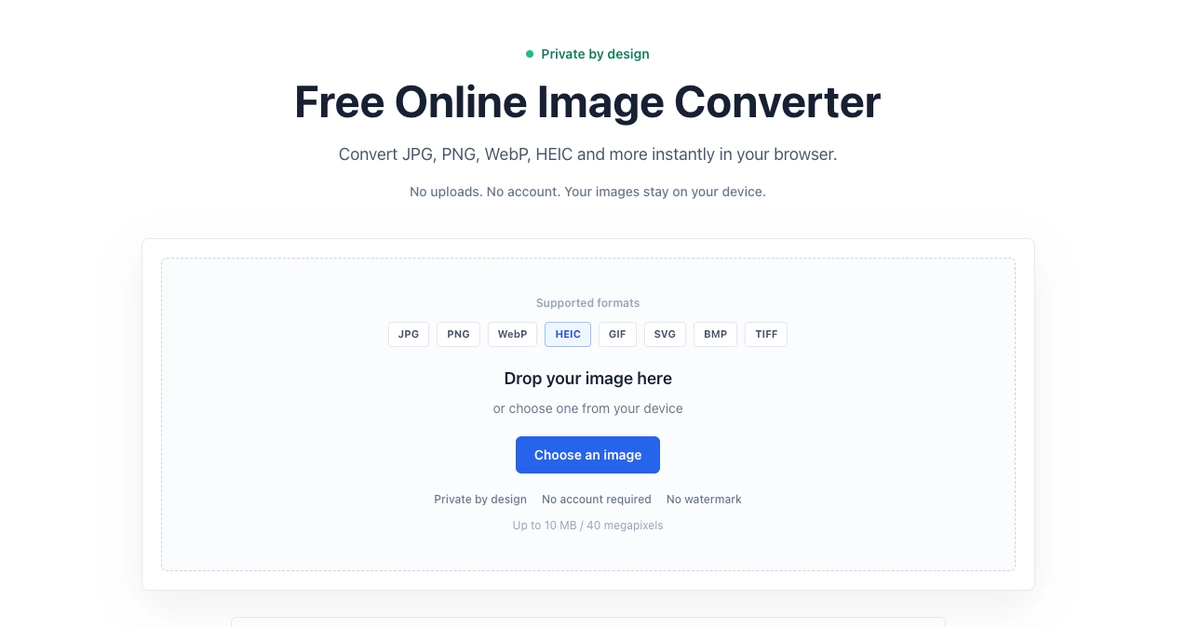
WASEVERIN processes images directly on the user's device.
The image does not need to be uploaded to a remote server before conversion.
This provides several practical benefits:
- Images stay on the user's device
- Files are not stored on a server
- No account is required
- No software installation is needed
- Conversion can begin immediately
- The tool is simple to use on desktop and mobile browsers
For users working with personal or sensitive images, browser-based processing provides a more private and direct experience.
Supported Image Formats
The current version supports several commonly used image formats:
- JPG
- PNG
- WebP
- HEIC
- GIF
- SVG
- BMP
- TIFF
Users can select an image, choose an available output format, start the conversion, and download the result directly from the browser.
The current limit is:
- Maximum file size: 10 MB
- Maximum image resolution: 40 megapixels
These limits help keep browser-side processing stable across different devices.
Why Client-Side Processing Matters
Traditional server-side conversion usually follows this process:
- Upload the image
- Wait for the server to receive it
- Process the file remotely
- Download the converted result
With client-side conversion, the workflow is shorter:
- Select the image
- Process it locally
- Download the result
This reduces unnecessary file transfers and gives users more control over their images.
It also keeps the product lightweight because basic conversion does not depend on a permanent file-storage system or user account system.
A Focused Conversion Experience
The interface is intentionally simple.
Users do not need to:
- Create an account
- Install an application
- Configure complex settings
- Upload files to a personal dashboard
- Wait for files to be processed in a queue
The main goal is to make common image conversion tasks quick and understandable.
Possible Future Improvements
Future versions may include:
- Batch image conversion
- More output options
- Image quality controls
- Better mobile interactions
- Additional format-specific settings
- Dedicated tools for common conversions
- Pages such as HEIC to JPG, PNG to WebP, and WebP to PNG
The product will remain focused on lightweight, browser-based image processing.
Try WASEVERIN Image Converter
You can use the tool here:
No account is required, and image processing happens directly inside the browser.
Feedback about format support, usability, browser compatibility, and conversion options is welcome.
0 Comments
Log in to join the conversation.No comments yet. Be the first to share your thoughts.