


If you’ve ever built a frontend prototype, mobile app, or design demo, you’ve likely run into this common headache:
You connect your app to a mock REST API (like standard JSONPlaceholder). You construct a sleek UI form, send a POST request to add a new item, and receive a glowing 201 Created response.
Then you refetch the data... and your new item has completely disappeared. 👻
Because standard mock services don't actually save your mutations, testing realistic user flows like pagination, item updates (PUT/PATCH), or row deletions (DELETE) requires setting up local mock servers like MSW or json-server.
That’s exactly why I built Playground API.
⚡ What is Playground API?
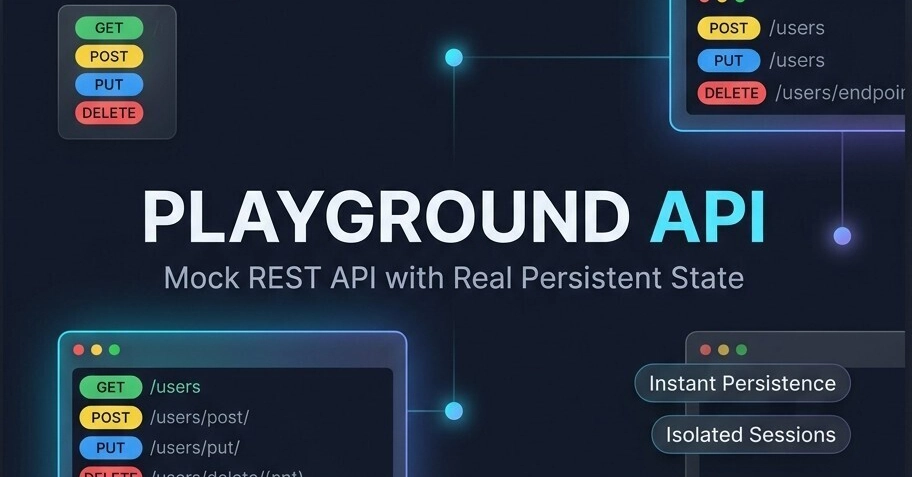
Playground API is a zero-config, ready-to-use mock REST API built for frontend developers, QA engineers, and prototypers.
It comes pre-loaded with realistic global baseline datasets (users, posts, comments, todos), but with one major difference: it actually persists your CRUD state.
When you create, update, or delete a record, subsequent GET requests automatically return your updated state—without requiring account registration, database setups, or API keys.
🆚 Traditional Mocks vs. Local Servers vs. Playground API
| Feature | Standard Mock APIs | Local Mock Servers (MSW / JSON-Server) | 🚀 Playground API |
|---|---|---|---|
| Real State Persistence | ❌ Data vanishes on GET
|
⚠️ Local machine only | ✅ Instant Real Persistence |
| Session Isolation | ❌ Shared / None | ❌ Local single user | ✅ Isolated Developer Sessions |
| Setup Required | ⚡ Zero Setup | 🐢 npm install & schema config | ⚡ Zero Setup (Plug & Play) |
| Browser Request Tester | ❌ None | ❌ Requires Postman | ✅ Built-in Interactive Inspector |
| Authentication / Keys | ✅ None | ✅ None | ✅ Zero Signup Needed |
⚛️ How to Use Playground API in a React App
Using Playground API in React is identical to using standard fetch or axios, but with real state persistence across component mounts.
Here is a complete example of a React component performing real Fetch, Create, and Delete actions:
import React, { useState, useEffect } from 'react';

const API_BASE = 'https://playground-api-xi.vercel.app';

export default function PostManager() {
  const [posts, setPosts] = useState([]);
  const [title, setTitle] = useState('');
  const [loading, setLoading] = useState(false);

  // 1. Fetch posts on mount
  const fetchPosts = async () => {
    try {
      const res = await fetch(`${API_BASE}/posts?page=1&limit=5`);
      const data = await res.json();
      setPosts(data);
    } catch (err) {
      console.error('Failed to load posts:', err);
    }
  };

  useEffect(() => {
    fetchPosts();
  }, []);

  // 2. Create a new post (Persists instantly on subsequent GET)
  const handleCreatePost = async (e) => {
    e.preventDefault();
    if (!title.trim()) return;

    setLoading(true);
    try {
      const res = await fetch(`${API_BASE}/posts`, {
        method: 'POST',
        headers: { 'Content-Type': 'application/json' },
        credentials: 'include', // Ensures identity session persistence
        body: JSON.stringify({
          title,
          body: 'This is a live persisted post created from React!',
          userId: 1,
        }),
      });

      if (res.ok) {
        setTitle('');
        // Refetch: Your newly created item will appear right at the top!
        await fetchPosts();
      }
    } catch (err) {
      console.error('Error creating post:', err);
    } finally {
      setLoading(false);
    }
  };

  // 3. Delete a post (Removes item permanently from your session)
  const handleDelete = async (id) => {
    try {
      const res = await fetch(`${API_BASE}/posts/${id}`, {
        method: 'DELETE',
        credentials: 'include',
      });

      if (res.ok) {
        setPosts((prev) => prev.filter((post) => post.id !== id));
      }
    } catch (err) {
      console.error('Error deleting post:', err);
    }
  };

  return (
    <div style={{ maxWidth: '600px', margin: '40px auto', fontFamily: 'sans-serif' }}>
      <h2>📝 Playground API — React Demo</h2>

      {/* Add Post Form */}
      <form onSubmit={handleCreatePost} style={{ marginBottom: '20px', display: 'flex', gap: '10px' }}>
        <input
          type="text"
          value={title}
          onChange={(e) => setTitle(e.target.value)}
          placeholder="Enter post title..."
          style={{ flex: 1, padding: '8px 12px', border: '1px solid #ccc', borderRadius: '4px' }}
        />
        <button type="submit" disabled={loading} style={{ padding: '8px 16px', cursor: 'pointer' }}>
          {loading ? 'Adding...' : 'Add Post'}
        </button>
      </form>

      {/* Posts List */}
      <ul style={{ listStyle: 'none', padding: 0 }}>
        {posts.map((post) => (
          <li
            key={post.id}
            style={{
              padding: '12px',
              borderBottom: '1px solid #eee',
              display: 'flex',
              justifyContent: 'space-between',
              alignItems: 'center',
            }}
          >
            <span>{post.title}</span>
            <button
              onClick={() => handleDelete(post.id)}
              style={{ background: '#ff4d4f', color: '#fff', border: 'none', padding: '4px 8px', borderRadius: '4px', cursor: 'pointer' }}
            >
              Delete
            </button>
          </li>
        ))}
      </ul>
    </div>
  );
}
Enter fullscreen mode Exit fullscreen mode
🛠️ Key Features at a Glance
-
Standard REST Endpoints:
/users,/posts,/comments,/todos. -
Smart Pagination: Paginate easily with
?page=1&limit=10query parameters. - Built-in Try-It Inspector: Test requests directly in your browser with visual status indicators and response payload inspection.
-
Zero Config: Just replace your
API_BASEURL and start fetching.
🚀 Give It a Try
You can start using Playground API today in your frontend apps or test endpoints right inside your browser:
What tools do you currently use for mock APIs? Let me know in the comments below! 👇
0 Comments
Log in to join the conversation.No comments yet. Be the first to share your thoughts.