
June 2026
Every small business that bills people runs into the same boring, recurring chore: you do the work, you write up what's owed, you send it off, and then you wait — and sometimes chase. For my print shop, an order isn't a tidy "add to cart and check out" affair. It's a custom job: a quantity here, a setup fee there, shipping, tax, the occasional one-off discount because the customer's a regular. I build each order by hand, and at the end I need to hand the customer a bill they'll actually trust and actually pay.
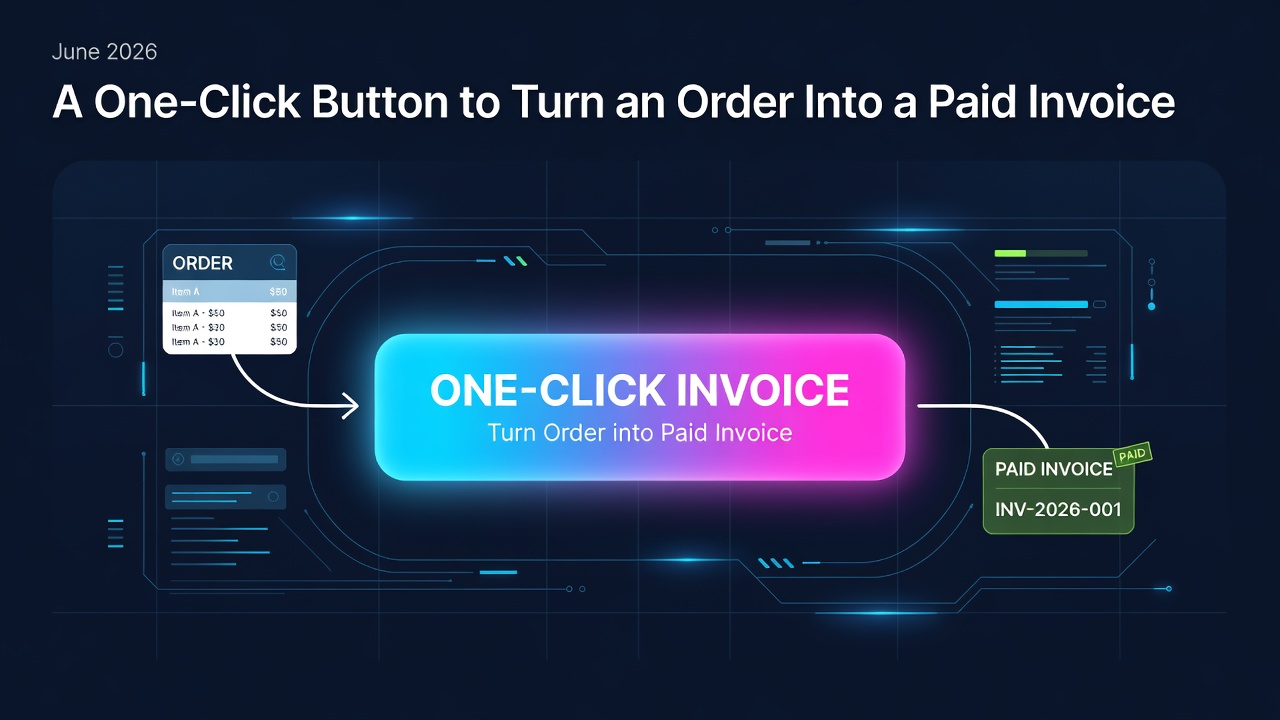
I wanted that last step to be a single button. Build the order, click once, and the customer gets an invoice they can pay in seconds. So I built it.
Why send the bill through PayPal instead of just emailing it myself?
This is the part most people don't expect to be a problem, so let me explain it plainly.
When a small business sends an email — say, an invoice from myshop.com — the big mail providers (Gmail, Outlook, and the rest) quietly size it up before deciding whether it lands in the inbox or the spam folder. A little shop sending a money-related email is exactly the kind of thing their filters are nervous about. You can do everything right and still watch your invoice disappear into a spam folder the customer never checks. Now you're "chasing" a bill the customer literally never saw.
PayPal doesn't have that problem. When PayPal sends an invoice, it comes from PayPal's own mail system — a sender every inbox on earth already knows and trusts. The customer recognizes it, it lands where it should, and there's a big obvious "Pay Now" button waiting. They can pay with a card or their PayPal balance without creating an account or jumping through hoops.
So the idea was simple: let me build the order in my own store, but let PayPal be the one that delivers the bill and collects the money. Best of both worlds.
What the button actually does
Here's the whole experience from my side now:
- I build the order in my shop's admin screen, like always.
- I click Send PayPal Invoice.
- The customer gets a real PayPal invoice in their inbox, itemized line by line, and pays it.
- The moment they pay, my store notices on its own and flips the order to Paid — no checking, no manual bookkeeping.
That last step is the quietly satisfying one. I don't have to log into PayPal, confirm the payment came through, and then go mark the order paid in my store. The two systems talk to each other and keep themselves in sync. I find out it's paid the same way I find out anything else — the order just says so.
It sounds simple. Most of the work was in three problems hiding underneath it.
Problem one: the math has to land exactly on the penny
This one sounds trivial and absolutely is not.
An order total is the sum of a lot of little pieces: each item's price, multiplied by quantity, plus tax, plus shipping, minus any discount. Computers, like cash registers, have to round somewhere — and when you add up a stack of rounded numbers, the total can drift by a penny or two from what your store says the order is.
That is not acceptable on an invoice. If my store says the order is $63.50 and PayPal's invoice says $63.51, that one-cent gap is the kind of thing that makes a customer distrust the whole bill — and makes my own books impossible to reconcile at the end of the month.
So I built the invoice to guarantee, by design, that the customer pays exactly what the order total says — to the penny, every time. It itemizes everything honestly, and then any tiny rounding drift gets reconciled on a single, clearly labeled line so the math always closes perfectly. The customer sees an itemized bill; the total always matches; the books always balance. I tested it with a deliberately awkward order (three items at an odd price, plus shipping, plus a one-cent nudge) and it landed exactly on $63.50. Boring. Exactly the kind of boring I wanted.
Problem two: a bug I could only catch by actually paying
When PayPal tells my store "hey, that invoice just got paid," my store can't just take that message at face value. Anyone on the internet could send a fake "it's paid!" message and try to trick me into shipping an order nobody paid for. So PayPal and my store check each other's identity on every single message, using a kind of tamper-proof wax seal: PayPal seals the message, and my store verifies the seal is intact before believing a word of it.
Here's the bug. My store, trying to be tidy, was opening the message to read it and then re-folding it before checking the seal — and the act of re-folding, even though it changed nothing a human could see, broke the seal every time. So every real payment notification got rejected as a possible forgery, and orders never flipped to Paid.
The maddening part: this bug was invisible to normal testing. I could throw fake forgeries at it all day and it correctly rejected them — that part worked great. The only way to discover that it was also rejecting the genuine ones was to run a real payment all the way through with real money and watch the order stubbornly refuse to mark itself paid. The fix was to verify the seal on the original message exactly as it arrived, untouched. Lesson relearned: some bugs only show themselves when you do the real thing end to end, not the rehearsal.
Problem three: the door that was locked the whole time
The last trap cost an afternoon and had the most anticlimactic cause.
To send invoices on my behalf, my store needs PayPal's permission — a specific permission, "you're allowed to create and send invoices." I'd flipped what looked like the right switch. It saved. It stuck. It looked granted. And every attempt to send an invoice came back "not authorized."
It turned out the permission switch I was flipping belonged to the wrong kind of PayPal account, so flipping it did nothing real — like being handed a key that turns in the lock but doesn't actually move the bolt. Once I set things up on the correct type of business account and turned invoicing on there, the permission took effect immediately and invoices started flowing. No clever fix. Just the right door.
Keeping it safe
Because this plugin handles money and holds the secret keys that let my store act on PayPal's network, I treated security as the starting point, not a finishing touch. The sensitive keys are scrambled where they're stored, so they're useless to anyone who somehow got a look at them. And there's a strict separation between a practice mode (play money, for testing) and live mode (real money) so I could rehearse the entire flow safely before a single real dollar was involved.
The takeaway
What looks like one button — Send PayPal Invoice — is really three quiet guarantees stacked underneath it: the total always matches to the penny, a payment is only believed when it's provably real, and the keys to the money stay locked up. None of that is visible to a customer. It shouldn't be. They get a trustworthy bill in their inbox, pay it in a few clicks, and I find out it's handled without lifting a finger.
That's the whole goal of a tool like this: take a chore that used to involve logging into two systems, copying numbers between them, and hoping the email didn't land in spam — and turn it into a single click that just works. The interesting engineering is all in service of making the everyday part boring.
Want this for your own store, or need help with a similar setup? If you'd like the plugin, or you're wrestling with PayPal invoicing, payment syncing, or a comparable WooCommerce configuration, reach out to me directly at [email protected] — I'm happy to help.
0 Comments
Log in to join the conversation.No comments yet. Be the first to share your thoughts.