
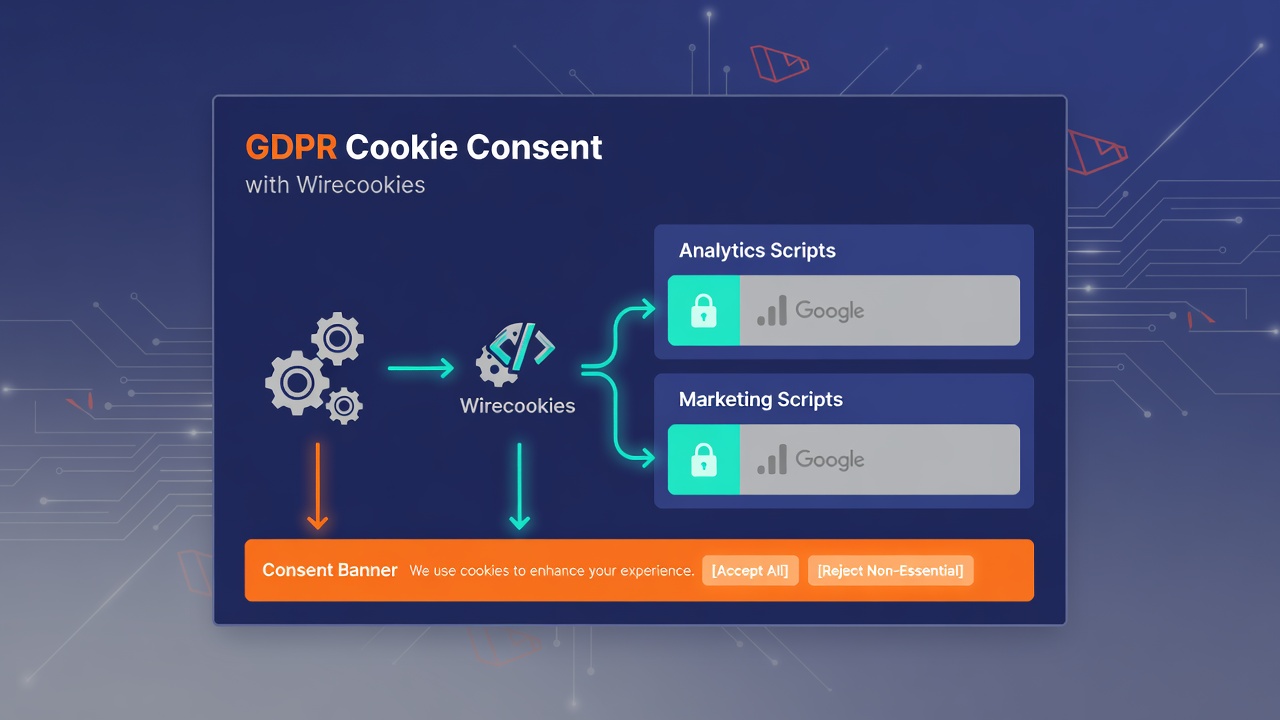
Ship a compliant cookie banner in Laravel and actually gate analytics and marketing scripts on the user's choice, using the wirecookies-saved event and a plain localStorage object as the consent gate.
Wirecookies is a Laravel package which handles the cookies consent for you. It gives you a consent banner and a preferences modal from a single Blade tag, and, more usefully, it hands you a plain localStorage object and a browser event you can use as the gate for your analytics and marketing scripts. This article is built around that gate, not around how the banner looks.
One thing to get out of the way first, because it will bite you otherwise: Wirecookies ships no JavaScript of its own and uses wiremodal's JS to open the preferences modal. If you skip the wiremodal import in the install steps, the banner still shows and Accept all / Reject all still work, but the Configure button and the floating re-open button silently do nothing, with no error in the console. Do the JS step.
How to install
Pull the package in with Composer. The service provider is auto-discovered, so there is nothing to register.
composer require edulazaro/wirecookies
Enter fullscreen mode Exit fullscreen mode
Wirecookies depends on edulazaro/wiremodal, which Composer pulls in for you. Now import the stylesheet in resources/css/app.css, after a wire* base (wiremodal or wiretoast) that defines the theme tokens.
/* resources/css/app.css */
@import '../../vendor/edulazaro/wiremodal/resources/css/wiremodal.css';
@import '../../vendor/edulazaro/wirecookies/resources/css/wirecookies.css';
Enter fullscreen mode Exit fullscreen mode
Then bundle wiremodal's JS. This is the step that makes the Configure and re-open buttons work, so do not skip it.
// resources/js/app.js
import '../../vendor/edulazaro/wiremodal/resources/js/wiremodal.js';
Enter fullscreen mode Exit fullscreen mode
How to use it
Drop the single Blade component once, near the end of your layout.
<x-wirecookies :policy-url="route('cookies')" />
Enter fullscreen mode Exit fullscreen mode
First-time visitors get a bottom banner after a short delay. When they choose Accept all, Reject all, or save from the Configure modal, the banner is replaced by a floating button that reopens the preferences panel so they can change their mind later. That is the whole UI. The interesting part is what it writes down.
Gating scripts on consent
This is the reason to reach for a real consent tool instead of a static banner. Wirecookies stores the choice as a plain object in localStorage under the key cookie-preferences, shaped like this:
{ "essential": true, "analytics": false, "marketing": false, "functional": false }
Enter fullscreen mode Exit fullscreen mode
So on the page load you read that object and only boot analytics if the user actually said yes.
const prefs = JSON.parse(localStorage.getItem('cookie-preferences') || '{}');

if (prefs.analytics) {
    // load Google Analytics, Plausible, whatever
}
Enter fullscreen mode Exit fullscreen mode
That covers returning visitors who already decided. For the first visit, or when someone changes their choice in the modal, there is nothing in storage yet at load time, so you also listen for the moment they save. Wirecookies dispatches a wirecookies-saved event that bubbles up to window, and its detail is the preferences object.
window.addEventListener('wirecookies-saved', (e) => {
    if (e.detail.analytics) {
        // enable analytics now that they opted in
    }
    if (e.detail.marketing) {
        // fire marketing pixels
    }
});
Enter fullscreen mode Exit fullscreen mode
Between those two, the load-time read and the save-time event, you have a complete gate. Scripts stay dormant until the matching category is true, and they light up the instant the user grants it, without a page reload. There is no package API to learn for any of this: it is a localStorage key and a DOM event, both of which you already know how to use.
Configuring the categories
The categories are defined in config, so publish it if you want to change them.
php artisan vendor:publish --tag=wirecookies-config
Enter fullscreen mode Exit fullscreen mode
That drops config/wirecookies.php, where each category carries behavior only. essential is required and can never be turned off; the rest are opt-in with a default of false, which is what keeps everything switched off until the user acts.
'categories' => [
    'essential'  => ['required' => true,  'default' => true],
    'analytics'  => ['required' => false, 'default' => false],
    'marketing'  => ['required' => false, 'default' => false],
    'functional' => ['required' => false, 'default' => false],
],
Enter fullscreen mode Exit fullscreen mode
The keys here (analytics, marketing, and so on) are the same keys you read off the preferences object in the gate above, which is what ties the config to your JavaScript. The visible label and description for each category come from the translation files, so you do not hard-code copy in config.
Pointing at your cookie policy
The other config key you will touch is the link to your policy. policy_url accepts a single string used for every language.
'policy_url' => '/cookies',
Enter fullscreen mode Exit fullscreen mode
If your policy lives at a different path per language, pass an array keyed by locale and Wirecookies picks the right one from app()->getLocale().
'policy_url' => ['es' => '/cookies', 'en' => '/en/cookies'],
Enter fullscreen mode Exit fullscreen mode
Set it to null and the link is hidden entirely. Every config key also has a matching component prop (policy-url, delay, categories, storage-key) if you would rather override it per render than edit the config file. The strings themselves ship in Spanish and English out of the box and follow the app locale, with a fallback to app.fallback_locale.
Wrapping up
The banner is the part everyone sees, but the part that keeps you compliant is refusing to load tracking until consent exists. Wirecookies makes that a two-line job: read cookie-preferences from localStorage on load, listen for wirecookies-saved on window, and gate each script on the category it needs. No account, no external script, no tracking of its own, just a plain object in the browser and an event you can hook.
📌 You can see Wirecookies in action at Crowd Legal.
👉 Package on Packagist: https://packagist.org/packages/edulazaro/wirecookies
👉 Source on GitHub: https://github.com/edulazaro/wirecookies
0 Comments
Log in to join the conversation.No comments yet. Be the first to share your thoughts.