
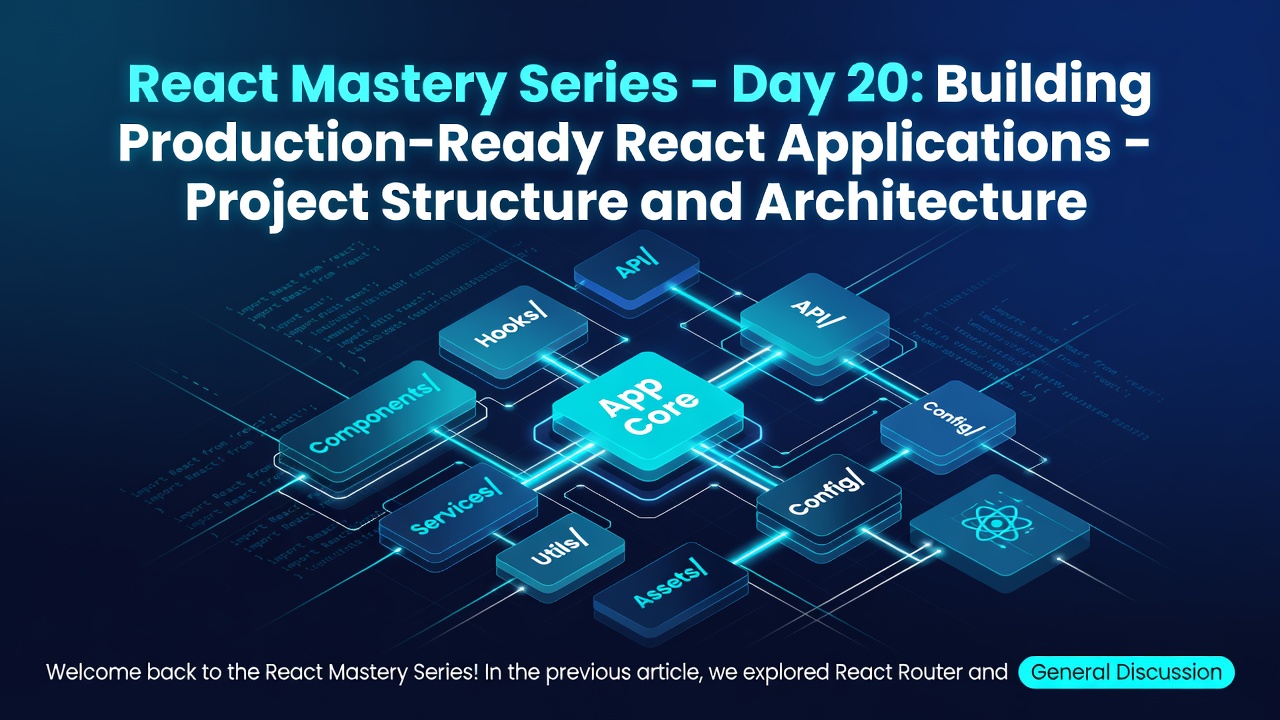
Welcome back to the React Mastery Series!
In the previous article, we explored React Router and learned how to build Single Page Applications with:
- Route configuration
- Dynamic routes
- Nested routes
- Protected routes
- Lazy loading
So far, we have learned individual React concepts:
- Components
- Props
- State
- Hooks
- Context API
- Reducers
- Custom Hooks
- Routing
But building a real-world application requires more than knowing individual concepts.
The biggest challenge in enterprise development is:
How do we organize our React application so that it remains scalable, maintainable, and easy for teams to work on?
Today, we will explore:
Production-Ready React Architecture
Why Project Structure Matters
A beginner React application may look like:
src
├── App.jsx
├── index.jsx
├── components
└── styles
Enter fullscreen mode Exit fullscreen mode
This works for small applications.
But enterprise applications contain:
- Hundreds of components
- Multiple teams
- Thousands of files
- Complex business logic
- Multiple API integrations
Without proper architecture, projects become difficult to maintain.
Challenges in Large React Applications
As applications grow, developers face:
1. Component Organization
Where should components live?
Example:
Button
Modal
Table
Form
Dashboard
Enter fullscreen mode Exit fullscreen mode
2. Business Logic Management
Where should API calls happen?
Example:
Component
      |
      ?
      |
Backend API
Enter fullscreen mode Exit fullscreen mode
3. State Management
Where should global state live?
Examples:
- Authentication
- User permissions
- Application settings
4. Code Reusability
How do we avoid duplicate logic?
Solutions:
- Custom Hooks
- Shared components
- Utility functions
Common React Folder Structures
There are two popular approaches:
1. Layer-Based Structure
Organizes files by technical responsibility.
Example:
src

├── components
├── pages
├── hooks
├── services
├── utils
├── context
├── store
└── assets
Enter fullscreen mode Exit fullscreen mode
2. Feature-Based Structure
Organizes files by business domain.
Example:
src

├── features
│
├── auth
│   ├── components
│   ├── hooks
│   ├── services
│   └── pages
├── dashboard
│   ├── components
│   ├── hooks
│   └── services
├── transactions
│   ├── components
│   ├── hooks
│   └── services
Enter fullscreen mode Exit fullscreen mode
Feature-based architecture is commonly preferred for large applications.
Recommended Enterprise Structure
A scalable React application:
src

│
├── app
│   ├── routes
│   ├── providers
│   └── store
├── features
│   ├── auth
│   ├── dashboard
│   ├── accounts
│   └── transactions
├── components
│   ├── Button
│   ├── Modal
│   └── Table
├── hooks
├── services
├── utils
├── constants
├── types
└── assets
Enter fullscreen mode Exit fullscreen mode
Understanding Each Folder
app Folder
Contains application-level configuration.
Example:
app

├── routes
├── providers
└── store
Enter fullscreen mode Exit fullscreen mode
Responsibilities:
- Routing setup
- Global providers
- Application initialization
Routes
Example:
app/routes

├── AppRoutes.jsx
├── ProtectedRoute.jsx
Enter fullscreen mode Exit fullscreen mode
Contains:
- Public routes
- Private routes
- Route configuration
Example:
<Route path="/dashboard" element={<Dashboard />} />
Enter fullscreen mode Exit fullscreen mode
Providers
Contains global providers.
Example:
providers

├── AuthProvider.jsx
├── ThemeProvider.jsx
└── QueryProvider.jsx
Enter fullscreen mode Exit fullscreen mode
Application flow:
App
 |
 |
AuthProvider
 |
 |
ThemeProvider
 |
 |
Routes
Enter fullscreen mode Exit fullscreen mode
Features Folder
This is where business functionality lives.
Example:
features

└── transactions
    ├── components
    ├── hooks
    ├── services
    └── types
Enter fullscreen mode Exit fullscreen mode
Everything related to transactions stays together.
Benefits:
- Easier ownership
- Better scalability
- Cleaner codebase
Components Folder
Contains reusable UI components.
Example:
components

├── Button
├── Card
├── Input
├── Modal
└── DataTable
Enter fullscreen mode Exit fullscreen mode
These components should be:
- Generic
- Reusable
- Business-independent
Example:
A Button component should not know about banking transactions.
Services Layer
One of the most important enterprise patterns.
Avoid:
function Dashboard(){
  fetch("https://api.bank.com/accounts")
}
Enter fullscreen mode Exit fullscreen mode
API logic should not live inside components.
Instead:
services
└── accountService.js
Enter fullscreen mode Exit fullscreen mode
Example:
export function getAccounts(){
  return axios.get( "/api/accounts");
}
Enter fullscreen mode Exit fullscreen mode
Component:
const accounts = await getAccounts();
Enter fullscreen mode Exit fullscreen mode
Benefits:
- Cleaner components
- Easier testing
- Centralized API handling
API Layer Architecture
A common pattern:
Component
    |
    ↓
Custom Hook
    |
    ↓
Service Layer
    |
    ↓
API Client
    |
    ↓
Backend
Enter fullscreen mode Exit fullscreen mode
Example:
 Dashboard.jsx
      |
      ↓
 useAccounts()
      |
      ↓
accountService.js
      |
      ↓
    axios
      |
      ↓
  Account API
Enter fullscreen mode Exit fullscreen mode
Custom Hooks Layer
Custom Hooks contain reusable business logic.
Example:
hooks
├── useAuth.js
├── useFetch.js
├── useDebounce.js
└── usePagination.js
Enter fullscreen mode Exit fullscreen mode
Example:
const { user, login, logout } = useAuth();
Enter fullscreen mode Exit fullscreen mode
The component doesn't need to know how authentication works internally.
State Management Layer
Large applications need centralized state.
Examples:
- Redux Toolkit
- Zustand
- Context API
Structure:
store

├── authSlice.js
├── userSlice.js
└── transactionSlice.js
Enter fullscreen mode Exit fullscreen mode
Environment Configuration
Production applications have different environments:
Development

Testing

UAT

Production
Enter fullscreen mode Exit fullscreen mode
Example:
.env.development

.env.test

.env.production
Enter fullscreen mode Exit fullscreen mode
Example:
API_URL=https://api.dev.com
Enter fullscreen mode Exit fullscreen mode
Code:
axios.create({ baseURL:process.env.API_URL });
Enter fullscreen mode Exit fullscreen mode
Error Handling Architecture
Applications should handle errors centrally.
Instead of:
try {

}
catch(error) {
 console.log(error)
}
Enter fullscreen mode Exit fullscreen mode
everywhere.
Create:
services
└── errorHandler.js
Enter fullscreen mode Exit fullscreen mode
Handle:
- Network failures
- Authentication errors
- Server errors
Loading and Error States
Production applications always handle:
Loading
if(loading){
  return <Spinner />
}
Enter fullscreen mode Exit fullscreen mode
Error
if(error){
  return <ErrorMessage />
}
Enter fullscreen mode Exit fullscreen mode
Empty Data
if(data.length===0) {
   return <NoData />
}
Enter fullscreen mode Exit fullscreen mode
Enterprise Example: Banking Application
Imagine a retail banking portal:
src

features
├── authentication
├── accounts
├── transactions
├── payments
└── profile
Enter fullscreen mode Exit fullscreen mode
Each feature owns:
components

hooks

services

types
Enter fullscreen mode Exit fullscreen mode
Example:
Transaction feature:
transactions
├── TransactionList.jsx
├── useTransactions.js
├── transactionService.js
└── transactionTypes.js
Enter fullscreen mode Exit fullscreen mode
This allows teams to work independently.
Component Design Principles
Keep Components Small
Avoid:
Dashboard.jsx

2000 lines
Enter fullscreen mode Exit fullscreen mode
Instead:
Dashboard
├── Header
├── AccountSummary
├── TransactionList
└── Charts
Enter fullscreen mode Exit fullscreen mode
Container vs Presentational Components
A useful pattern:
Container Component
Handles:
- Data fetching
- Business logic
- State
Example:
UserContainer.jsx
Enter fullscreen mode Exit fullscreen mode
Presentational Component
Handles:
- UI rendering
Example:
UserCard.jsx
Enter fullscreen mode Exit fullscreen mode
Flow:
Container
 |
 |
Data
 |
 ↓
Presentational Component
Enter fullscreen mode Exit fullscreen mode
Code Quality Practices
Production React applications follow:
- ESLint
- Prettier
- TypeScript
- Unit testing
- Code reviews
- CI/CD pipelines
Testing Strategy
A mature React application contains:
Unit Tests
Testing individual functions/components.
Example:
Button Component
Enter fullscreen mode Exit fullscreen mode
Integration Tests
Testing component interactions.
Example:
Login Flow
Enter fullscreen mode Exit fullscreen mode
End-to-End Tests
Testing complete user journeys.
Example:
Login
  ↓
Transfer Money
  ↓
Logout
Enter fullscreen mode Exit fullscreen mode
Performance Considerations
Production applications use:
- Lazy loading
- Code splitting
- Memoization
- Virtualized lists
- Image optimization
- Bundle analysis
Security Considerations
Frontend applications should handle:
- Secure authentication
- Token management
- Input validation
- XSS prevention
- Permission-based rendering
Example:
{
user.role==="ADMIN" && <AdminPanel />
}
Enter fullscreen mode Exit fullscreen mode
Best Practices
- Prefer feature-based architecture for large projects.
- Keep business logic separate from UI.
- Create reusable components.
- Centralize API communication.
- Use custom hooks for reusable logic.
- Keep components focused on rendering.
- Write maintainable and testable code.
Key Takeaways
Today, we learned:
✅ Enterprise React applications need proper architecture.
✅ Feature-based organization scales better for large teams.
✅ Services should handle API communication.
✅ Custom Hooks should contain reusable business logic.
✅ Components should focus on UI rendering.
✅ Clean architecture improves development speed and maintainability.
Coming Next 🚀
In Day 21, we will explore:
TypeScript with React – Building Type-Safe Applications
We will learn:
- Why TypeScript is used with React
- Typing components
- Props interfaces
- State typing
- Event handling types
- API response types
- Generic components
- Real-world enterprise examples
TypeScript has become a standard requirement for modern React development.
Happy Coding! 🚀
0 Comments
Log in to join the conversation.No comments yet. Be the first to share your thoughts.