
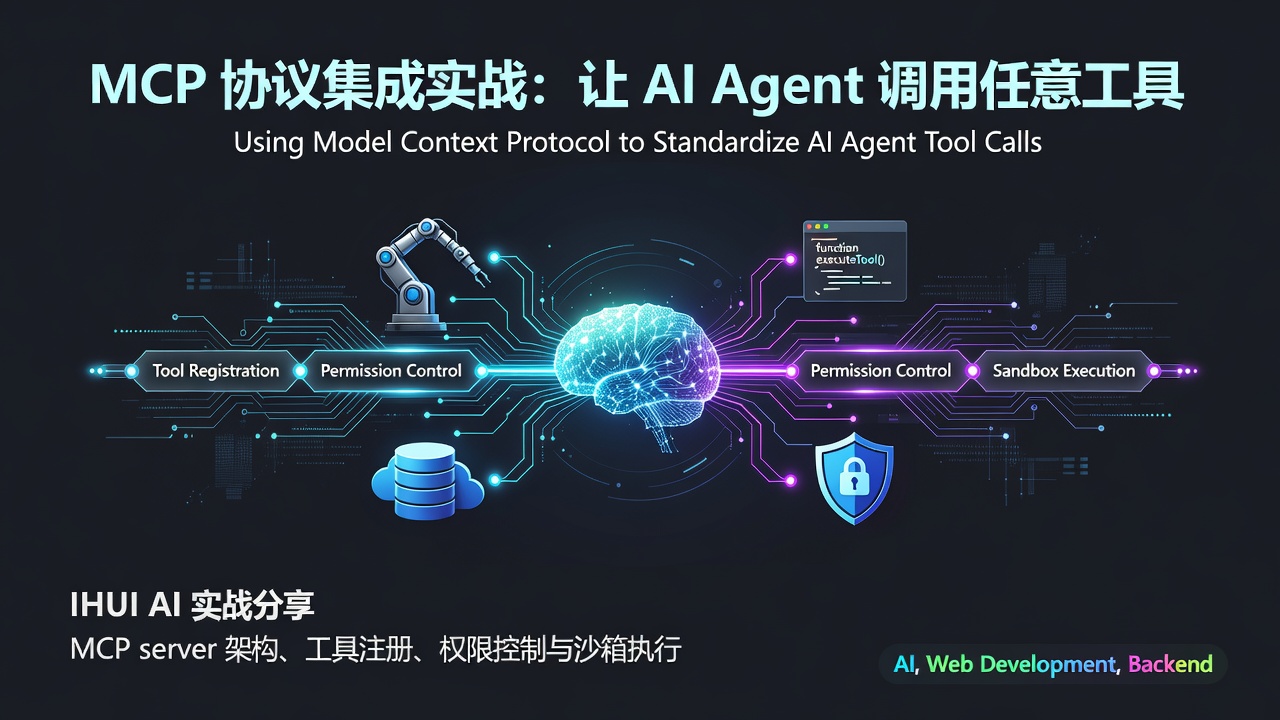

MCP 協議整合實戰:讓 AI Agent 呼叫任意工具
你讓 AI 幫你訂張機票。AI 說:「我是語言模型,無法存取外部系統。」你換個 Agent 產品,它說自己能訂,但要你把密碼給它,還得給它管理員權限。你猶豫了。
LLM 的下一個十年戰爭不是模型本身,而是工具呼叫。Anthropic 在 2024 年底開源了 Model Context Protocol (MCP),把「AI 呼叫外部工具」標準化了。本文講 IHUI AI 如何在 8 端全棧 AI 作業系統裡整合 MCP,讓 Agent 真正能幹活。
一、痛點:AI 只會聊天,不會幹活
LLM 應用最尷尬的現狀:模型很聰明,但被關在玻璃箱子裡。
痛點 1:每家 Agent 框架各搞一套工具協議
- OpenAI Function Calling:
tools+tool_calls - Anthropic Tool Use:
tool_useblock - LangChain Tools:
BaseTool類 - AutoGen Tools:
@tool裝飾器 - Coze / Dify:視覺化插件
你寫了一個「查詢訂單」工具,要適配 5 個框架,寫 5 份程式碼。
痛點 2:工具復用率幾乎為 0
A 公司寫了個「查詢天氣」工具,只能用在自己的 Agent 裡。B 公司想復用,要從頭實現。整個產業在重複造輪子。
痛點 3:權限失控
Agent 要查資料庫,你給它 DB 帳號;它要發郵件,你給它 SMTP 密碼;它要操作 GitHub,你給它 PAT。一個 prompt injection 攻擊,你的生產資料庫就裸奔了。
痛點 4:無沙箱
Agent 跑你寫的程式碼片段,直接在你伺服器上 eval()?生產環境分分鐘被搞掛。
二、方案:MCP 協議 + 沙箱執行
2.1 MCP 是什麼
Model Context Protocol 是 Anthropic 主導、開源的 AI 工具呼叫協議。它的核心思想:把工具/資源/Prompt 暴露成標準 server,任何 MCP-compatible client 都能呼叫。
類比:MCP 之於 AI Agent = LSP 之於編輯器。LSP 讓一個語言伺服器同時給 VSCode/Vim/Emacs 用,MCP 讓一個工具同時給 Claude Desktop/Cursor/任何 Agent 用。
2.2 MCP 的三要素
-
Tools(工具):可執行函數,如
query_order(orderId)、send_email(to, subject, body) -
Resources(資源):可讀資料,如
file:///path/to/doc.md、db://users/123 -
Prompts(提示詞模板):可重複使用的 prompt,如
summarize_meeting(transcript)
2.3 IHUI AI 的 MCP 架構
┌──────────────────────────────────────────┐
│  AI Agent (LangGraph 編排)               │
│  ↓ 工具呼叫決策                            │
│  MCP Client (統一呼叫層)                  │
└──────────────┬───────────────────────────┘
               │ JSON-RPC over stdio/SSE
               ↓
┌──────────────────────────────────────────┐
│  MCP Server Registry(工具註冊中心)       │
│  ↓ 權限校驗 + 路由                         │
└──────────────┬───────────────────────────┘
               │
        ┌──────┼──────┬──────┬──────┐
        ↓      ↓      ↓      ↓      ↓
   內建工具  企業DB  GitHub Slack 沙箱程式碼執行
   (本地)   MCP    MCP    MCP   MCP
Enter fullscreen mode Exit fullscreen mode
每個 MCP server 是獨立程序,Agent 只透過標準協議跟它通訊,工具實作與 Agent 解耦。
三、技術細節
3.1 自訂 MCP Server
IHUI AI 用官方 @modelcontextprotocol/sdk 寫 MCP server。下面是一個「訂單查詢」server 範例:
// mcp-servers/order-query/index.ts
import { Server } from '@modelcontextprotocol/sdk/server/index.js';
import { StdioServerTransport } from '@modelcontextprotocol/sdk/server/stdio.js';
import {
  CallToolRequestSchema,
  ListToolsRequestSchema,
} from '@modelcontextprotocol/sdk/types.js';
import { db } from './db.js';

const server = new Server(
  { name: 'order-query', version: '1.0.0' },
  { capabilities: { tools: {} } },
);

// 註冊工具
server.setRequestHandler(ListToolsRequestSchema, async () => ({
  tools: [
    {
      name: 'query_order',
      description: '查詢訂單詳情,需要使用者自己的訂單 ID',
      inputSchema: {
        type: 'object',
        properties: {
          orderId: { type: 'string', description: '訂單 ID' },
        },
        required: ['orderId'],
      },
    },
    {
      name: 'list_recent_orders',
      description: '列出目前使用者最近 10 筆訂單',
      inputSchema: {
        type: 'object',
        properties: {
          userId: { type: 'string', description: '使用者 ID(從鑑權上下文取得)' },
        },
        required: ['userId'],
      },
    },
  ],
}));

// 工具實作
server.setRequestHandler(CallToolRequestSchema, async (request) => {
  const { name, arguments: args } = request.params;

  switch (name) {
    case 'query_order': {
      const order = await db.orders.findById(args.orderId);
      if (!order) {
        return { content: [{ type: 'text', text: '訂單不存在' }] };
      }
      // 權限校驗:只能查自己的訂單
      if (order.userId !== args.userId) {
        return { content: [{ type: 'text', text: '無權存取他人訂單' }] };
      }
      return {
        content: [{
          type: 'text',
          text: JSON.stringify(order, null, 2),
        }],
      };
    }
    case 'list_recent_orders': {
      const orders = await db.orders.findRecentByUser(args.userId, 10);
      return {
        content: [{
          type: 'text',
          text: JSON.stringify(orders, null, 2),
        }],
      };
    }
  }
});

const transport = new StdioServerTransport();
await server.connect(transport);
Enter fullscreen mode Exit fullscreen mode
關鍵設計:
- 工具用 JSON Schema 描述入參,LLM 自動知道怎麼呼叫。
- 權限校驗在工具內部,Agent 無法繞過。
- 返回結構化 JSON,LLM 可以進一步處理。
3.2 MCP Client 整合
apps/ai-service/src/mcp/client.py:
from mcp import ClientSession, StdioServerParameters
from mcp.client.stdio import stdio_client
from contextlib import asynccontextmanager
import json

class MCPRegistry:
    """MCP Server 註冊中心"""

    def __init__(self):
        self.servers: dict[str, ClientSession] = {}
        self.tools_cache: dict[str, list] = {}

    @asynccontextmanager
    async def connect(self, server_name: str, command: str, args: list[str]):
        params = StdioServerParameters(command=command, args=args)
        async with stdio_client(params) as (read, write):
            async with ClientSession(read, write) as session:
                await session.initialize()
                self.servers[server_name] = session
                # 快取工具清單
                tools_resp = await session.list_tools()
                self.tools_cache[server_name] = tools_resp.tools
                yield session

    async def call_tool(
        self,
        server_name: str,
        tool_name: str,
        arguments: dict,
        user_context: dict,  # 鑑權上下文
    ):
        if server_name not in self.servers:
            raise ValueError(f"未註冊的 MCP server: {server_name}")
        # 把使用者上下文注入參數(權限校驗用)
        enriched_args = {**arguments, **user_context}
        session = self.servers[server_name]
        result = await session.call_tool(tool_name, enriched_args)
        return json.loads(result.content[0].text)

    def all_tools_as_openai_format(self) -> list[dict]:
        """把所有 MCP 工具轉成 OpenAI tools 格式,供 LLM 呼叫"""
        all_tools = []
        for server_name, tools in self.tools_cache.items():
            for tool in tools:
                all_tools.append({
                    "type": "function",
                    "function": {
                        "name": f"{server_name}__{tool.name}",
                        "description": tool.description,
                        "parameters": tool.inputSchema,
                    },
                })
        return all_tools
Enter fullscreen mode Exit fullscreen mode
3.3 LangGraph 工具呼叫迴圈
把 MCP 工具暴露給 LangGraph Agent:
from langgraph.graph import StateGraph, END
from langgraph.prebuilt import ToolNode
from litellm import acompletion

class AgentState(TypedDict):
    messages: list[dict]
    user_context: dict

async def call_llm(state: AgentState):
    tools = registry.all_tools_as_openai_format()
    response = await acompletion(
        model="gpt-4o",
        messages=state["messages"],
        tools=tools,
    )
    msg = response.choices[0].message
    return {"messages": state["messages"] + [msg.to_dict()]}

async def call_mcp_tool(state: AgentState):
    last_msg = state["messages"][-1]
    results = []
    for tool_call in last_msg.get("tool_calls", []):
        # 工具名稱格式:server_name__tool_name
        server_name, tool_name = tool_call["function"]["name"].split("__", 1)
        args = json.loads(tool_call["function"]["arguments"])
        result = await registry.call_tool(
            server_name, tool_name, args, state["user_context"],
        )
        results.append({
            "role": "tool",
            "tool_call_id": tool_call["id"],
            "content": json.dumps(result),
        })
    return {"messages": state["messages"] + results}

def should_continue(state: AgentState) -> str:
    last_msg = state["messages"][-1]
    if last_msg.get("tool_calls"):
        return "call_tool")
    return END

graph = StateGraph(AgentState)
graph.add_node("llm", call_llm)
graph.add_node("call_tool", call_mcp_tool)
graph.add_conditional_edges("llm", should_continue)
graph.add_edge("call_tool", "llm")  # 工具結果回到 LLM
graph.set_entry_point("llm")
agent = graph.compile()
Enter fullscreen mode Exit fullscreen mode
整個呼叫迴圈:LLM 決策 → 調 MCP 工具 → 結果回 LLM → 決策下一步 → 直到完成。
3.4 權限控制:三層模型
IHUI AI 的 MCP 權限分三層:
-
使用者級:使用者只能呼叫自己有權存取的工具(如查自己的訂單)。在工具實作裡校驗
userId。 - 方案級:Free 使用者只能用 5 個內建工具,Pro 使用者能用 50 個,Enterprise 解鎖全部。在 MCP Client 層過濾工具清單。
- 會話級:使用者在 UI 上要明確「允許 Agent 呼叫 X 工具」,類似 OAuth 授權。Agent 臨時拿到 token,會話結束失效。
def filter_tools_by_permission(
    user_id: str,
    plan: str,
    session_grants: list[str],
    all_tools: list[dict],
) -> list[dict]:
    allowed = []
    for tool in all_tools:
        tool_id = tool["function"]["name"]
        # 方案級
        if tool_id in PLAN_TOOL_WHITELIST[plan]:
            allowed.append(tool)
        # 會話級
        elif tool_id in session_grants:
            allowed.append(tool)
    return allowed
Enter fullscreen mode Exit fullscreen mode
3.5 沙箱執行:程式碼直譯器 MCP
最危險的工具是「程式碼執行」。IHUI AI 寫了一個獨立的沙箱 MCP server,基於 Docker + 資源限制:
// mcp-servers/code-sandbox/index.ts
import Docker from 'dockerode';
const docker = new Docker();

server.setRequestHandler(CallToolRequestSchema, async (req) => {
  if (req.params.name !== 'execute_code') {
    throw new Error(`未知工具: ${req.params.name}`);
  }
  const { code, language = 'python' } = req.params.arguments;

  // 啟動一次性容器
  const container = await docker.createContainer({
    Image: 'ihui/sandbox-python:3.11-slim',
    Cmd: ['python', '-c', code],
    HostConfig: {
      Memory: 256 * 1024 * 1024,    // 256MB
      NanoCpus: 1e9,                // 1 CPU
      NetworkMode: 'none',          // 禁網
      AutoRemove: true,
    },
  });

  await container.start();
  const output = await container.attach({
    stream: true, stdout: true, stderr: true,
  });
  // ... 收集輸出,5 秒超時 kill
  return {
    content: [{ type: 'text', text: output.toString() }],
  };
});
Enter fullscreen mode Exit fullscreen mode
安全措施:禁網 + 記憶體/CPU 限制 + 5 秒超時 + 一次性容器 + 非 root 使用者。Agent 跑任何程式碼都炸不到宿主機。
3.6 A2A 協議:MCP 之上的 Agent 互調
MCP 解決「Agent 調工具」,但 Agent 之間互調怎麼辦?IHUI AI 還整合了 A2A(Agent-to-Agent)協議:
- Agent A(規劃)→ Agent B(檢索)→ Agent C(生成)
- 每個 Agent 暴露 MCP server,其他 Agent 當工具呼叫
- 形成 Agent 網路,而不是單體 Agent
這就是 IHUI AI 的 P3 深度層:使用者拖曳配置 Agent 拓撲,平台負責排程。
四、IHUI AI 實戰數據
| 指標 | 數值 |
|---|---|
| 內建 MCP server 數量 | 28 個(訂單/支付/郵件/搜尋/資料庫/程式碼沙箱...) |
| 第三方 MCP 相容 | 100%(任何 MCP server 即插即用) |
| 平均工具呼叫延遲 | 120ms(本地)/ 800ms(遠端) |
| 沙箱最大執行時長 | 30 秒(超時自動 kill) |
| 權限層級 | 3 層(使用者/方案/會話) |
| 協議支援 | MCP + A2A 雙協議 |
真實案例:某企業使用者把內部 ERP 系統封裝成 MCP server,IHUI AI 的 Agent 一鍵接入,員工用自然語言查庫存、下訂單、生成報表。原來要寫 3 週的整合,2 天搞定,且權限隔離清晰。
五、踩坑總結
坑 1:工具描述寫不好,LLM 亂調
LLM 調工具靠 description 欄位。如果描述模糊(「查訂單」),LLM 會亂調。我們的規範:描述必須包含 ① 何時用 ② 何時不用 ③ 入參語義 ④ 返回結構。如:"查詢訂單詳情,僅在使用者明確詢問訂單狀態時使用,不要在閒聊中呼叫。返回訂單 JSON,包含 id/items/total/status 欄位。"
坑 2:工具數量爆炸,LLM 選擇困難
工具一多(50+),LLM 選錯率飆升。解法:按場景分組,LangGraph 路由節點先選「工具子集」,再傳給 LLM。
坑 3:stdio vs SSE
MCP 支援兩種 transport:stdio(本地子程序)和 SSE(遠端 HTTP)。stdio 效能好但只能本地,SSE 跨網路但延遲高。IHUI AI 內建工具用 stdio,第三方工具用 SSE,Client 層透明切換。
坑 4:工具結果 token 爆炸
某個工具返回 10 萬行 SQL 結果,塞進 context 直接超限。我們在 MCP Client 層做了截斷:tool_result_truncator(result, max_tokens=2000),超長就摘要 + 提示「完整結果已存檔,可呼叫 query_detail 工具查看」。
六、什麼時候不要上 MCP
- 只跟一家 LLM 廠商綁定:用廠商原生 Function Calling 更輕量。
- 工具數量 < 5 個且不對外共享:自己封裝更簡單。
- 不需要跨 Agent 復用工具:MCP 的核心收益是「寫一次,所有 Agent 都能用」,如果只在自己一個 Agent 裡用,收益有限。
MCP 真正的價值在生態:工具一次寫成,所有 MCP-compatible 客戶端(Claude Desktop/Cursor/Cline/IHUI AI)都能用。這是 LSP 當年統一編輯器生態的重演。
七、結語
MCP 整合的核心是:
- 協議標準化:MCP 讓工具一次寫成,所有 Agent 都能調,告別 5 框架 5 份程式碼。
- server 解耦:每個工具是獨立程序,LangGraph Agent 只透過 JSON-RPC 通訊。
- 三層權限:使用者級 / 方案級 / 會話級,prompt injection 也炸不動生產資料庫。
- 沙箱執行:程式碼執行類工具走 Docker 隔離,禁網 + 資源限制 + 超時 kill。
- A2A 擴展:MCP 之上做 Agent 互調,形成 Agent 網路(P3 深度層)。
IHUI AI 已經用 MCP 把 28 個內建工具 + 任意第三方 MCP server 串起來,Agent 市場裡的工具一次寫成、全平台通用。如果你也在做 Agent 應用,強烈建議從第一天就用 MCP——晚了再遷移,工具協議適配會要命。
關於 IHUI AI
IHUI AI 是一站式 8 端全棧 AI 作業系統,Apache 2.0 開源。
- 🌐 官網:https://aizhs.top
- 💻 GitHub:https://github.com/IHUI-INF-AI/IHUI-AI(Star 支援一下 ⭐)
- 📦 8 端同源:Web / API / CLI / Desktop / Extension / Mobile / Miniapp
- 🤖 176 模型:OpenAI / Claude / Gemini / 通義 / DeepSeek / 智譜 / 文心 / 豆包 / Kimi / Ollama
- 💰 定價:Free / Pro ¥49/月 / Team ¥199/人/月 / Enterprise ¥2999/月起
5 分鐘 Fork 到上線,替代 ChatGPT Team + Claude Code + Notion AI,月省 $60+。
This article was originally published on the IHUI AI Blog. Follow us on GitHub for more AI engineering content.
0 Comments
Log in to join the conversation.No comments yet. Be the first to share your thoughts.