

Chrome 146 recently introduced scoped custom element registry, which is a way to introduce custom elements in your app without using the global registry namespace. This makes it possible for different versions or entirely different custom elements to share the same tag name. Firefox 150 also has this feature locked behind a feature flag, so it’s likely to be one of the features listed in Baseline 2026.
In this article, I’m going to share one or two examples of components that “ought to have the same tag name”.
The Basics
You’ve got a custom element button. It’s from your design system, hence the “ds” naming:
<ds-button>Code language: HTML, XML (xml)Great. But maybe you’re also using another set of custom components, and it’s also got a <ds-button>. Or, perhaps more likely, it’s your own set of custom elements, but you’ve versioned them, and you need to use v1 and v2 on the same page.
<body>
    <main>
      <!-- v1 usage up here -->
      <ds-button>Button</ds-button>
    </main>

    <footer>
      <!-- v2 usage down here, shadow DOM -->
    </footer>Code language: HTML, XML (xml)
So maybe our default registry is v1, and we get ready by having a custom registry where we’re gonna put v2 stuff.
customElements.define("ds-button", v1Button);

const footerRegistry = new CustomElementRegistry();
footerRegistry.define("ds-button", v2Button);Code language: JavaScript (javascript)
Then one way to use the custom registry is to tell the Shadow DOM we put there to use it. This isn’t required as we’ll see later, but it’s one way.
const footer = document.querySelector("footer");
const shadow = footer.attachShadow({
  mode: "open",
  customElementRegistry: footerRegistry
});

shadow.innerHTML = `
  <ds-button>Will be v2Button!</ds-button>
`;Code language: JavaScript (javascript)
This is Niche Stuff!
Before I proceed, I would like to note that I believe this specific issue or scenario can be considered sub-niche. Most readers of this article, regardless of their skill level in front-end programming, are likely to agree.
Custom elements are already their own niche, since most applications these days are built with frameworks like React. I do think, though, if you develop applications with a framework that does compile down to custom elements such as Lit, you count as a user of this ‘niche’ feature. Regardless of how widely this feature will be adopted across many websites, it’s already well on its way to becoming a web standard. At the very least, this means you wouldn’t have to worry about this feature being deprecated anytime soon.
About the Following Demos
I used AI to help me create the components by sending images of what the components looked like through the prompt. I also drew ideas from existing design systems, since that’s the easiest way I can think of to get examples that “ought to have the same tag name”.
In the first demo, I showcase two different versions of a Material Design button. The next has three slightly different versions of a MacOS context menu.
Although the components are copies of existing designs, I wrote most, if not all, of the code surrounding the components since that is the point of articles such as these. You can consider this article an alternative to the Chrome blog post about this feature, mixing in my personal feelings on the feature.
Material Design Button
If you take away only one thing from this article and forget everything else, I would say it has to be this screenshot from the demo Pen.
All of those buttons (the dark blue and purple ones, with different border radius, capitalization, etc) are the same element: <md-button>.
For those unfamiliar, Material Design was something developed by Google so that different Android applications can have a more cohesive look. The button with rounded corners is based on the original Material Design 1 specification. The button, shaped more like a capsule, is based on Material Design 3. Besides Android applications, you’re also likely to see the latter on Google’s Workspace applications in your web browser.
Both buttons were also designed to be themed using the same custom HTML attributes. You can see, for example, that the third button does not have the md-theme="md3-violet", so it defaults to the same color present in the Material Design 1 button.
Context Menu Web Component
For this example, I’ve decided to take an existing design that comes from Apple’s operating system instead of something related to Google. This next example will feature three similarly named context menus that have similar items yet slightly varying designs.
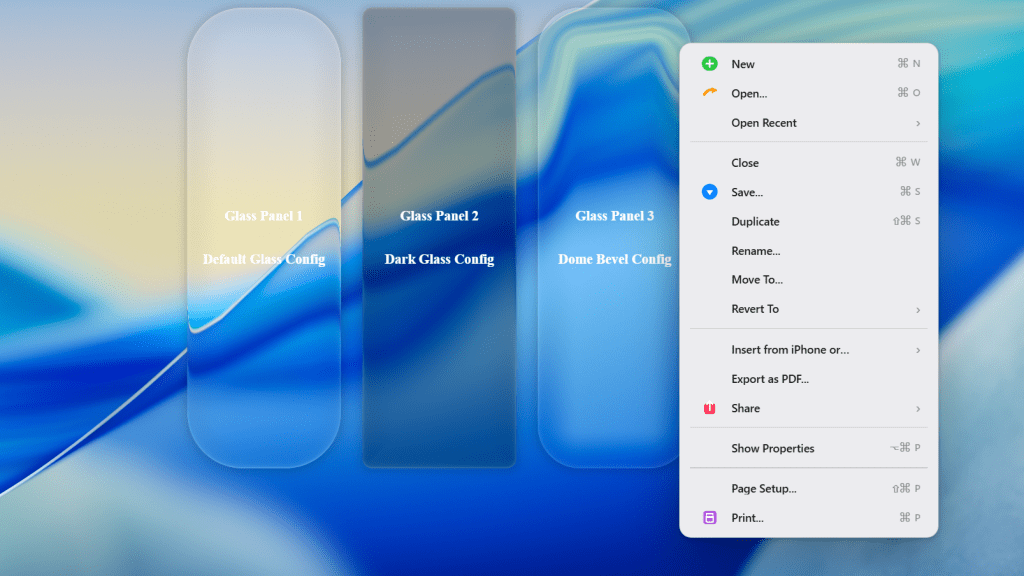
The designs of the context menus were taken from images featured in this article since I don’t have my own personal MacOS device to extract them myself. It’s not exactly related to this article, but I recommend reading it later too if you haven’t already. It certainly taught me at least a thing or two on what can be considered a human-friendly design.
The first two context menus are based on designs from MacOS Sequioa and MacOS Tahoe, respectively, as per the image shown here. The third context menu is a personal edit from the author of the blog post that is trying to improve upon the crowded design of Tahoe’s context menu. I know the AI-generated images aren’t exactly one-to-one clones of the images provided by the blog, but most of my attempts have led me to outputs more or less similar to the one shown in the Pen, so here we are.
This example also doesn’t lend itself to any particular theme or background so I’ve decided to use this liquid glass library to design the right-click areas of each context menu. Liquid Glass is a design language from Apple that only came out much more recently and was also released alongside macOS Tahoe.
My Preferred Method of Creating a Scoped Custom Element
In this context menu demo, I ended up declaring the scoped elements through document.createElement on all three of the elements. I believe it would be preferable to avoid methods such as creating a shadow host wrapper for every scoped element present in the page. It just usually feels cumbersome to handle styling elements inside the Shadow DOM. In examples such as the ones in the Pen, where the host wrapper only contains the custom element, the Shadow DOM probably isn’t too much of a problem to work around.
The liquid glass library I used, @ybouane/liquidglass, states that glass elements must be direct children of the root. Even if it did get an update that allowed children nested a few elements deep, I doubt authors of small libraries would have Shadow DOM support as a priority. To put it briefly, let’s just say I’m glad this new scoped registries feature doesn’t necessarily require you to create a shadow root in order to be used. It would take me much more work to integrate it in my context menu codepen demo even if it’s not entirely impossible to do so.
Custom Type Declarations
This part is no longer an issue nowadays if you are using TypeScript 6 (or higher) or simply don’t use TypeScript at all.
I wrote much of the code shown in my demo before TypeScript 6.0 was released, so I may as well share the type declarations I used.
declare global {
  interface CustomElementRegistry {
    initialize(root: Node): void
  }

  interface ElementCreationOptions {
    customElementRegistry?: CustomElementRegistry | null | undefined
  }

  interface Document {
    readonly customElementRegistry: CustomElementRegistry | null
  }

  interface HTMLElement {
    readonly customElementRegistry: CustomElementRegistry | null
  }

  interface ShadowRoot {
    readonly customElementRegistry: CustomElementRegistry | null
  }
}Code language: TypeScript (typescript)
The initialize method is straightforward enough. Simply call it on any DOM Node you query where you want the customElementRegistry to be applied to. Apparently, every Element has this customElementRegistry property now in a browser that supports ‘Scoped Custom Element Registry’. I’m not sure why the standards committee would prefer this property to be nullable only, rather than also allowing it to be optional or not defined. Perhaps it’s a neat way to let developers check whether the browser supports scoped registries via customElementRegistry on the element?
Another detail I noticed from the specification is that ElementCreationOptions already existed in some browsers before customElementRegistry was made. It also has another property named ’is’ which enables you to set the ‘is’ attribute of an element to an existing custom element. It’s very unlikely this feature will make it to Baseline, though, as you can see from the issue tracker listed in the MDN page referencing this global attribute.
The scoped registry feature, though (unlike the feature I just mentioned that lets you customize built-in elements with is) has Safari support. I also think it’s worth mentioning that Safari was also the first among the major browsers to implement this standard too.
If you ask me, Safari is much more conservative in implementing web standards compared to Chrome while also having a sizable market share unlike Firefox. That’s why I also hold the view that standards ratified first by Safari are more likely to become baseline than those initially pushed by the other two browsers.
While I think these discussions comparing different browsers may be insightful, it’s also really subjective and derailing from the main subject of this article. I’ll just end this section reminding readers that the examples later won’t work if you satisfy the browser requirements.
Another Creation Method that I Wish Already Existed
I wish the light DOM version of the feature could also be done with a declarative syntax, similar to the method using the Declarative Shadow DOM. Something like the following:
<div id="my-host" customelementregistry>
  <hello-world></hello-world>
</div>

<!-- Invoking the following script later down the line...  -->
<script>
  const registry = new CustomElementRegistry()
  registry.define("hello-world", class extends HTMLElement {
    connectedCallback() {
      this.textContent = "Hello World"
    }
  })

  const myHost = document.getElementById("my-host")
  registry.initialize(myHost)
</script>Code language: HTML, XML (xml)
As you can see from my example, I would like every HTMLElement to officially support this customelementregistry attribute. If you didn’t skip my earlier section talking about type declarations, I also mentioned that every HTMLElement now also has its own customElementRegistry property too.
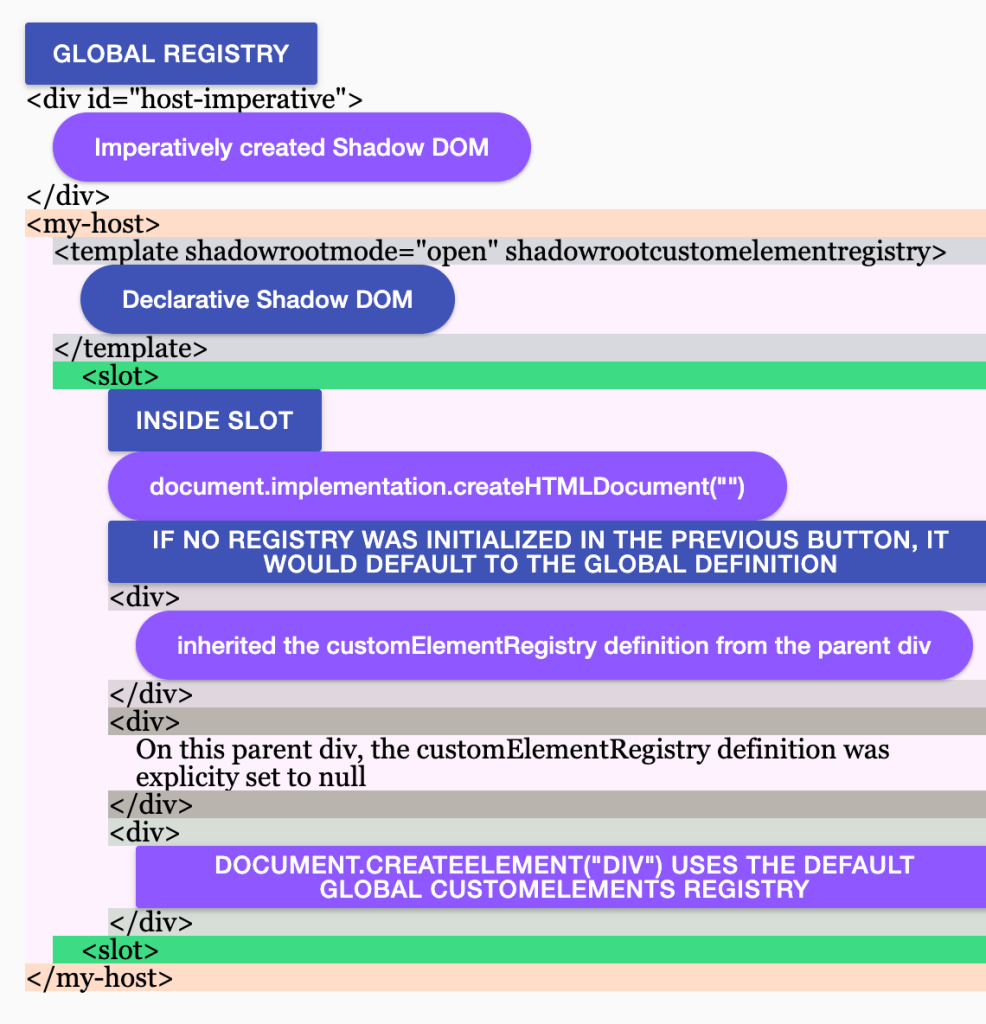
To give a quick overview of parts from the existing specification that I want to highlight:
- The
customElementRegistryof an element can only benullwhen it is created using JavaScript and is explicitly defined as such. - When
customElementRegistryis null, the element itself and all its child elements will also inherit the same value. The only exception is cases where an element is already created somewhere else and moved here, in which case it will keep its existing value. registry.initialize(root)only works when the element’scustomElementRegistryproperty is still null. Running the function on an element where the registry is already initialized does not change the existing registry.
The feature I would like to happen is that when the customelementregistry attribute is present in an HTMLElement, its customElementRegistry property would be considered null on its creation. You then call the initialize method of registry to add the registry to the element, similar to the existing approach. So far, this seems straightforward enough, but some keen readers might also want to ask “What if I apply this attribute to a custom element itself?”
<!-- Maybe sometimes this direct declaration can be better? -->
<hello-world customelementregistry></hello-world>Code language: HTML, XML (xml)
I think this custom element should behave like following:
- That specific custom element tag should remain not defined even if the tag already exists in the global registry. It needs to be called with the initialize method in order to be properly upgraded to a custom element
- If the custom element in question doesn’t exist in the global registry, just treat it similarly to a regular div.
- (Optional) If the custom element in question does exist but doesn’t have its own Shadow DOM, use the same behavior stated above. If it does, perhaps make all children of the
slotinherit the registry of the custom element?
At the very least, this kind of feature would have been useful in my CodePen demo with liquid glass since it did need the glass elements to be direct children. Though I wouldn’t get my hopes up on such a feature because even if something similar to this gets traction, the Shadow DOM does exist for a reason. I would imagine almost anything added to web standards involving the Shadow DOM implies there would be a big performance tax otherwise. I still think these types of “syntactic sugar” features are at least worth a discussion regardless.
0 Comments
Log in to join the conversation.No comments yet. Be the first to share your thoughts.