
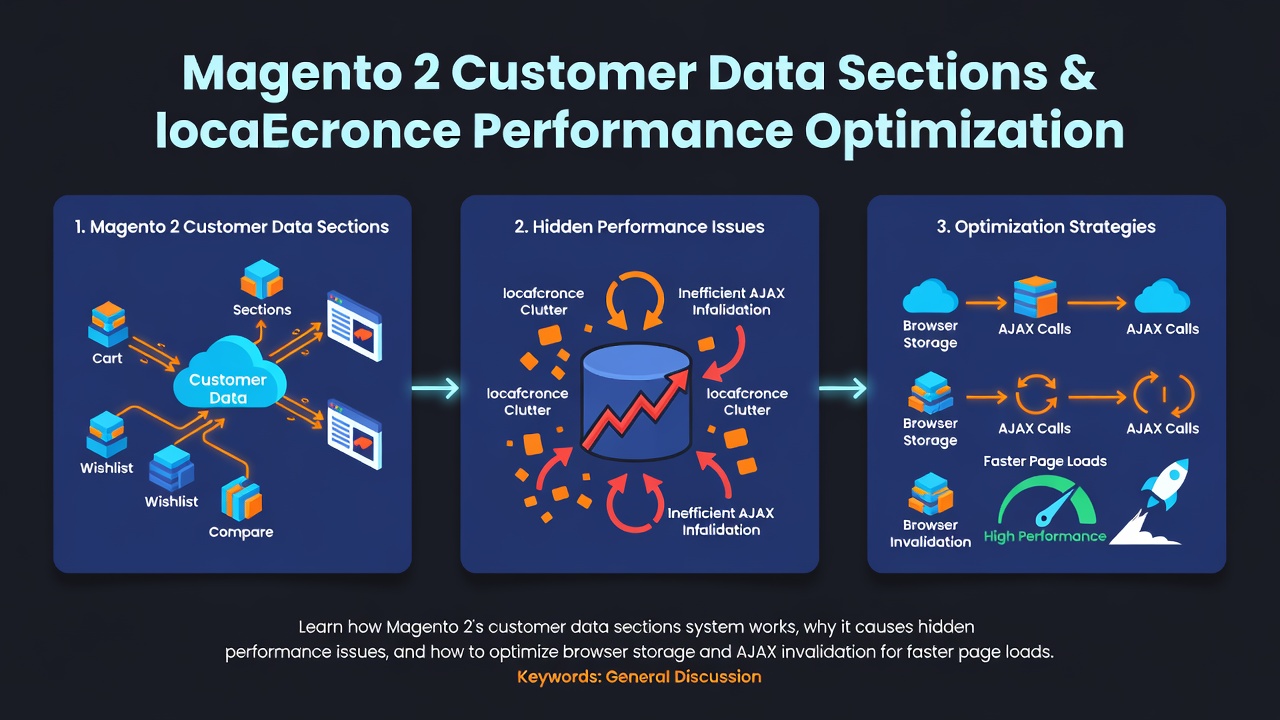

Magento 2 客戶資料區塊與 localStorage 效能最佳化
每個 Magento 2 店面都使用 客戶資料區塊(customer data sections) —— 這是迷你購物車、顧客姓名顯示、願望清單計數器與結帳摘要背後的機制。對購物者來說看起來很流暢,但實際上可能在不知不覺中拖垮您的頁面載入效能。
如果您曾經好奇為什麼您的頁面在初始載入後會立即發出額外的 AJAX 請求,或者為什麼 localStorage 會膨脹到數 MB,這篇文章就是為您準備的。
什麼是客戶資料區塊?
Magento 2 將頁面渲染分為兩個階段:伺服器端(Astro/Varnish/FPC)與客戶端(JavaScript)。因為全頁面快取會對每位訪客提供相同的 HTML,因此個人化資料 —— 購物車內容、登入顧客姓名、願望清單數量 —— 無法在快取頁面上由伺服器端渲染。
這時就輪到 sections.xml 與 Customer Data JS API:
<!-- Vendor_Module/etc/frontend/sections.xml -->
<?xml version="1.0"?>
<config xmlns:xsi="http://www.w3.org/2001/XMLSchema-instance"
        xsi:noNamespaceSchemaLocation="urn:magento:module:Magento_Customer:etc/sections.xsd">
    <action name="checkout/cart/add">
        <section name="cart"/>
        <section name="checkout-data"/>
    </action>
</config>
Enter fullscreen mode Exit fullscreen mode
這個檔案告訴 Magento:「當 checkout/cart/add 動作執行時,使 cart 與 checkout-data 區塊失效。」在下次頁面載入時,JavaScript 會偵測到這些已失效的區塊,並透過 customer/section/load/ AJAX 取得最新資料。
資料流程
- 頁面從 FPC/Varnish 載入(無個人化)
-
JS 初始化
Magento_Customer/js/customer-data -
檢查 localStorage 中是否有快取的區塊資料(依
sectionLoadUrl+storeId鍵) -
已失效的區塊 觸發
POST /customer/section/load/並附帶區塊名稱 - 回應更新 localStorage、ko.observables 與 UI(迷你購物車、訊息等)
這聽起來很有效率,但它有三個主要的效能陷阱。
效能陷阱 #1:「區塊地獄」AJAX 請求
在預設情況下,Magento 2 的 customer-data 模組會在第一次未快取的命中時,對每一個已註冊的區塊呼叫 customer/section/load/:
// vendor/magento/module-customer/view/frontend/web/js/customer-data.js
// (simplified)
getFromServer: function (sectionNames) {
    return storage.post('customer/section/load/', {
        sections: sectionNames,
        update_section_id: true
    });
}
Enter fullscreen mode Exit fullscreen mode
典型的 Magento 安裝會註冊 15–25 個區塊: cart、 checkout-data、 comparison、 directory-data、 customer、 wishlist、 messages、 last-ordered-items、 review、 product_data_storage、 recently_viewed_product、 recently_compared_product、 paypalbilling_agreement、 persistent,以及擴充套件新增的任何自訂區塊。
每個區塊都需要後端資料庫查詢:
| 區塊 | 典型後端成本 |
|---|---|
cart |
Quote 載入 + 品項 + 總計計算 |
customer |
顧客實體載入 + 地址集合 |
wishlist |
願望清單品項集合 |
directory-data |
國家/地區資料 + 運費快取 |
checkout-data |
Quote 地址驗證 + 配送方式解析 |
在高流量商店中,單一次 section/load/ 呼叫可能需要 300ms–1.2s,取決於購物車複雜度、商品目錄大小,以及是否已將 Redis 設定為工作階段儲存。
真正的關鍵:它在每個頁面上執行
與購物車/結帳頁面(您預期會有一些後端工作)不同,此請求會在每個快取的 CMS 頁面、分類頁面與產品頁面上觸發。瀏覽 20 個產品的購物者會產生 20 次 section/load 請求 —— 全部都在做相同的工作。
效能陷阱 #2:localStorage 膨脹
區塊資料儲存在瀏覽器的 localStorage 中。Magento 的預設金鑰格式為:
mage-cache-storage     // ~50KB–500KB+
mage-cache-storage-section-invalidation  // small
Enter fullscreen mode Exit fullscreen mode
單是 cart 區塊就可能成長到 100KB+,如果購物者有包含可配置產品、自訂選項與階梯定價的複雜購物車。再乘以 20 個區塊,您可能會達到每位訪客 1–2MB 的 localStorage。
這會造成三個問題:
- 行動瀏覽器會積極清除 localStorage。在 iOS Safari 上,儲存空間可能在記憶體壓力下被清除,迫使完整重新取得。
-
反序列化變慢 —— 對 1MB+ 的字串執行
JSON.parse()會阻塞主執行緒 10–50ms,導致 Interaction to Next Paint (INP) 變差。 -
工作階段儲存配額 —— 某些瀏覽器將
localStorage限制在 5MB。一個大型購物車可能接近限制,破壞其他功能。
效能陷阱 #3:區塊失效濫用
最常見的錯誤是:在每個控制器動作上宣告區塊失效。
<!-- BAD: Extension invalidates everything on every page -->
<action name="*">
    <section name="cart"/>
    <section name="customer"/>
    <section name="wishlist"/>
</action>
Enter fullscreen mode Exit fullscreen mode
某些第三方擴充套件使用萬用字元(*)比對,或在非購物車動作(例如透過追蹤像素的產品列表頁面檢視)上使 cart 失效。這會強制在每一個頁面上觸發 section/load/ 呼叫,即使沒有任何變更。
另一種濫用模式:對 getSectionData() 的外掛程式,針對甚至不在目前頁面上顯示的資料執行昂貴的查詢。
最佳化策略
1. 稽核您的 sections.xml 檔案
首先,找出您實際正在使失效的內容:
# Find all section definitions
grep -r "<action name=" app/code vendor/magento --include="sections.xml" | wc -l

# Find wildcard invalidation (highly suspicious)
grep -r '<action name="\*"' app/code vendor --include="sections.xml"
Enter fullscreen mode Exit fullscreen mode
對於每個萬用字元或過於廣泛的失效,問問自己:「這個動作真的會改變這個區塊的資料嗎?」
2. 從初始載入中移除未使用的區塊
您可以透過 di.xml 設定初始請求時要載入哪些區塊:
<!-- app/etc/di.xml or your module -->
<type name="Magento\Customer\CustomerData\SectionPoolInterface">
    <arguments>
        <argument name="sectionSourceMap" xsi:type="array">
            <!-- Only load what you actually display on every page -->
            <item name="cart" xsi:type="string">Magento\Checkout\CustomerData\Cart</item>
            <item name="customer" xsi:type="string">Magento\Customer\CustomerData\Customer</item>
            <item name="messages" xsi:type="string">Magento\Theme\CustomerData\Messages</item>
        </argument>
    </arguments>
</type>
Enter fullscreen mode Exit fullscreen mode
像 recently_viewed_product、 recently_compared_product 與 review 這類區塊很少需要在初始 section/load/ 呼叫中。當相關小工具初始化時再延遲載入它們。
3. 停用您不使用的區塊
如果您不使用願望清單或產品比較,請將它們完全移除:
<!-- app/code/Vendor/Module/etc/frontend/di.xml -->
<type name="Magento\Customer\CustomerData\SectionPool">
    <plugin name="disable_unused_sections"
            type="Vendor\Module\Plugin\DisableUnusedSections"
            sortOrder="10"/>
</type>
Enter fullscreen mode Exit fullscreen mode
<?php
namespace Vendor\Module\Plugin;

class DisableUnusedSections
{
    private array $disabledSections = [
        'wishlist',
        'comparison',
        'review',
        'last-ordered-items'
    ];

    public function afterGetSectionNames(\Magento\Customer\CustomerData\SectionPool $subject, array $result): array
    {
        return array_diff($result, $this->disabledSections);
    }
}
Enter fullscreen mode Exit fullscreen mode
這會從 section/load/ 呼叫與 localStorage 中移除這些區塊。
4. 將暫存資料切換至 sessionStorage
對於不需要跨分頁保留的區塊(例如 messages),請覆寫儲存後端:
<!-- app/code/Vendor/Module/etc/frontend/di.xml -->
<type name="Magento\Customer\CustomerData\JsLayoutDataProviderPool">
    <arguments>
        <argument name="components" xsi:type="array">
            <!-- Custom storage handler -->
        </argument>
    </arguments>
</type>
Enter fullscreen mode Exit fullscreen mode
或者使用更簡單的方法:修補 customer-data.js 為分頁專屬的區塊使用 sessionStorage,以減少 localStorage 壓力。
5. 實作伺服器端推送(進階)
不要讓瀏覽器在每次頁面載入時輪詢,而是在資料真正改變時才推送更新:
// In your observer, after cart modification
$sectionIdentifier = $this->sectionIdentifierFactory->create();
$sectionIdentifier->resetIdentifier(); // Forces JS to re-fetch on next action
Enter fullscreen mode Exit fullscreen mode
更好的做法是,對於 headless/API-first 架構,完全繞過 customer-data,改用 GraphQL 查詢來取得購物車狀態,只在迷你購物車開啟時載入需要的資料。
6. 使用 Redis 儲存區塊中繼資料
雖然區塊資料本身在瀏覽器中,但後端仍會查詢資料庫。請確保您的 customer/section/load/ 端點使用:
- Redis 工作階段儲存(而非資料庫工作階段)
-
透過
Magento_Quote快取標籤進行 Quote 快取 -
對
section/load/進行 Varnish pass-through(不要快取此端點 —— 它必須是動態的)
7. 測量前後差異
使用 Blackfire 或 New Relic 追蹤 customer/section/load/ 呼叫:
- 開啟任何快取的產品頁面
- 檢查網路分頁 —— 找到
section/load/POST - 分析它 —— 尋找
QuoteRepository::get、TotalsCollector::collect、AddressRepository::getList - 套用最佳化並重新分析
最佳化後的預期結果:
| 指標 | 之前 | 之後 |
|---|---|---|
| 區塊數量 | 22 | 6 |
| AJAX 酬載大小 | 45KB | 8KB |
section/load/ 後端時間 |
450ms | 80ms |
| localStorage 大小 | 1.2MB | 180KB |
| INP 改善 | — | -40ms |
摘要
客戶資料區塊是一個強大但危險的功能。Magento 2 的預設設定過於寬鬆 —— 它在每個頁面上載入每個區塊、在 localStorage 中儲存數 MB 的資料,並假設所有擴充套件都知道如何負責任地使失效。
解決方法是精準的:稽核您的 sections.xml、移除未使用的區塊、停用您不需要的功能,並確保您的後端工作階段/快取層已針對 customer/section/load/ 端點進行最佳化。
最快的 AJAX 請求,就是您不必發出的那一個。
覺得這篇文章有幫助嗎?請查看我們的 Magento 2 Performance Optimization Guide 2026 以取得完整的店面調整策略。
0 Comments
Log in to join the conversation.No comments yet. Be the first to share your thoughts.